制造产品配置
批次/SN全程追溯
To optionally assign lots or serial numbers to newly manufactured products, go to . Then, select an existing product, or create a new one by clicking New. Go to the Inventory tab, and open the General Information tab. In the Tracking field, select By Unique Serial Number or By Lots.
这样做会在制造订单上启用批次/序列号字段,或在工厂应用的工单卡上启用登记生产指令。
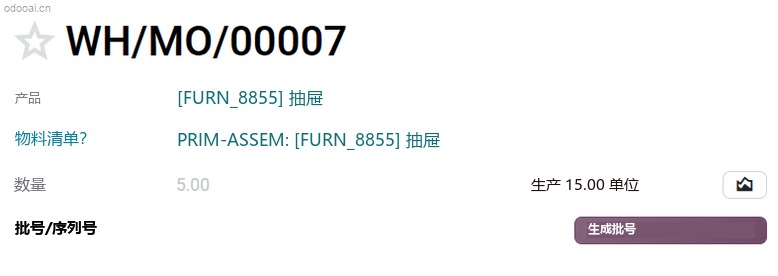
制造订单上的 批次/序列号 字段。
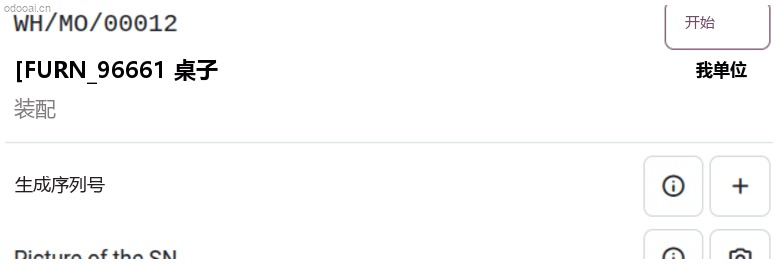
In this work order, the Generate Serial Number step is a Register Production step that generates lot and serial numbers on a work order card.
配置物料清单(BoM)
接下来,必须为产品配置 BoM,以便 Odoo 知道产品是如何生产的。BOM 是生产产品所需的组件和操作的列表。
要为特定产品创建 BoM,请导航至 ,然后选择产品。在产品页面,点击页面顶部的 物料清单 智能按钮,然后选择 新建 以配置新的 BoM。
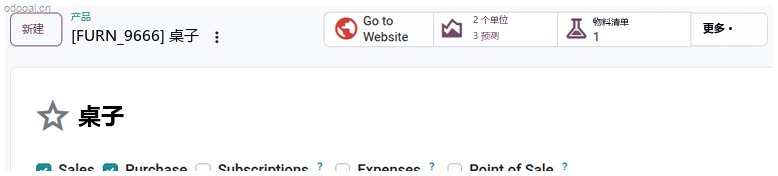
在 BoM 上, 产品 字段会自动填充产品。在 数量 字段中,指定 BoM 生产的单位数量。
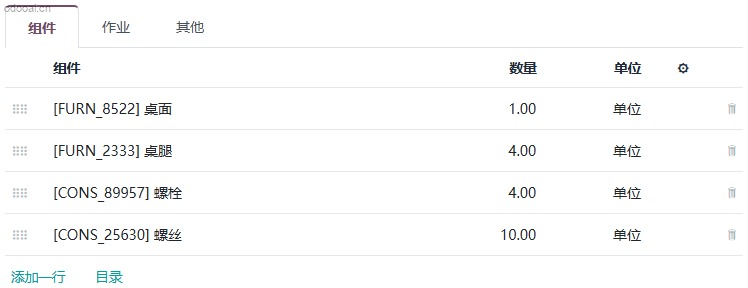
Add a component to the BoM by selecting the Components tab and clicking Add a line. Select a component from the Component drop-down menu, then enter the quantity in the Quantity field. Continue adding components on new lines until all components have been added.
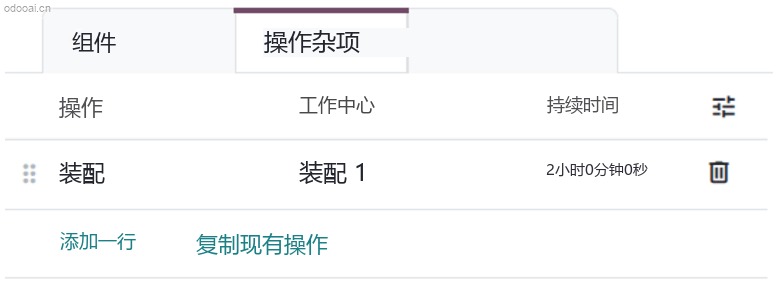
Next, select the Operations tab. Click Add a line and an operation form appears. In the Operation field, specify the name of the operation being added (e.g., Assemble, Cut, etc.). Select the work center where the operation will be carried out from the Work Center drop-down menu. Finally, click Save & Close to finish adding operations, or Save & New to add more.
重要
The Operations tab only appears if the Work Orders setting is enabled. To do so, navigate to , then enable the Work Orders checkbox.
更多内容
物料清单。
本站校对说明
本篇《Odoo 20.0 documentation》翻译自 Odoo 20.0 企业版官方文档。库存与制造章节的术语统一为:location 译为「库位」、putaway 译为「上架规则」、work center 译为「工作中心」、bill of materials 译为「物料清单」。文中涉及的路线、补货与工单状态,均按 20.0 版本界面核对;开启多步收发货或多仓配置后,菜单会多出层级,与本页顺序不完全一致属于正常。制造业常见的 BOM 层级与成本归集配置,可在本站生产制造专题中查阅。如与官方英文版表述不一致,以 odoo.com 官方文档为准。
内容源自 Odoo S.A. 官方文档,依 CC BY-SA 4.0 许可翻译与校对,版权归 Odoo S.A.。本站为第三方中文文档站点,非 Odoo 官方网站。遇到与官方表述冲突之处,请以 odoo.com 官方文档 为准;版本选型可参考 社区版与企业版对比。