
出售服务时,您可以选择自动创建一个项目/任务,以帮助您避免丢失需要完成的工作,简化团队之间的流程。 除此之外,您还可以根据在该服务上花费的确切时间为客户开具发票或重新开具发票。
产品设置
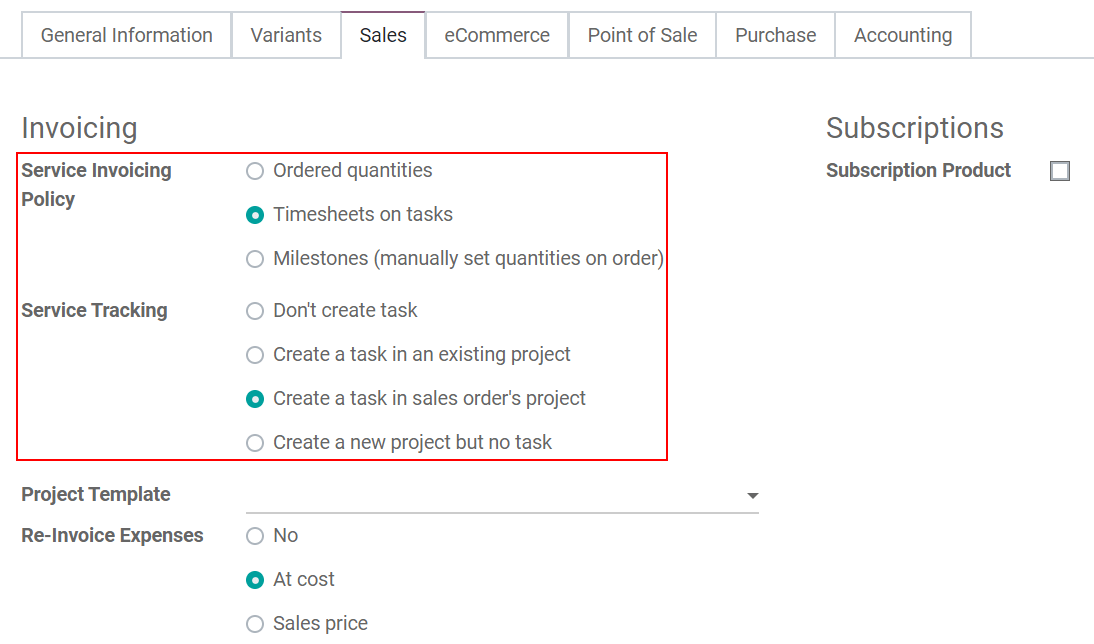
在 创建新产品或设置现有产品。 在 一般信息 ,将 产品类型 设置为 服务 。 在 销售 标签下,选择 服务发票政策 和 服务跟踪 。
如果您选择:
- Create a task in an existing project: a task is added in the first column of the selected
project.
- Create a task in sales order’s project: a new project for each sales order of that service is
created based on the template you have chosen.
- Create a new project but no task: only creates a new project, for each time that service is
sold, based on the skeleton of the project template chosen.
确认报价并创建项目/任务
现在,一旦确认了 报价单 并将其转换为 销售订单 ,便会自动创建一个项目或任务。
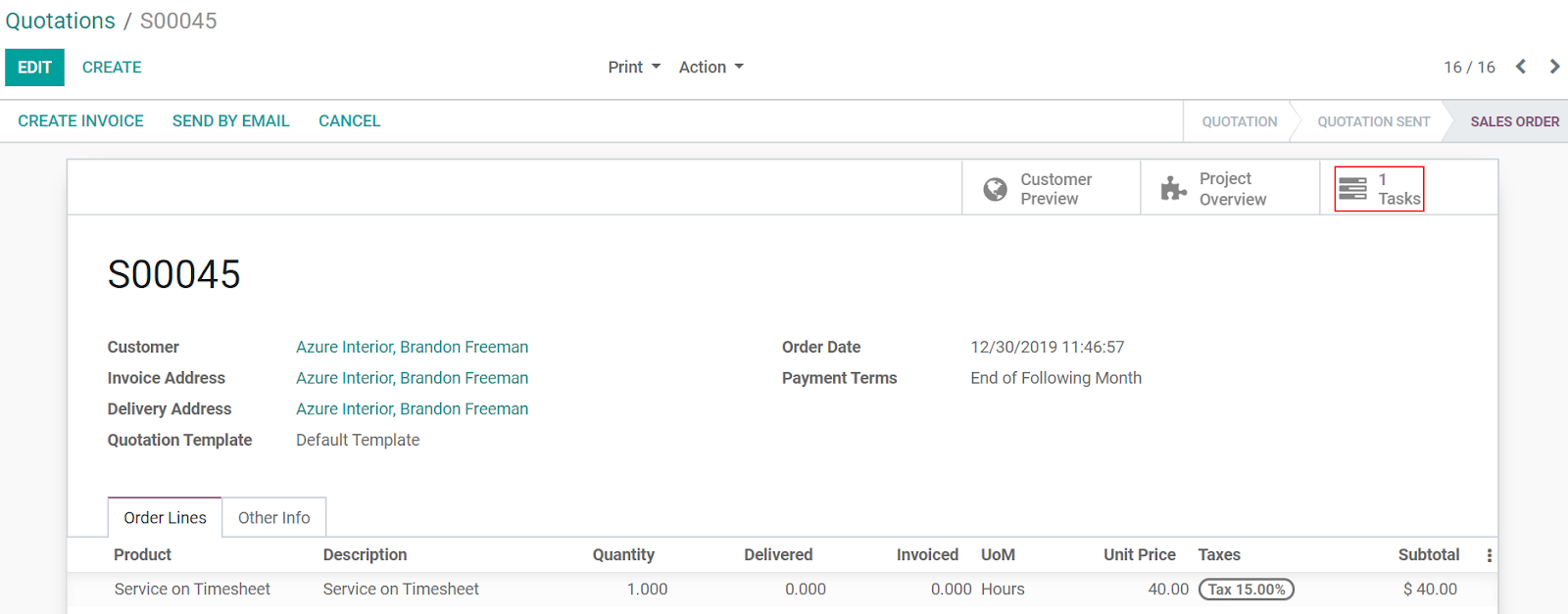
访问从项目生成的任务
在 项目 应用程序上,显示新的项目和/或任务(取决于先前选择的 服务追踪 选项):

记录花费的时间并创建发票
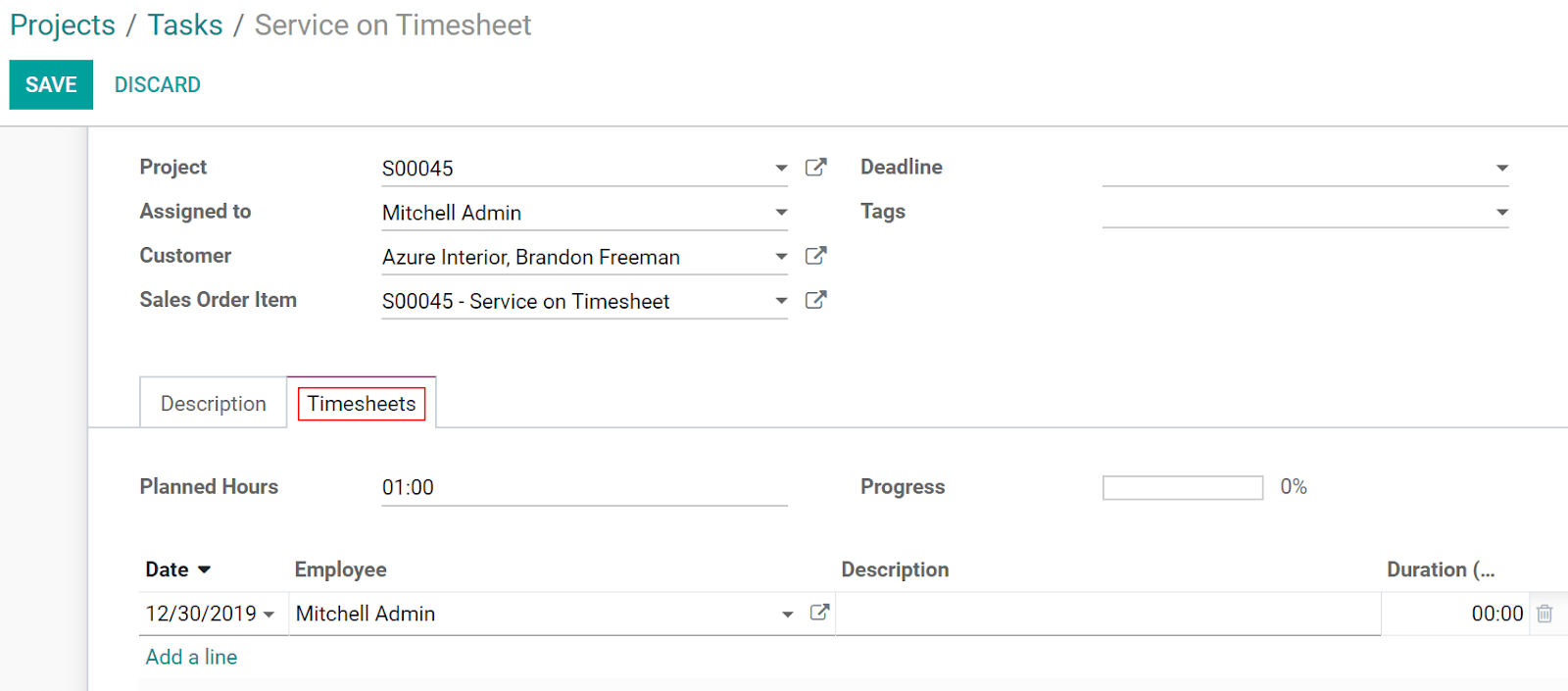
在 项目 中,访问您的任务并在 工时单 选项卡下记录所花费的时间。
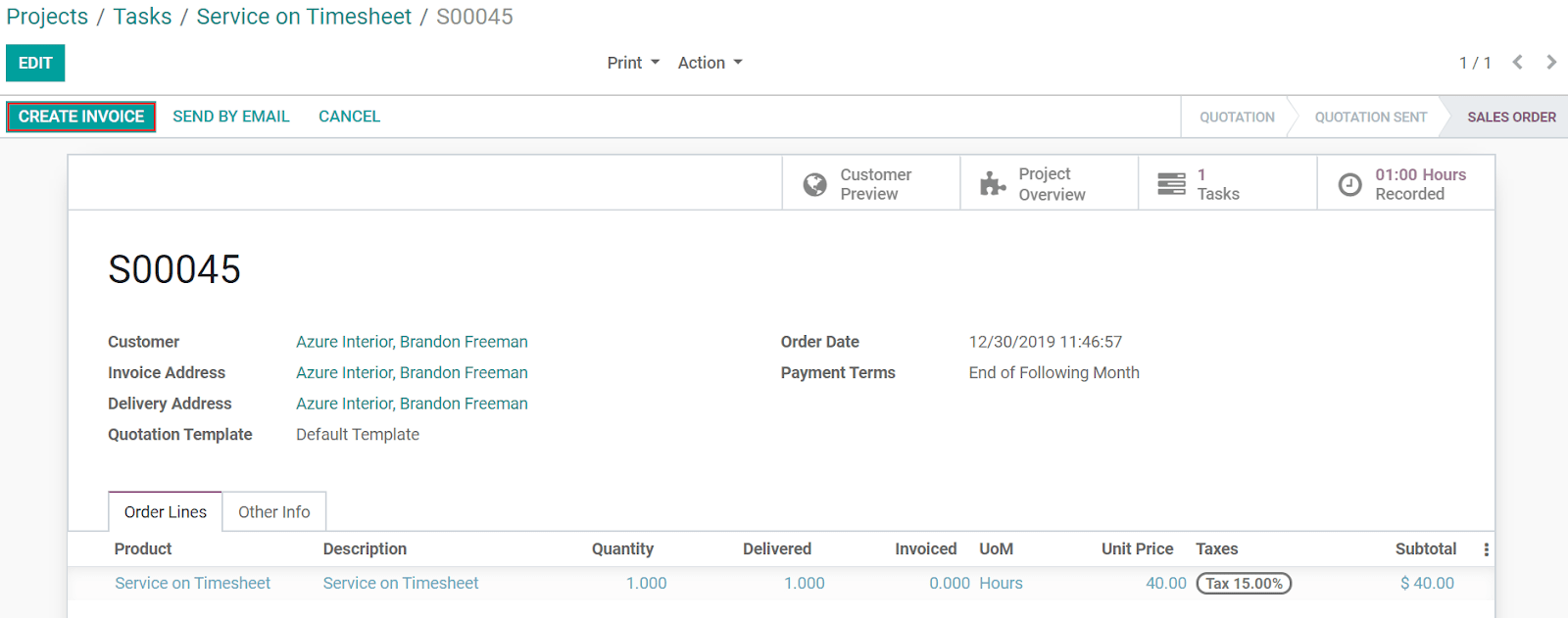
任务完成后,点击 销售订单 和 创建发票 。
小技巧
要仅发票批准的时间表,请转到 :menuselection:[UNKNOWN NODE problematic]工时单 –> 设置 –> 设定`并启用 仅批准的工时单 。