As a full-featured ERP, Odoo handles the vast majority of supply chain processes well, and the system also includes built-in return and exchange functionality. In real-world use, especially in complex import/export and re-export trade and in integrated production and sales operations, order adjustments and returns/exchanges in sales or purchasing transactions occur frequently.
This article mainly explains how to comprehensively manage order adjustments and order returns/exchanges in Odoo AiERP, as well as the corresponding financial processing. The article is based on our adjustment order and sales return/exchange application modules.
Pain points of native Odoo in handling sales/purchase exception scenarios
Cumbersome manual operations | Especially when handling partial returns or multiple returns, there are many steps and errors are likely. |
Switching between multiple modules | Returns involve multiple modules such as sales, inventory, and accounting. Users need to switch between different interfaces, which affects efficiency. |
Lack of automated approval | Approval of the return process relies on manual work, and automated rules (such as automatic approval based on amount) cannot be flexibly configured. |
Inflexible inventory status updates | Returned goods may require quality inspection or repair, but the system defaults to direct warehousing, resulting in inflated available inventory (status needs to be adjusted manually). |
Strong dependency on batch/serial number management | If the original order is not recorded, it may be impossible to accurately trace the source of the goods during returns. |
Complex multi-warehouse processing | For cross-border returns or sub-warehouse warehousing, the transfer process may require additional configuration, increasing complexity. |
Cross-period return accounting treatment | If the return occurs after the accounting period of the original order, the system may not be able to process it automatically. |
Exceptions generally occur after an order has been confirmed/locked but needs adjustment for special reasons. The goal of exception handling is to properly handle the corresponding special situations in the business process, ensuring that the business accounts, fund accounts, and inventory accounts match while the process runs smoothly. Specifically, this includes:
- Sales adjustments, sales returns
- Purchasing Adjustments, Purchase Returns
Sales Order Adjustment
Use the [Sales Adjustment Order] feature to adjust the quantities of part of a sales order; this usually occurs when some products in the order are reduced or increased in quantity.
The operation must meet the following conditions:
- The sales order is locked but not closed. After completion, the order is automatically closed.
- When performing an increase operation, as long as it is not locked, the operation can be performed.
- When performing a decrease by x quantity operation, settlement check and delivery check must be performed, and associated resource procurement check must also be performed.
- When decreasing, if x>unsettled quantity, adjustment is prohibited (sales return is allowed);
- When decreasing, if x>quantity pending delivery, adjustment is prohibited (sales return is allowed);
- When decreasing, if the associated resource procurement x>quantity pending settlement, adjustment is prohibited (sales return is allowed);
- When decreasing, if the associated resource procurement x>quantity pending receipt, adjustment is prohibited (sales return is allowed);
At this point, sales adjustments are allowed. Increments increase revenue and expenses, while returns decrease revenue and expenses.
Increase example (any unlocked can be operated):
When the sales order has been paid, the delivery has been completed and the invoice has been issued.
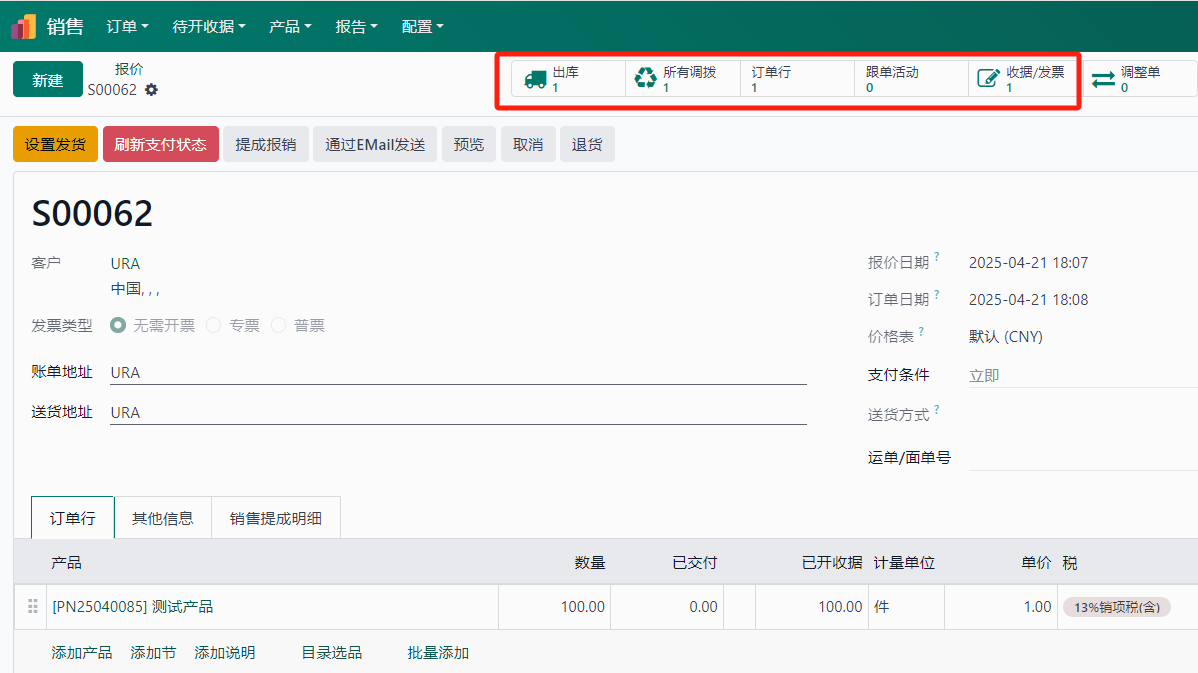
At this time, create a new sales adjustment order for this order. The adjustment order has functions such as [Product Adjustment], [Quantity Adjustment], [Order Migration], and [Comprehensive].
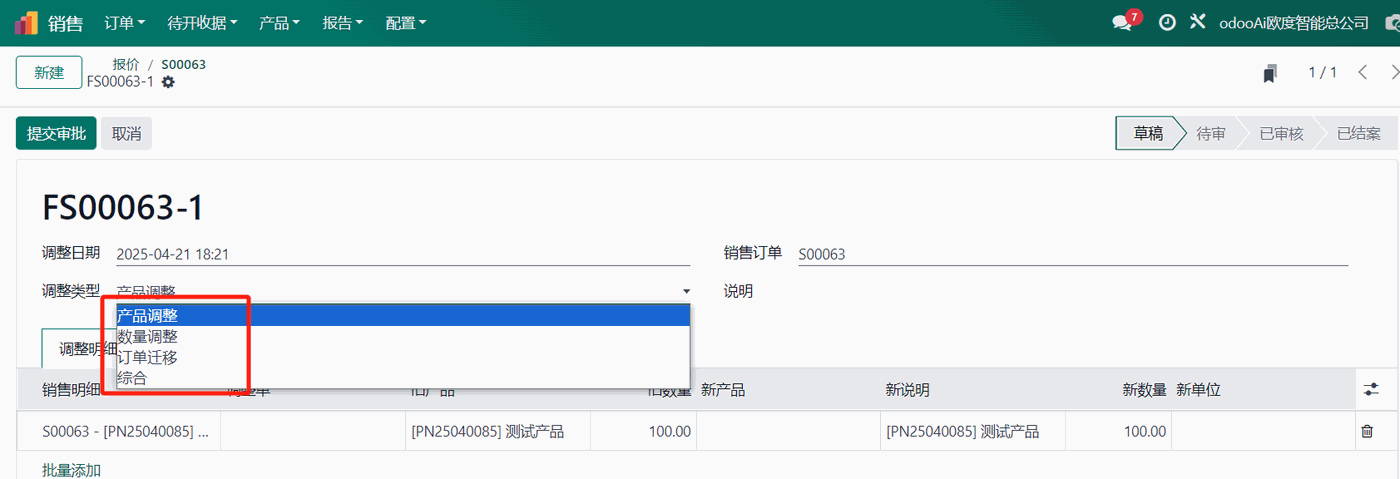
We take an increase as an example and import the source sales order here
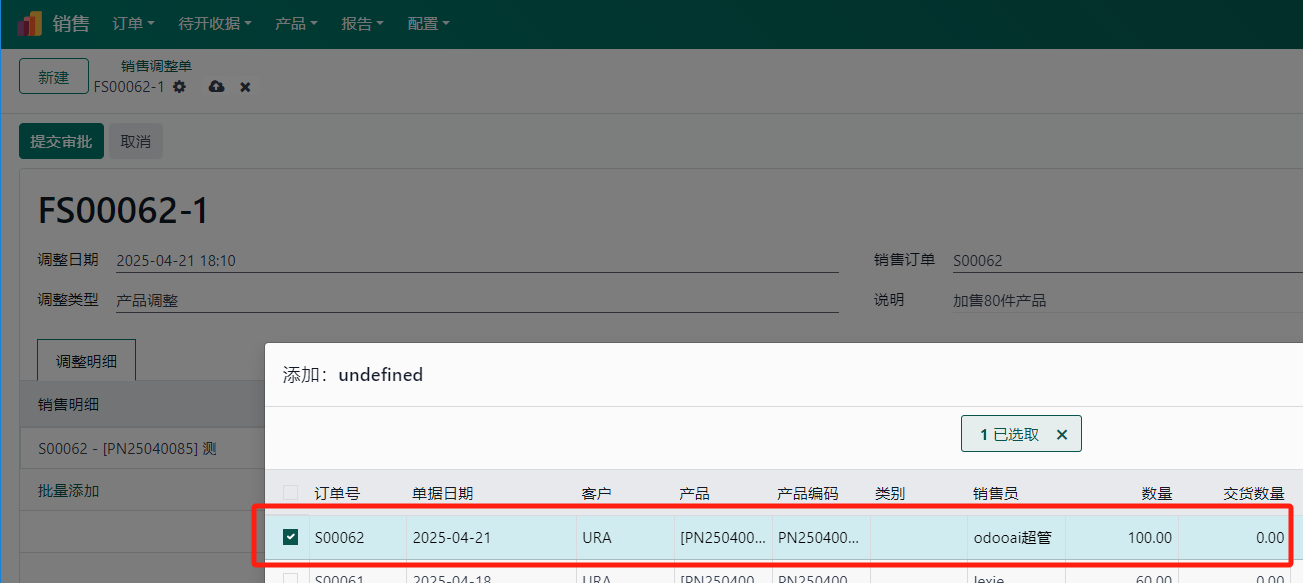
Adjust Quantity

After the sales order is increased, a draft receipt for the increase is added.
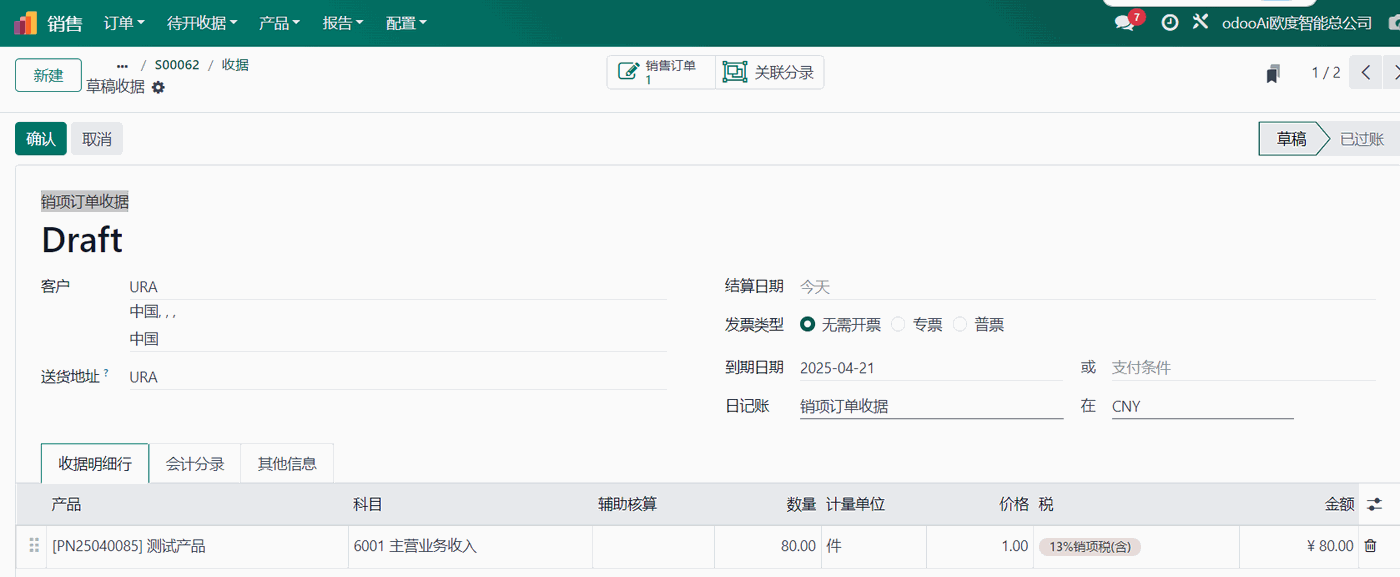
and additional delivery documents.
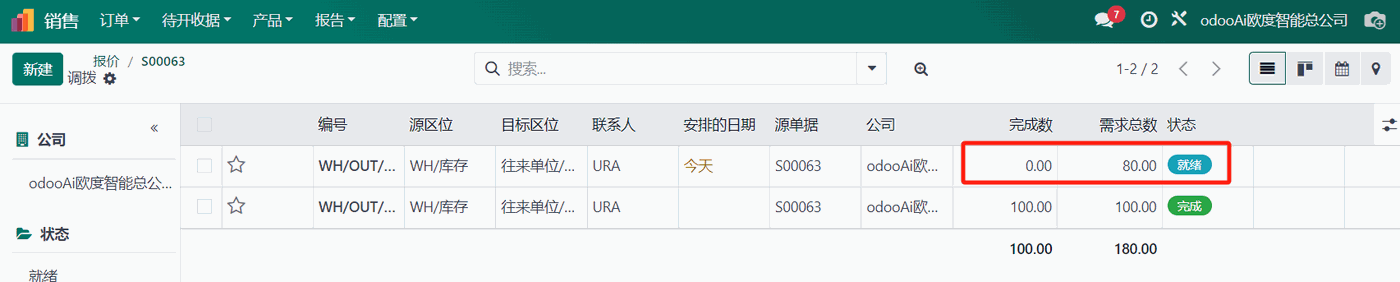
Decrease example (cannot be operated after delivery or payment collection):
The sales order has been confirmed, and the system will generate delivery orders, draft receipts, and other related documents. If no delivery, payment collection, or related procurement has been made, you only need to manually update the product quantity or type, and all related documents will be automatically updated.
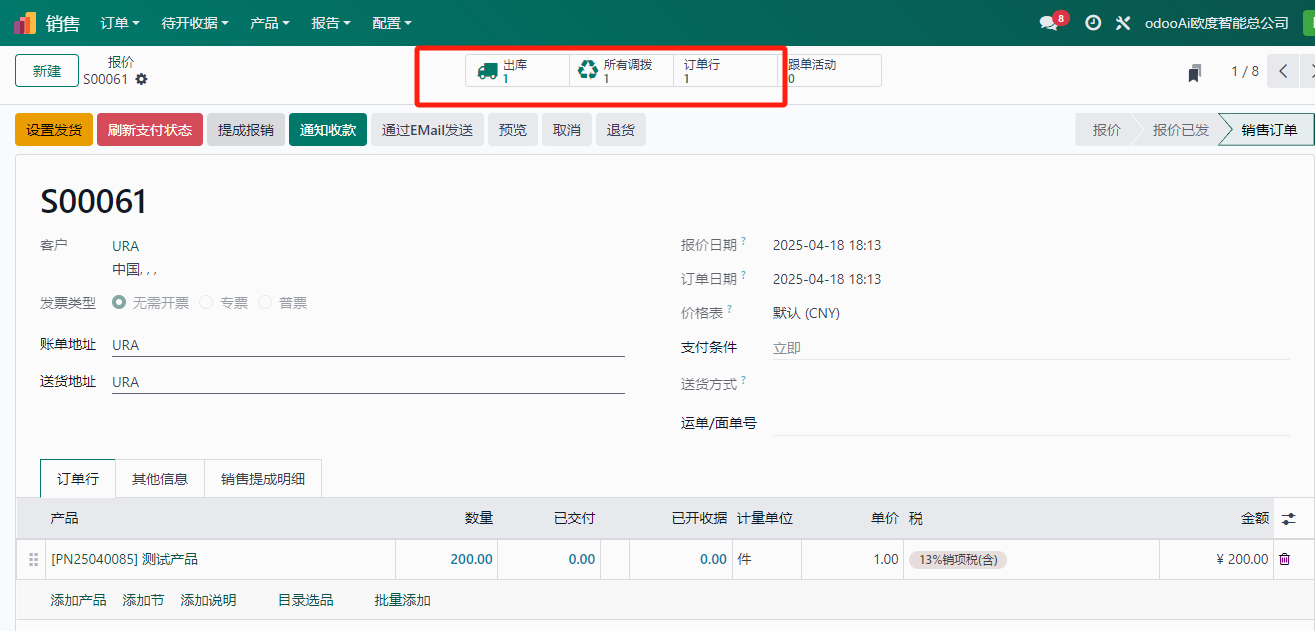
Sales Order Returns and Exchanges
Perform return operations in the delivery order; you can exchange, partially return, or fully return. Returning all or part of a sales order usually occurs when part of the order is returned and the associated downstream business processes have been completed, such as resources having completed procurement settlement or warehousing. This operation generates red-reversal inventory transactions and red-reversal financial documents. The following conditions must be met:
- The sales order is locked but not closed. After completion, the order is automatically closed.
- When performing a decrement x quantity operation, after user approval, an independent refund and return operation can be executed.
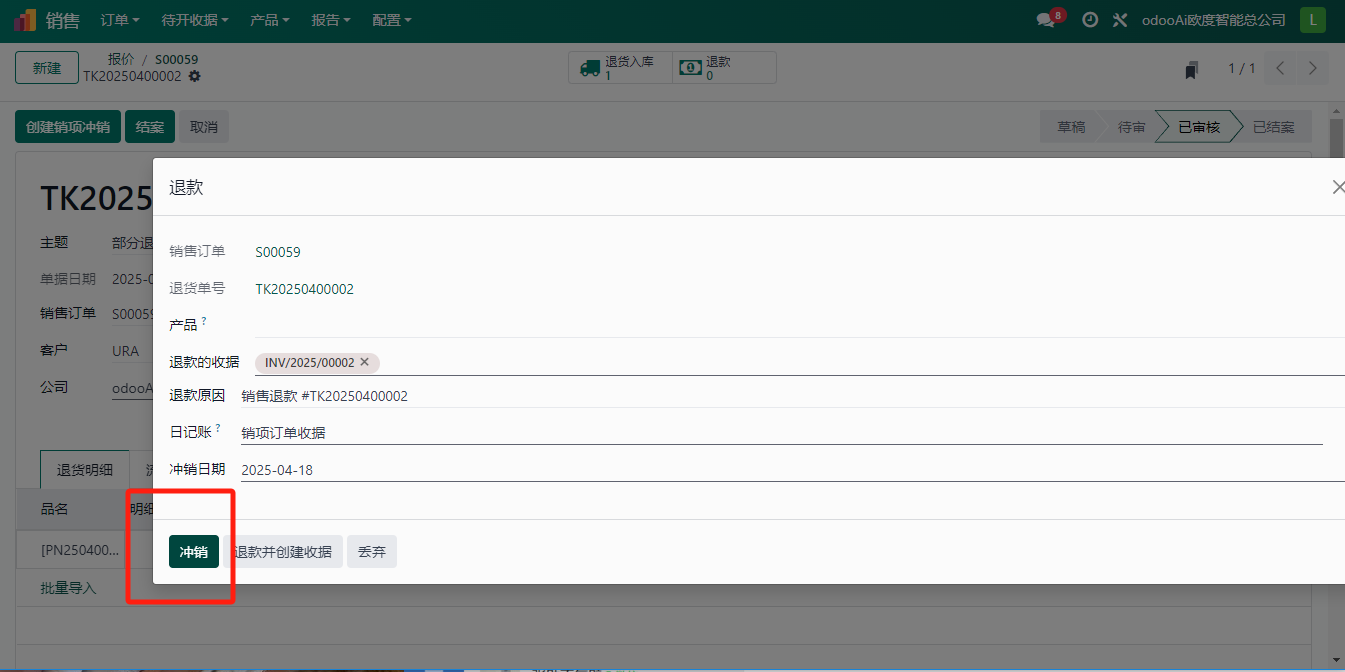
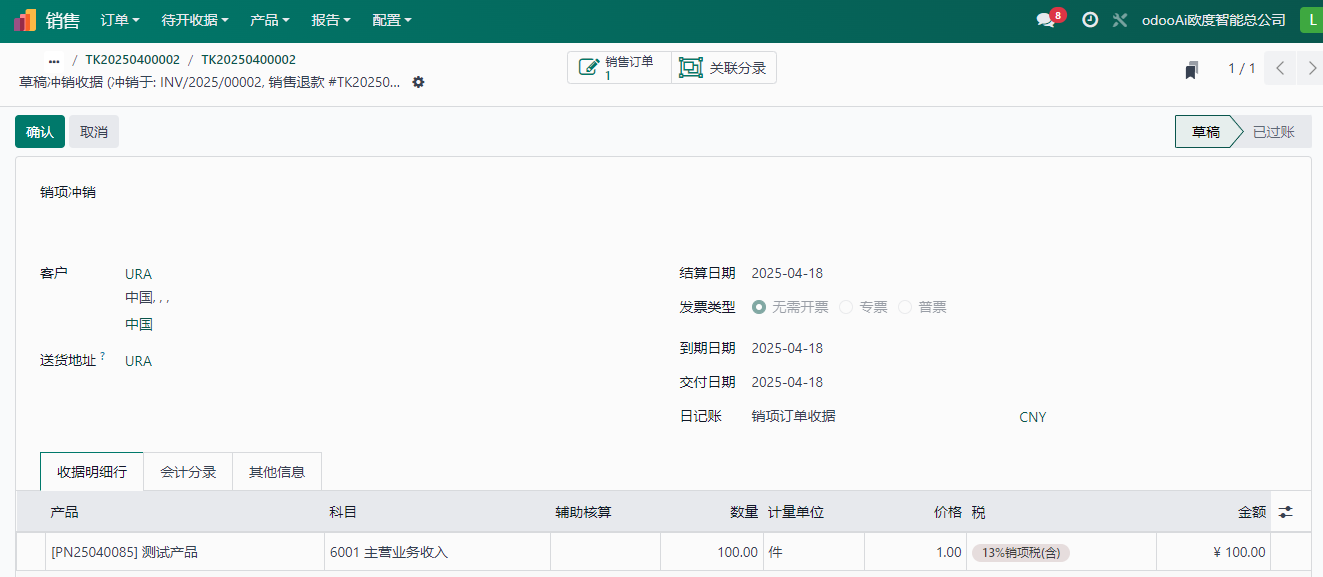
- Refund: refund a specified amount to a specified customer, generating a red-reversal receipt and corresponding payable/paid accounts.
- Return: for a specified customer, if products have already been delivered out of the warehouse, a return-inbound operation will be generated; after inbound, the user decides the subsequent processing.
At this point, sales returns are allowed. Returns generate red reversals. Perform return operations in the delivery order; you can exchange, partially return, or fully return.
Exchange
Access the interface via the return button in the order.
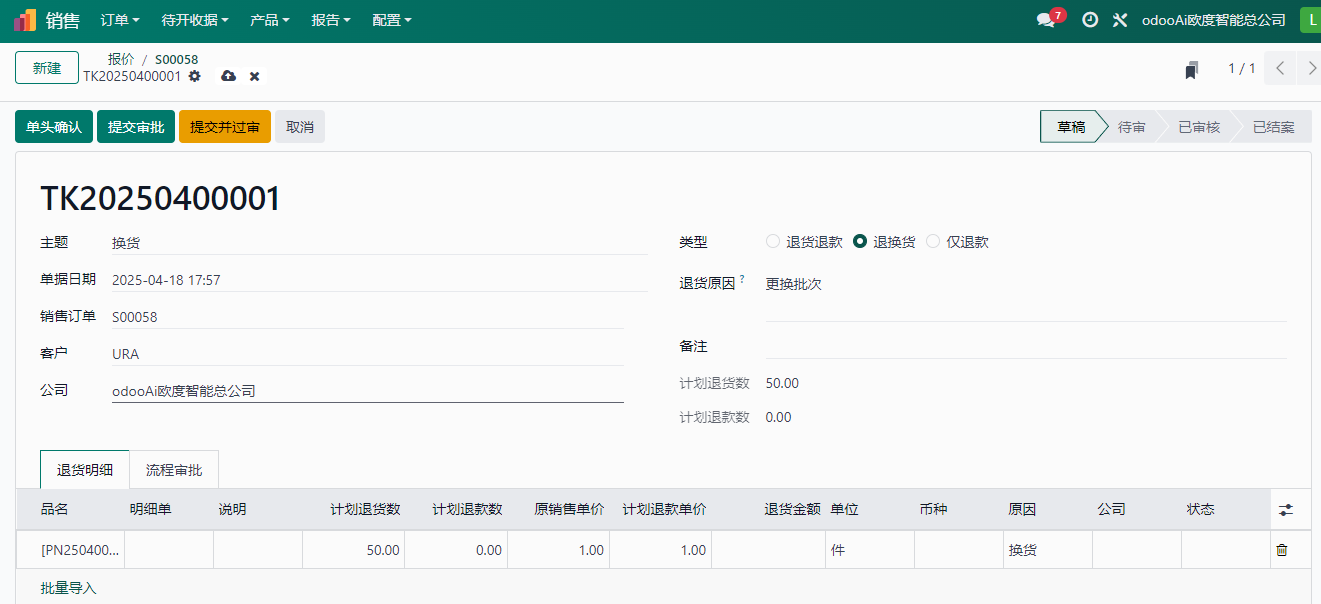
At this point, the source sales order is linked to one inbound order, i.e., the returned products.
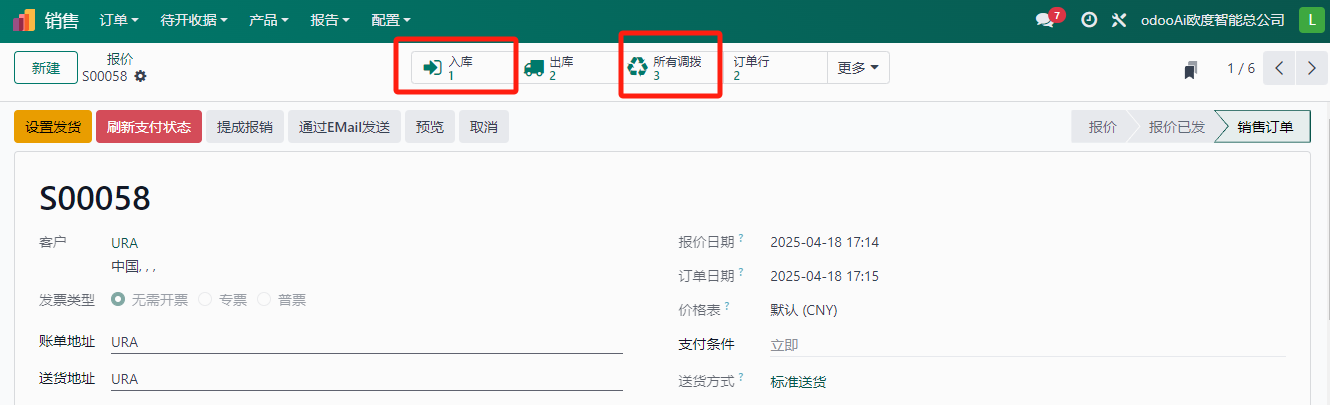
The source sales order is linked to three [All Transfers]: the delivery order for the first shipment, the inbound order for the returned products, and the delivery order for the exchange shipment.
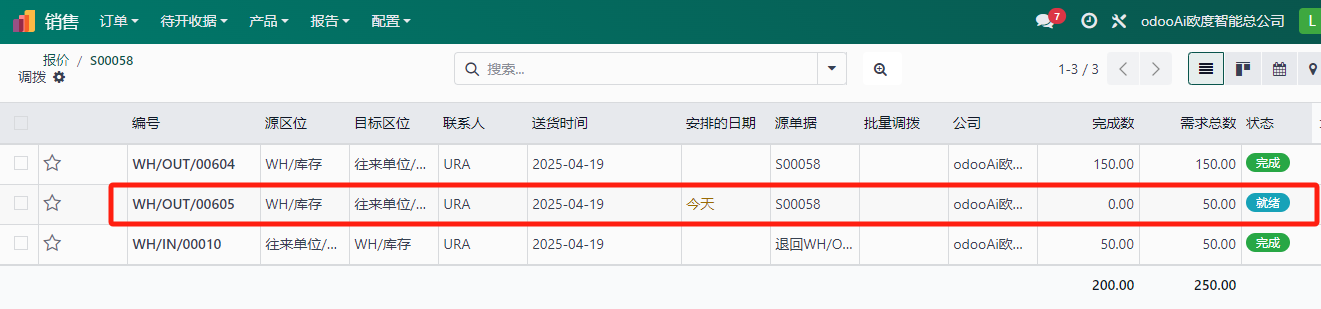
In this case, there is no change to the accounting entries.
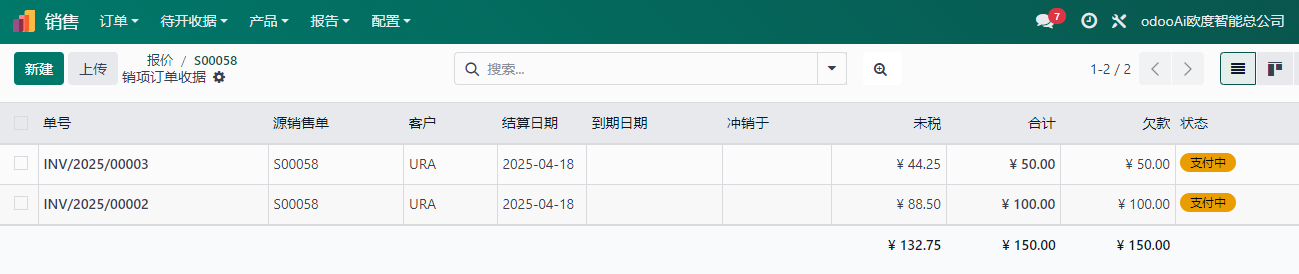
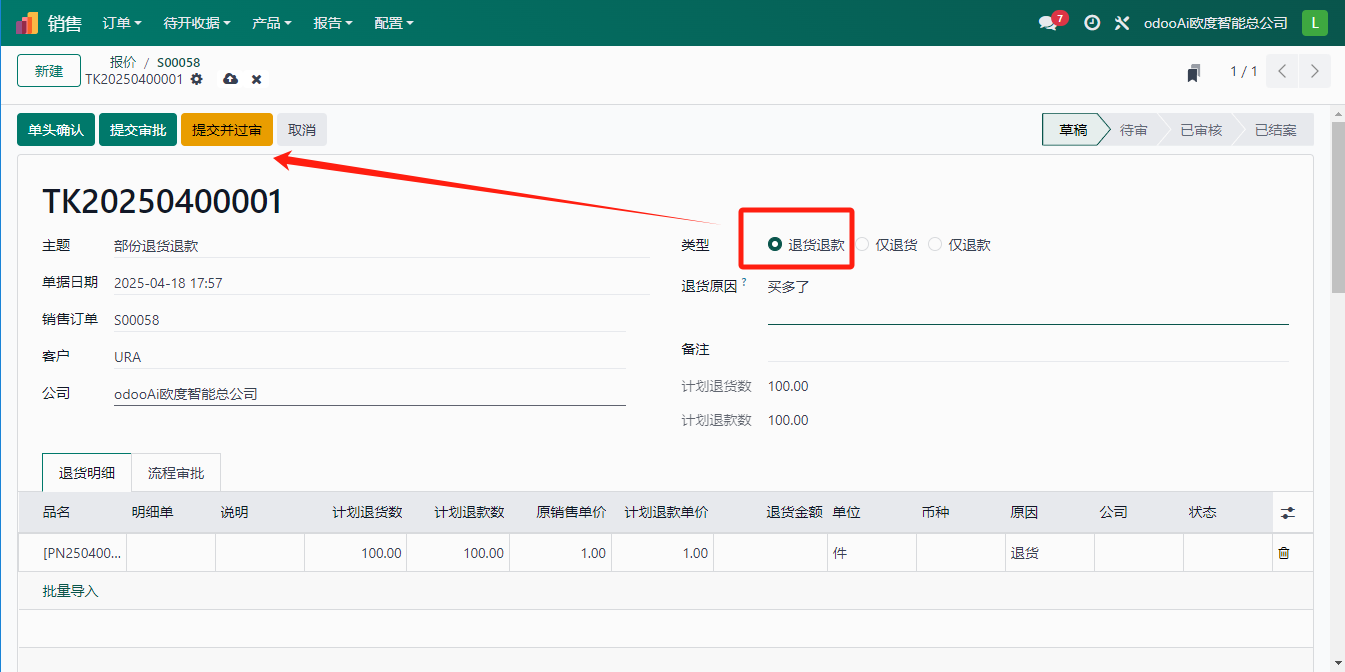
Sales Order Refund/Return Refund
You can choose to return and refund part or all of them.
After approval, create a return inbound. 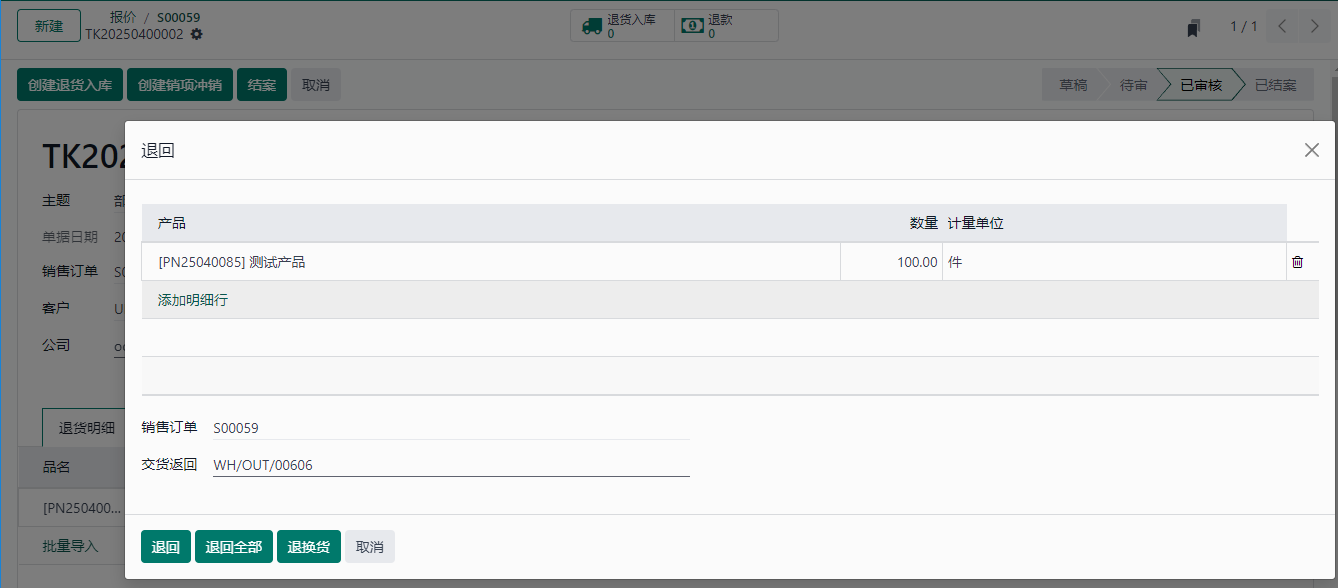
Then create an output tax reversal.
C: Return all
The operation is the same as above.