Release date: September 28, 2026 (Odoo Experience 2026, Brussels)
Official source: https://www.odoo.com/odoo-20-release-notes
The label(available since 19.0)indicates that the feature was first introduced in Odoo 19.
All official AI features require IAP credits in the Enterprise edition. Our odooAi open-source and free China MCP suite is compatible with the Community edition and all mainstream large models.
Document Summary
This document is a precise Chinese translation of the official Odoo 20 Release Notes. The main sections and the details within each section are reordered from high to low according to their impact on enterprise upgrades, integration, and daily use, with AI capabilities placed first. Odoo 20 is a major version upgrade: the underlying stack is mandatorily upgraded to Python 3.12 / PostgreSQL 16, XML-RPC and the old JSON-RPC are marked as deprecated with json2 promoted, and the permission engine, accounting engine, and tracking mechanism all undergo architectural-level changes; the biggest highlight is the native built-in AI Agent and MCP protocol direct connection to external large models, together with the IAP billing system.
Guangzhou Odoo Intelligent · AiERP builds on Odoo's native AI foundation with a self-developed AI suite, providing a deeper layer of localization and business function extensions:
- Version coverage: Compatible with Odoo 20 / 19 / 18, deployable on both Community and Enterprise editions;
- Model adaptation: Can integrate with mainstream domestic large models and agents, without relying on overseas IAP billing;
-
Three major scenario enhancements:
In external marketing and customer service (multi-channel intelligent reception, automatic lead follow-up, integrated social media/WhatsApp/online customer service),
internal knowledge management (private knowledge base Q&A, automatic document archiving, intelligent retrieval of policies/processes),
financial automation (OCR automatic entry of invoices/documents, intelligent bank reconciliation matching, automated month-end closing),
compared with Odoo's native AI, it has stronger domestic implementation capabilities and fills the gaps of the native version in Chinese financial and tax compliance, private knowledge bases, and localized customer service scenarios.
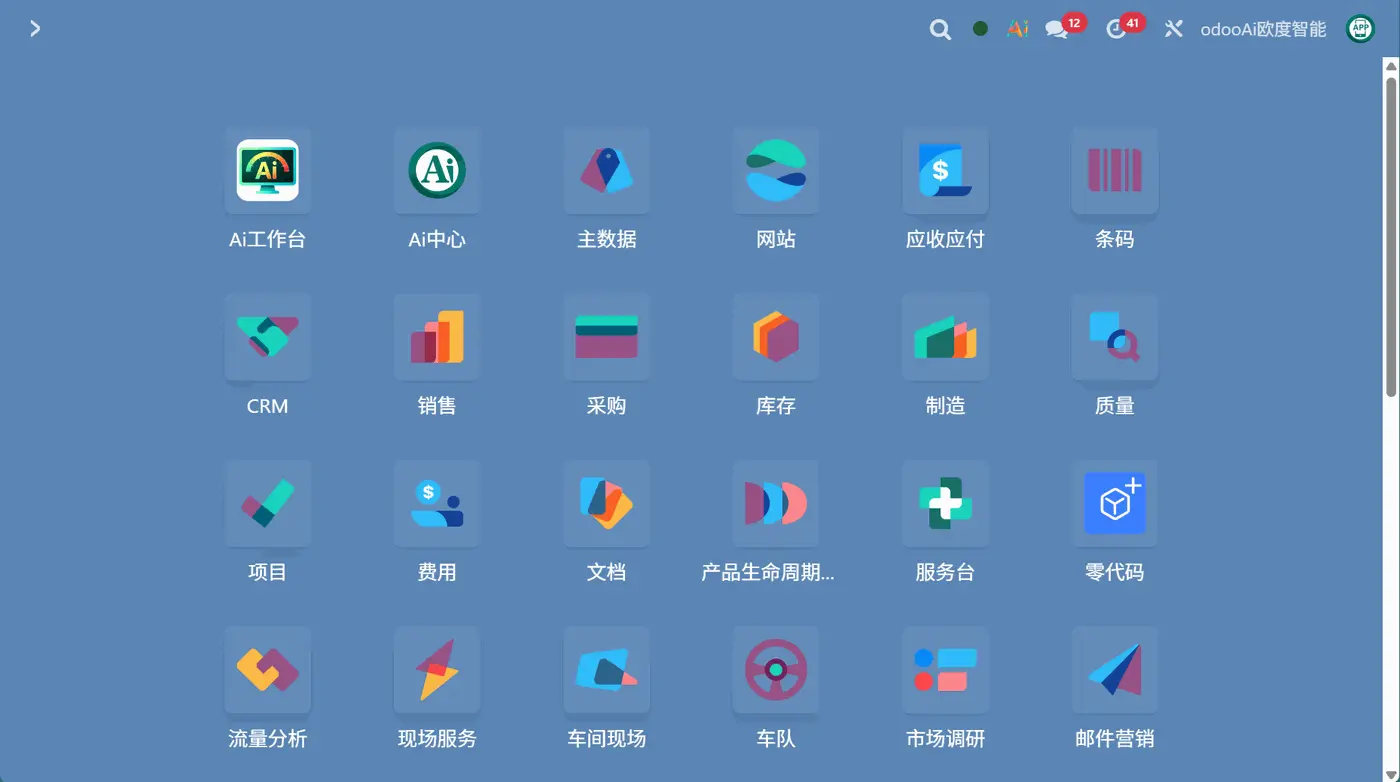
Table of Contents (ordered by importance)
- Artificial Intelligence AI
- Technical Changes
- General Features
- Accounting
- Localizations
- Industries
- Sales
- CRM Customer Relationship Management
- eCommerce
- Website
- Inventory
- Manufacturing
- Purchasing
- Point of Sale
- Project
- Planning (including Field Service)
- Helpdesk
- Documents
- Discuss
- Spreadsheet
- Studio
- Sign
- Subscriptions
- Rental
- Repairs
- Fleet
- Maintenance
- Quality
- PLM
- Shop Floor
- Online Payments
- Email Marketing
- Marketing Automation
- Social Marketing
- Marketing Card
- Live Chat
- Calendar
- Contacts
- Dashboards
- Knowledge
- Barcode
- Blog
- eLearning
- Events
- Expenses
- Employees
- Payroll
- Time Off
- Attendances
- Timesheets
- Recruitment
- Appraisals
- Referrals
- Appointments
- Frontdesk
- ESG (Environmental, Social, and Governance)
- Phone
Artificial Intelligence AI
The Enterprise edition includes all AI features. Using AI features requires IAP credits, which can be purchased in the IAP.
Core Capability Upgrades
- Agentic automation
- Agents can self-iterate to adapt to business scenarios;
- Automated actions and scheduled tasks can both trigger Agents;
- View the Agent's execution process in automated sessions and request modifications based on errors;
- Agents generate exclusive avatars based on assigned roles.
- Connect Odoo to anything (MCP protocol integration)The database natively supports MCP (Model Context Protocol), allowing external AI clients (Claude, Cursor, etc.) to securely connect to Odoo data, reuse ACL permissions, and maintain complete audit logs.
- AI agents: create recordsUpload PDF instructions or use natural language to let Agents automatically create various business records.
- AI agents: update recordsUse natural language instructions to have AI modify existing business documents.
- Voice interactionDirectly dictate instructions to the AI Agent via voice.
- Automatic AI model selectionAfter selecting an AI provider, Odoo automatically matches the optimal model for the current task.
- Topics renamed to skills (Topics renamed Skills)A collection of instruction sets that define Agent behavior, renamed from Topics to Skills.
Interaction and Feedback
- AI agents: feedback (real-time feedback)When the Agent executes, it displays specific, real-time step progress instead of only showing "AI is thinking".
- Interactive agent responsesWhen the Agent requests permissions or makes suggestions, you can interact and confirm directly by clicking buttons.
- Tool call limit confirmationWhen the Agent reaches the tool call limit, a popup asks the user for confirmation before continuing.
- AI chat request optionsIn the chat input box, the
+menu allows attaching more parameters before sending a request. - Stored conversationsConversations with the Agent are retained for up to 30 days after the last message.
File and Content Processing
- AI agents: ask questions about a fileWhen previewing a file, ask the Agent directly to parse the file content.
- AI agents: send filesUpload files and associate business documents in the Agent chat session.
- AI agents: reprocess sourcesManually trigger the Agent to re-read the latest source documents.
- AI agents: image generationThe Agent can generate images and enrichment buttons needed for websites and email marketing.
- Default promptsDefault Prompt templates support context and dynamic variables.
Views and Integrations
- AI agents: filter by time periodWhen the Agent generates views, it supports filtering by time dimensions such as week, quarter, etc.
- Preview cards in live chatWhen business records are mentioned in AI Agent live chat sessions, clickable rich cards are displayed.
Technical Changes
Required reading for upgrade deployment, secondary development, and third-party integration.
Breaking / Architectural Changes
- Mail: in-body trackingTracking Value storage has been removed; field change tracking messages are now generated dynamically in real time. Features that depend on Tracking Value (burndown charts, stage duration statistics, etc.) have been adapted to the new framework; administrators who still need the old mechanism must install a dedicated module separately.
- Push notificationsNo longer depends on Firebase; switched to Odoo's self-developed internal push service.
- Track source of postings
mail.mailrecords mark the content source for easy auditing and troubleshooting.
Developer Experience
- Many-to-one field improvementsBackend synchronization logic refactored, significantly improving the experience of adding/removing related values in large list scenarios.
- Tracking user group changesChanges to a user's group permissions are recorded both in the user's chat message area and in the console log.
General Features
Core experience directly affected for all users after upgrade.
Permissions, Security & Data
- Simplified access rightsRemoved many legacy record rules; Domain filter conditions are now configured directly at the access rights level to control the range of records readable under that permission.
- Offline mode
- Offline mode supports creating, editing, archiving, unarchiving, and deleting records;
- Historical searches can be performed in offline environments.
- Multiple partner identifiersThe contact form supports entering multiple business identifiers (D-U-N-S, various national tax IDs, etc.), stored by type with format validation.
- My Subscription pageA new page in the user menu provides a unified view of subscription plans, IAP services, and database management information.
Interface & Interaction
- Material SymbolsAll Font Awesome icons replaced with Material Symbols icons.
- Dialog designComprehensive visual design optimization for dialog pop-ups.
- Multi-record drag and dropList and kanban views support dragging multiple selected records to reorder or move them to other groups/stages.
- Gantt view enhancements
- Click a row/column to select all cells in that row/column;
- Define pre-buffer and post-buffer time periods;
- Enable "Scheduling" via Studio, and drag records to/from the side panel to schedule/unschedule.
- List view: expand/collapse groups
ALT+clickto quickly expand/collapse all groups at the same level. - Tablets: bottom sheetsEnable bottom sheet components in tablet touch mode.
- Mobile
- Pull down on the main dashboard to open the command palette;
- Date picker uses a bottom sheet;
- Optimized form interactions for touch devices;
- New login interface with strong authentication support.
- Rich-text editorSimplified media toolbar.
- Label designAll product, manufacturing, and packaging labels have been redesigned.
- Map view: unlocated recordsThe map view shows records without an address; click to edit directly.
- Portal layoutCustomer portal cards support custom sorting.
- Pin messages in the chatterImportant messages can be pinned in the chatter.
- Chatter filterYou can view only communications or only field change tracking records.
- Record deletionWhen a record cannot be deleted, the system prompts to archive it instead.
Business and Collaboration
- Mail plugins (Gmail/Outlook email plugins)
- Search for contacts, tasks, and helpdesk tickets within the plugin, and log emails to the chatter of the corresponding records;
- When a conversation has multiple participants, you can select the recipients to associate.
- CC email recipientsOdoo emails can include CC; emails logged in the chatter display the CC recipients.
- Activities
- Multiple UX improvements for scheduling, managing, and tracking activities;
- New activities can be assigned to a single user or role;
- Meeting activities have richer information before and after the meeting.
- Calendar view side panelAfter enabling scheduling in calendar view, drag records to the side panel to unschedule.
- Text messagesSupports scheduled SMS sending; SMS templates support dynamic placeholder variables.
- File sharing on mobilesShare files to Odoo from mobile devices to digitize bills and expenses, and create tasks, leads, to-dos, and leave requests.
- Sendcloud shipping labelsSupports PDF/ZPL/PNG formats.
- Link previewsShare Odoo website links to social platforms to generate preview cards.
- Link to current searchShare view links that fully preserve search criteria, filters, and groupings.
- Favorited searchesFavorited searches in list view retain the current visible column configuration.
- Email template previewImproved preview interface, supports switching between different records.
- Download attachments in bulkDownload attachments in bulk across apps, models, and records via the technical menu.
- Currency aggregates: dateDisplays the exchange rate date used when converting multi-currency amounts.
- Decimal separatorRegardless of localization settings, both
.and,can be used as decimal separators. - Relative range tooltipWhen selecting a relative time range in search, the tooltip displays the actual calculated start and end dates.
- Tax included/excluded on orders and invoicesSales orders, purchase orders, and invoices can switch price display modes; individual taxes can override this global setting.
- Product catalog: units of measureWhen adding a product, you can select a unit of measure or packaging specification.
- Incremental edits on duration fieldsDuration fields support
+=-=*=/=operators. - Import product variantsEach row defines a product variant and variant-specific data (attributes, cost, inventory, etc.).
(Available since 19.0) - Partner autocompleteWhen autocompleting a new contact, industry information is no longer automatically added as a tag but remains in the chatter.
(Available since 17.0) - Digest email KPIsDigest emails now include multiple KPI metrics.
Translation
- Translation
- Install the "Translation Mode" module to invoke an interactive translation UI via the command palette, integrated with
Weblate;
(Available since 19.0) - Excel/CSV can import multilingual content into translatable fields;
- Export translatable fields by language, with ISO language codes included.
- Install the "Translation Mode" module to invoke an interactive translation UI via the command palette, integrated with
Weblate;
- Translation wizardNew wizard simplifies text and HTML field translation.
Accounting
The modules the finance team cares about most after upgrading.
Architectural and compliance-level changes
- Taxes in fiscal positions (strong validation of taxes and fiscal positions)If the default tax on a product/account does not belong to the fiscal position on the invoice, the system automatically removes that tax, even if there is no replacement tax.
- Bank consistency (strong bank consistency validation)All journal entries affecting bank accounts must originate from bank transactions, eliminating manual erroneous entries; bank statement validation feedback is optimized to quickly locate balance inconsistencies.
- Simplification of asset modelsDeprecated asset models in favor of depreciation models, focusing on fixed asset depreciation calculation; asset configuration migrated to asset accounts.
- Parent accountsAccount groups replaced by parent accounts to implement account hierarchy; account codes are now optional.
- Multi-ledger consolidationConsolidated reports now include journal entries (previously excluded).
- Cumulative Translation Adjustment (CTA)Balance sheet, trial balance, and general ledger now include auditable CTA lines, automatically balancing historical rate/closing rate differences.
- Cash journal entry hashingAfter reconciliation is completed, cash journal entry hashing is enabled to prevent tampering.
Reconciliation and automation
- Run Auto Reconciliation (manually trigger automatic reconciliation)New button to manually re-run bank automatic reconciliation.
- Bill/invoice matching rulesConfigure payment tolerances and automatic reconciliation matching priorities.
- Purchase order matchingAuto-complete prioritizes existing lines; displays matching summary; warns on price or quantity discrepancies; supports unmatching.
- Reconciliation with multiple accountsDuring bank reconciliation, a single transaction amount can be split across multiple accounts.
- Prevent double payments in the payment wizardThe payment wizard identifies pending payments and automatically deducts them from the amount payable; open payments are sorted by date.
- Intercompany purchase order matchingVendor bills synchronized across companies automatically match synchronized purchase orders.
- Analytic distribution for write-offsReconciliation write-off entries can have analytic distribution set.
Document and Data Entry Efficiency
- Bill line predictionWhen entering vendor bills, automatically recommends products, accounts, taxes, analytic dimensions, and vehicles based on historical bills; manually entered content is not overwritten.
- Improved duplicate detectionRed = highly likely duplicate; yellow = potential duplicate; after posting, only red warnings remain.
(Available from 19.0) - Split items on invoicesThe invoice smart button opens journal items; multiple items can be selected and split, used for multi-asset creation and cross-account allocation.
- Reset to Draft action in list viewsReset documents to draft in bulk from the list view.
- Download invoice attachmentsPackage selected invoice PDFs/XMLs into a ZIP for download from the list view.
- Employee Expenses menu itemAfter approval, expenses directly generate draft vendor bills and are posted uniformly with regular bills.
- Intuitive payment status
In Process → Paid;Paid → Reconciled; "Mark as Reconciled" moved to the action menu. - Exchange entriesExchange gains/losses for the same invoice are merged into a single line, expandable to view details.
- Withholding tax on payment improvementsThe interface splits total payable/withholding tax/net amount; the payment wizard allows choosing to pay only withholding tax/only goods payment/full amount.
- Invoice email attachmentsInvoice emails can include Documents app files or chatter attachments.
(Available since 19.0) - Multiple invoice detailsA popup shows the sending method for each invoice.
- Customer invoice remindersManual reminders from list/form views; automatic reminders can be enabled in accounting settings.
- Reminder workflowSimplified improvements to automatic and manual reminder workflows.
- Bill options displayDepreciation model, vehicle, and deferred payment information are displayed vertically stacked.
- Optimized data entryQuick reconciliation templates and batch processing of bank transactions accelerate voucher entry.
- Onboarding improvementsSimplified guidance for e-invoice setup and tax configuration.
Payments and Banking
- Pay bills from Odoo (PISP direct payment)Through PISP payment initiation service providers, sign and pay bills individually or in batches within Odoo.
- PAIN version setting (PAIN version configuration)Moved from journal level to payment method level.
- Bank reconciliation summary reportDisplay reconciled/unreconciled transaction details by period end date.
- Bank synchronization: Syncfy (Latin America bank synchronization)New third-party bank synchronization provider Syncfy for Latin America.
- Conversion rates (exchange rate display)Clearly display conversion exchange rates when registering foreign currency payments.
- Currency exchange rate providers (new exchange rate providers)Saudi Central Bank, Central Bank of Azerbaijan
(19.0), National Bank of Georgia(19.0), National Bank of Kazakhstan(19.0), Central Bank of Uzbekistan(19.0).
Inventory Valuation and Others
- Inventory valuation (direct journal entry generation)Under perpetual accounting, provisional vouchers are generated directly from the period-end inventory valuation report; entries go directly to the inventory valuation account without passing through inventory variance clearing.
- Valuation without InventoryMaintain product on-hand quantities and accounting valuation without installing Inventory.
- Manual reconciliationManual reconciliation is supported for any account; "Allow Reconciliation" is renamed to "Payment Reconciliation".
- Peppol global location identifiers(Peppol GLN)Maintain GLN codes on contact delivery addresses for Peppol e-invoicing.
(Available since 17.0) - Professional percentage for receiptsThe Professional percentage column from vendor bills is extended to purchase receipts.
(Available since 19.0) - Annual report layoutAnnual reports use the company document template style.
- Asset depreciationDepreciation rates support floating-point numbers.
- New currency: Caribbean GuilderAdded Caribbean Guilder XCG as the default currency for Curaçao and Sint Maarten.
(Available since 18.0) - Accounting Firms mode settingsImproved configuration flexibility.
Localizations
Compliance must-read; sorted by common enterprise deployment popularity.
China 🇨🇳
Accounting -
Chart of accounts, balance sheet, and profit and loss statement optimized. (Available since 19.0) -
Added asset depreciation model per Article 60 of the Enterprise Income Tax Law; parent account hierarchy updated. -
Voucher template optimized, supporting batch printing. -
VAT processing optimized; added general taxpayer VAT and surcharge return. -
VAT differential taxation: enter deductible amounts directly on invoice lines, automatically generating input tax transfer-out entries.
Brazil 🇧🇷
Accounting - BRL currency can generate export NF-e goods e-invoices and export
NFS-e service e-invoices. - NFS-e
service invoices use the customer's delivery address as the place of service.(19.0); NF-e
automatically fills in the delivery address when different from the main address.(19.0) - OCR imports NFS-e PDF
digital documents; batch download NF-e/NFS-e XML from the list. - Operation Type
adds tax fields to handle complex ICMS-ST and tax credit scenarios. -
Payment QR codes add text links that customers can copy and paste into bank apps. -
Sales orders/invoices show per-item tax details in the chatter; CST
codes and tax bases are displayed in order line tax details. - Avalara
requests and sales orders carry customer order numbers; Avalara's CST
classifications (ICMS/PIS/COFINS/IPI) support manual override. - Supports alphanumeric CNPJ for 2026
tax reform.(17.0) - Operation Type tax settings add cClassTrib
field to override Avalara default tax classification when submitting e-invoices. - CBS/IBS
deemed credit fields are shown only under the simplified tax regime; removed deprecated CBS/IBS taxpayer configuration.
Inventory: Operation Type adds fields for purpose of use, SPED Fiscal product type, country of origin, and taxable status; Correios and Envia shipping labels sync NF-e information when generated. POS: POS orders can cancel NFC-e.
Mexico 🇲🇽
Accounting -
Global invoicing supports bi-monthly periods with selectable months, making it easy to issue past orders. - Cancelled CFDI
can generate cancellation acknowledgment receipts; foreign trade supplement can include services. (19.0) -
Minimum wage, tax rates, UMA updates; bank reconciliation view adds Factoring payments. - Added localized balance sheet based on
NIF B-6 and localized income statement based on NIF B-3. -
Can generate supplementary trial balance XML report; upload FIEL to automatically download missing vendor bills via SAT.
- XML reader identifies purchased goods, suggests accounts, intelligently matches products, and validates amount differences.
Inventory: Delivery orders can directly select the bill of lading driver for easy switching.
Payroll: New payslip emails include a CFDI XML
download link. (19.0)
Saudi Arabia 🇸🇦
Accounting - Expense account restructuring, new asset models; invoice date used as
ZATCA official invoicing date (replacing confirmation date). (17.0) -
Non-Saudi contacts can use Additional Identification
Number (BR-KSA-81); (18.0) Identification Scheme/Number
distinguishes companies (TIN/CRN/MOM, etc.) from individuals (NAT/GCC/IQA/PAS). - Removed the "Is
Retention" checkbox; negative sales tax automatically classified as withholding tax; states adjusted to 13 regions. - ZATCA
integrated into the "Send" wizard, pre-validation banner, send history in a new ZATCA
tab; supports list batch processing. -
Invoice report adds line-level "Discount Amount" column, "Amount Due" changed to "Total Invoice Amount Due". - Contact multi-
ID supports Saudi National ID, Iqama, GCC ID, etc. -
Invoice form directly defines invoice type (Tax/Simplified) and transaction type (Export/Summary/Nominal) to control
API routing (B2B/B2C). - Added "Supply End
Date" field for simplified nominal invoices, continuous supply, multiple deliveries. - Use standard UBL
tax category fields to configure exemption reasons; VATEX-SA-OOS supports free-text exemption reasons. - ZATCA
address compliance: Building Number and Secondary Number strictly 4 digits to prevent XML
validation errors (BR-KSA-37). - Removed duplicate "Supply Date" field; chart of accounts upgraded to 6-
digit extensible codes, reverse liquidity ordering. - Invoices no longer blocked during delays or ZATCA
downtime; rounding fixed at document level. -
E-commerce transaction e-invoicing support. (19.0)
Payroll: Attendance violations linked to deductions; late deduction; GOSI
platform integration; end-of-service benefits calculation aligned with QIWA and Ministry of Labor; annual leave advance pay; automatically generate GOSI
wage update form; end-of-service liability report; calendar-day work system; sick leave deduction automatically calculated; Article 77
termination scenarios supported; "Month (30 days)" payroll option.
POS: Advance payment enhancements; ZATCA PDF
no longer generated at order validation, generated on demand. (18.0)
United Arab Emirates 🇦🇪
Accounting: Expense account restructuring, asset models; general ledger generates FTA VAT
audit file; (19.0) chart of accounts redesigned per IFRS and UAE Companies Law, 6-
digit extensible, reverse liquidity ordering, includes statutory reserve, WIP/goods in transit, parent account groups.
Payroll: Employee benefit contributions aligned with GPSSA & ADPF; DIFC DEWS
contribution adaptation; added "Emiratization
Compliance" report; non-wage employer cost items (insurance, work permit, visa fees); WPS export aligned with
MoHRE; (19.0)
annual leave, end-of-service provision, overtime calculation improvements; air ticket benefit; calendar-day work system; end-of-service liability report.
Turkey 🇹🇷
Accounting -
Added invoice scenarios (Basic/Export/Public), invoice types (Sales/Withholding/Tax
Exempt/Registered for Export), tax offices. (18.0) -
Returns, withholding tax returns supported via credit notes; commercial invoice scenario; export invoice draft sending includes PDF
preview, approval, acceptance, rejection, cancellation. - Registered for Export invoice Reason code
702 support, including buyer/seller line codes; street field merged into single-line address. (19.0) -
Nilvera e-invoice experience improvements: field guidance, automatic contact matching, PDF
retrieval, simplified setup, status synchronization; error-status e-invoices can be cancelled. (19.0) -
CTSP validation restricted to "GİB
product export invoices"; common stamp tax rates (0.948%/0.189%/0.759%) added to tax table; state codes updated to
ISO 3166-2; 0% VAT sales invoices default exemption reason 351. - Added 35 accounts, account types
27/28 updated to fixed assets; parent accounts introduced per GIB 7/A chart of accounts; identifiers like MERSIS
moved to contact multi-ID. -
Public sector e-invoices can include both public institution and public expenditure unit tax numbers; tax office information modularized; journals support multiple sequences by invoice characteristics; general ledger
CSV export maintains continuous voucher numbers. (17.0) -
Added statement (localized customer statement format); credit notes use journal "default sales return account"; (18.0)
automatic exchange rate update uses selling rate. (17.0) -
Subscription e-invoice mixed invoice handling improvements (document date taken from subscription line); supports buy/sell rates, select rate per transaction; e-invoice foreign currency amount in words rounding issue fixed. (17.0)
- Nilvera e-invoice available only in Enterprise edition; supports invoicing customers with government dummy
tax numbers, export invoice e-invoicing customers; supports direct cancellation of e-Archive
invoices; website sales channel e-Archive support; e-Dispatch
three-digit prefix automatically taken from delivery order sequence. (19.2) -
Withholding tax configuration simplified: withholding reason selection moved to invoice level, reducing predefined tax types.
Inventory: Nilvera e-Dispatch
integration extended (send/receive/retrieve documents and PDFs); receipt directly sends e-Dispatch
response; (18.0) upload Nilvera portal e-Dispatch XML
to generate draft receipt; e-Dispatch XML
adds tax office information; one invoice maps to multiple delivery orders; added "Invoice as e-Dispatch" option.
Payroll: Advanced payroll structure (sick leave, salary advance, annual leave advance); severance aligned with labor law; added 1003B payroll withholding and social security declarations; R&D/design center incentives automatically calculate stamp tax exemption and education income tax reduction; self-employed (4b) employee support.
Middle East outside Saudi Arabia (Jordan/Oman/Qatar/Bahrain/Kuwait/Iraq/Lebanon)
- Jordan 🇯🇴Jordan 🇯🇴: JoFotara error improvements (supplier country, TIN validation); credit note sync line matching optimization;
(17.0)supports Transit/Foreign Trade/Free Zone Transfer invoice types;(17.0)EDI UX improvements; multi-scenario submission of invoices and POS receipts. POS refund sync optimization; generate JoFotara compliant receipts.(18.0) - Oman 🇴🇲State codes ISO 3166-2 updated; basic salary localization (regular pay, social security, end-of-service provision, leave, overtime, employer net cost); WPS file export.
- Qatar 🇶🇦State name codes ISO 3166-2.
- Bahrain 🇧🇭State codes ISO 3166-2 updated.
- Kuwait 🇰🇼State name code ISO 3166-2; basic salary localization (regular pay, social security, severance provision, leave).
- Iraq 🇮🇶Basic salary localization (monthly salary structure, social security, leave, severance benefits, overtime).
- Lebanon 🇱🇧State code ISO 3166-2 update, remove duplicate states.
Europe (France/Belgium/UK/Germany surrounding/Eastern Europe)
- France 🇫🇷Added PCG-compliant official annual report templates (plaquettes), auto-fill financial data, customizable layout, help text simplifies legal disclosures; FRCTC field SIREN auto-detects multiple candidates.
- Belgium 🇧🇪 PayrollBelgium 🇧🇪 Payroll: Dimona process supported and automated;
(19.0)added joint committee object and parent-child hierarchy; private car reimbursement maximum annual salary configuration; reorganization measures automatically/manually added to timesheets; monthly salary structure merged into a single Regular Pay (suitable for students, PFI); company director remuneration support; payroll dashboard warnings can be temporarily disabled; meal voucher order report and individual allocation configuration; CP302 Flexi-Jobs payslip; 7.67% holiday pay and 28% employer contribution automation; annual income ceiling monitoring (including 2026 update) triggers withholding tax; CP302 year-end bonus, profit-sharing bonus support. - United Kingdom 🇬🇧HMRC authentication is saved per company rather than per user, allowing multiple people to manage multiple clients simultaneously; VAT returns can be submitted for multiple companies without repeated authentication.
- Hungary 🇭🇺Hungary 🇭🇺: Generate A60 report (Hungarian EC sales list); directly synchronize received vendor bills via NAV API .
(18.0) - Romania 🇷🇴Romania 🇷🇴: eFactura product supports CPV codes;
(17.0)VAT rate and report updates;(17.0)ANAF download invoice automatically retrieves official PDF when no PDF is available;(18.0)select period when manually syncing ANAF ; general ledger generates SAF-T with Stock variant;(18.0)D300 VAT report submitted to tax authority in XML format;(19.0)SPV rejected invoices can be reset to draft, corrected, and resubmitted.(18.0) - Italy 🇮🇹Add notes (causale) and attachments (allegati) directly to electronic invoices.
- Lithuania 🇱🇹 PayrollExisting fields converted to the new payroll entry process.
- Luxembourg 🇱🇺 PayrollSupports Decsal and Decmal reports.
North America
- United States 🇺🇸
- Accounting: Each preconfigured asset model has dedicated depreciation and expense accounts; AvaTax new integration method "Avalara Included" (more affordable for small and medium merchants); US Sales Tax report redesign (multi-jurisdiction breakdown, state-level summary, support for tax-exempt/non-taxable goods).
- Payroll: Added New York City and Yonkers local taxes; "One Big Beautiful Bill" compliant overtime deduction rules;
(19.0)added support for Tennessee, Iowa, Georgia, Mississippi, and New Jersey; payroll rules and YTD calculated by pay date rather than pay period. - Leave: Improved default leave type extension.
- Canada 🇨🇦Added detailed expense accounts and localized asset models; batch processing of customer pre-authorized debit collections via CPA 005 PAD files.
Asia-Pacific (India/Japan/Korea/Southeast Asia/China Hong Kong and Taiwan/Australia and New Zealand)
- India 🇮🇳Credit note price adjustments; new Bill of Entry process for imported goods (customs duties included in inventory cost); flexible TDS handling (TDS & Payment/TDS Only/Payment Only); GST extended to Composition taxpayers (CMP-08, GSTR-4); financial statements prepared according to Companies Act Schedule III Division I.
- Japan 🇯🇵Balance sheet and income statement comply with accounting guidelines for small and medium enterprises; chart of accounts covers major business scenarios and complies with e-Tax codes; consumption tax return adds sections for general/simplified taxpayers (cumulative/deduction/itemized methods).
- South Korea 🇰🇷Improved VAT reports for general/simplified taxpayers; invoices add "Issuance Type" field to directly route to specific report lines, reducing redundant tax configurations.
- Indonesia 🇮🇩Chart of accounts and asset table updates (detailed expense accounts, localized asset models); contact form removes "Is PKP" field, merges NIK/NPWP; added PPN Dipungut mechanism tax group. Payroll: default accounts for standard payroll rules; overtime calculation (PP No.35/2021) independent rules for overtime components. POS: QRIS kiosk QR code payment.
- Malaysia 🇲🇾Invoicing/accounting process supports consolidated invoices; MyInvois cross-branch support, improved sole proprietorship handling. POS: MyInvois self-service e-invoicing.
- Singapore 🇸🇬Singapore 🇸🇬: GST tax aligned with current requirements and ready for InvoiceNow;
(19.0)adds tax invoices, credit notes, and customer accounting PDF reports compliant with IRAS GST; chart of accounts/balance sheet/profit and loss statement compliant with SFRS. - Thailand 🇹🇭Thailand 🇹🇭: Chart of accounts updated per TFRS for NPAEs (detailed expenses, asset models, VAT accounts);
(19.0)P.P.30 VAT return can be exported as RD Prep-compatible CSV; Company ID label changed to branch code; tax groups/fiscal positions extended (new withholding types, cash basis default for services); 50 Tawi withholding tax certificate PDF; PND 3/PND 53 CSV rewritten per RD Prep requirements; tax grid renamed; new withholding tax summary report; tax invoices can be numbered independently, combined receipts/tax invoices fully supported; debit/credit notes PDF aligned with Thai regulations. - Vietnam 🇻🇳Vietnam 🇻🇳: Chart of accounts and balance sheet updated per Circular 99/2025/TT-BTC;
(18.0)added Form 01/GTGT; electronic internal transfer documents issued via SInvoice; structured chart of accounts with parent accounts; added Appendix 142; Form 01/GTGT and Appendix 142 can be exported as XML to the HTKK/tax authority portal; tax tags renamed; added S03a-DN general ledger and S03b-DN detail ledger (including corresponding accounts). POS: SInvoice e-invoicing.(18.0) - Philippines 🇵🇭Customer ledger report compliant with BIR requirements; added Book of Accounts (CBA/CAS compliant); BIR 2306/2307 withholding tax certificate PDF generation and download; "Entity type" field distinguishes individual/company; added internal payment voucher; BIR1600VT report; can directly send withholding certificate to vendors upon payment; invoices compliant with BIR/CAS; senior citizen/PWD statutory discount support; 2551Q report for non-VAT companies; name automatically split into last/first/middle name. Payroll: basic Philippine payroll package; Form 1601-C monthly report; annual BIR Form 2316; SSS/Pag-IBIG loan automatic deduction; annual tax annualization (BIR Form 1604-C summary worksheet, Alphalist DAT export).
- Pakistan 🇵🇰Pakistan 🇵🇰: Expense account descriptions; state codes ISO 3166-2; chart of accounts parent group auto-summarization, section-level trial balance, Companies Act 2017 compliance; chart of accounts update removes legacy VAT/withholding reports to prepare for FBR Form-7; balance sheet/profit and loss dynamically generated by account prefix; tax configuration consolidated into three pillars: sales tax/additional tax/withholding tax; PKR symbol placed before amount;
(19.0)maximum retail price tax calculation; 18% Third Schedule formula tax-inclusive calculation; "NTN" renamed to "Business Identification Number" (accepts NTN/CNIC); new "Consumer Identification" field; FBR e-invoicing integration (S.R.O. 1852(I)/2025). Payroll: payslips include year-end income tax adjustment. POS: FBR computerized system real-time reporting (mandatory for Tier-1 retailers). - Bangladesh 🇧🇩Removed old tax reports, tax rates updated per Finance Act 2026; tax groups restructured by nature (three statutory pillars: VAT/TDS/VAT TDS); chart of accounts parent group auto-summary, supports section-level trial balance.
- Sri Lanka 🇱🇰Sri Lanka 🇱🇰: Brand-new localization package (chart of accounts, taxes, balance sheet, profit and loss, VAT 001, WHT 001); improved VAT report format; tax invoice sequence format compliant with Gazette No. 2481/22.
(19.0) - Hong Kong, China 🇭🇰Chart of accounts/profit and loss/balance sheet compliant with HKFRS-PE. Payroll: Internet expenses applied to all; average daily wage ADW configuration; SP/LSP conversion before and after amount calculation; MPF monthly report, payroll group/member category; year-end payment month definition; IR56B/E/F/G XML/PDF compliant with IRD; HSBC Autopay integration; new "rental" system (employees submit rental application and monthly payment proof, supports direct employer payment/employee self-payment); minimum consecutive leave duration definition (e.g., sick leave 4 days) automatically determines 80% ADW eligibility; daily/weekly/biweekly/semi-monthly pay cycles; MPF and fixed allowance rules auto-scale; catering/construction casual worker payroll structure; IR56M report, non-employee (contractor/freelancer/artist) payroll structure; IR56 supports different mailing addresses; "468 rule" warning; custom payroll rules automatically mapped to IRD reports; IR56 can be formally submitted to IRD; XML export automatically groups A/R/S; work injury sick leave support (Employees' Compensation Ordinance Cap.282); BOC FPS Non-Payment report; different termination structures (payment in lieu of notice/severance pay/long service payment) merged into payroll rules.
- Taiwan, China 🇹🇼Taiwan, China 🇹🇼: Chart of accounts/balance sheet/income statement updates;
(19.0)tax and 401/403/404 report updates; specify ECPay B2C e-invoice information directly on quotations/sales orders. eCommerce: ECPay integration.(18.0)POS: ECPay e-invoicing.(19.0) - Australia 🇦🇺Added Basiq open banking synchronization.
Latin America (Argentina/Chile/Colombia/Peru/Ecuador/Guatemala/Dominican Republic/Uruguay)
- Argentina 🇦🇷Argentina 🇦🇷: VAT Book PDF moved header and footer to fit official pre-printed ledgers; checks and withholding tax payments automatically calculate amounts;
(18.0)automatically sync ARCA official daily exchange rate; added "Payment on Informed CBU" legend (ARCA RG 5762/2025); export SICORE income tax report; pre-printed journal PDF warning; third-party check management improvements (inter-branch transfers, chronological sorting); foreign currency payment withholding, independent withholding support; general ledger export Excel journal daybook. Inventory: batch process Remitos Digitales; manually enter supplier Remito number on receipt. - Chile 🇨🇱Added detailed expense accounts and asset models; sales journal XML reader (can import customer invoice XML during go-live migration); Chile commune data; DTE mail server/XML reader supports non-billable amounts; branches share CAF files; F29 tax form uses Odoo tax tags compliant with SII. Inventory: supports delivery note copy printing (SII format).
- Colombia 🇨🇴Detailed expense accounts and asset models; electronic invoicing for free samples/promotional items; fiscal PDF layout improvements, QR code visible on all pages; electronic invoicing only uses free DIAN connection (no longer supports Carvajal); Type 3 contingency invoicing (support for prolonged DIAN downtime); withholding certificate report removes DIAN compliance warning; UI improvements, Demo updates; vendor bill duplicate detection based on CUFE; self-withholding sample tax and tax group default configuration compliant with DIAN; XML reader supports withholding taxes; generate exogenous information reports 1001/1003/1005-1009; authorized person invoices can issue goods, multiple authorized persons correctly posted; invoices with global discounts/negative lines XML generation; official ZIP import of vendor bills to purchase journal.
- Peru 🇵🇪Peru 🇵🇪: Supports SUNAT inventory and balance electronic books 19 sub-ledgers (trial balance, cash flow, special account reports);
(18.0)natively generates GRE internal transfers (operation type defaults to "11-Inter-warehouse transfer"); electronic supplier withholding files (XML/CDR/PDF); electronic invoices support fixed amount ISC (System Type 02). POS: SUNAT compliant thermal printing (58/80mm printers).(19.0) - Ecuador 🇪🇨Ecuador 🇪🇨: Electronic document PDF header custom legend (exporter/NGO); chart of accounts cleanup of duplicate names; invoice PDF address customer information display improvements; new withholding tax (Resolución NRO.NAC-DGERCGC26-00000009);
(17.0)electronic invoice provider RUC written to RIDE printout (SRI NAC-DGERCGC26-00000027).(17.0)POS: default Consumidor Final exceeding legal limit blocks sale, must select real customer. - Guatemala 🇬🇹Guatemala 🇬🇹: Supports FESP special invoices (automatic 100% VAT and ISR withholding, legal texts, FEL certification);
(18.0)Infile directly cancels FEL documents, records cancellation reason, SAT marks Anulado; E10 gasoline IDP fuel tax calculation adapted for 10% ethanol; SAT format official VAT purchase and sales books Libros de IVA. E-commerce: electronic invoicing support, including exporter prompt, final consumer invoicing. POS: local electronic invoice validation, FEL/DTE issuance.(19.0) - Dominican Republic 🇩🇴Supports e-CF 31-34 electronic invoices (XML generation, Infile submission to DGII); 606 purchase report TXT export; IT-1 (ITBIS) tax grid and rules updated; cédula ID and RNC coexist, e-commerce process directly issues electronic invoices.
- Uruguay 🇺🇾DGI query action (via Uruware to obtain official taxpayer data by identification number); products/services can be configured as non-billable, can be included in electronic invoices. POS: supports electronic invoicing (sales receipts, refunds, customer identity requirements).
Other Emerging Markets
- Egypt 🇪🇬ETA sync integrated into "Send" wizard (pre-validation banner, submission history, Demo mode); list batch download ETA PDF; chart of accounts upgraded to 6 digits extensible, parent account grouping; select branch business type by code + Arabic description; removed deprecated planned taxes and reports; VAT return and withholding report updates; added "Deducted Withholding" and "Gross Withholding (gross-up)" two processes; ETA Code visible only for sales taxes; unit of measure mapping to ETA codes (square meter/milliliter/ton/minute/millimeter/kilowatt-hour/square foot); product Item Code set per company; Helwan, 6th of October administrative areas migrated to Cairo, Giza; Building Number field displayed; Street/Street2 merged into single string submitted to ETA. Payroll: calendar day work system; overtime calculation improvements; payroll year-end income tax adjustment; NOSI Form 1/2/6, ETA Form 2 export; attendance employee salary rule improvements. POS: sales/refund receipts submitted to ETA to generate e-receipt.
- South Africa/Kenya and other African countries(No dedicated entries are listed on the official page; existing localization is retained.)
- Kazakhstan/Kyrgyzstan/Tajikistan/Azerbaijan/Georgia/Armenia/UzbekistanAll added ISO 3166-2 state name codes.
(19.0) - Uzbekistan 🇺🇿Uzbekistan 🇺🇿: Basic localization package (chart of accounts, VAT 12%/export 0%/tax exempt 0%, balance sheet, profit and loss statement);
(19.0)Som symbol updated to "so’m"; reports and chart of accounts support Russian;(19.0)B2C invoices use 14-digit PINFL instead of TIN to display VAT registration number.(19.0) - Turkmenistan 🇹🇲ISO 3166-2 state name codes.
(19.0)
Industries
Sorted by industry popularity and business impact.
Key updated industry packages
- Property Developer (formerly Construction Developer)Renamed and fully restructured, abandoning the old work item structure and adopting standard BOM, manufacturing orders, routings, and locations; added cost-based quotation components, sales order/project WBS views, site-specific locations, progress dynamic views, custom dashboards, and supplier task note sharing.
- Hospitality industriesUpdates for hotels, vacation homes, B&Bs, and campgrounds, added housekeeping module, bar consumption merged into guest final bill; simplified pricelists for seasonal pricing;
(19.0)added Steering menu and dashboard to monitor occupancy; supports early check-in/late check-out; Dashboards app includes built-in hotel-specific kanban. - Hotel (hotel industry package)Added guest count statistics; supports multi-company and multi-branch parallel operation of multiple accommodation types.
- Accounting FirmEnhanced identity documents and anti-money laundering processes; built-in Database app, providing a dashboard for unified customer database management.
(19.0) - Construction Builder → General ContractorRenamed; use operation templates to quickly generate quotations.
- Property Management / Property Owner Association / Real Estate (Property Management / Owners' Committee / Real Estate)The three industry packages can now coexist in the same database; the property owner association supports owner history, general meeting reports, and cost allocation by meter reading cycle;
(19.0)Real estate matching filter conditions can be modified directly in the matching form.(19.0) - Talent AcquisitionEnhanced candidate, talent pool, and job integration, more user-friendly interface, and more accurate match calculation.
- Nonprofit OrganizationDonation receipt optimization; removed petition feature.
- Deposit moduleThe built-in deposit management for beverage distributors and craft breweries has been split into an independent module.
- Excise moduleCraft beer, beverage distribution, winery; excise tax reports distinguish production business from inventory adjustments.
New Industry Packages
- VineyardComplete winemaking business, from grape raw materials to finished wine.
- Custom Industrial EquipmentFor EPC general contracting and turnkey projects, end-to-end process from design prototyping, procurement and manufacturing, on-site installation to long-term maintenance.
- Agri-Equipment RentalRental and maintenance of agricultural machinery such as tractors and harvesters.
- Machine and Tool RentalRental contracts, return quarantine period, consolidated prepayments by consumption, equipment operating hours monitoring, maintenance plans.
(19.0) - CateringComplete process from customer engagement to on-site planning.
- Community CareStaff leave scheduling, resident profile calendar, knowledge transfer management.
- Public InstitutionCitizen inquiry reception, appointments, citizen portal, venue rental, community activities.
- Interior DesignWebsite inquiries, resource scheduling, procurement, project management, profit tracking.
- Electronic RefurbishmentRefurbishment grades, VAT margin scheme accounting.
- Beauty ParlorCustomer management, appointments, service follow-up, invoicing.
(19.0) - Mental TherapyPatient profiles, therapy sessions, note-taking, invoicing.
(19.0) - Physical TherapyPatient management, treatment sessions, tracking, billing.
(19.0) - Pet Groomer
(19.0)
Sales
- DashboardAdded a dashboard at the top of the quotation/order list for a quick overview of sales performance and quick filters.
- Quotation templates
- Select a template directly when creating a sales order;
- Supports sub-sections, "Hide Price", "Hide Composition" and other options;
- Add products by browsing the product catalog;
- Any quotation/order can be "Save as Template".
- Quotation sectionsBatch update section quantity/unit; multi-line section description; save sections as templates for reuse.
- Description-only sales order linesOrder lines are no longer required to be linked to a product by default; they can be purely descriptive; the new "Mandatory Product" setting can enforce selection.
- Editable marginsEdit margin directly on order lines; sales price is automatically calculated.
- Editable product variant priceEdit product variant sales price directly.
- Single-use discount codesLimited to one use per customer.
- Loyalty point expirationSet loyalty points expiration.
- Manager commissionsIndividual performance is aggregated into manager commissions and split commissions.
- Payment-based commissionsCalculate sales commissions based on actual payment amounts.
- Fixed prepayment amountsDown payments can be set as a fixed amount.
- Periodic pricingDefine pricelist rules (including surcharges) for specific periods or days of the week.
- Price rules per packaging typeDefine price rules by packaging type.
- Fixed Price pricelistsAttribute value surcharges now stack on top of 'Fixed Price' rules.
- Pricelist report improvementsGroup by product category, add 'Product Reference' and 'Barcode' fields, and filter by date.
- Products images on orders and PDFsDisplay product images on sales orders and PDFs.
- Stacked fields on SO linesFields such as margin, margin %, delivered %, untaxed, and taxed are stacked vertically instead of displayed in columns.
- Sales order line numberingDisplay line numbers on order forms, PDFs, and customer portal.
- Sales order portal pageContent is organized more clearly.
- Sales order email templateOrder email subject and body include the customer reference.
- Sales order creation from POWhen creating a sales order from a purchase order, import data using the corrected order.
- Ship orders without InventorySend delivery confirmation emails and manage sales order fulfillment without installing Inventory.
- Mark orders as fully invoiced: prevent further actions.Prevent further actions.
- Charge overagesBill prepaid service overages directly in the invoicing wizard.
- Services & MaterialFixed-price and cost-price services/materials for re-invoicing.
- Lazada IntegrationOrder pulling, delivery orders, inventory synchronization.
(19.0) - TikTok IntegrationOrder pulling, delivery orders, inventory synchronization.
(19.0)
CRM Customer Relationship Management
- Lead generation
- Generate Leads recommends more generation methods;
- Switch to the Dun & Bradstreet business database (replacing Clearbit) for broader global coverage and higher data quality.
- Lead distributionSales team member auto-assignment rules can be set to "Always rotate", "Rotate with limit", or "Do not rotate".
- Pipeline switcherDropdown to switch between sales pipelines of different teams.
- Upsells from leadAccess the customer's existing subscriptions directly from the lead, create up-sell/renewal quotations and automatically link them to the opportunity/lead.
- Hidden address infoHide address details to encourage contact creation.
eCommerce
- AI-assisted product editingOn the Shop page, let AI generate product images and modify names/prices/descriptions.
- WhatsApp abandoned cart follow-upSend WhatsApp messages to follow up on abandoned carts.
- DonationsDonations are integrated into the cart flow, supporting subscription-based recurring donations.
- Automated cross-sell suggestionsAutomatically generate accessories, optional, and alternative products.
- Automated review requestsAutomatically send review request emails after order confirmation, with configurable delay time.
- Stock-based product publishingAutomatically publish/unpublish products based on stock.
- Return managementCustomer portal allows self-service returns.
- Guest orders: contact creationContacts created from guest orders are archived by default and automatically unarchived after user registration.
- Loyalty progress barCart notifications and cart summary display unlock reward progress.
- Minimum product quantityeCommerce products can have a minimum order quantity.
- Prevent sales by categoryEntire categories can be blocked from sale while still displaying prices.
- Standalone categoriesSpecific categories are hidden from the Shop page and used for custom website sections.
- Product variant thumbnailsWhen "Show Thumbnails" is enabled for an attribute, variant images replace attribute values.
- Variant image managementVariant images are centrally managed in the "eCommerce" tab of the product form.
- Range filter for attribute valuesNumeric attributes support range slider filtering.
- Open attribute value on searchWhen searching products by attribute value, clicking a product automatically selects the corresponding attribute value.
- Attribute filtersFilters exclude values irrelevant to the current page.
- Ribbon filtersAdded "On Sale" and "In Stock" filters.
- Taxes included/excluded price displayPricelist tier configuration, same-site service for B2C/B2B.
- Pricelist selectorAvailable on all pages of the site.
- Product reference priceProduct reference price is displayed by default on all eCommerce pages.
- Product featuresDynamic product building block displays badges, price comparison, attributes, and additional images.
- Products grid building blockNew version of the grid product block.
- Dynamic product building block: layout improvements.Layout improvements.
- Email gift card directly to recipientSend the gift card directly to the recipient by email after the customer places an order.
- Preferred delivery dateCustomers can select a preferred delivery date.
- Pay Now buttonAll "Pay now" buttons on the checkout page can be edited and translated.
- Order dashboardAdded a status overview dashboard to the order list.
- Default journal for eCommerce ordersSelect the default accounting journal for all e-commerce orders.
- Extra step granularityDisplay extra checkout steps only when the cart contains products from specified categories.
- External identifiersSet external identifiers for attributes to match data feed and microdata requirements.
- Gelato: variant imagesAdd specific print images for each variant.
- Google Analytics events (GA4 events)Improved e-commerce event tracking coverage and data quality, fully compliant with GA4 specifications.
- Location selector: country filterCustomers can filter pickup points by country.
- Mondial Relay via SendcloudRemove the standalone Mondial Relay module and provide it uniformly through Sendcloud.
- Restrict packagings per websiteUnits and packagings can be restricted per website.
- Simplified inventory managementWorks without installing Inventory, single product single on-hand quantity, no mandatory transfers.
- Withdrawal requestsAdd a new action to the contact form to manage withdrawal requests.
Website
- AI Website Assistant
- Vibe code your website: select/edit snippets, add images from Unsplash or AI-generated images, web search content;
- Let AI create new web pages;
- When creating/editing web pages, let AI reference other websites, use database records (products/events), add interactive elements (counters, toggles, tabs, animations);
- Let AI create/edit web forms;
- Let AI modify menus (create/rename/move nested/reorder/delete);
- "Select Elements" to specify blocks for AI operations;
- AI original design capabilities improved, using more diverse blocks.
- AI-generated content indicatorAI-generated/modified blocks are marked in the editor.
- AI SEOImprove web page SEO with AI.
- Website configuration wizardIndustry list improvements, synonym matching, AI-driven positioning (luxury/eco-friendly, etc.); multiple new themes, improvements to existing themes, default image updates.
- llms.txtWebsite settings generate llms.txt to help large models understand website content.
- Structured dataWeb page HTML includes structured data by default, supporting Google Rich Results.
- SEOMobile performance improved with srcset responsive images; SEO logic prevents paginated duplicate content.
- Sitemap enhancementsContains only 2XX indexable URLs, compliant with Google size and URL limits.
- Module-specific searchMain search can be configured for all content or specific modules only (products/events, etc.).
- Search resultsMultilingual website page name translation; grouped by category, new fuzzy search algorithm.
- Age verification popupConfigure popup to block access if minimum age not met.
- Vertical video formatSupports vertical video.
- Accented characters in URLsURL supports Unicode normalization.
- Cookies(Cookie)Cookie bar adds "Close" button; set any webpage as Cookie Policy page.
- GTM(Google Tag Manager)Website settings single identifier field to configure GA or GTM.
- Mega menumega menu add blocks or inner content; new empty mega menu template.
- Repositioning text over cover imageDrag to reposition text over cover image.
- Animated number building blockHighlight sales, customer count, KPI.
- Countdown snippetsCountdown block and inner content improvements.
- BannersAdd banner above header to notify promotions/holidays, etc.
- Blurred headersAdds a blur effect to headers with a transparent background.
- Breadcrumbs on static pagesAdds breadcrumb navigation to static web pages.
- Card and column anchors (card/column anchors)Adds anchors to card columns, especially for mobile navigation.
- Card enhancementsCard animation triggered "On Hover"; the entire card is clickable.
- Carousel transitionControls the carousel transition speed.
- Color palette previewPreview color selections on demo content.
- Column content selectionCtrl+A within a column to select all.
- Connection shape color (connection line color)Connection lines automatically take the background color based on context.
- DOM elementsThe designer can locate DOM elements via namespaces; adds a page-specific class to the body (e.g., product category page
o_website_sale_products). - Donation snippet customizationCollects legally required information as needed.
- Dropzones and overlaysMore modern and restrained.
- Dynamic “Today” valueForm date/datetime fields include a dynamic “Today” value.
- Dynamic carouselsDynamic carousel blocks are available in all modules (blog/events/appointments).
- Events/Jobs/Blog pagesWhen the sidebar is enabled, “Follow Us” and “Share” are replaced with standard “Social Media” and “Share” snippets.
- Font weight selectorlight/normal/bold font weight specification.
- Form enhancementsDropdown “no default value” forces selection; more design options for terms checkbox; Theme label four-sided border values; label position form-level settings; file type restrictions; text character limits; email domain restrictions; drag internal content between fields; directly edit field labels.
- Forum notificationsFine-grained notifications for following specific forum answers.
- Fullscreen imagesClick images to view fullscreen.
- General shadow optionsGeneral shadow styles for blocks/cards, etc.
- Inner content blocks: icons and InstagramIcon and Instagram inner content blocks.
- Job and eLearning course building blocksDynamic blocks (developer mode) display job positions and online learning courses.
- Link and button stylingLinks/buttons defined by the theme style can be edited directly via the pencil in the Theme tab.
- Link tracker: QR codesConvert tracking links to QR codes for demos and printing.
- Mobile block previewPreview how any block looks on mobile.
- New Icon List inner content blockNew icon list inner content block.
- Partners pageNew module to showcase online members and partners.
- Portal users: profile picturePortal users can update their profile picture from the portal dashboard.
- Property fields in website formsProperty fields are available when the action is "Create a Customer" or "Subscribe to Newsletter".
- Publish/unpublish partnersBatch publish/unpublish partners.
- RedirectionsImproved redirection creation.
- Sidebar revampThe sidebar automatically collapses secondary option groups.
- Simplified inner content blocks"Social Media" and "Share" blocks simplified.
- Social media linksThe “Social Media” block uniformly handles social media URLs.
- Theme layout and background optionsLayout and background options are clear and consistent.
- TranslationContact form dropdown options are easier to translate; multilingual site static page URLs can be translated per language; during translation, different languages can display different images/videos/documents.
- Visitor trackingTracking system efficiency improved.
- Website editor UI/UX: overall improvements.Overall improvements.
- WhatsApp widget snippetVisitors can start a WhatsApp conversation with one click.
- Multiple websites: change default siteReorder websites in configuration to change the default.
- Customizable portal cardsCustomize portal homepage cards with the website editor.
- Appointment page layoutThree display options: list/card/image.
Inventory
- Intercompany flows
- Replenish stock from another company using routes;
- Fulfill sales orders from another company's warehouse (or use its pickup point);
- Transfer product valuation costs are correctly carried over;
- Linked sales/purchase order updates (price/quantity) are correctly synchronized.
- Traceability ReportA single report displays upstream and downstream batches/serial numbers; final locations are highlighted, intermediate locations are dimmed.
- Suggested stock levels for reordering rulesSuggests minimum/maximum stock based on demand history, desired minimum coverage days, and ordering frequency.
- Product replenishment"Order" and "Order to max" are merged into a single "Order" button; when replenishing selected products in advance, order quantity = maximum quantity - forecasted quantity.
- Inventory valuation: COGS updateWhen product costs change after delivery (landed cost, different invoice price), the delivered value (and invoice cost under perpetual accounting) is retroactively updated.
- Allocation reportImproved allocation process, allowing direct allocation from the forecast report; new design for the allocation report.
- Picking notificationsSubscribe to transfer status notifications.
- Simplified returnsRemoved the return wizard, simplifying the return process.
- Variant-specific HS codesHS codes are set at the product variant level.
- Variant-specific packagingsDifferent variants can have different packaging.
- Landed costs for specific productsAdd landed cost to individual product transfers.
- Location-specific push routesCreate push routes based on product destination (e.g., WH/Input/A uses route A, WH/Input/B uses route B).
- Inventory at a past dateAdded date picker to inventory report, retains filters, precise timestamps.
- Company-specific customer lead timesProduct customer lead times vary by company.
- CMR documentDownload a pre-filled CMR (International Road Freight Convention) document from the delivery order.
- Stock aging reportAccess the stock aging report from the "Moves Analysis" pivot table.
- Preview Barcode instructions in operation typePreview configuration-based barcode scanning instructions directly from the operation type.
- Product packaging barcodesEasier access to manage packaging barcodes from the product form.
- Sendcloud: package referenceOdoo package reference numbers are sent to Sendcloud and displayed on supported carrier labels.
- Sendcloud: pickup pointsSendcloud carrier pickup points can be selected directly in sales orders/transfers; can still be changed after e-commerce order placement.
- Vendor purchase referenceInbound transfers display the vendor purchase reference, making it easier for the warehouse to identify the vendor.
- ZPL location barcodes (Location ZPL barcodes)Location barcode labels support ZPL format.
Manufacturing
- Work order views
- New work order Kanban view for visual planning adjustments;
- New Gantt view for drag-and-drop work order planning, enhanced color coding, and filtering by employee;
- Gantt view displays completed work orders by default.
- Manufacturing order Kanban viewCards are grouped by weekly schedule, showing component status, active work centers, deadlines, and remaining time; all "Group By" searches display the total remaining time for all MOs.
- Continuous productionWork orders can record produced quantities; after enabling continuous production in the BOM, subsequent operations start as soon as partial quantities are ready.
- Produce buttonThe separate "Produce" and "Produce All" buttons in Manufacturing, Shop Floor, and Barcode are merged into a single "Produce" button.
- MO costThe "MO Cost" field in the MO overview shows estimated cost while in progress and actual cost when completed; subcontracting replenishment cost considers component costs.
- Manufacturing orders planned ASAPMOs are scheduled as soon as possible by default; when scheduling multiple orders, the list order determines priority.
- Backorder planningBackorders for planned production are automatically scheduled upon creation.
- Split manufacturing ordersSplit an in-progress MO, with the remaining quantity produced later.
- Reset MO to draftValidated or cancelled MOs can be reset to draft.
- Generate lots and serials when closing MOAlways automatically generated when closing an MO.
- Lot/serial number transfersThe “Transfers” smart button displays delivery move lines instead of the entire transfer, enabling precise recall.
- Flexible consumptionThe flexible consumption setting on the BOM is removed; all MOs default to flexible consumption, regardless of whether a BOM is selected.
- Draft versus confirmed MOThe “Manufacturing” operation type can be set to generate draft or confirmed MOs upon procurement.
- Subcontracting reception valuationWhen there is no PO link, subcontracting costs are allocated at receipt based on the vendor pricelist.
- Put in pack from MOWhen a destination package is specified on the MO, finished products are automatically added after production.
- To Replenish filterAdded a “To Replenish” filter to the MO overview.
- Traceability report expiration datesAdded expiration dates to traceability reports.
- Visualize and confirm work ordersConfirm work orders in the work order planning Gantt view, even if they include draft work orders.
- Work and MO reportingKey metrics updated.
- Work center overviewWork center overview updated, with quick links to work orders and maintenance plans.
- Work orders in blocked work centersWork orders can also be processed in blocked work centers.
- Bill of materials(BOM)
- Compare BOMs by product usage;
- BOM overview forecast merges "Status" and "Availability" columns;
- Dedicated field on BOM form to record MO extra costs;
- View and manage components and sub-assemblies directly from the BOM form.
- Component replacementThe "Used In" smart button on the product form displays corresponding BOM component lines, simplifying component replacement; this action is also available in the BOM list and form.
- Shop Floor demo sheetDownload the demo sheet to quickly test scanning capabilities.
Purchasing
- Expected arrival dateEdit the expected arrival date directly on the purchase order while retaining the vendor's original date for accurate on-time delivery rate calculation; when the deadline expires, recalculate the new expected arrival date with one click.
- Vendor quality rateView vendor quality performance based on quality inspection results.
- Default Incoterm per vendorSelect default Incoterms on the vendor form, automatically applied to all related quotations/orders.
- Product unit cost vs purchase unit costWhen purchasing in a different unit/packaging than the product unit, the product catalog displays the purchase unit cost next to the product unit cost.
- Alternatives comparisonSimplified comparison interface for easy selection of the best option.
- End-customer address in portalThe supplier portal purchase order displays the customer address.
- Purchase agreement structurePurchase agreements/blanket orders can include sections and notes, similar to purchase orders.
- Total amounts on PO sectionsPurchase order sections/subsections display total amounts.
Point of Sale
- End of sessionSession closing generates a simplified global sales journal entry, removing miscellaneous entries; payment journal entries are automatically generated at the specified time in settings without the need to close the session.
- Multiple currenciesThe same POS checkout supports multiple currencies.
- Self-ordering
- Self-ordering allows notes, displayed in the kitchen;
- Mobile/kiosk ordering displays optional products;
- Generate an order-specific QR code for customers to scan, order, and pay.
- Employee access levelsAccess levels renamed, with a new highly restricted "Supervised" level added.
- Printer managementConnect multiple printers to POS and select a printer for printing, improving workflows for large organizations with multiple cashier stations.
- Print preparation tickets per product"Split per product" prints one preparation ticket per product instead of combining them into one.
- Simplified receiptsPrint simplified receipts that show the subtotal and tax but not the order lines.
- Snooze productsTemporarily unavailable on POS or self-service menus.
- WhatsApp and SMS self-order receiptAfter placing a self-service order, customers can receive the receipt via WhatsApp or SMS.
- Service feesAdd service fees to POS orders/self-service orders via presets, and the invoice displays the amount.
- Convert order lines into a comboPOS recommends converting order lines into a combo to simplify ordering for large tables.
- Reorganizing products in POS interfaceDrag and drop to reorder products in the POS interface.
- Expired product notificationNotify the user when an expired product is selected.
- Base unit price on product labelThe product label displays the product's reference price.
- Booking Kanban and pivot viewsBookings have dedicated Kanban and pivot views.
- Receipt printingIn developer mode, printer paper size can be configured manually.
- GoFood delivery integrationOrder and menu synchronization for Indonesia/Vietnam.
(19.0) - GrabFood delivery integrationOrder and menu synchronization for Cambodia/Indonesia/Malaysia/Myanmar/Philippines/Singapore/Thailand/Vietnam.
(19.0) - Mercado Pago terminalOrders API integration supports terminal QR payments, refunds, and cancellations; available for Chilean companies.
- Simplified inventory managementWorks without installing Inventory, single product single on-hand quantity, no mandatory transfers.
Project
- Projects from opportunities.。
- Assign project rolesTeam members are assigned to project roles.
- Assign tasks to portal usersTasks are assigned to portal users among project followers.
- Collaborators separated from followersCustomers can access projects in the portal without being added as followers.
- Task tracking in user portalTask chatter changes are displayed in the user portal.
- Printable task scheduleGantt view for printing task schedules.
- Mobile: improved task header design.。
- Profitability report removedThe profitability report has been removed from the project dashboard and replaced with a new dedicated report to analyze budgeted, actual, and forecasted gross profit.
Planning (including Field Service)
Note: The Field Service app has been discontinued, and its features have been merged into Planning.
Field Service Core Capabilities
- Field Service: live mapLive map tracks technician locations.
- Field Service: map viewMap view displays both shift locations and technician availability.
- Field Service: auto planCustomer locations are included in automatic shift planning.
- Field Service: routing preferencesMap view routing can be set to "Sequential mode" (by address order) or "Optimized mode" (shortest path).
- Field Service: customer equipmentTrack whether customer equipment is under a maintenance contract via Subscriptions ; access on-site equipment documents directly from the shift.
- Field Service: track customer historyTrack customer equipment and intervention history.
- Field Service: customer ratingsTrack customer satisfaction for on-site interventions.
- Field Service: intervention confirmation emailOptionally send an automatic confirmation email to the customer after a shift is published.
- Field Service: travel feesInvoice based on distance or a fixed time fee.
- Field Service: product barcodesScan barcodes to add products to a shift.
- Field Service: worksheetsWorksheet templates now use property fields instead of Studio fields; worksheets are added to shift templates.
- Field Service: reportStudio fields are displayed in field service reports.
- Field Service: website formCollect service requests through a website form instead of letting customers book directly.
Scheduling General
- Gantt view: travel timesConnect Mapbox to display travel times in the Gantt view to assist scheduling.
- Priority shiftsSet priorities for shifts; during Auto Plan, higher priority shifts are scheduled first.
- Multiple resource assignmentAssign multiple resources to the same shift.
- Link shifts to tasksAssign specific tasks to shifts.
- Schedule shifts from side panelDrag shifts from the side panel to the calendar or Gantt view.
- Send shifts via WhatsAppSend schedules to employees via WhatsApp.
- Employee-specific materialsMaterials assigned to employees are automatically added to shift resources when employees are scheduled.
Helpdesk
- Similar ticket detectionUse AI to detect similar tickets and suggest answers to the team.
- Filter unanswered ticketsFilter tickets where the most recent message is from the customer.
- Reminder email before auto-closing ticketsSend a reminder email before tickets are automatically closed.
Documents
- Rename files with AIUse AI to rename files uploaded to Documents.
- Access right managementDefine user groups to simplify file and folder permission management.
- Multi-file document requestRequest multiple files in a single document request.
- Document request upload notificationNotify the requester after a file upload is requested.
- Employee documentsImproved Employees folder structure; payslips are sent to a dedicated folder, with shortcuts added to the employee's My Drive; the Employees and Documents integration is enabled by default.
- Bank statement attachmentsBank statement attachments are available in both the Accounting and Documents apps.
- Branch managementBranches are managed through a bridge between Accounting and Documents.
- Auto-sort fleet documentsAutomatically sort fleet documents by license plate and link them to vehicles.
- Markdown previews and thumbnailsSupports Markdown file previews and thumbnails.
Discuss
- Call transcriptsRecord Discuss calls and get summaries.
- “On a call” statusSee whether others are on a call via the Phone app and Discuss status.
- PollsCreate polls in conversations.
- Channel categoriesOrganize channels by category.
- Favorite channelsQuickly find favorite channels.
- Mark notifications as unreadMark notifications as unread when processing.
Spreadsheet
- New functions
- Lookup: CHOOSE, DROP, FORMULATEXT, TAKE;
- Statistical: CHISQ.TEST, CONFIDENCE.NORM, F.TEST, GEOMEAN, HARMEAN, KURT, SKEW, TRIMMEAN;
- Text: ARRAYTOTEXT.
- ChartsAdd annotations to charts; data analysis gets chart suggestions from selected columns; pie chart color definition; X/Y axis min/max definition.
- Bubble chartsBubble charts display both quantitative and categorical values.
- Calendar chartsAdded calendar charts.
- Pivot tablesRange pivot tables with Domain filter; sidebar style option customization; specific styles; dynamic pivot expand/collapse all; dynamic pivot nested/table view toggle.
- Global filtersSet default operator; create by directly selecting fields from data source attributes.
- Named rangeLabel cells/ranges, use in formulas, structured tables.
- Regex formulasAdded REGEXTEST, REGEXREPLACE.
- Spill range operatorSpill array functions such as SEQUENCE use
#to dynamically reference the entire spill range. - Conditional formatting by date.。
- Top/bottom ranking conditional formatting.。
- Custom formatCustom formats for dates and numbers.
- Scientific notation.。
- Cell value orientation.。
- Calculated columnsAdd calculated columns in dynamic lists.
- Column statisticsQuick column statistics from the Data menu.
- Curly brackets
{}Create arrays or custom formula parsers. - Data cleanupThe “Data Cleanup” menu removes unused data sources.
- Disable automatic recalculationF9 for manual recalculation.
- List insertionInsert dynamic lists directly into tables.
- Lock sheetsLock the entire sheet to prevent modifications.
- Mobile: pinch to zoom.。
- Multiple selection on figuresSelect multiple images/charts/carousels to reposition them simultaneously, or select multiple charts to create a carousel.
- Print settingsDefine print settings with the new "Print Preview" window.
- Property fields in inserted listsProperty fields visible in list views are included when inserted into tables.
- Reduced JSON file sizeDownload JSON with a new formula structure to reduce file size.
- Sheet background colors.。
- Template accessTemplate visibility and access are restricted to user groups.
- Top menu navigationUse a shortcut to open the top menu, and navigate with arrow keys/Enter/Esc.
- Zoom in/out.。
Studio
- Report editorNew UI; when editing PDF reports, a warning appears if elements are shared with other PDF reports.
- Form view customizationReorder form buttons and smart buttons; drag and drop to rearrange tabs.
- Kanban stage customizationCustomize kanban stages (status bar) in form view using Studio.
- List view column widthDefine minimum and maximum width for list view columns.
- Many2Many fields in PDF reportsThe report editor field selector can add M2M fields.
- Automation rules: activity plansTrigger activity plans through automation.
- Report translationsReport code can be translated in a single block, displaying technical context.
- User-friendly technical namesTechnical names of fields created in Studio are more readable.
- Warning for past or future datesUse the "Warning" attribute for date/datetime fields to display a warning icon for past/future dates.
Sign
- Qualified electronic signatures (QES)Sign eIDAS qualified electronic signatures directly in the Sign app via itsme®.
- Itsmeitsme supports secure digital authentication for Odoo Sign in 30+ countries.
- Record updatesSign fields can update the corresponding fields of Odoo records with information entered during the signing process.
- Automated signature requestsSend signature requests via automated actions; assign fixed signers and dynamic signers (customers, sales, etc.) based on roles.
- Send signature requests from activitiesInitiate signature requests directly from activities and activity plans, fully integrated with the Sign process; requests appear in the chatter with actions, and a log note is posted after signing.
- Sign templates
- Templates can include predefined CC recipients, and template ownership can be reassigned directly;
- Any sent signature document can be saved as a template or sent to other contacts;
- Batch export answers from templates (generate an Odoo spreadsheet containing all signer data);
- Templates can update the underlying document without rebuilding the template; existing signature fields automatically remain in place.
- Custom fields in templatesCreate custom Sign fields when setting up Sign templates.
- Reorder signersReorder signers directly in the Sign document editor.
- Sign mode options menuSigners can print, delegate, or decline the document when viewing.
- Improved progress trackingFor requests with 3+ signers, a dropdown displays the complete signer list and each person's status.
- Tag managementTags in templates, sent request list/kanban, and request details view/edit make documents easier to organize and find.
- Non-latin alphabetsSupports Cyrillic, Devanagari, Arabic, etc., covering 40+ countries.
- Mobile and touchscreen supportThe Sign app is fully responsive, with touchscreen support for creating and editing signed documents.
- Touchscreen supportDrag new Sign items with finger or stylus, reposition existing items, interactive editor.
- Signed PDFs: bookmarks and settingsSigned PDFs retain the original uploaded document's bookmarks and related PDF settings (e.g., metadata).
(18.0)
Subscriptions
- Loyalty programsCreate loyalty rules and rewards for subscriptions.
Rental
- Rental order creationAdding a rental product to a sales order automatically adds the "Rental period" field; removing the rental start and end dates converts it to a sales order.
- Rental orders dashboardA new dashboard at the top of the list and kanban views summarizes rental activities, filterable by status.
- Automatic price updateChanging the pricelist or rental period on a sales order automatically affects the prices of existing order lines.
- Simplified and unified pricelistsSales, subscription, and rental prices are unified under a single "Prices" tab, using the standard pricelist engine.
- Strikethrough pricingWhen a discount is applied to the rental product's price list, the Shop and product pages display the original price with a strikethrough and the new discounted price.
- Working schedules"Unavailable days" is replaced by working schedules.
Repairs
- Invoice creationCreate invoices directly from repair orders when no quotation is needed.
- Repair-related servicesAdd services to repair orders.
- Repair order statusRemove the "Under Repair" status.
Fleet
- Driver assignmentWhen the Payroll app selects or changes a vehicle for an employee, the vehicle's assigned driver is automatically updated.
Maintenance
- Maintenance requests: Gantt viewsEquipment and work center requests have dedicated Gantt views.
- Maintenance teams on stagesCustomize maintenance stages for each maintenance team.
- UX improvementsNew "Status" widget and several other improvements.
Quality
- Bypass quality checksQuality managers can validate inventory transfers without quality checks.
- Failure locationWhen quality check fails, set "Failure Location" from the quality check form.
PLM
- Universal ECO reportAll BOM changes are displayed in a comprehensive report, including cost comparison.
- BoM comparisonCompare BOMs to visualize changes.
- Product updatesWhen ECO is applied to product/BOM, it is easier to introduce new products, and the product form tracks product versions.
- Optional ECO version update.。
Shop Floor
- HTML note fieldThe Manufacturing backend and Shop Floor MO note fields are changed to HTML, allowing more flexible sharing of instructions.
- Instruction updatesWhen updating instructions, the current instructions are pre-filled, making minor adjustments easier.
- Work center barcodeSelect by scanning the work center barcode.
Online Payments
- Wire transfersWire transfer payments are automatically confirmed based on bank transactions.
- Pay on Invoice providerThe new payment provider allows customers to confirm orders without immediate payment.
- ACH paymentsACH payments support tokenization.
- Authorize.netSupports webhooks for delayed payment confirmation.
- MollieAdded Apple Pay, Blik, in3, Google Pay, Klarna, MB WAY, Multibanco, Swish payment methods; payment methods can be tokenized for subscriptions.
- StripeAdded Alma, Apple Pay, Canadian Pre-Authorized (ACSS) Debit, Google Pay, Satispay, Swish.
- PayPalPayPal payment provider manages card payments, alternative payment methods, tokenization, merchant authentication OAuth.
- RedsysPayment methods can be tokenized for subscriptions.
- WeroBuckaroo and Worldline support Wero.
- ECPayECPay: Taiwan online payment provider ECPay integration.
(19.0) - PayUPayU as an Indian payment provider.
- Toss PaymentsNew South Korean online payment provider Toss Payments.
- XenditXendit: Xendit supports Malaysia, Thailand, Vietnam.
(18.0) - SOFORTSOFORT is no longer supported by all payment providers.
- Pricelist and amount restrictionPayment provider usage based on pricelist and minimum/maximum amount restrictions.
- Payment provider viewsRefined and simplified views for a smoother experience.
- Interactive message templatesCreate interactive templates.
- Named parameters in templatesTemplates use named parameters.
- Default recipients on templatesAdd default recipients to templates.
- Number blockingBlock WhatsApp numbers directly from Odoo.
- Simplified authentication processSimplified authentication process for WhatsApp Business accounts.
Email Marketing
- Conditional contentEmail blocks display based on individual recipient conditions.
- Dynamic mailing listsDynamic lists, recipients calculated at send time.
- Click tracking / Link trackingSee which recipients clicked which links; disable link tracking directly in the HTML editor.
- UTM reference (UTM handling)UTM aligned with industry standards; no longer dynamically create sources, mapped via new "Reference" field.
- Favorite blocksSave and reuse email blocks.
- Mailing template librarySave emails as templates, accessible via dedicated menu.
- Product and event snippetsDrag and drop products and campaign snippets; selected records are filled in automatically.
- Contact managementEasier to add contacts to marketing lists, allowing self-managed subscriptions.
- Employee/supplier mailingsSend emails to employees and suppliers.
- Full-screen editingEmail design is always edited in full screen.
- New fontsNew fonts, with fallback when not supported by email clients/browsers.
- New templates and blocks.。
- Social media accountsConnect social media accounts and customize their appearance in emails.
Marketing Automation
- AI-assisted campaign creationLet the AI assistant help build campaigns.
- Workflow builderVisually create customer journeys.
- Event-based triggersEvents such as page visits and list subscriptions trigger campaigns.
- Webhook integrationExternal systems add participants in real time via webhook.
- New triggers and actionsEvent, date, anniversary, webhook, on-demand triggers; new actions "Collect new activity" and "Wait for a value".
- Mailing template libraryEmail templates have a dedicated menu for access.
Social Marketing
- AI assistantWrite social media posts with AI.
- Facebook and Instagram storiesPost stories from Odoo.
- Personal LinkedIn accountConnect personal LinkedIn account and post.
- Platform-specific post schedulingSchedule posts at different times for each social media platform.
- Schedule first commentSchedule a comment on your own post immediately after posting.
- Add mentions in postsInsert @ mentions in posts to notify accounts or tag people.
- Image display orderChoose the display order of images for multi-image posts.
Marketing Card
- Event app integrationOn the event, the "Send cards" button directly sends cards; in the wizard, define recipients with conditions.
- Default target URLsDefault activity URL suggested for activity-related activities.
- Language supportSelect the language for sending the card.
Live Chat
- Connect social media messagingMessenger and Instagram DM connect directly to the online customer service team, reply from Odoo.
Calendar
- Google and Outlook synchronizationCalendar synchronization is significantly faster and more reliable.
- Sync multiple Google calendarsTwo-way synchronization between multiple Google calendars and Odoo.
- Google Calendar sync: work locationsThe work location set in Google Calendar is reflected in Odoo Calendar.
- Browse other calendarsView other people's calendars in the sidebar.
- Multiple calendars in one placeCreate and manage multiple calendars in Odoo, including shared team calendars.
- Linked recordsCalendar events can be linked to any Odoo record.
- Manage and share availabilitiesThe Calendar app manages shared availabilities/appointment links.
- Manage pending activitiesVisually manage to-do activities in the Calendar app.
- Detection of times in “All day” event titlesAutomatically parse times from titles when creating all-day events (e.g., "2 PM Meeting").
- Non-recurring appointmentsEasier creation of non-recurring appointment slots in the Appointments and Calendar apps.
- Mobile calendar redesignImproved touch interaction and better screen utilization.
Contacts
- Contact enrichmentEnrich information for single or multiple contacts.
- Hierarchical viewVisualize contacts with the new hierarchical view.
Dashboards
- Private dashboardsCreate private dashboards and specify user access.
- Favorite filtersSave global filters as favorites and set default global filters.
- Fiscal year date filterAdded fiscal year date filter.
- Frozen share linksDedicated menu to manage frozen share links.
- Carousel data layerThe carousel includes cell ranges, and the dashboard content is responsive and visible on mobile devices.
- Billing targets vs billable timeThe Timesheets dashboard analyzes billing targets vs actual billable time.
- Region selector for geo chartsWhen the default region is set to "World", the region selector allows viewing data for specific regions.
Knowledge
- Article settings quick accessRight-click an article in the sidebar tree to change settings.
Barcode
- Bulk lot/serial number generation.。
- Barcode product creationScan the product barcode to create products across all apps via Barcode Lookup.
- Batch receiptsMultiple expected receipts from the same vendor are suggested as a batch.
- Packages: pre-encoded contentsThe Inventory app pre-encodes package and vendor-declared contents; when receiving, scan the package to mark the package and contents as received.
- Packages: untracked goodsWhen a package contains previously untracked goods, subsequent scans include them in the package contents.
- BackordersChoose whether to create backorders from the Barcode app.
- Inventory countDuring a Barcode inventory count, tap the pencil icon to manually enter the total counted quantity for the selected product.
- Manual entryManually enter the lot number and quantity when scanning is not possible.
- Fixed button positionsBarcode button positions do not change with quantity, improving usability and reducing errors.
- Light usersRestrict light users to access only the Barcode module.
- Manufacturing operationsImproved, removed irrelevant settings; fixed behavior (reserved lots/serial numbers only show when relevant settings are active; forced scanning does not prevent editing by-products).
- Mobile: user login buttonAdded user login button to mobile view.
Blog
- Blog module redesignMore styles and options for blog posts, landing pages, and category pages.
- Recommended postDisplay "Recommended Post" at the end of blog posts.
- Scheduled blog postsEmail notification to followers when posts are scheduled.
eLearning
- Course access from portalCustomers view and access eLearning courses from the customer portal.
Events
- Event combosEvent registration and catering combo tickets with different VAT rates.
Expenses
- Expense limits per job positionDefine the maximum allowed expense per job position; managers can cap at the authorized limit before final approval.
- Consolidated expenses reportSelect to print multiple expenses as a single consolidated report.
- Salary rules for expense productsExpense products can be assigned appropriate salary rules to ensure correct calculation by expense type.
Employees
- Salary simulationSimulate salaries through employee profiles with all necessary information pre-filled.
- Employee directoryMulti-company database where all users can see employees from all companies.
- Remote WorkRemote Work module merged into the Employee app.
- Variable working scheduleCalendar mode defines work schedules for precise entry of variable working hours.
Payroll
- Pay run workflowEnhanced “Pay Runs” workflow for clear step-by-step creation and validation of pay runs.
- Net to gross simulationPerform salary simulation based on net amount.
- Salary indexationSalary increase by percentage and/or fixed amount.
- Payslip UXImproved “Salary Computation” tab, showing only relevant information.
- Payslip sending optionsSend payslips to employees at three timing options: confirmation/payment/manual.
- Test print pay runsOne-click test pay run and print payslips.
- Chatter on pay runsEnable chatter on pay runs to enhance interaction.
- DashboardRevamped payroll dashboard, focusing on setup warnings and daily payroll control.
- Salary rulesSalary rules can belong to multiple categories and be used in multiple structures.
- Working schedulesAfter the update, work schedules can define daily hours without specifying start and end times.
- Employee type per company or branchEmployee types are restricted to specific companies or branches.
- Contract date modificationContract dates cannot be modified when they affect existing payslips; you must first revert the payslips before making changes.
- Work entries removalWork entries and Planning-Payroll integration removed; work entry types and leave types merged.
- Time entry exportsAll time entries are exported in standard format.
- Driver assignmentWhen an employee selects or changes a vehicle, the driver assignment in the Fleet app is automatically updated.
Time Off
- Calendar day vs working day deductionsLeave duration can be calculated in working days or calendar days.
- Minimal amount for time-off requestsDefine the minimum amount for leave requests.
- Overview: all employeesThe leave overview shows all employees, including those without active leave requests.
- Prevent app useAssign the user permission "No" to prevent access to the Leave app.
Attendances
- Overtime analysis reportAnalyze overtime to see which rules apply to each overtime entry.
- Overtime rulesetsA new smart button easily links new employees to overtime rulesets.
- Public holiday option rulesetThe attendance ruleset defines the calculation of public holiday overtime rates.
- Automatic check-out timeEmployees without working hours (flexible) can define a specific automatic check-out time.
- Photo at check-inWhen the check-in device has a camera, take an employee photo during check-in.
- Prevent app useUsers without attendance permissions cannot use the app.
Timesheets
- Timesheet assistant
- sharing rules: Assistant rules can be shared with everyone/selected users/user groups, or kept private;
- side activities: Rules configured as "Side Activity" track quick interruptions (checking messages/notifications) without affecting the main timeline;
- time thresholds: Set a threshold for each rule; activities only appear in suggestions after reaching that duration.
- ActivityWatch integrationAutomatically track device activities and convert them to timesheets; data remains private.
- Log timesheets from anywhereTrack time with the timer in the top menu and log timesheets from anywhere.
Recruitment
- Matching score filterFilter candidates by "Matching Score" to quickly identify and prioritize the most relevant applications.
- View talents from job positionView highly matching existing talents from a job position.
- Job form visibility conditionsOnline job application form visibility is restricted based on whether specific positions are included, supporting multiple job selections.
- Improved integrationEnhanced integration between applicants, talent pool, and job positions; more user-friendly interface, better talent-application synchronization, and more precise talent-job matching.
Appraisals
- External 360 feedbacks360 feedback requests can be sent to any contact, not limited to employees.
- Next appraisal dateManagers can edit the next appraisal date in the employee profile (no special permissions required).
- Parent goal progressionTrack parent goal progress based on sub-goal progress.
- Smart template selectionNew appraisals default to the appraisal template matching the employee's department; otherwise, the first template not linked to a department is selected.
Referrals
- Contact outreach trackingTrack the number of people contacted to promote the position.
Appointments
- Appointment reschedulingReschedule existing appointments in a few clicks.
- Booking capacity controlSet a booking limit per time slot to control the number of appointments starting at the same time.
- Maximum capacity overrideManually override the maximum capacity of an appointment type when needed.
- Automatic resource assignmentAutomatic resource assignment takes the number of participants into account.
- Availability displayGantt and calendar views accurately display availability across appointment types, taking private events marked as busy into account.
- Appointment booking flowSelect user/resource as the first step, on the same page as date and time selection.
- Appointments calendar viewCreate bookings from any scheduling calendar view and assign resources or users.
- Appointment namesGantt and calendar views directly display customer names, appointment types, and seat counts.
- Accessory products for appointmentsSelect accessory products at checkout.
- Booking shortcutsKanban view provides direct access to bookings, with shortcuts to open the most relevant views (To Confirm/Upcoming/Today's Schedule).
- Attendance at a glanceGantt view directly shows the expected number of attendees per time slot.
- Closed days managementThe Appointments app makes it easier to manage closed days.
- Customer feedbackRequest customer feedback after appointments.
- Default party sizeThe multi-attendee appointment process defaults to 2 guests preselected.
- Appointment page designThe appointment page has a cleaner, more user-friendly refresh on both mobile and desktop.
- Consistent booking page designThe booking page matches the default style of the Website app, even if Website is not installed.
- Web page redesignThe booking page is more consistent with other Odoo web pages, and booking process information is clearly displayed.
- Website editor blocksWebsite editor blocks can be added anywhere on the booking page.
- Performance improvementsResource and date availability calculations are optimized, making all parts of the booking process faster.
Frontdesk
- Member entry managementOnly members can check in, with optional restriction to one or more specific membership levels.
ESG (Environmental, Social, and Governance)
- Assign emission factors with AIUse AI to automatically assign the most appropriate emission factors to emissions.
Phone
- Call flow designerDesign incoming call flows (extensions, call menus, time/location-specific steps, other PBX features).
- Call transfer to another deviceSeamlessly transfer an ongoing call from one device to another.
- Simultaneous callingStart or answer a new call while on an ongoing call.
- Choose outgoing numberAssign multiple numbers to a user, and the user selects which one to use as the outgoing number (caller ID).
- Auto-fill and auto-logWhen the softphone widget is opened, it automatically fills in the phone number of the current record, and when the number matches, automatically logs the call to that record.
- Call logging in chatterLog to chatter during or after a call.
- Floating widgetThe softphone appears as a floating, draggable widget over the content.
- Audio settings during a callSelect microphone and speaker audio sources during a call.
- Push notificationsIncoming call push notifications.
- LinphoneConfigure Linphone via QR code.
Document summary
Odoo 20 is a major release that advances on two parallel tracks: infrastructure and AI. At the infrastructure level, Python 3.12 and PostgreSQL 16 are mandatory, XML-RPC/legacy JSON-RPC are being deprecated, and the permission engine, accounting engine, email tracking, and push channels all have architectural changes. Before upgrading, you must complete a compatibility assessment of server versions, third-party modules, and custom integration interfaces. At the application level, the biggest change is the native AI Agent and MCP protocol: business users can create/update records using natural language and upload PDFs to automatically generate journal entries, while external large language models and agents can securely access Odoo data.
Guangzhou Odu Intelligence · AiERP builds on Odoo's native AI capabilities with deep localization and feature extensions:
- Versions and deploymentVersions and deployment: The AI suite is compatible with Odoo 20 / 19 / 18, and can be deployed on both Community and Enterprise editions, with no need to lock into a single version;
- Model ecosystemModel ecosystem: Integrates with leading domestic large language models and agents, so AI scenarios can run without data leaving the internal network, eliminating dependence on overseas IAP credits;
- Three core scenarios:
- External marketing and customer service: Unified intelligent reception across website/WhatsApp/social media/live chat/email channels, with automatic lead generation, follow-up, and quoting;
- Internal knowledge management: Q&A over a private enterprise knowledge base, with unified search and reuse of policies, SOPs, historical records, and project documents;
- Financial automation: OCR automatically recognizes and posts invoices/bank statements/expense reports, reconciliation is automatically matched, and month-end closing and reports are generated automatically.
For domestic enterprises, Odoo 20's native AI answers the question of whether it can be used, while AiERP answers the question of how well it works under domestic financial and tax compliance, Chinese-language contexts, and private data requirements. Together, they directly unlock the real business value of Odoo ERP + AI.