Most financial software used by enterprises cannot achieve business-finance integration in actual management. Although it can simplify financial management to some extent, it still requires manual determination of accounting entries for daily data before entry and use. However, accounting entries contain much professional information, such as accounting subjects, amount direction, numerical amounts, etc., and are crucial. If relying solely on manual work, not only is the workload huge and tedious, but errors are also difficult to avoid. Odoo not only helps users easily achieve business-finance integration but is also very easy to configure and use in finance.
This article will introduce how to automatically generate accounting entries for manufacturing, disassembly, scrapping, and inventory counting through settings in Odoo.
- Category
Inventory - Category
Add accounting attributes to the category
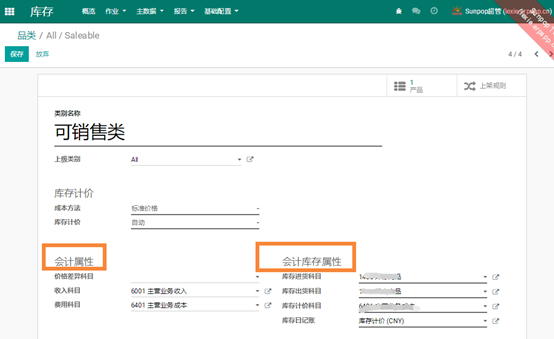
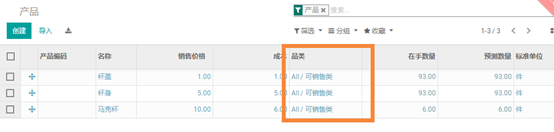
- Product
Assign the product to a category
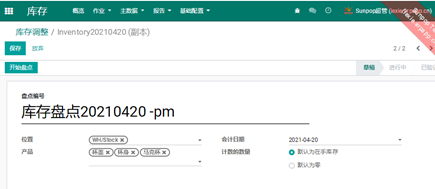
- Accounting entries for inventory counting

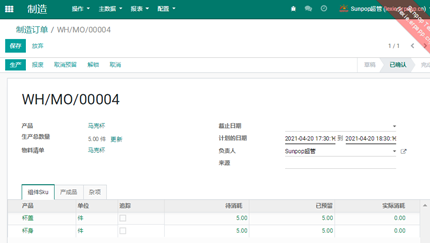
- Accounting entries for manufacturing orders
MO stands for Manufacturing Order
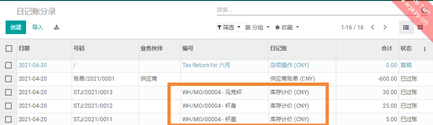
- Accounting entries for disassembly orders/scrap orders
Ub stands for disassembly order, SP stands for scrap order.

For project costs of non-standard manufacturing, vouchers must also be traceable by project
For non-standard orders, it is not enough to know how much was spent on this batch of goods; you also need to know how much material, labor hours, and outsourcing fees each project consumed. When manufacturing, disassembly, scrapping, and inventory counting documents automatically generate vouchers, bring the project number to the voucher lines, so that cost reports by project can be produced at the end of the month.
How to set up accounts can follow the existing system; the key is not to lose the auxiliary accounting dimensions.