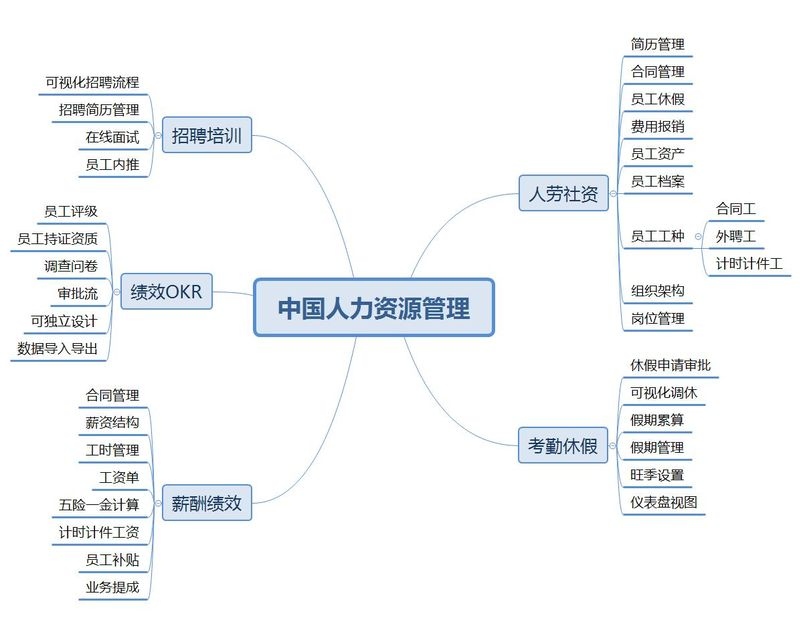
Let's first take a look at the full picture of HR management features in Odoo 17 and other versions.
This article will introduce how to set up payroll calculation suitable for Chinese enterprises in Odoo (based on Odoo Enterprise payroll management), and automatically pay salaries on the set date and generate accounting entries.
The following payroll features are based on the Odu Smart Application module l10n_cnai_hr_payroll, based on odooAi's Odoo Chinese translation. Since different Chinese translation versions may be used, there may be wording differences. Please refer to the official Odoo HR documentation.
Operation process:
1. Configure basic salary structure --> 2. Configure salary structure types (pay period and working time leave) --> 3. Configure each employee's contract (basic salary/hourly wage/piece-rate wage, etc.) --> 4. Create payslips and calculate -> 5. Advanced features such as salary attachments and commissions --> 6. Employee payroll statistics report, China payslip
1. Configure basic salary structure
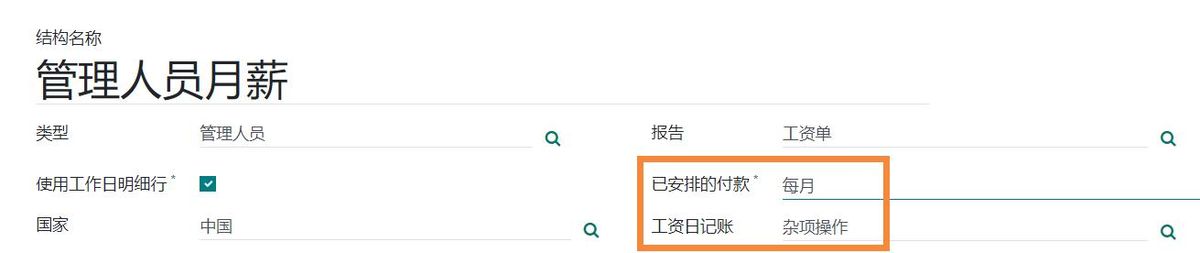
Take the management salary structure as an example, set the payment date and accounting journal.
Menu: Payroll -> Configuration -> Payroll -> Structure
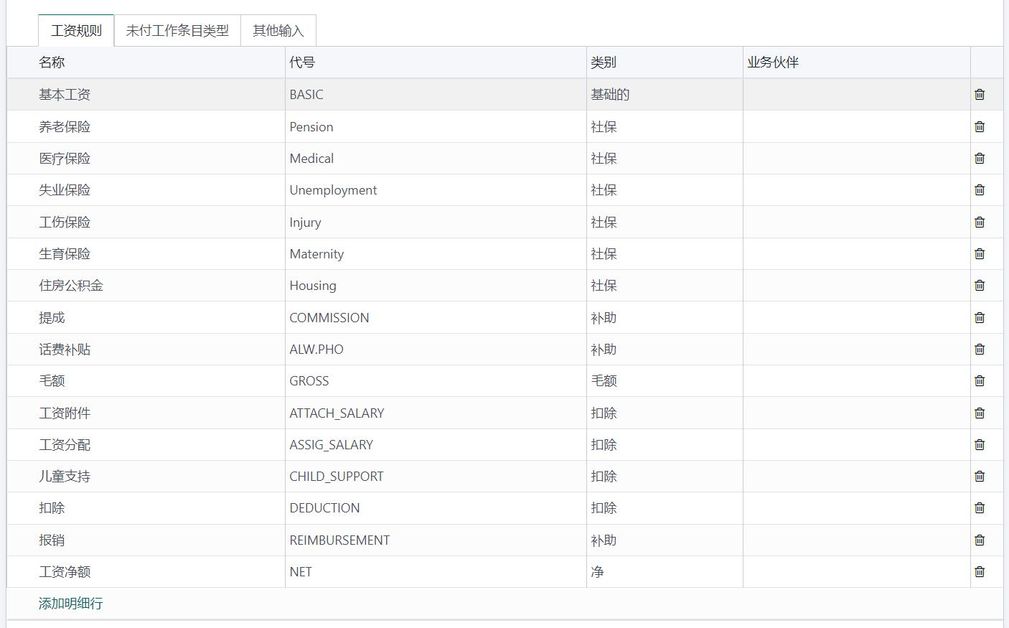
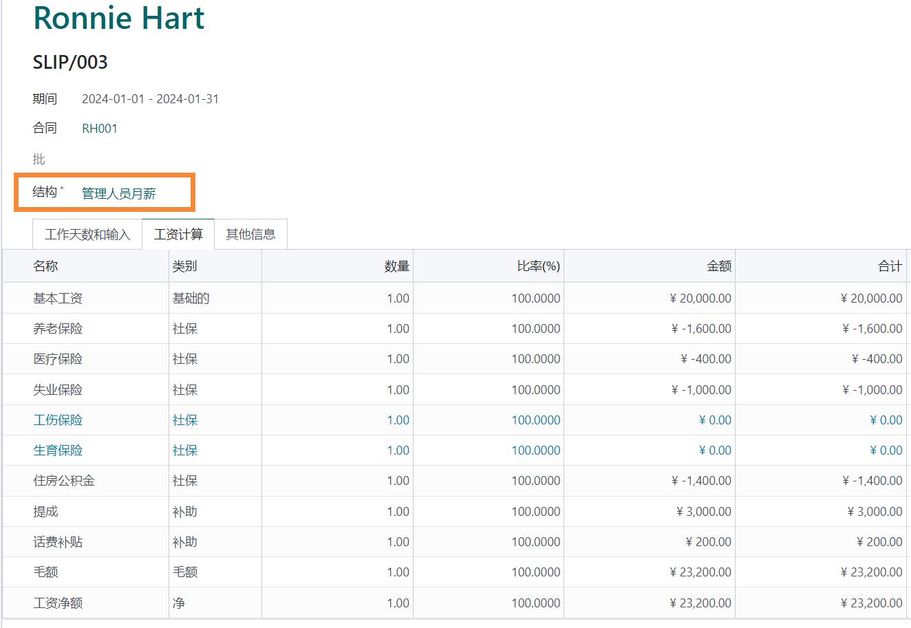
Set up salary structure such as social insurance and housing fund, etc.
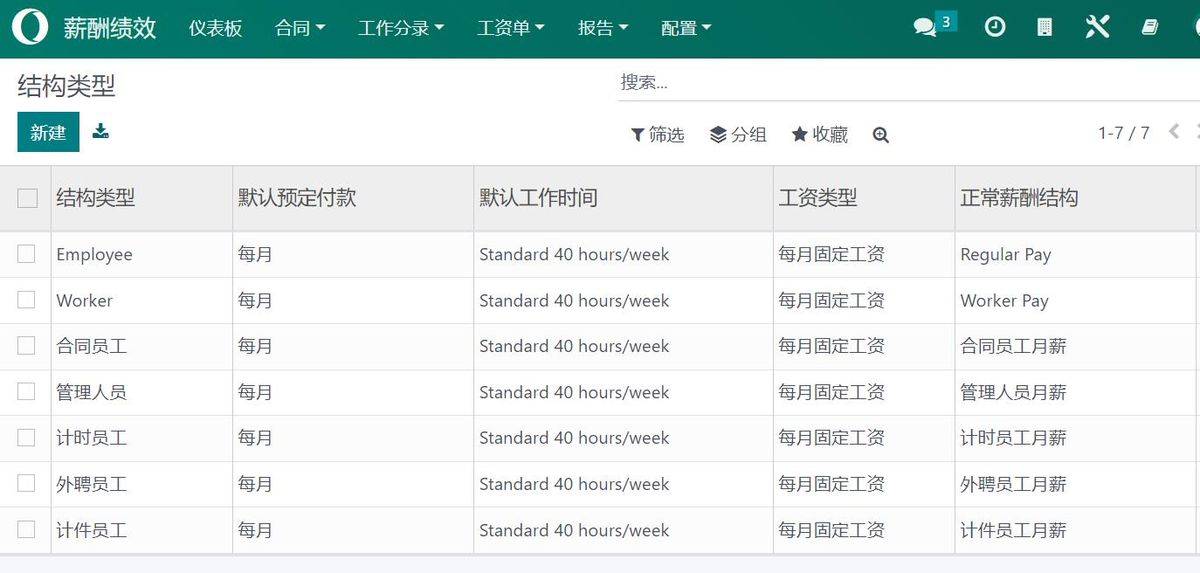
2. Set salary structure types (different positions, different working hours, default pay cycle)
Menu: Payroll -> Configuration -> Payroll -> Structure Types
3. Configure each employee's contract (basic salary/hourly wage/piece-rate wage, etc.)
Menu: Payroll -> Contracts -> Employee Contracts
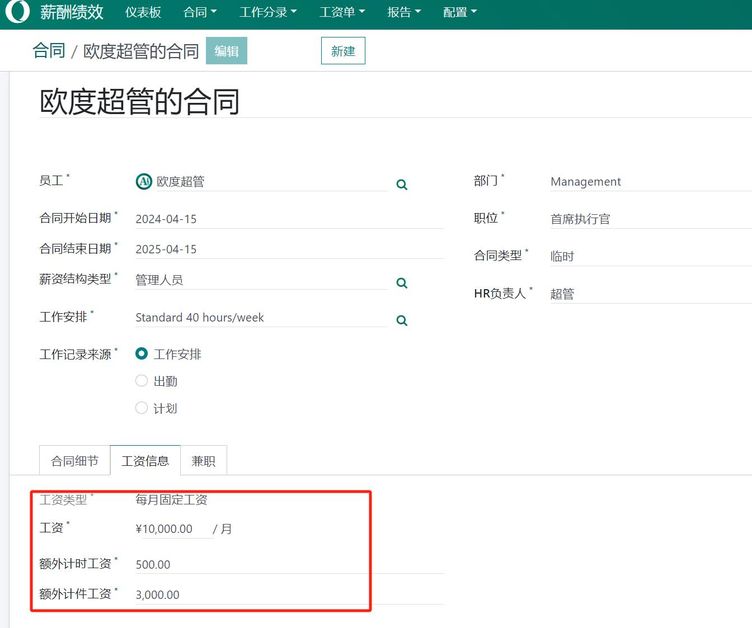
4. Create payslips; if there is hourly or piece-rate information, please enter it
Menu: Payroll -> Payslips -> All Payslips
Attendance information will be automatically calculated based on employee attendance, and relevant wages will be computed.
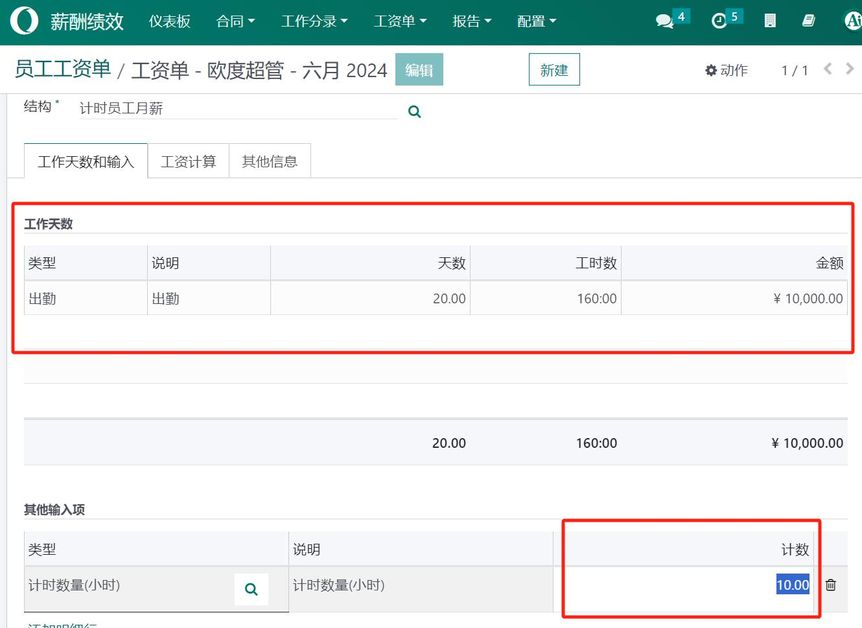
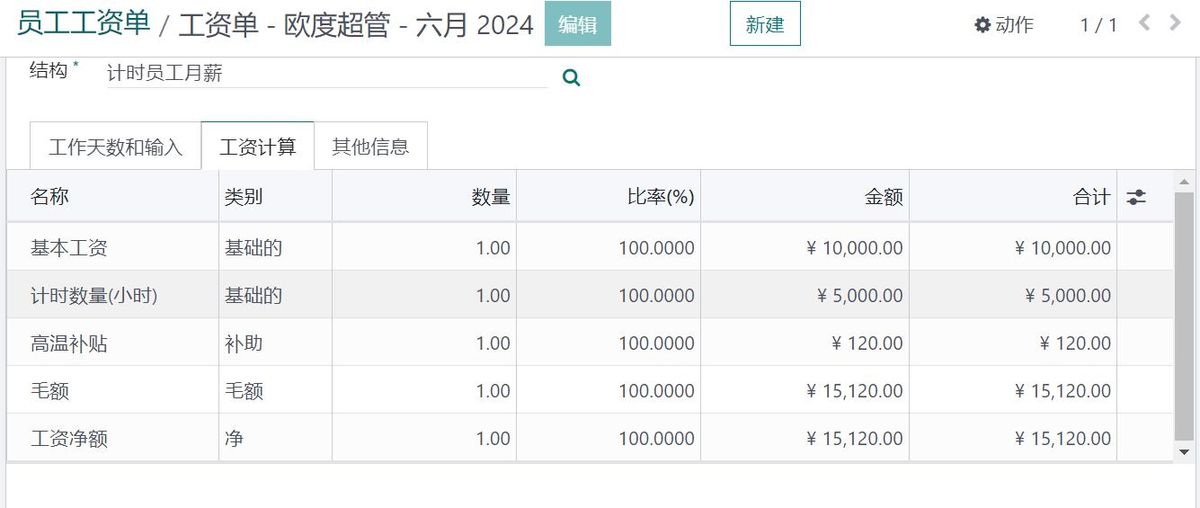
After setting up, click the "Calculate Payslip" button above to generate the employee's salary for that period, as shown in the example below.
Example of hourly employee monthly salary:
Management monthly salary
5. Advanced features such as salary attachments and commissions
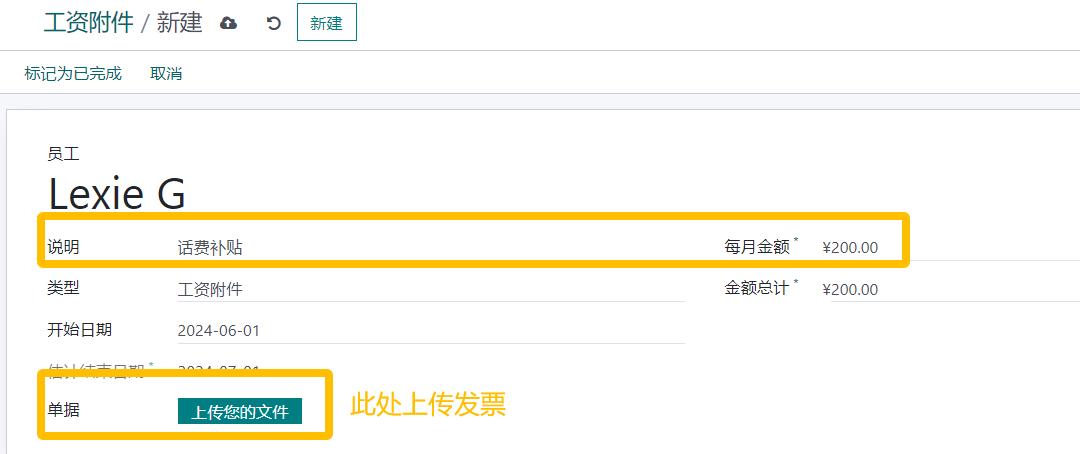
Salary attachments can serve as a supplement to allowances, and invoices, receipts, and other vouchers can be uploaded. Paid monthly.

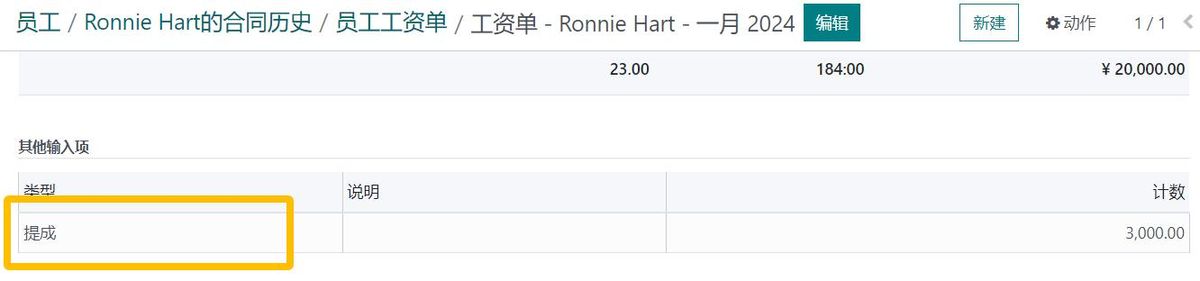
Commissions are included in the payslip and calculated separately. This can be integrated with our sales commission module.
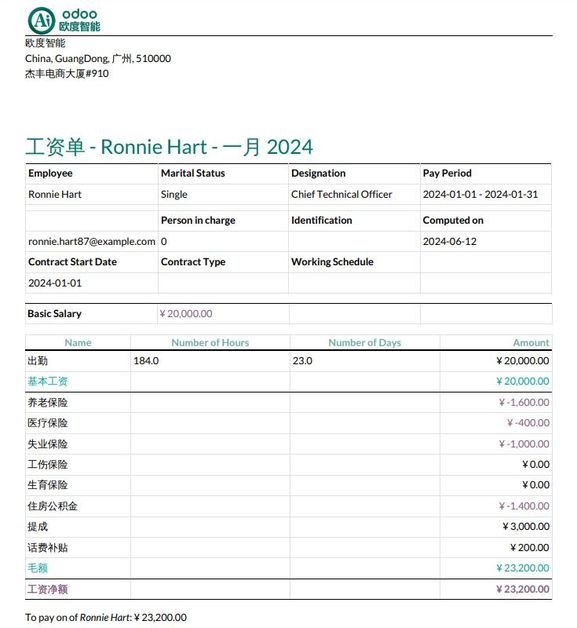
6. Employee salary payment statistical reports, Chinese payslips
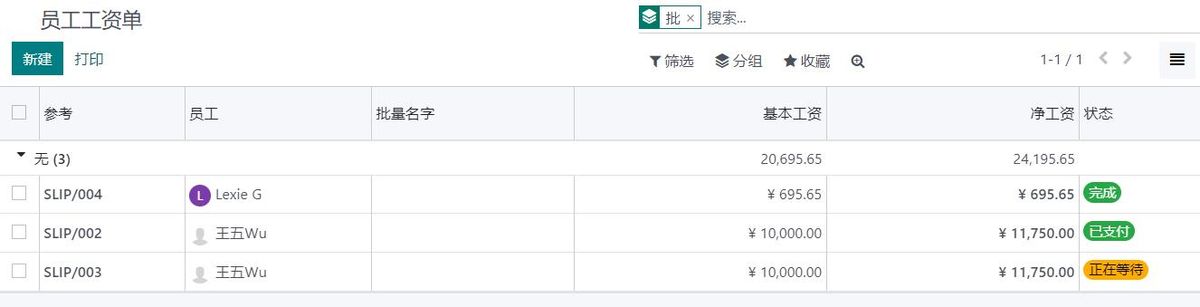
Salary status can be overviewed; after approval and signature, the contract can take effect for calculation.
Payslips can be printed as PDF or automatically sent via email.
Chinese payslip format
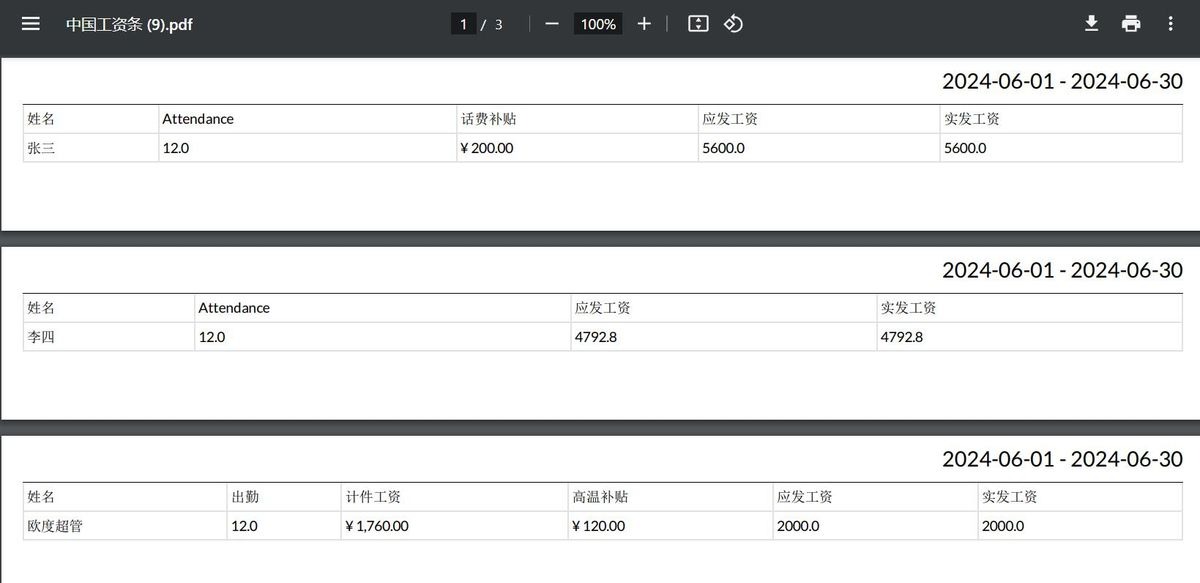
General detailed salary format
Odoo China HR Management Detailed List
HR, Labor, Social Security and Payroll Resume Management Contract Management Employee Leave Expense Reimbursement Employee Assets Employee Records Employee Types (Contract Worker, External Worker, Hourly/Piece-rate Worker) Organizational Structure Position Management | Attendance & Leave Leave Request Approval Visual Time-off in Lieu Leave Accrual Leave Management Peak Season Settings Dashboard View | Compensation & Performance Contract Management Salary Structure Work Hour Management Payslip Social Insurance & Housing Fund Calculation Hourly & Piece-rate Wages Employee Allowances Business Commission | Performance OKR Employee Rating Employee Certifications Surveys Approval Workflow Independently Designable Data Import & Export | Recruitment & Training Visual Recruitment Process Resume Management Online Interviews Employee Referrals |