In the apparel and footwear industry, especially in shoe manufacturing, in order to adapt to rapid changes in seasonal styles and personalized production demands, companies generally face the following problems: numerous materials and processes, complex supply chain processes. Product life cycles and production cycles are shortened, and order delivery dates are inaccurate. Serious duplication of labor, poor information communication between departments. Poor accuracy of procurement and production plans. Outdated management methods. Difficult material management, excessive material overconsumption, resulting in high costs and low profits. Difficult and chaotic batch number management.
Facing the above problems, most apparel and footwear enterprises need comprehensive and detailed software that fully meets industry characteristics, is convenient and practical, to improve enterprise management efficiency and integrate related business needs. Expand enterprise competitive advantages, making management and production clearer, more effective, controllable, and accurate.
By synthesizing the pain points of footwear and apparel enterprises, Odoo Smart has developed a comprehensive lean production system for footwear and apparel enterprises based on the ODOO framework for customers.
We will publish a series of articles to explain the system's functions and usage.
This article is the third in the series—Custom Production PLM.
You can also view other articles in this series:
Automatic coding of multi-specification items with colors and sizes, exclusive styles and colors
- Define a multi-style multi-color running shoe such as: multi-style multi-color OEM running shoe 001, such as style number PX001
Basic Data - Product Information - Style Number - Create
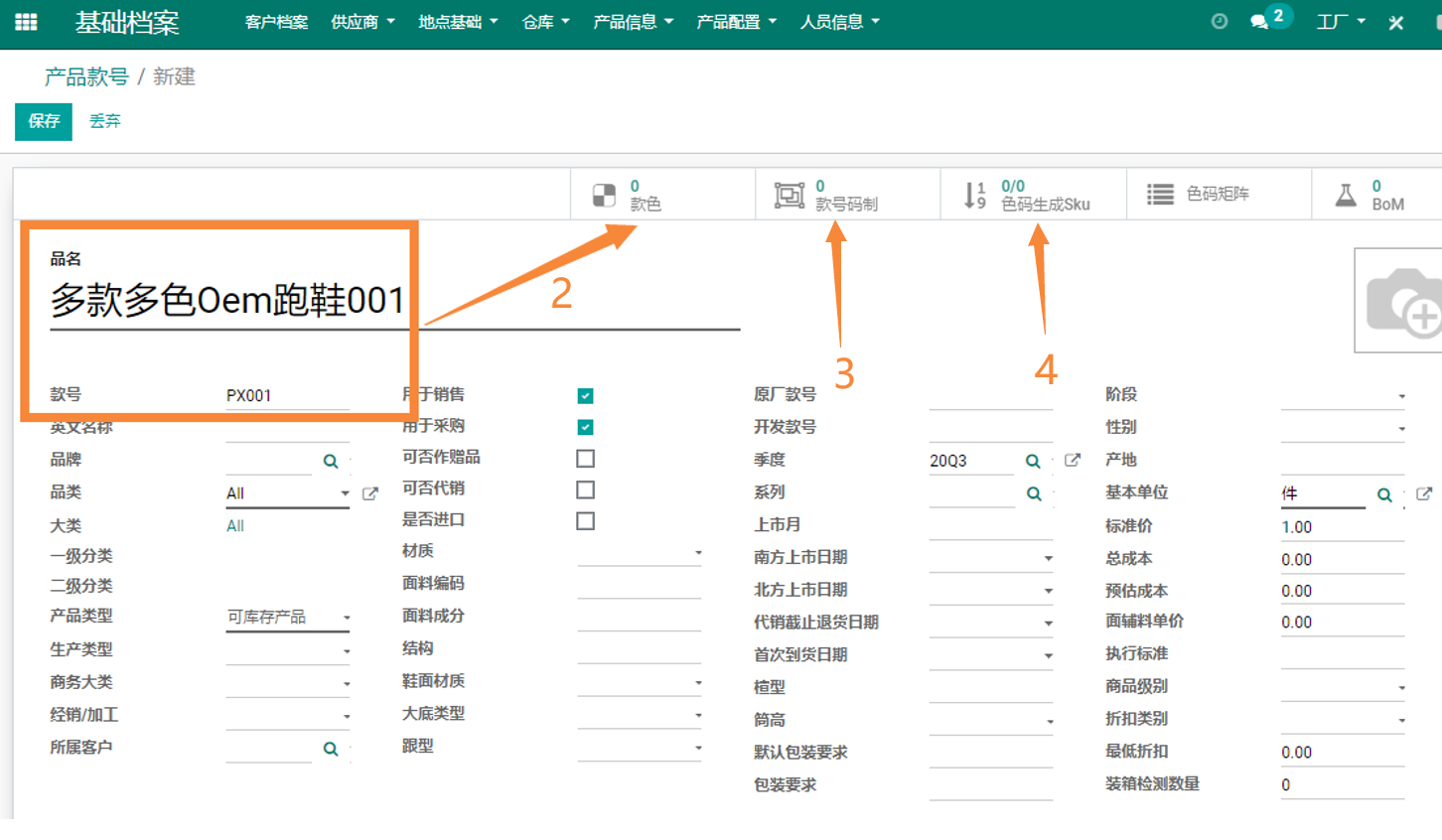
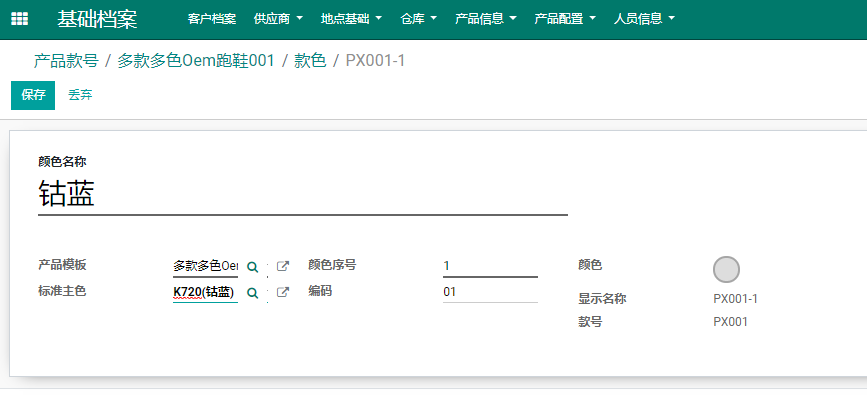
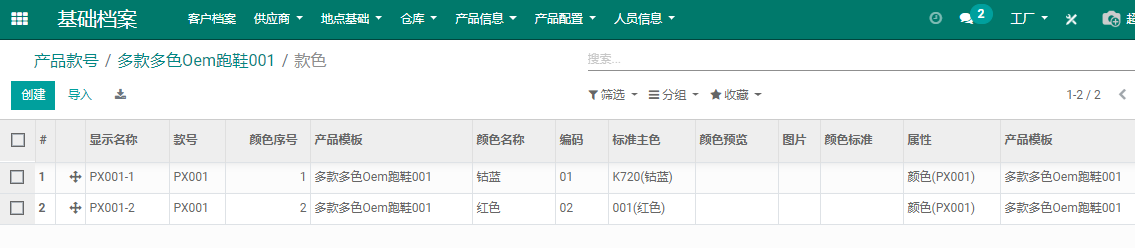
2. After saving, enter the style colors to define the style colors, exclusive style and color. Such as blue, red
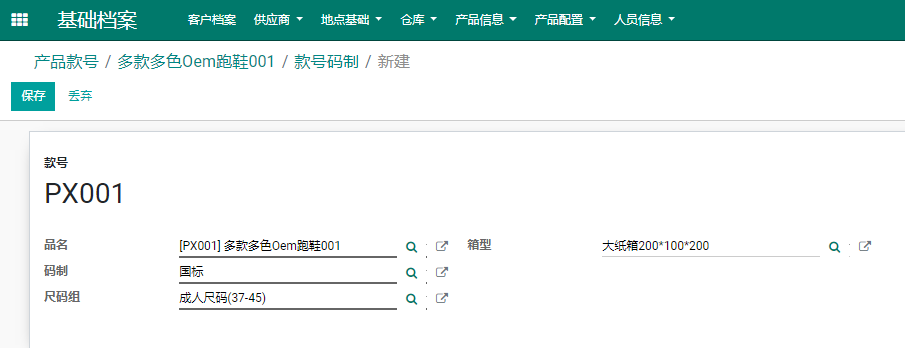
3. Then define the style number size system, determine the included size groups
4. Generate the corresponding specific running shoe SKUs
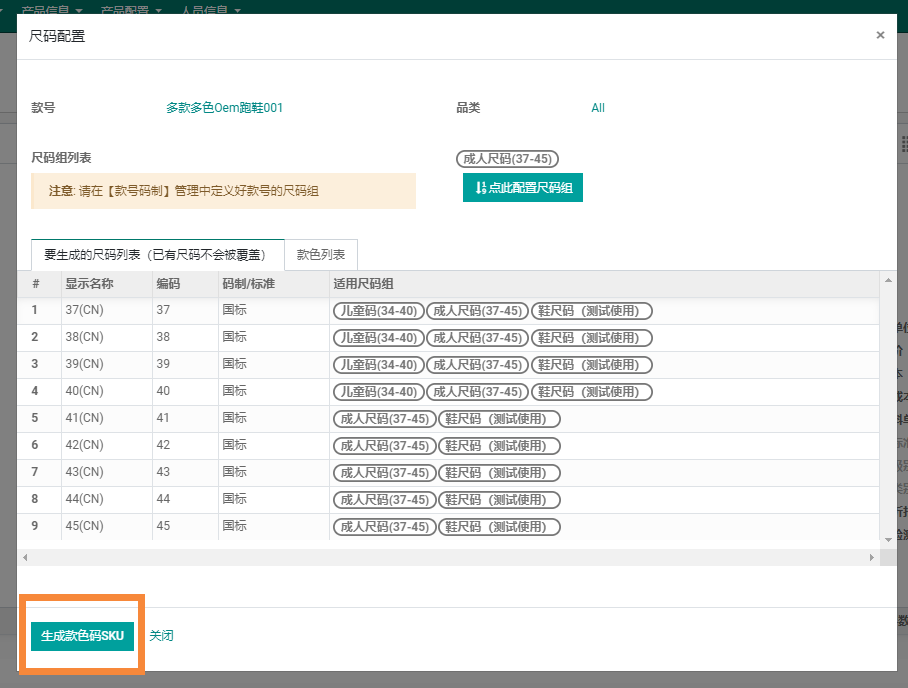
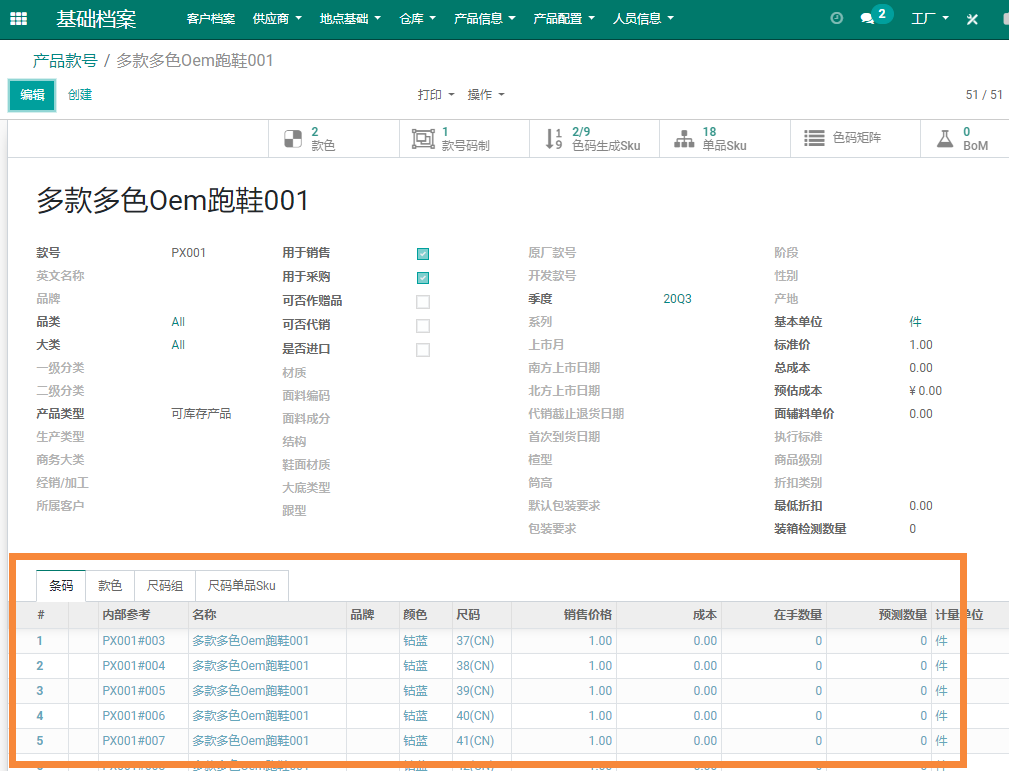
5. The system will automatically generate all SKUs for multiple style colors and multiple sizes
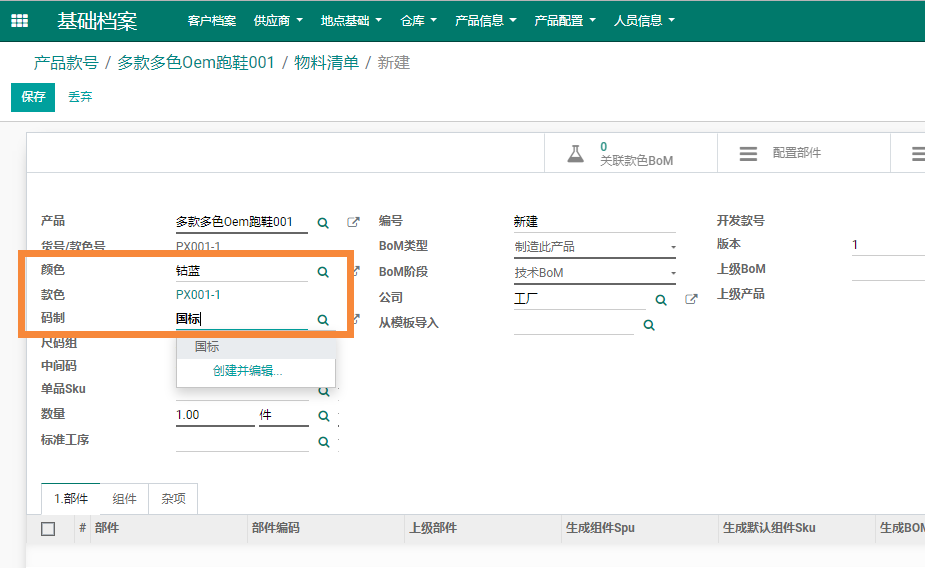
6. Design the BOM for this style number, select colors, select size system. Save.
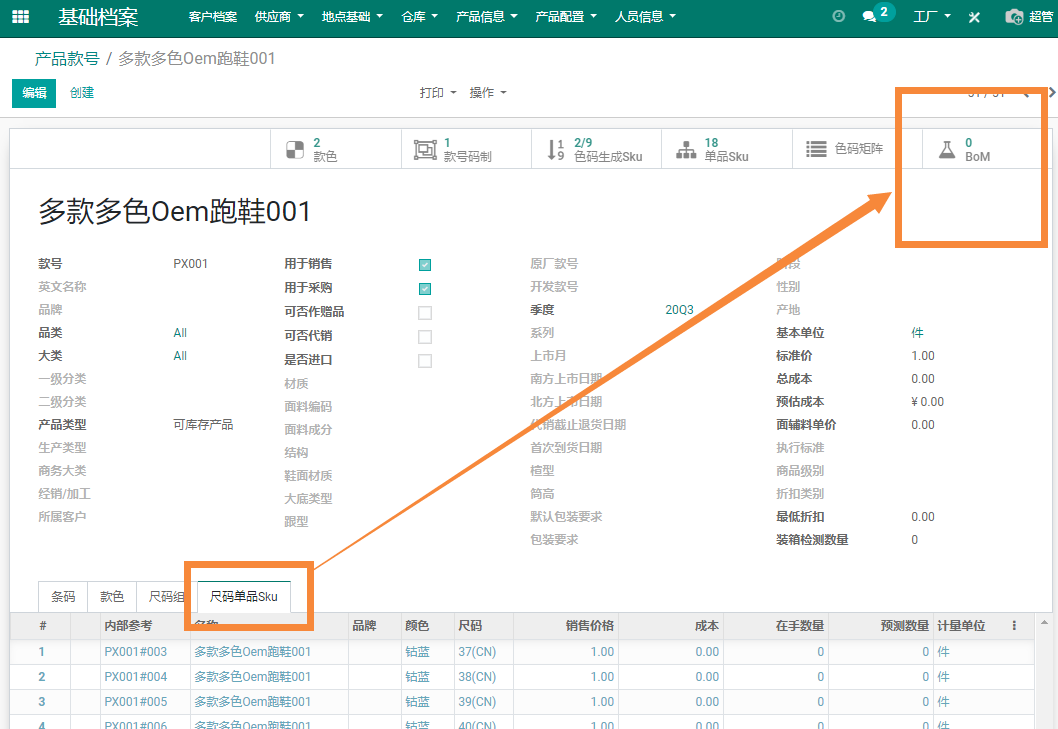
6.1 BOM structure design, first import the designed BOM structure framework
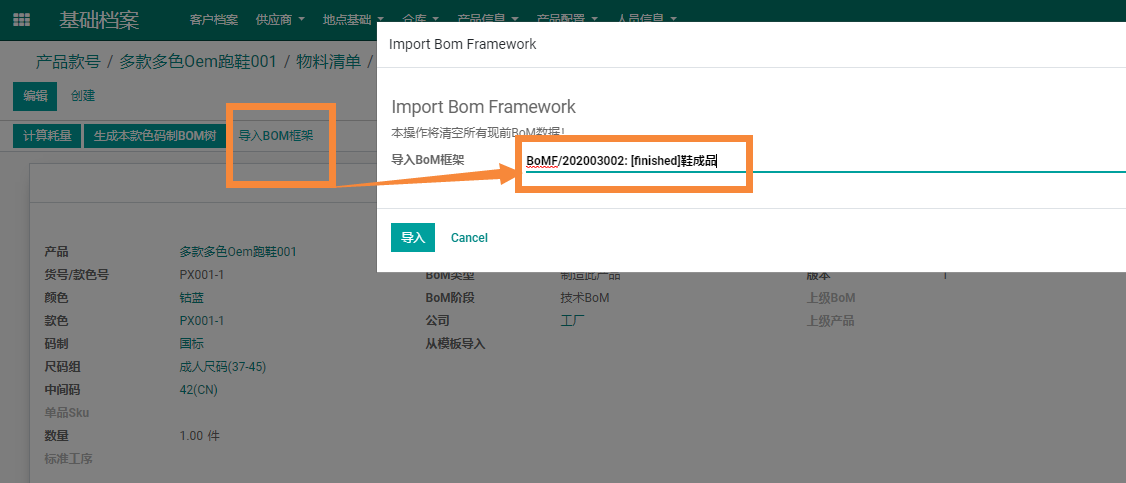
The corresponding component structure will be generated as shown below

6.2 Click "Generate BOM Tree for This Style Color Size System", the system will automatically generate the corresponding semi-finished products for the specified style and color based on the component structure,
and the related semi-finished product BoMs, as well as determining the overall BoM structure
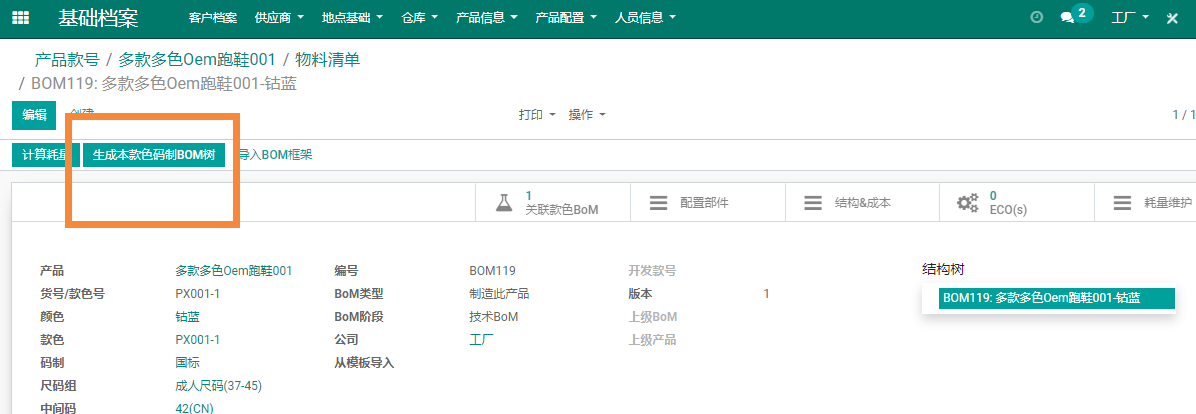
As shown below, the generated structure and BoM are:

We can further manage the BoM of each component node in the BoM structure tree
We can also perform matrix-based [consumption maintenance] for this style-color of running shoes
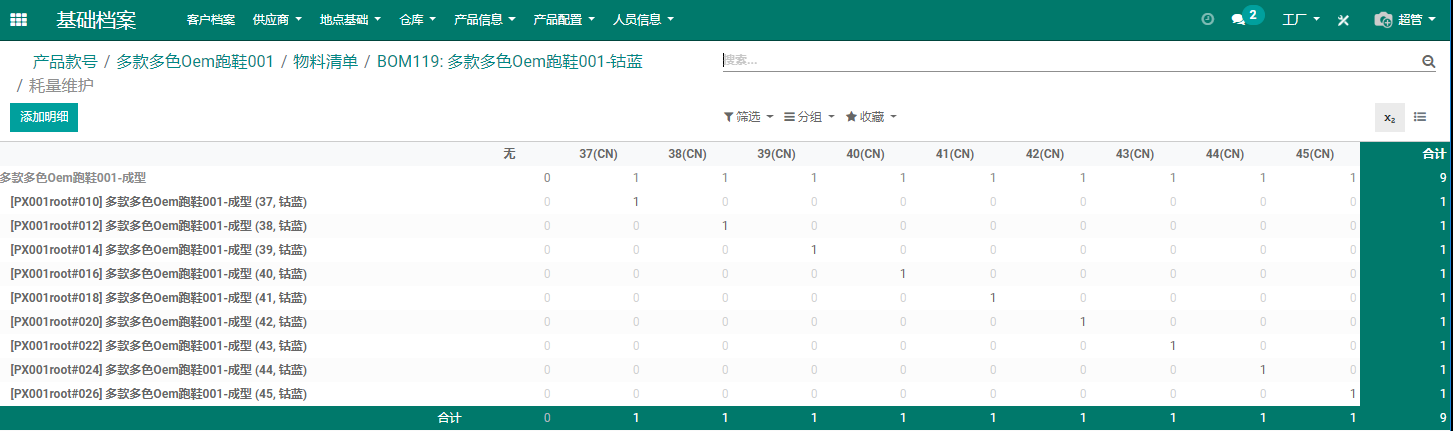
7. We can see that the system automatically generated all semi-finished products under this product style,
and for each semi-finished product, generated the corresponding style-color-size SKU
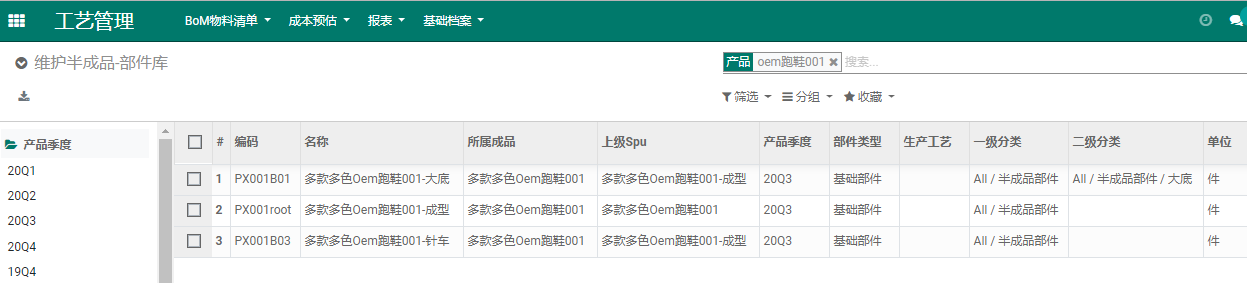
Generated color-size SKU
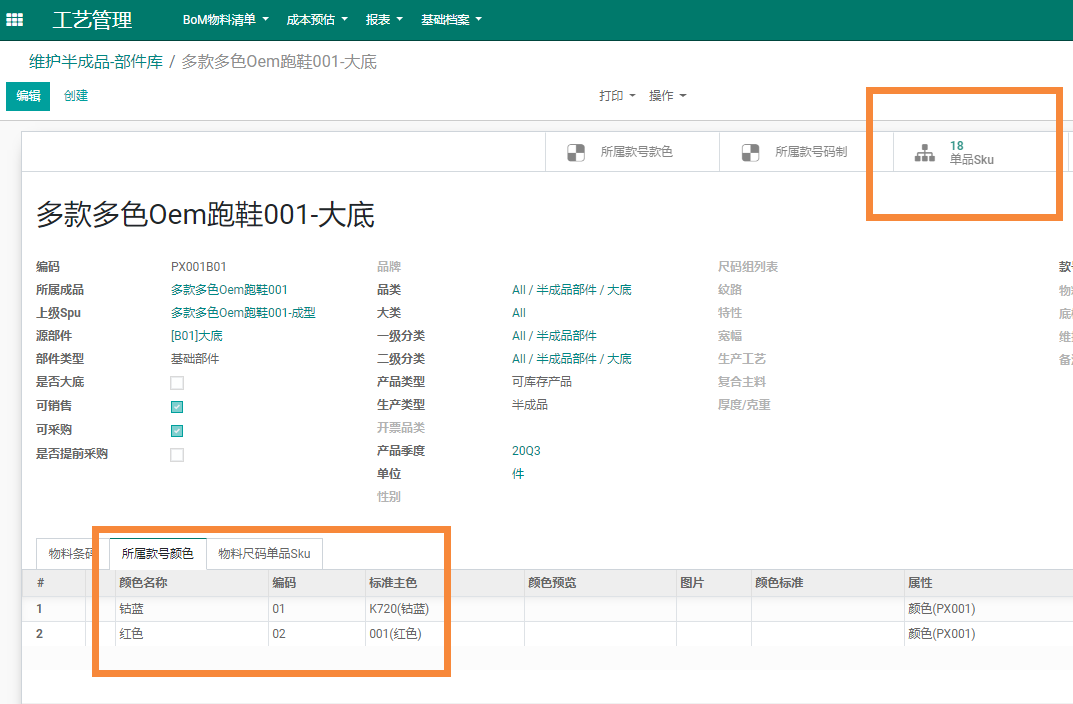
Also generated the BoM for each semi-finished product
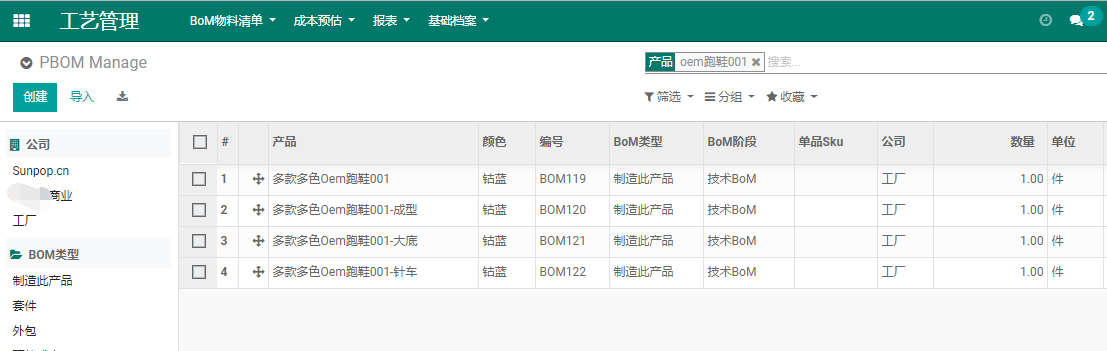
For non-standard customized styles, first define the style-color-size, then generate the BOM tree
Customized orders in footwear and apparel often involve one style with multiple colors and one color with multiple sizes. When a customer changes a colorway, semi-finished products and BOMs must be regenerated. Use the style number to bring out the style-color-size, then generate the BOM tree according to the component structure. When changing color or size, only the corresponding node needs to be modified, without recopying the entire tree.
In small-batch rapid response, this structure is easier to maintain than a single large BOM, and procurement and the workshop can prepare materials separately by semi-finished product. When implementing a non-standard manufacturing ERP in the footwear and apparel industry, the first step is to firmly establish the correspondence between style, color, size, and BOM.