- How to set up the automatic shipping fee calculation strategy for logistics in Odoo 12.
- How to achieve automatic conversion between different units of measure for purchasing and sales in Odoo 12.
- (1) Logistics Setup
- Scenario: Configure the corresponding automatic shipping fee calculation strategy based on the pricelist.
- 1. Select [Based on Rules] and configure the shipping fee calculation rules yourself.
- 2. The value here refers to the total amount of the purchase order.
- 3. The starting price for shipping.
- 4. The price beyond the starting price.
- 5. Configuration of the customer address.
- (2) Weight-related for the fresh food industry—native and Shangpeng Technology development modules
- Scenario: Conversion between different weight units.
- 1. Native Odoo conversion between different weight units.
- 2. Weight-related modules developed by Shangpeng Technology
- App Product Weight Auto Set
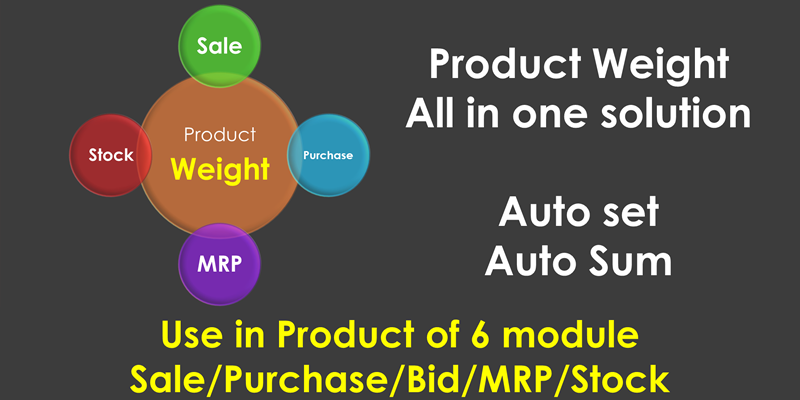
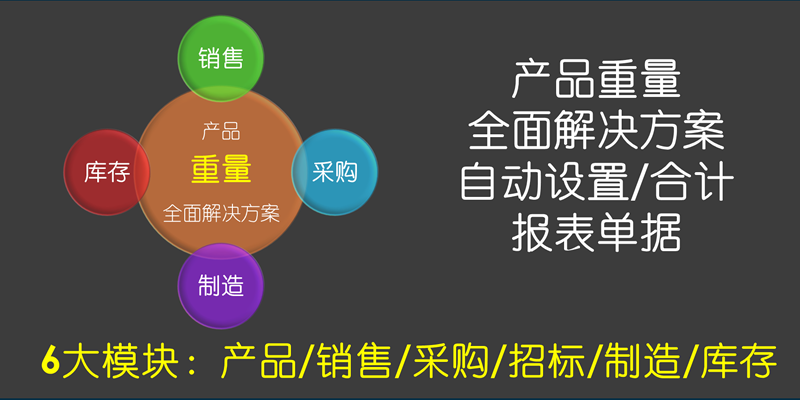
- If the UoM belongs to the weight category, the product weight is set automatically. Can be used for sales, purchasing, and inventory.
- Automatic weight of the product
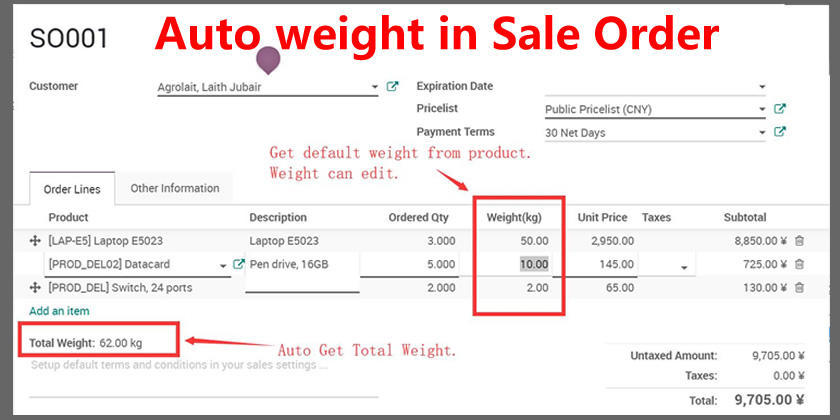
- Sales Order
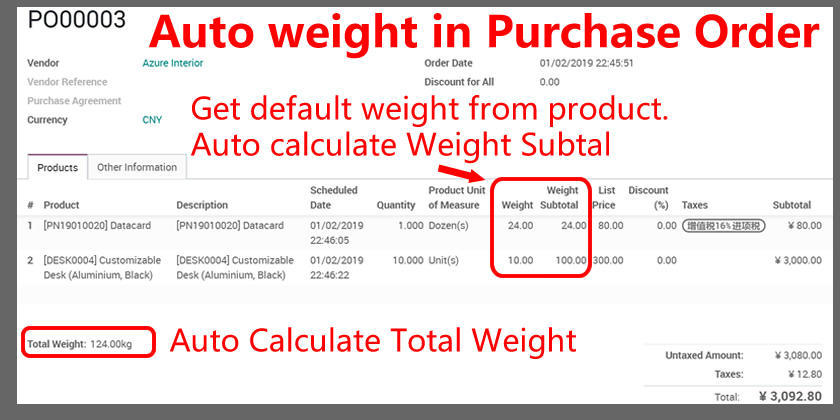
- Purchase Order
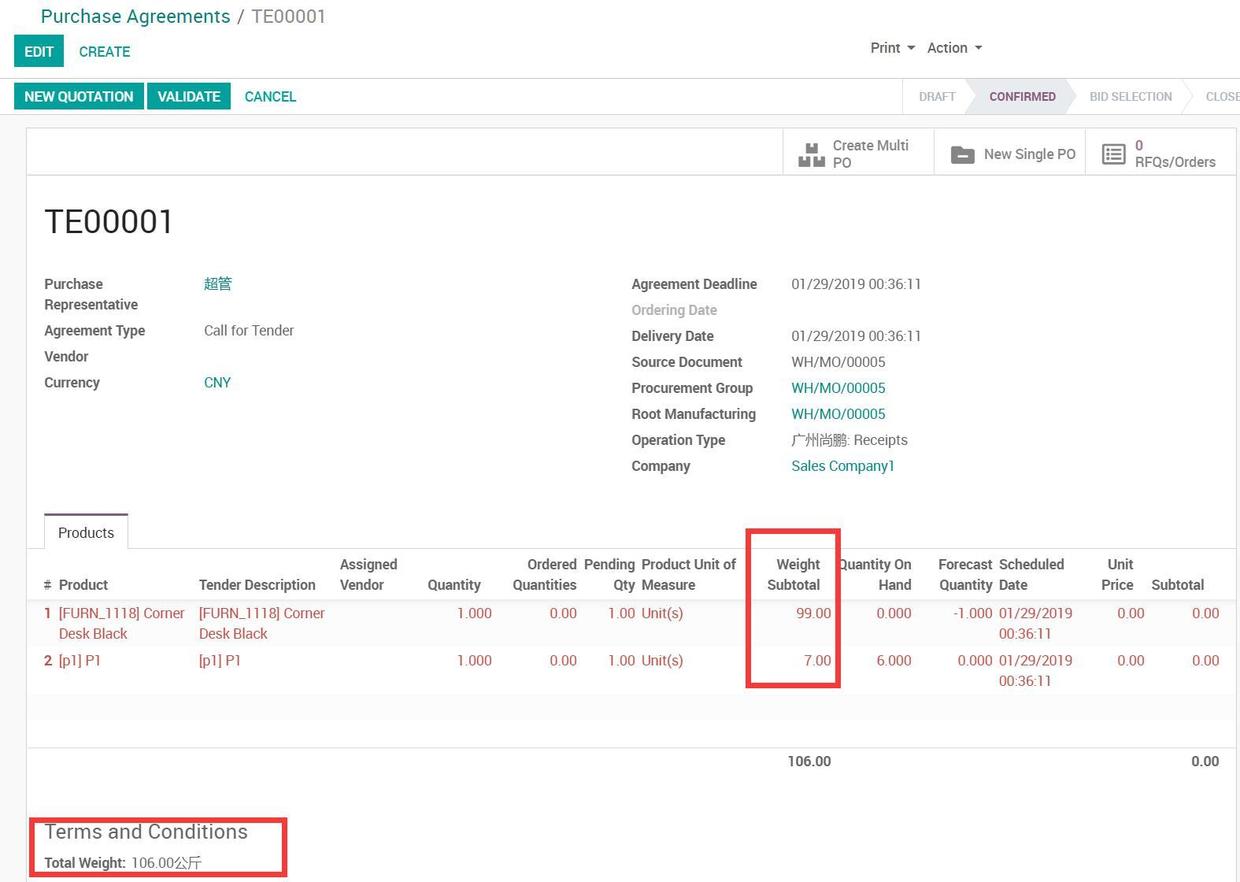
- Purchase Agreement
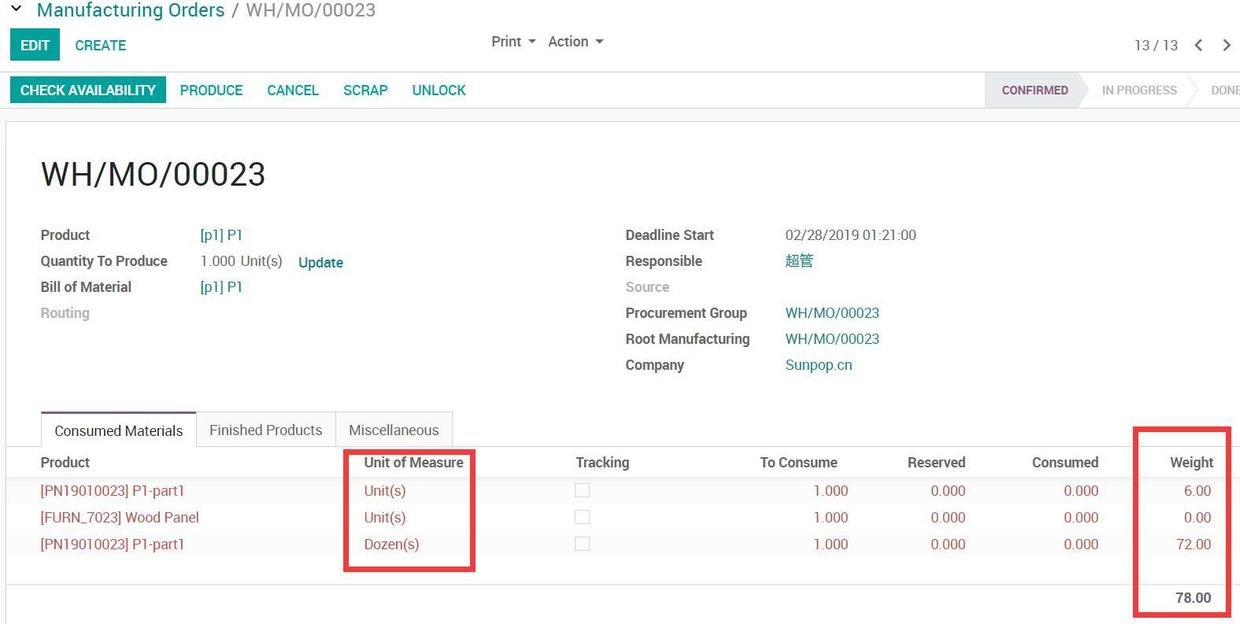
- Manufacturing Order
- Inventory Transfer
- For the food and fresh produce raw material industry, it is common to have different batches with different weights.
In industries related to logistics, food and fresh produce, furniture, printing, and other raw materials, weight is a very important factor. It is necessary to handle not only the quantity of products but also their weight. In most industries, weight is also important order data.
Odoo natively includes weight handling. The following will guide you on how to elegantly apply Odoo's native modules to handle weight-related business. Additionally, through our self-developed weight module, we have achieved full weight management and full weight document printing for an integrated production and sales supply chain.
All modules strictly follow Odoo's multi-unit conversion logic and business logic, supporting metric and imperial units as the base units. For more complex weight, dimension, and volume requirements, there are more in-depth business solutions for handling batch weights. You canContact Us。
Author Lexie Gao
How to set up the automatic shipping fee calculation strategy for logistics in Odoo 12.
How to achieve automatic conversion between different units of measure for purchasing and sales in Odoo 12.
Guangzhou Shangpeng Information Technology Co., Ltd. | Odoo Professional Implementation and Development
EMAIL:10780543@QQ.COM
(1) Logistics Setup
Scenario: Configure the corresponding automatic shipping fee calculation strategy based on the pricelist.

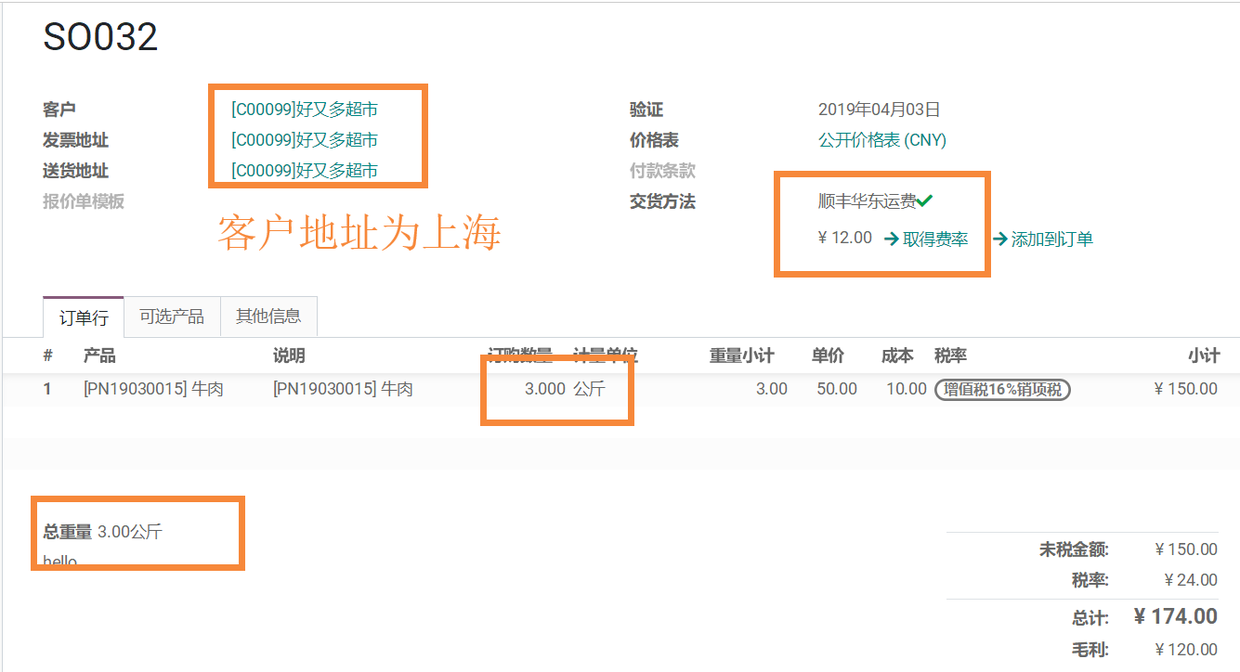
The customer purchases beef, total 3KG, shipping fee 12 yuan.
The customer purchases beef, total 5KG, shipping fee 22 yuan.
The basic settings for logistics fees are shown in the figure below, with the following key points.
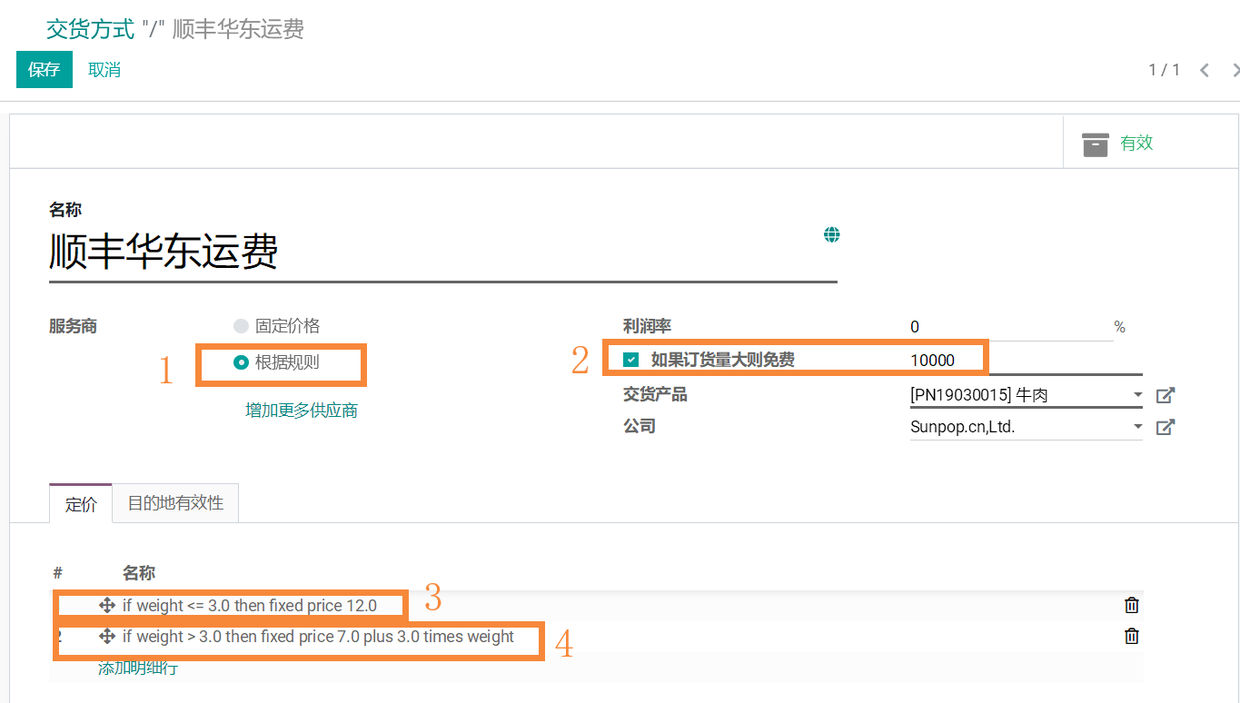
1. Select [Based on Rules] and configure the shipping fee calculation rules yourself.
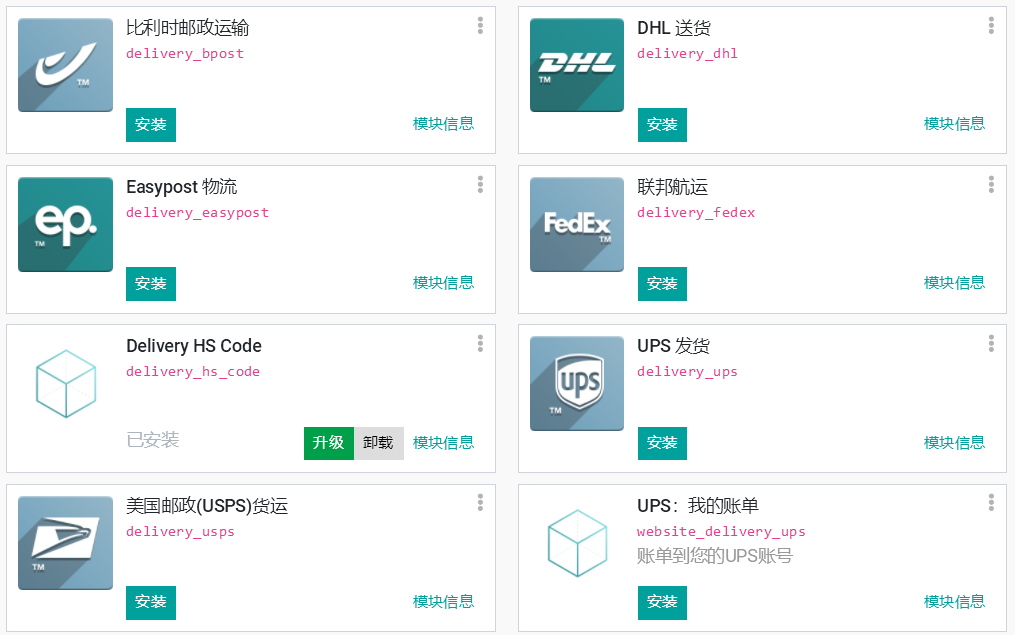
Odoo has the following logistics company modules by default. For other logistics companies, you can configure them yourself according to the price list provided by the other party.
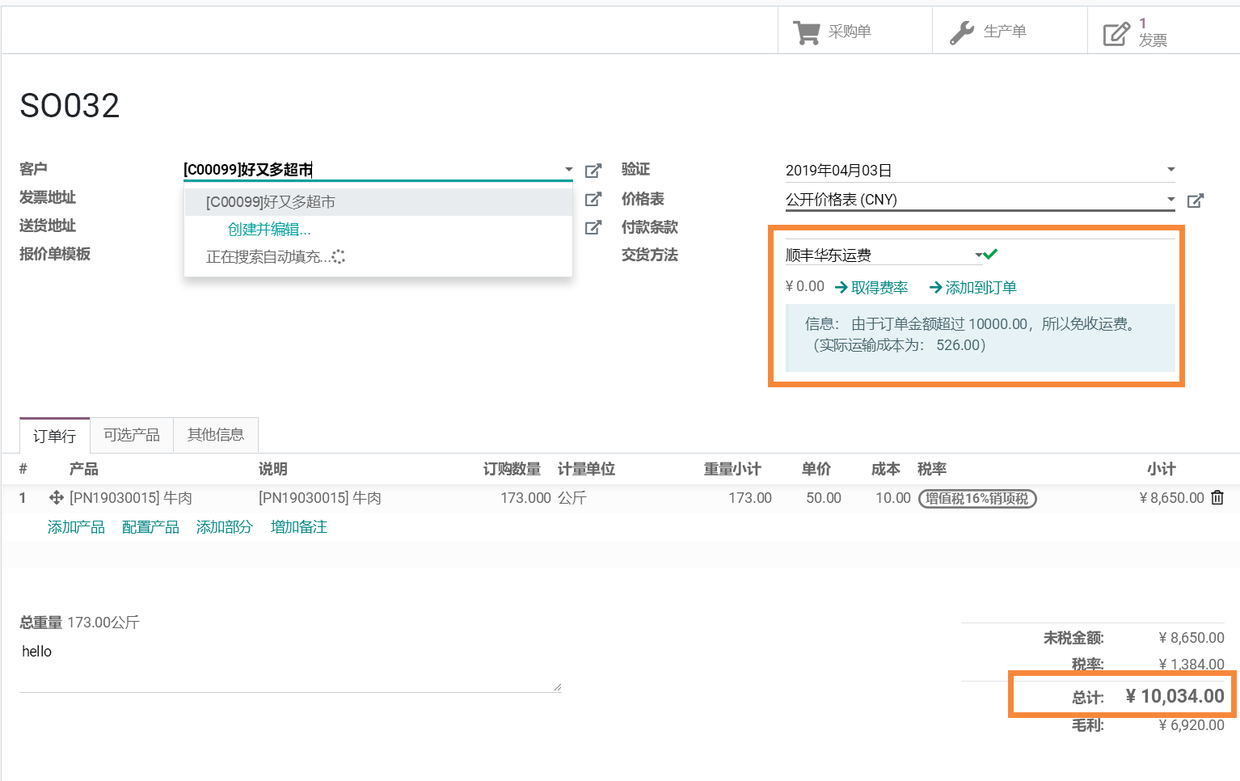
2. The value here refers to the total amount of the purchase order.
It can be understood as free shipping for purchases above a certain total price. The total price here refers to the total price of the entire order including tax.
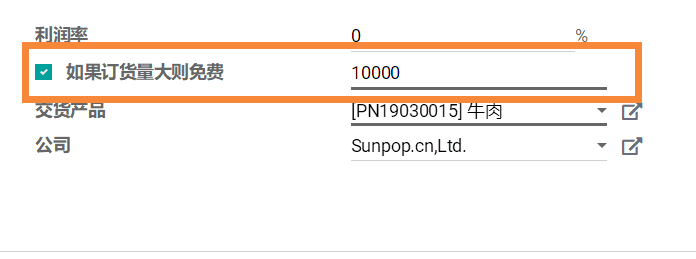
Purchasing 173 kg, the total order amount is 10,034 yuan including tax, which exceeds the designed free shipping threshold of 10,000 yuan. The system concludes that it is free shipping.
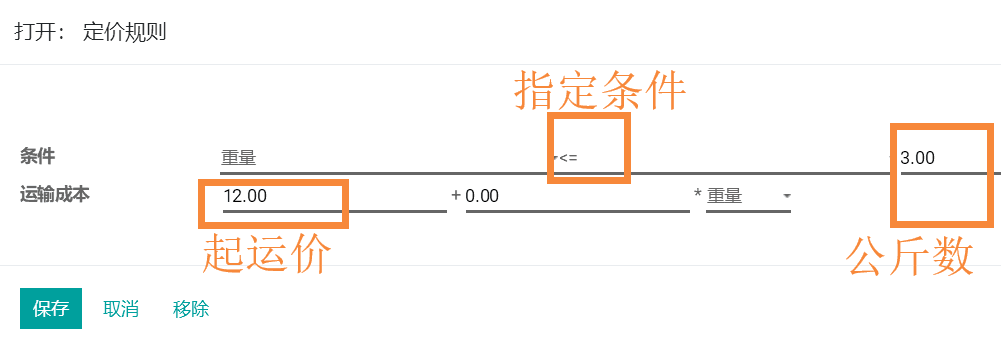
3. The starting price for shipping.
This formula means
If the total weight of the waybill <= 3KG, the starting price of 12 yuan is used, and the price is 12 yuan + (0.00 * weight).
It can be understood as: if the total weight of the waybill is 3KG or less, it is 12 yuan.
Let's see how the system automatically calculates the shipping fee when placed in an order.
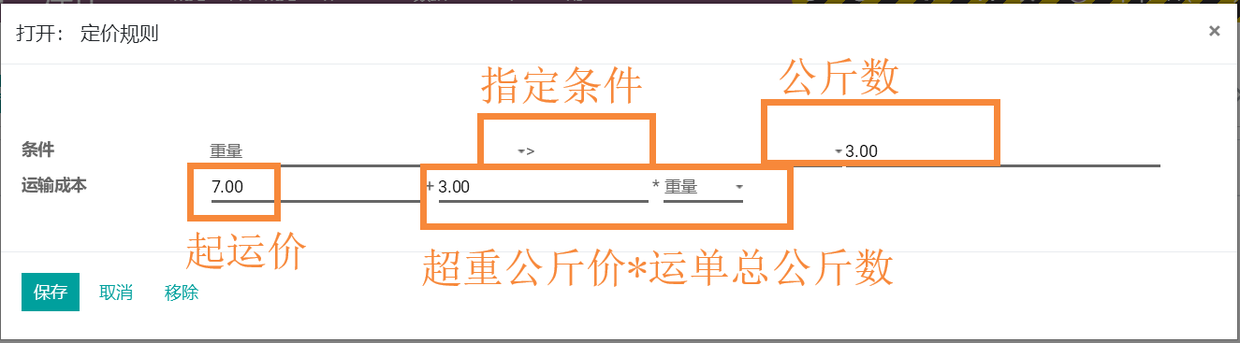
4. The price beyond the starting price.
This formula means
If the total weight of the waybill > 3KG, the starting price of 7 yuan + (3 yuan per kilogram * total weight of the waybill) is used.
It can be understood as: assuming the total weight of the waybill is 5KG, it is calculated according to the following formula: 7 + (3 * 5KG) = 22 yuan.
Let's see how the system automatically calculates the shipping fee when placed in an order.
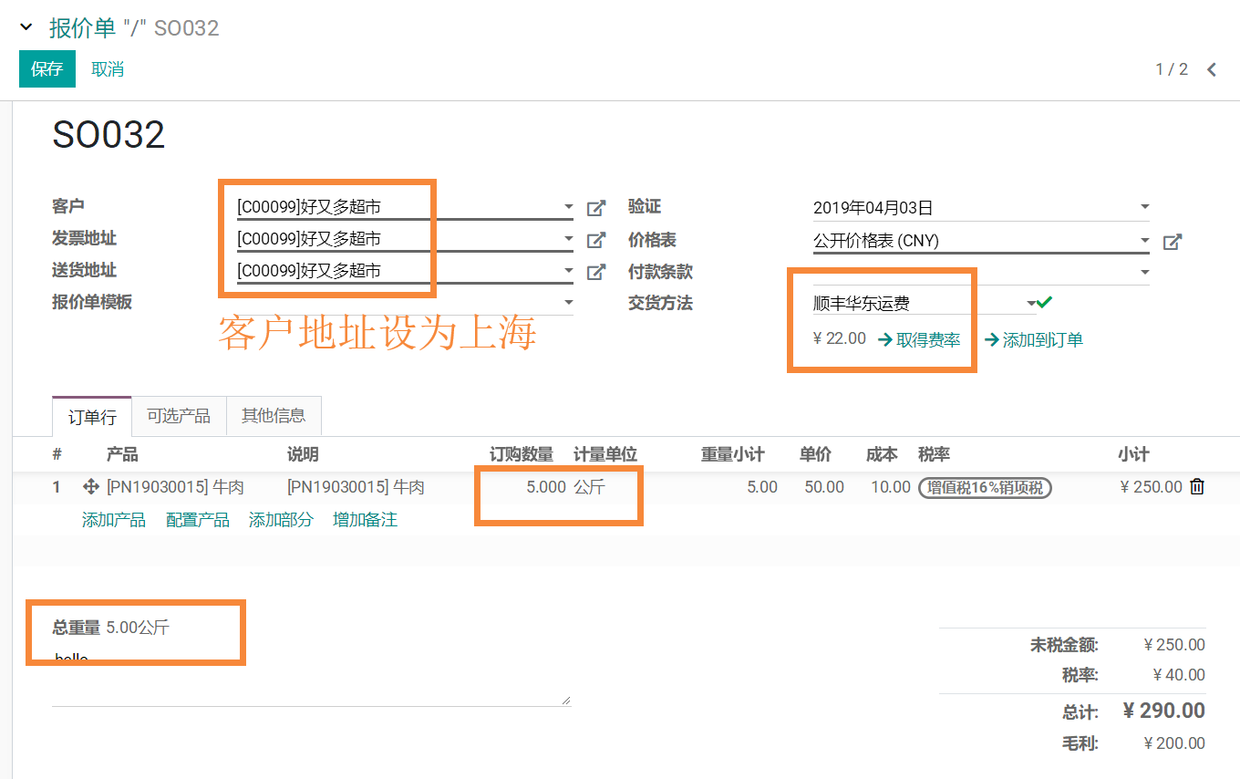
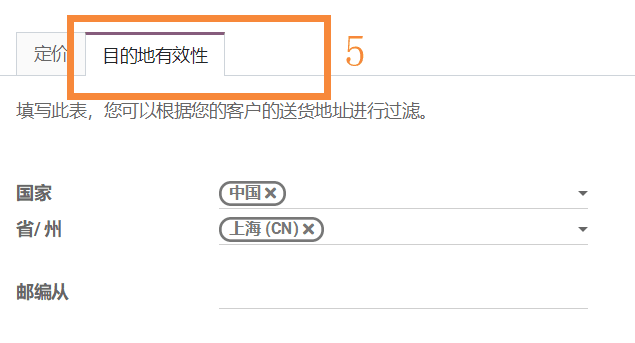
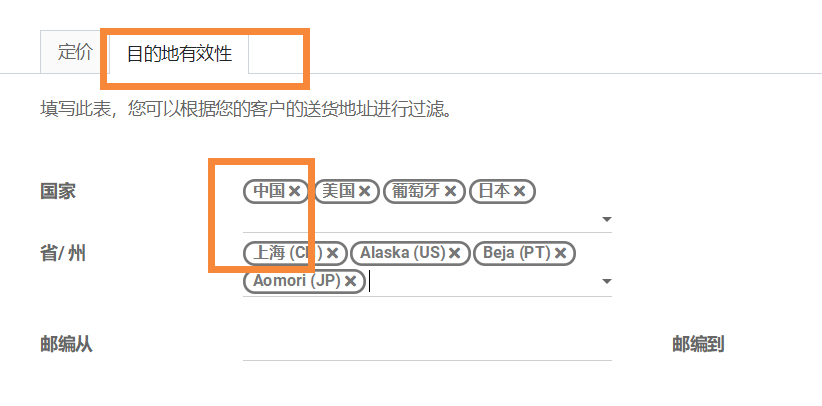
5. Configuration of the customer address.
Multiple customer delivery addresses can be specified, and settings can be made according to the logistics provider's price list.
(2) Weight-related for the fresh food industry—native and Shangpeng Technology development modules
Scenario: Conversion between different weight units.
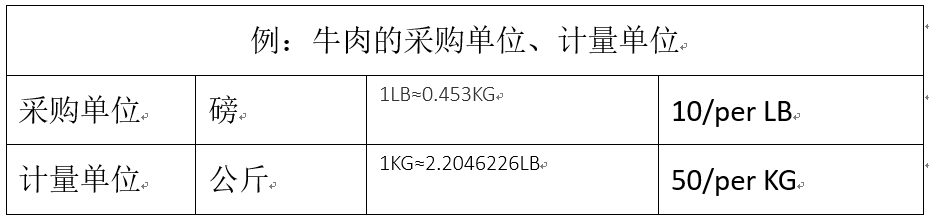
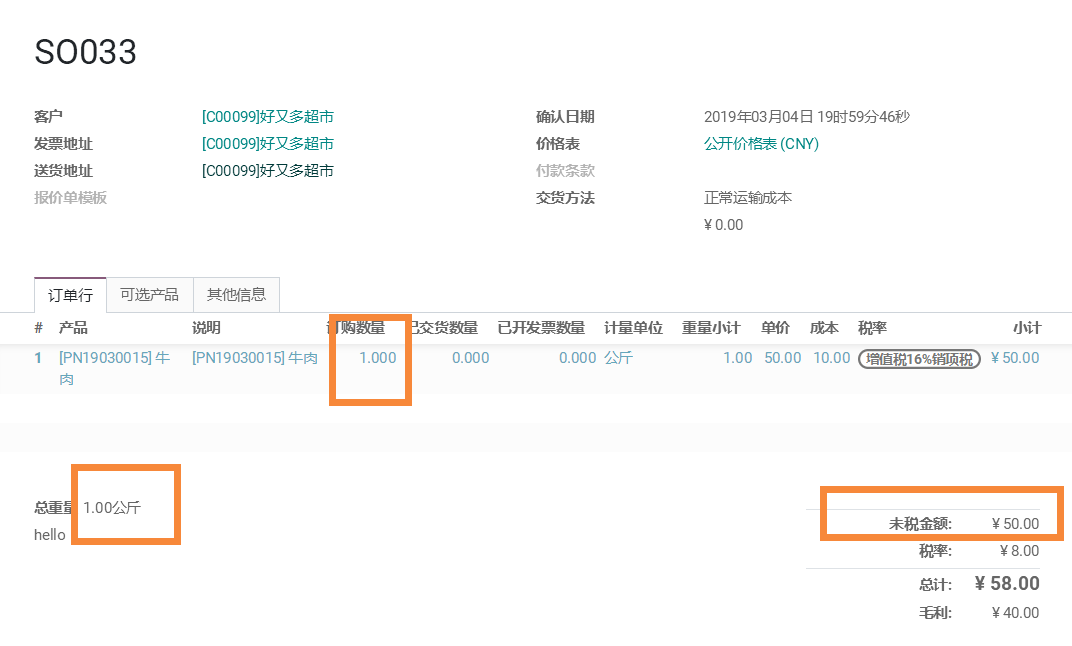
The customer purchases beef from Shangpeng, totaling 1 kilogram, at a selling price of 50 yuan.
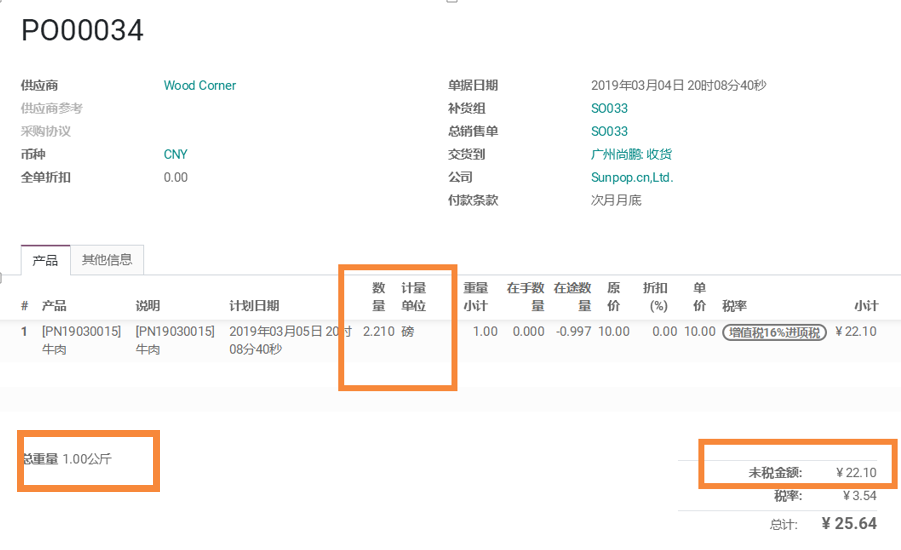
Shangpeng purchases beef from the supplier, totaling 2.21 pounds, at a purchase price of 22.1 yuan.
1. Native Odoo conversion between different weight units.
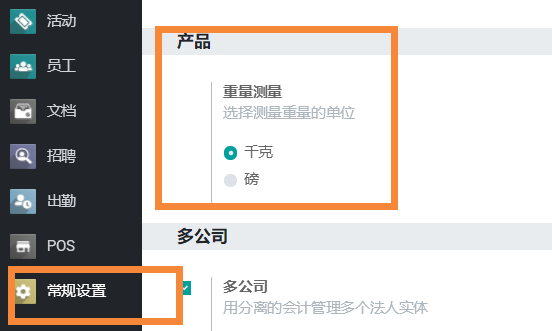
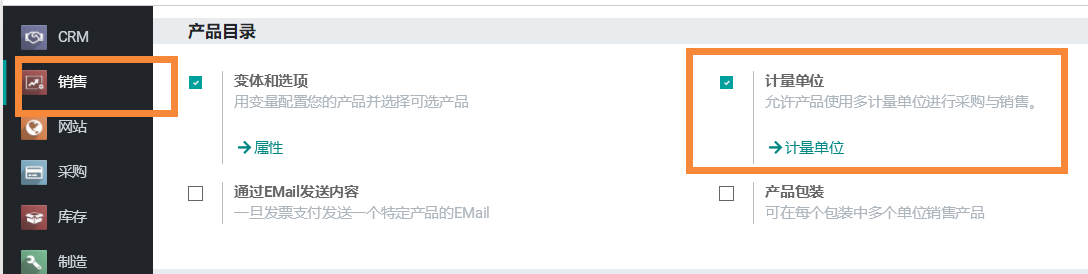
Set the system's base weight [Reference Unit] to kilogram, [General Settings > Products > Kilogram]
Allow the system to use multiple units of measure, [Sales Settings > Product Catalog > Check]
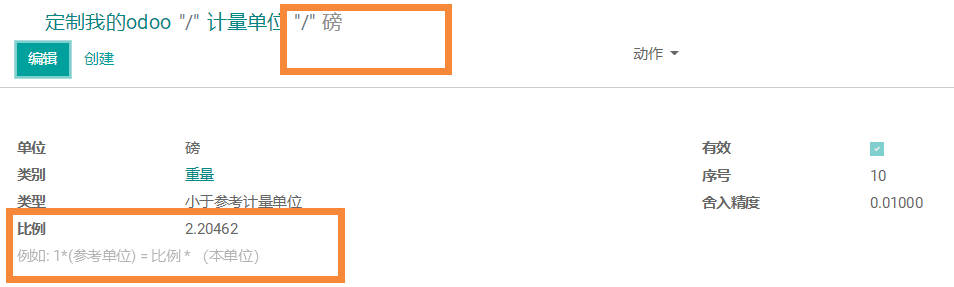
Set the ratio between pound and the reference unit (i.e., kilogram) in [Units of Measure].
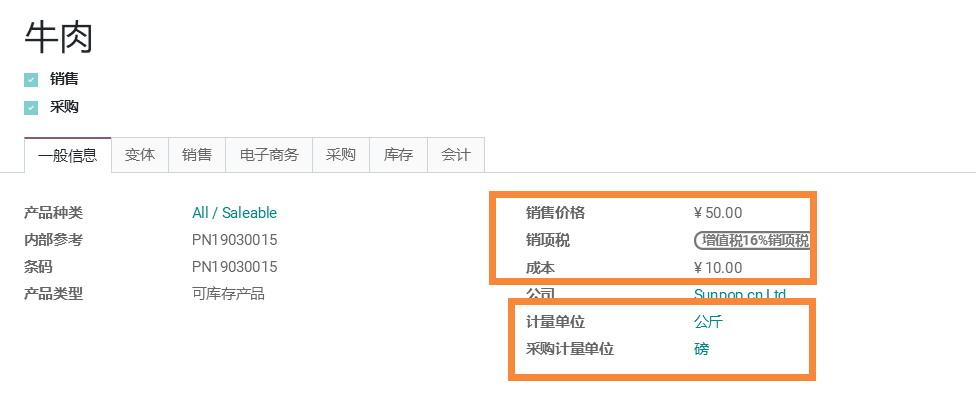
Create a new product [Beef],
Unit of Measure [Kilogram] = Sales Unit, Inventory Unit
Purchase Unit of Measure [Pound] = Purchase Unit
After setup, the weight unit for sales and inventory is kilogram. The weight unit for purchasing is pound, and the involved weights will be automatically converted. We use MTO to generate a purchase order; you can see the details in the figure below.
2. Weight-related modules developed by Shangpeng Technology
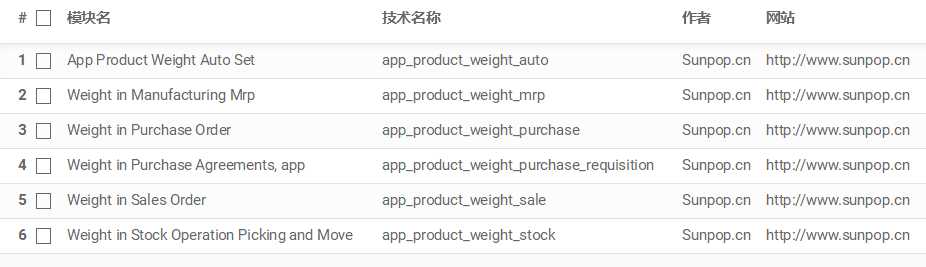
Odoo's native weight calculation does not automatically generate in various documents, or requires manual entry. To address this, we have developed weight-related modules. Below is a brief introduction.
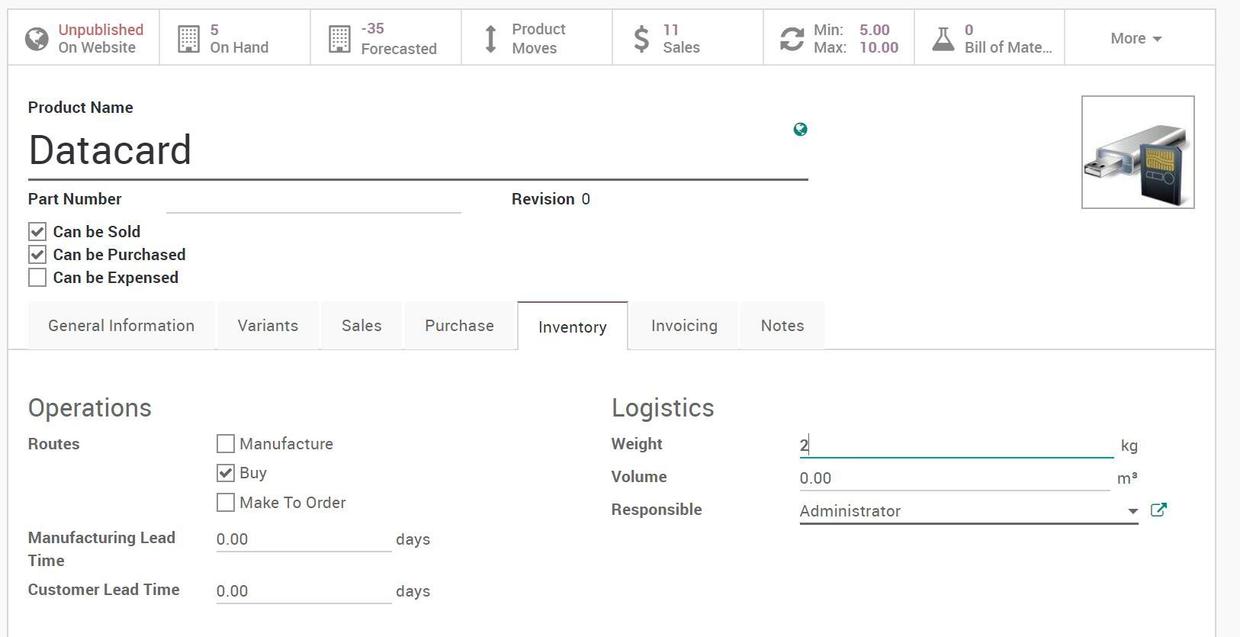
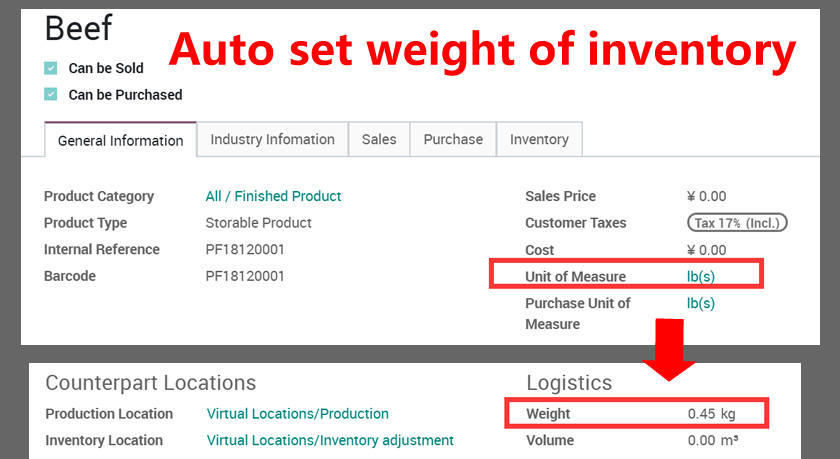
App Product Weight Auto Set
If the UoM belongs to the weight category, the product weight is set automatically. Can be used for sales, purchasing, and inventory.
Main features:
Inherits native Odoo rules, supports metric and imperial as reference units.
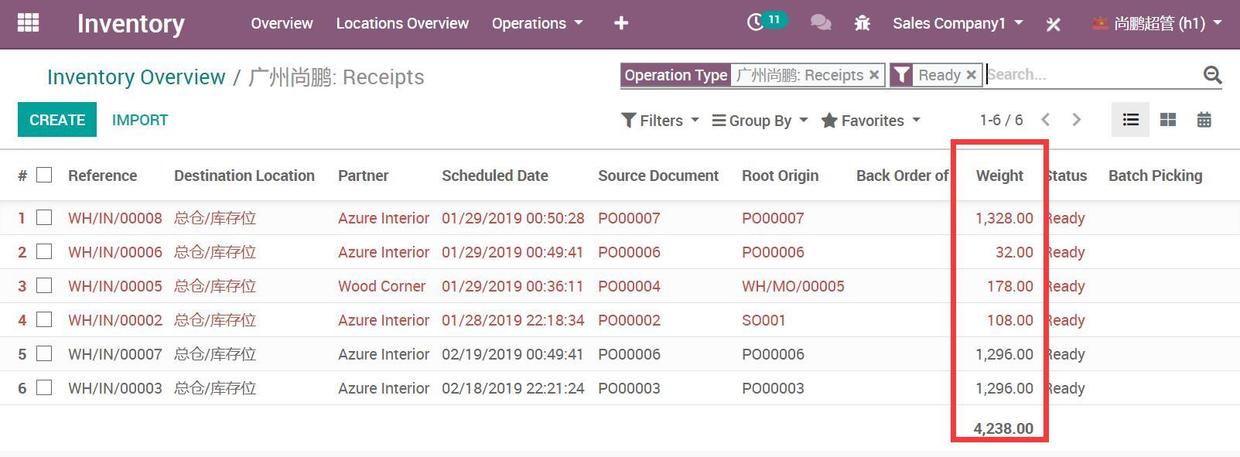
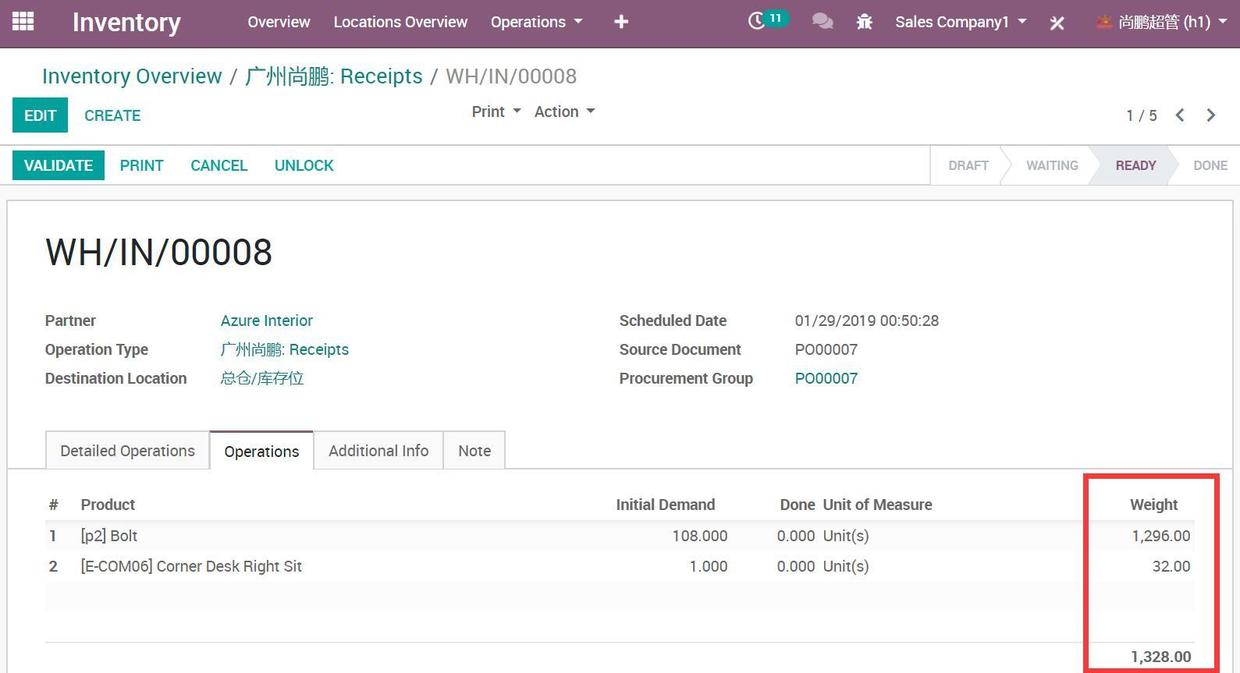
Comprehensive weight integration solution: sales, purchasing, purchase agreements, inventory, manufacturing orders.
Products automatically fill in weight in the above documents.
Automatically set the weight of SKU (product or product template).
Automatic weight of the product
Sales Order
Purchase Order
Purchase Agreement
Manufacturing Order
Inventory Transfer
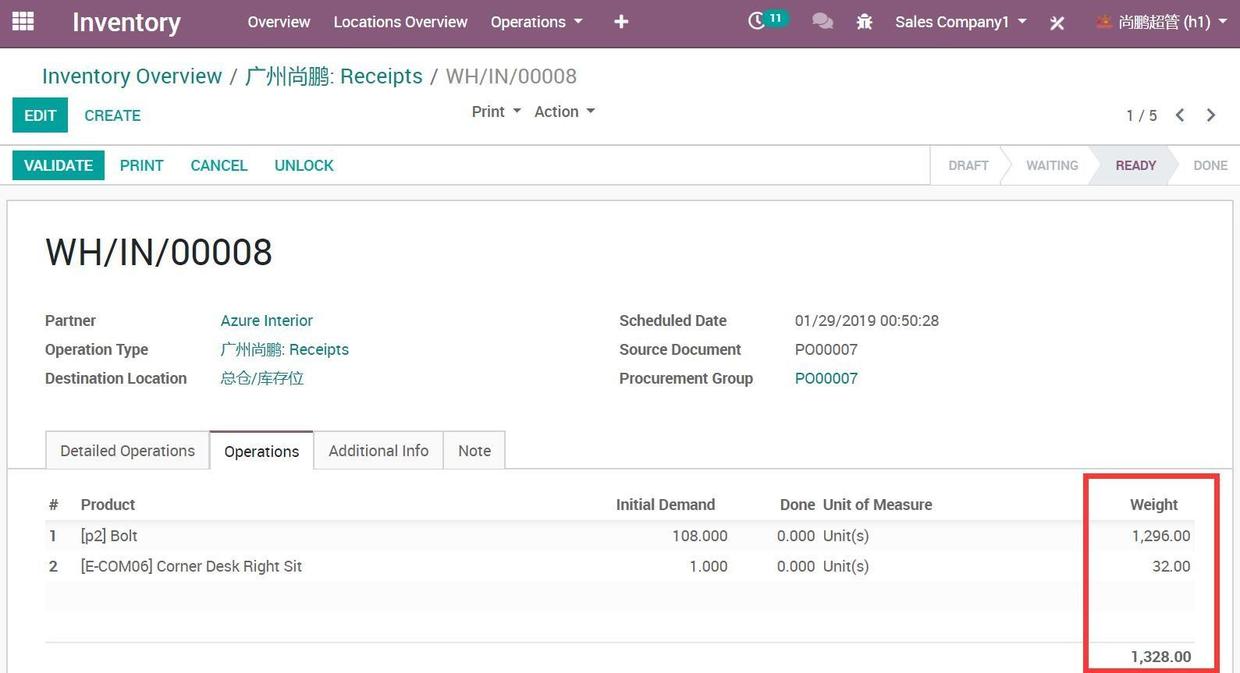
For the food and fresh produce raw material industry, it is common to have different batches with different weights.
Our company has another professional solution. Technically, the main complexity lies in the compute algorithm. If the product enables lot/serial numbers, the algorithm for lots or serial numbers is used; if not enabled, the product's algorithm is used. Each product has a default conversion rule between its primary unit of measure and weight. The weight is store=true, and the conversion processing can be changed in all batches.
This design can basically handle weight issues in most industries.
++++++++++++++++++++++++++++++++++++++++++++++++++
We have extracted weight-related content from several of our own business projects and turned it into a universal full-series module with tightly connected logic, realizing a universal weight module for supply chain manufacturing. Please visit odooOfficial MarketDownload the modules below. For special requirements and in-depth solutions, please contact us.
app_product_weight_auto
app_product_weight_sale
app_product_weight_purchase
app_product_weight_purchase_requisition
app_product_weight_mrp
app_product_weight_stock