Odoo 17 self-built online store is the first choice for foreign trade companies building their own websites. It provides the foreign trade industry with a comprehensive e-commerce solution. As an open-source ERP software, it offers a rich set of modules and applications to manage various business processes. In the foreign trade industry, the Odoo self-built online store has become an increasingly popular choice. By using Odoo, foreign trade companies can easily create a complete, secure, easy-to-use, and customizable online sales platform. Compared with other e-commerce platforms, the Odoo self-built online store offers more features. For example, adding multilingual support and product image displays to product pages is very easy to implement.
In addition, Guangzhou Odu Intelligent has also developed for website SEO the [AI SEO] plugin for website SEO for Odoo self-built stores and self-built websites,click here to learn more. This plugin allows users to flexibly configure as needed, perform batch operations, automatically generate web content, translate multiple languages, extract keywords, URLs and other common SEO categories.
Odoo offers features such as integrated payment methods and order tracking, along with a complete business-finance integrated solution, efficiently supporting enterprises in better meeting customer needs, expanding market share, improving operational efficiency, and driving business growth.
Below, we use a practical example to fully demonstrate how to achieve integrated business and finance in the sales flow within a self-built online mall, and generate complete financial vouchers. [This article includes the secondary development features of Guangzhou Oudu Intelligent.]
1. Module sales business: sales receipt (no physical delivery required), accounts receivable to actual receipt. Sales refund.
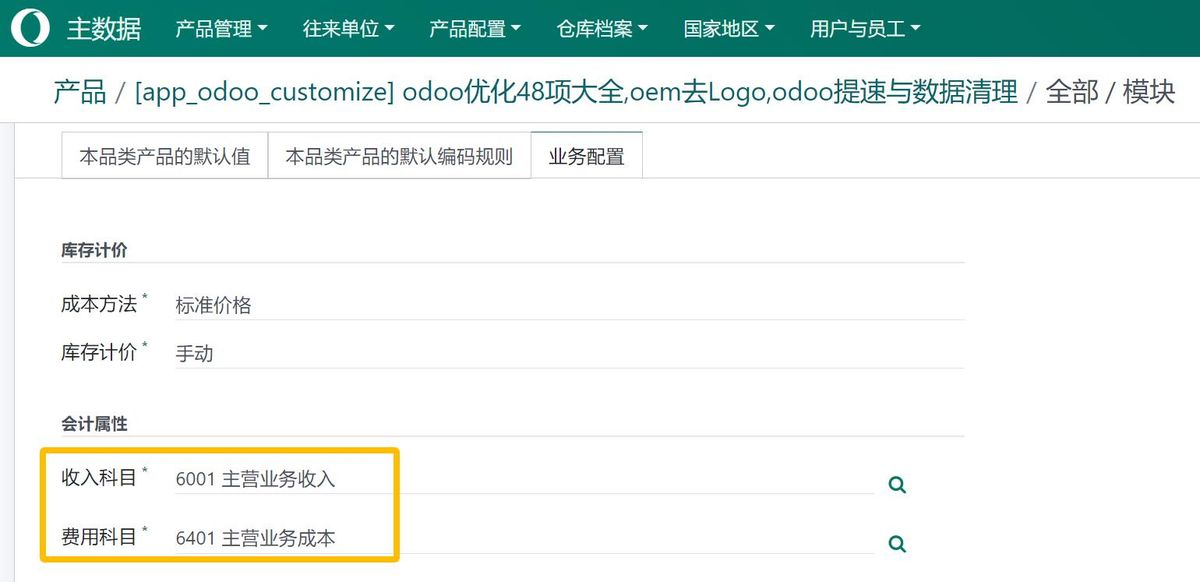
A. Let's take the virtual product Odoo plugin as an example. First, we set up relevant accounting accounts for the product.
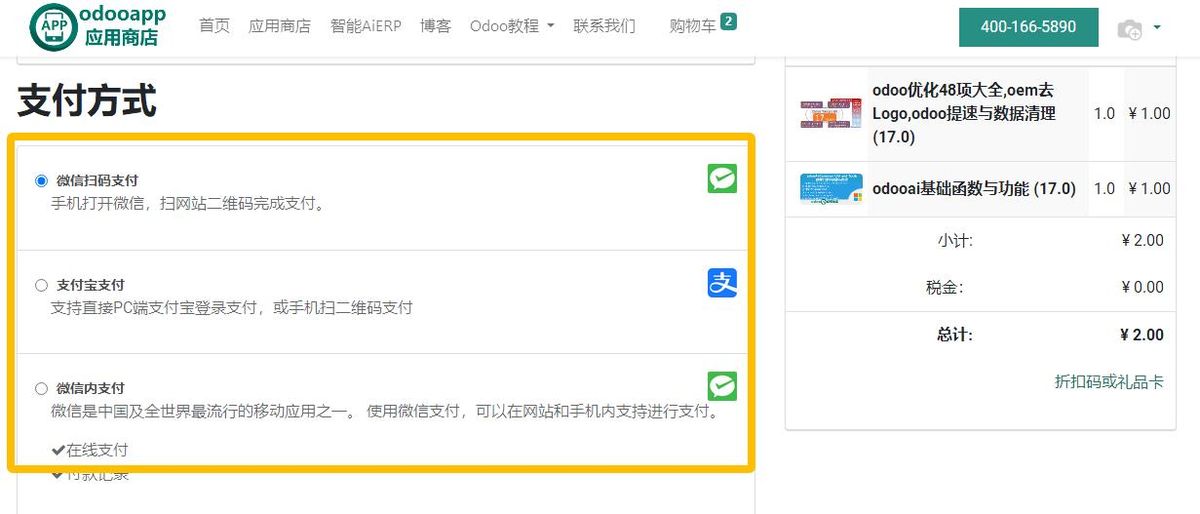
B. We place an order for this product in the store to demonstrate the overall process. The store can be configured with mainstream payment methods such as WeChat and Alipay.

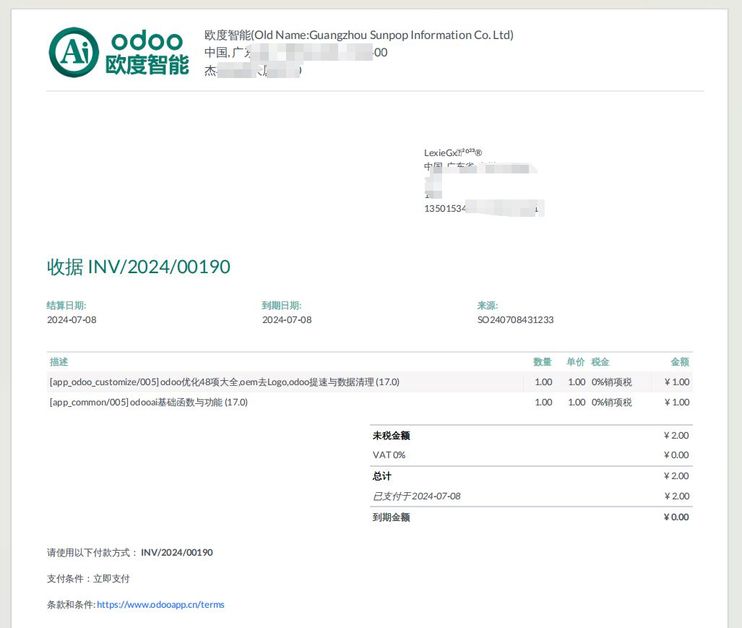
C. Virtual goods can be configured for automatic download. Customers can download the product themselves through order details, and the purchase receipt will also be displayed in the order in PDF format.
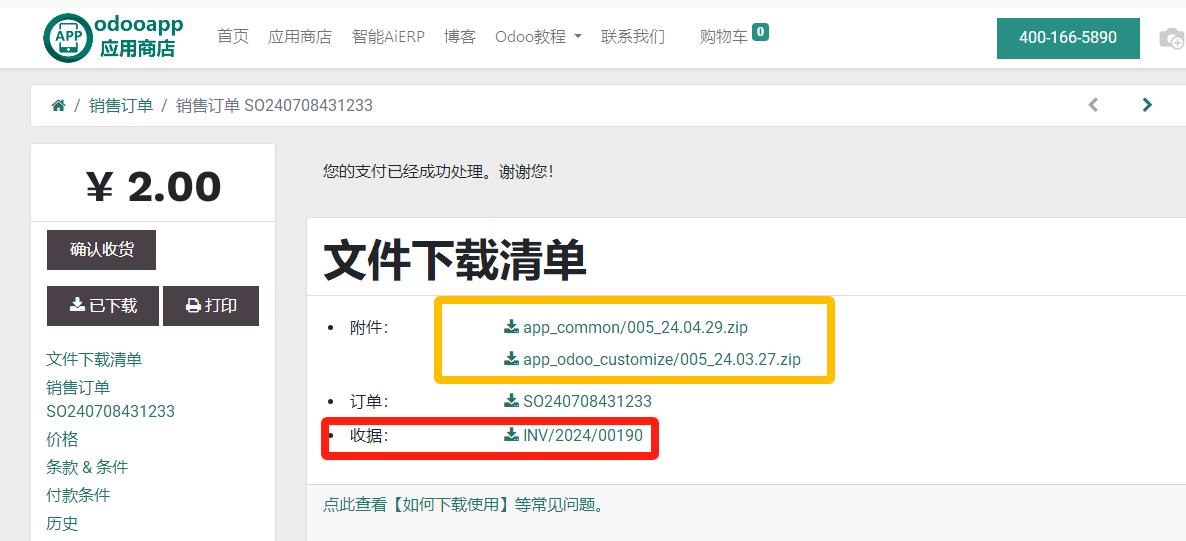
Receipt details are shown in the figure below:
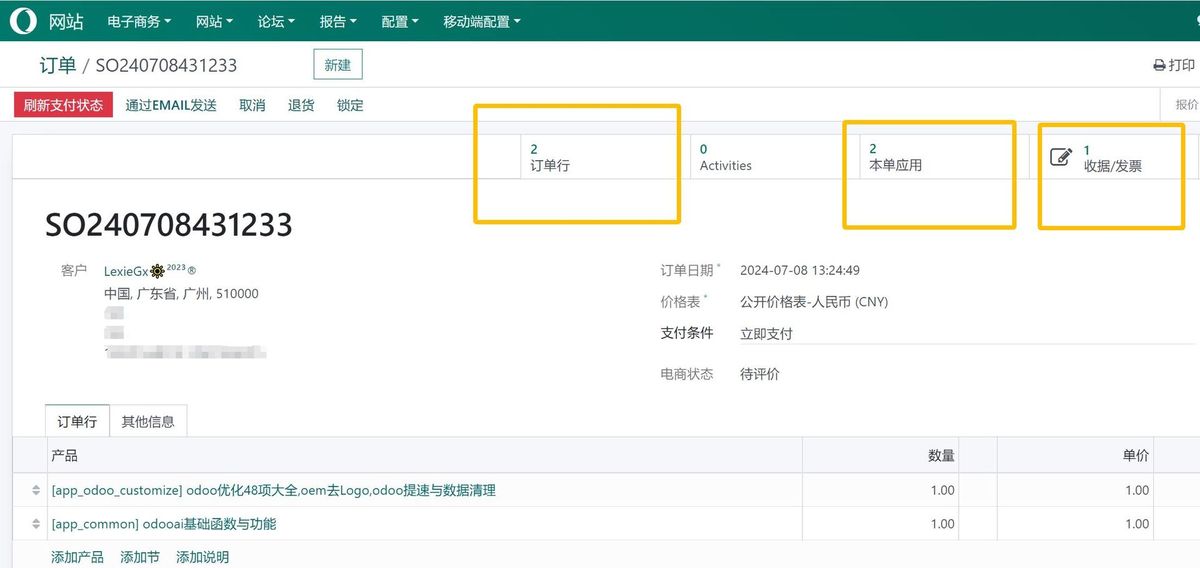
D. After the customer pays, the backend order status will automatically update, including order details, related receipts, etc., all traceable on the same interface.
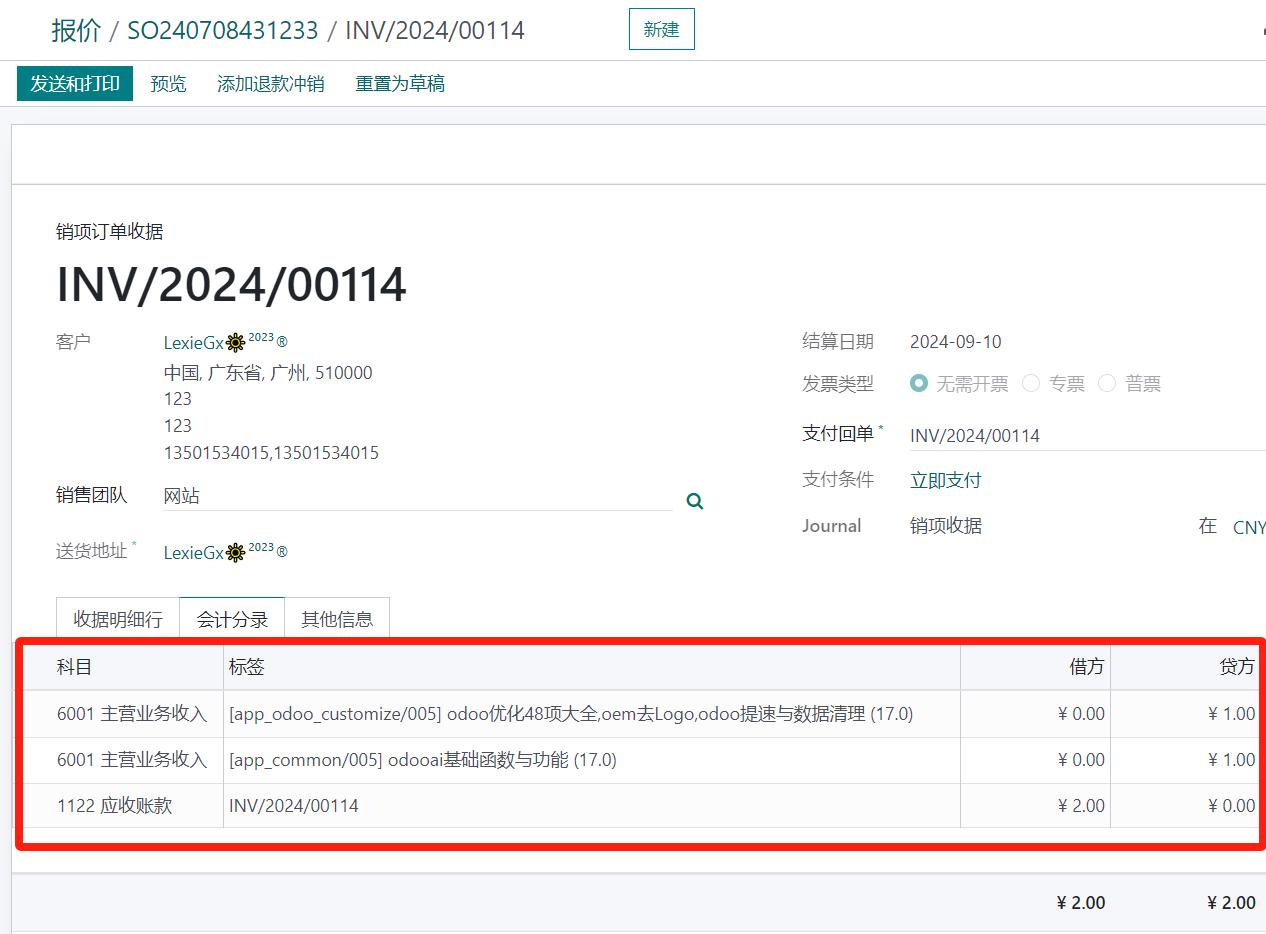
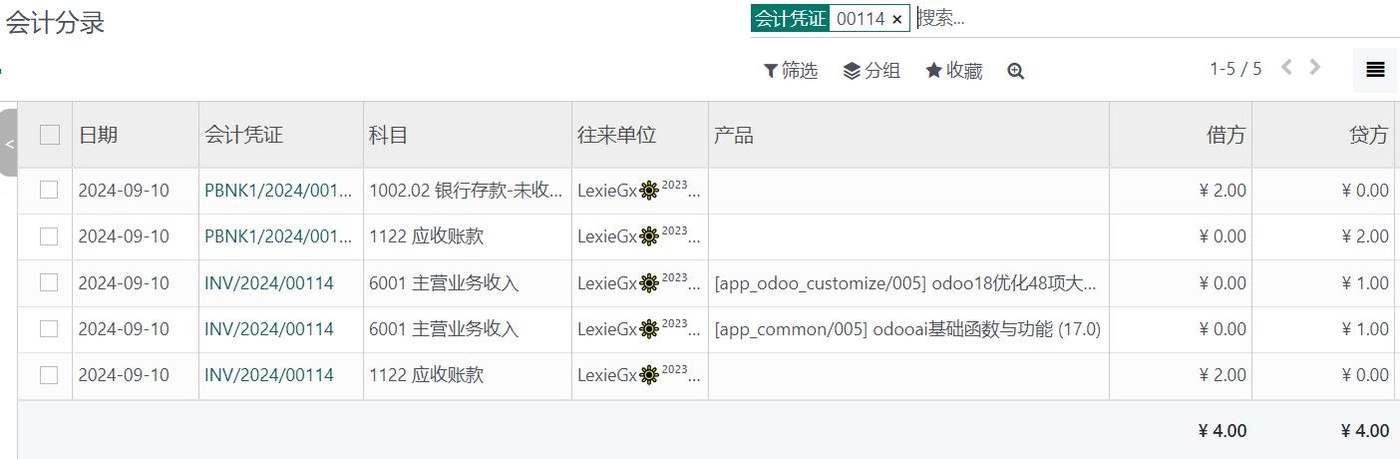
E. Viewing the receipt in the backend will list the relevant accounting entries.
At this time, the customer actual receipt related vouchers can be viewed in the accounting module
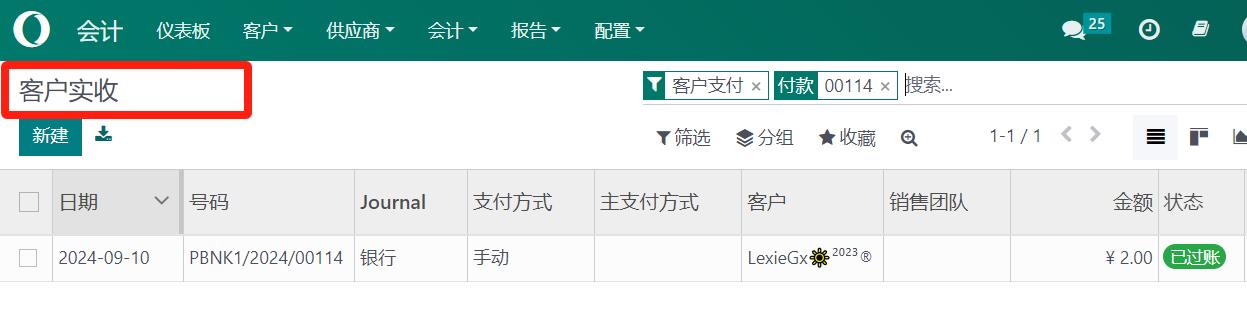
F. Relevant accounting vouchers and accounting entries in the accounting module

2. Order installment collection: first payment to accounts receivable -> first payment actual receipt; interim payment to accounts receivable -> interim payment to actual receipt; acceptance full order settlement -> full order converted to actual receipt.
We take the tour group product as an example: in actual situations, there are three stages: sales advance receipt, full receipt at the return stage counted as actual receipt, and revenue recognition.
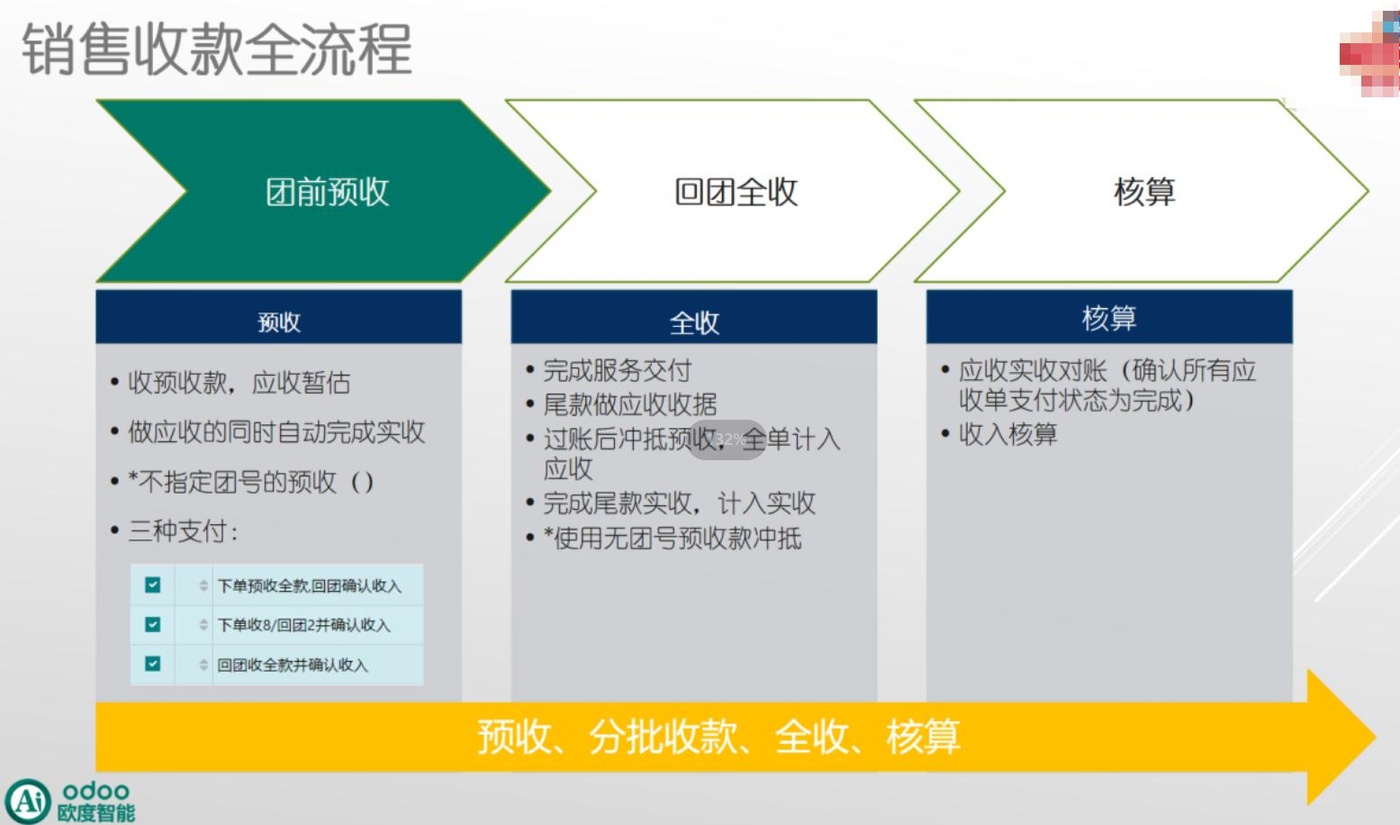
A. Sales Advance Receipt: When accepting customers, create a receipt for the tour line's sales order.
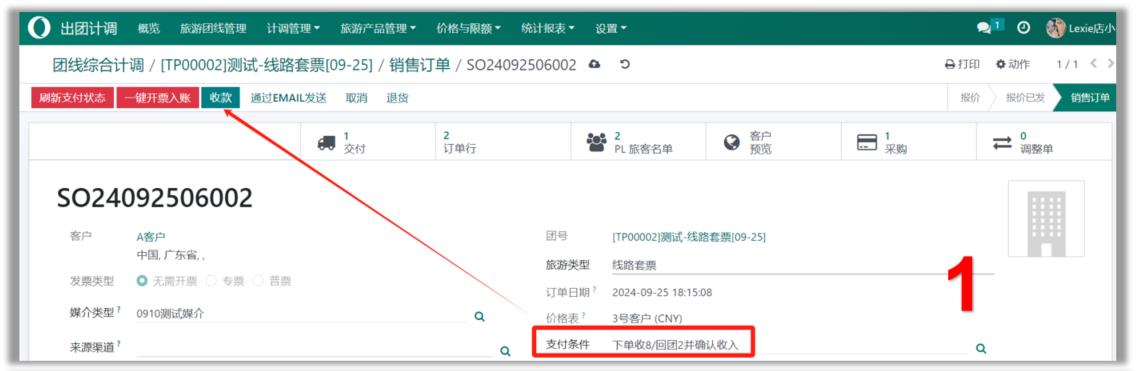
B. Before Tour Departure - Partial Payment
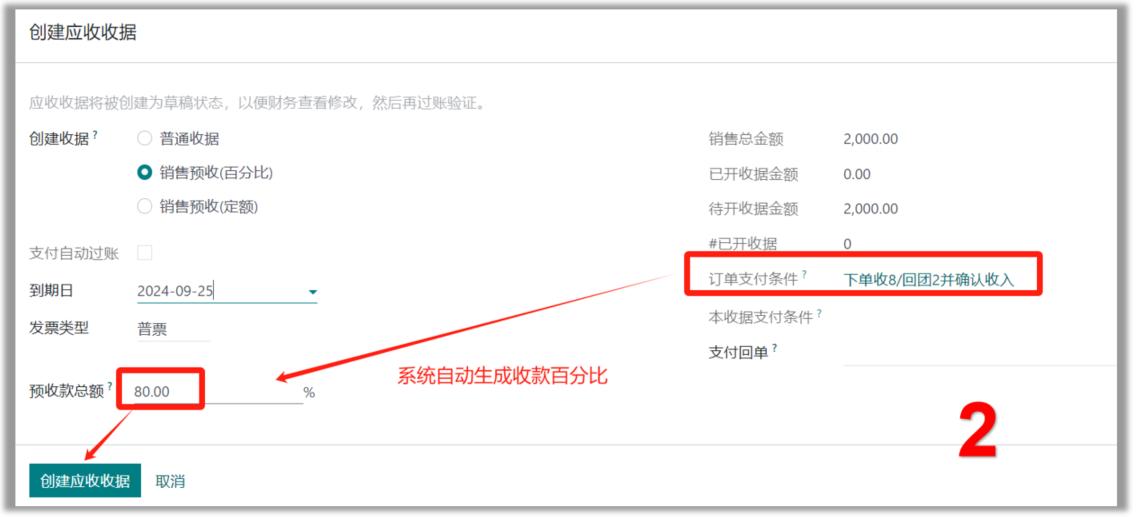
Generate a receipt for 80% advance payment.
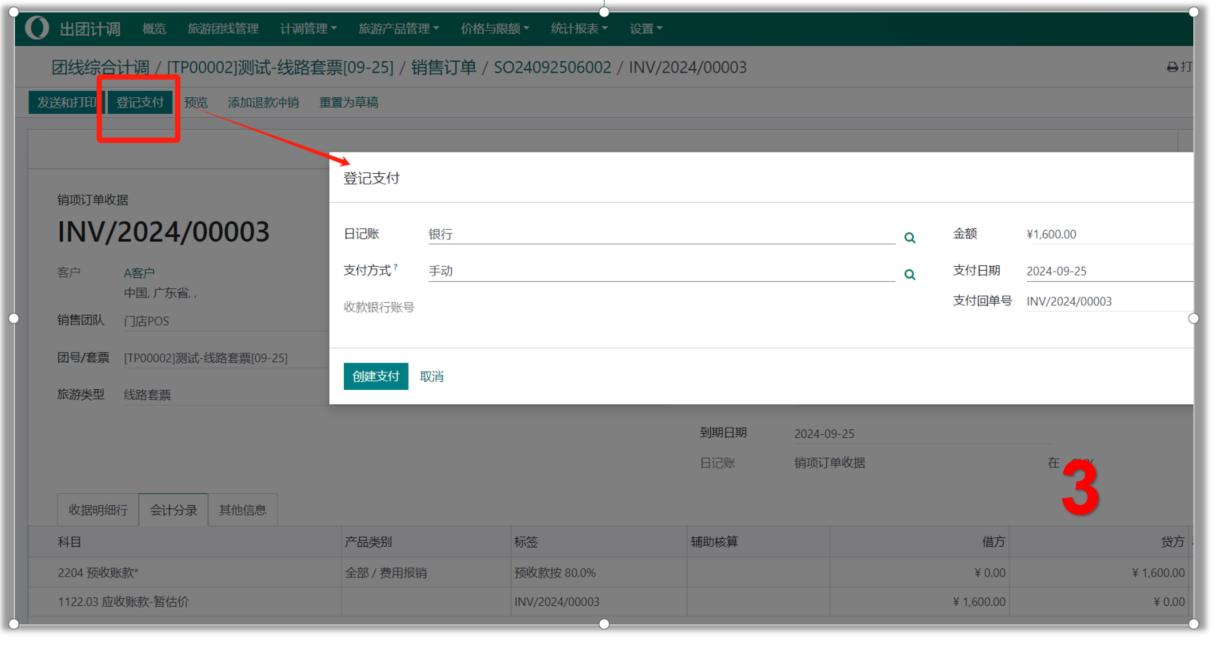
C. After Tour Return - Final Payment
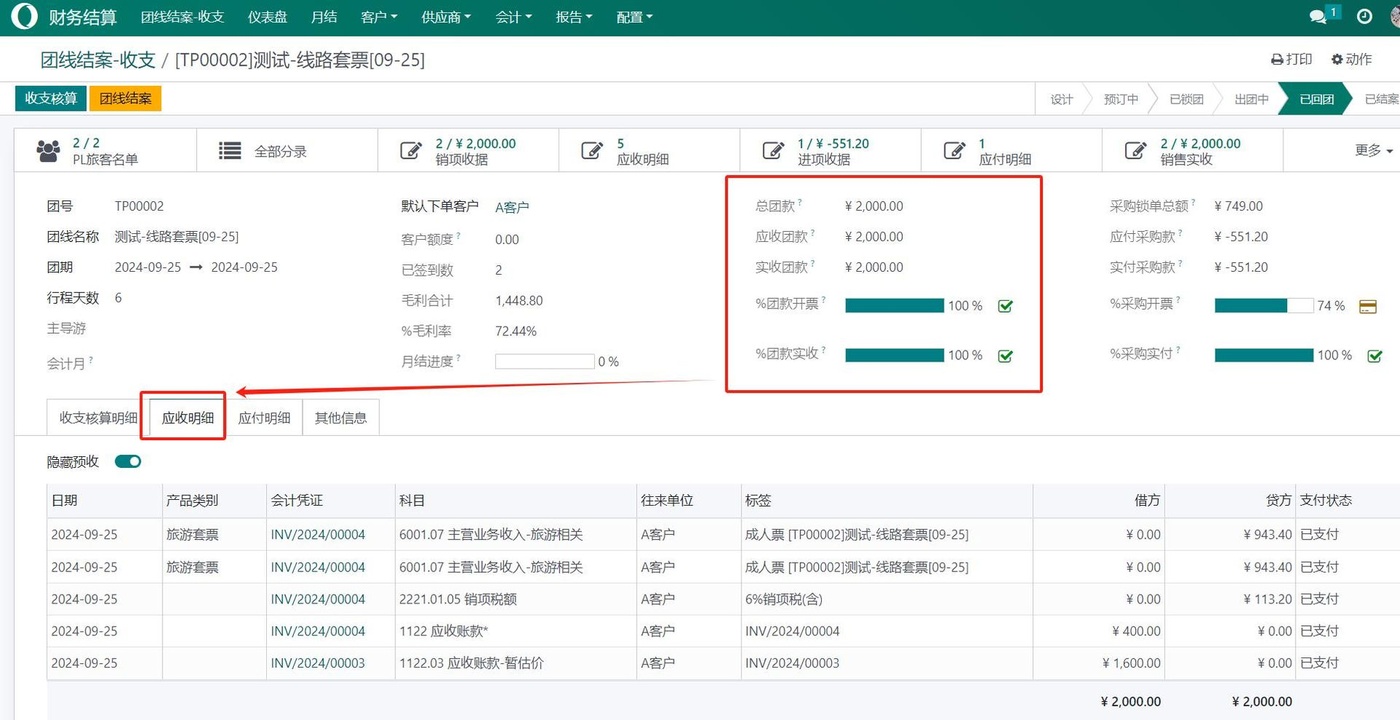
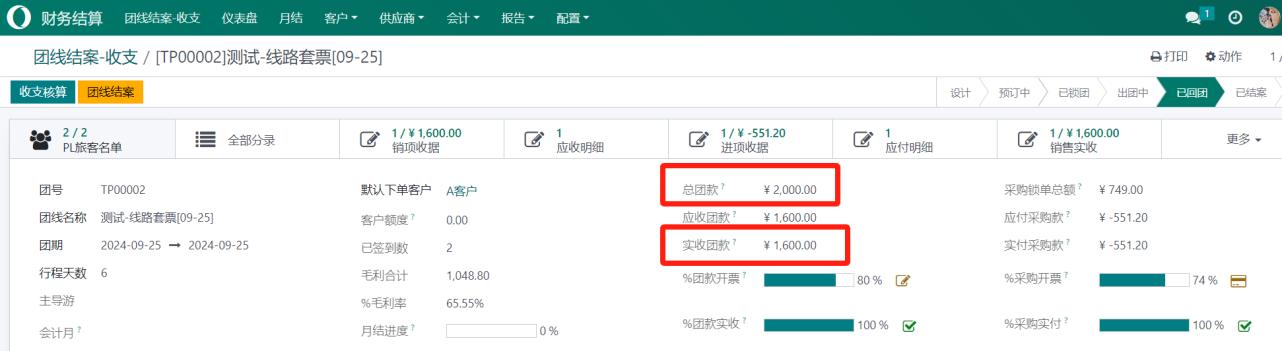
Go to the [Financial Settlement] > [Tour Line Closure - Income and Expenditure] interface, where you can see the comparison between the total tour payment and the actual received amount.
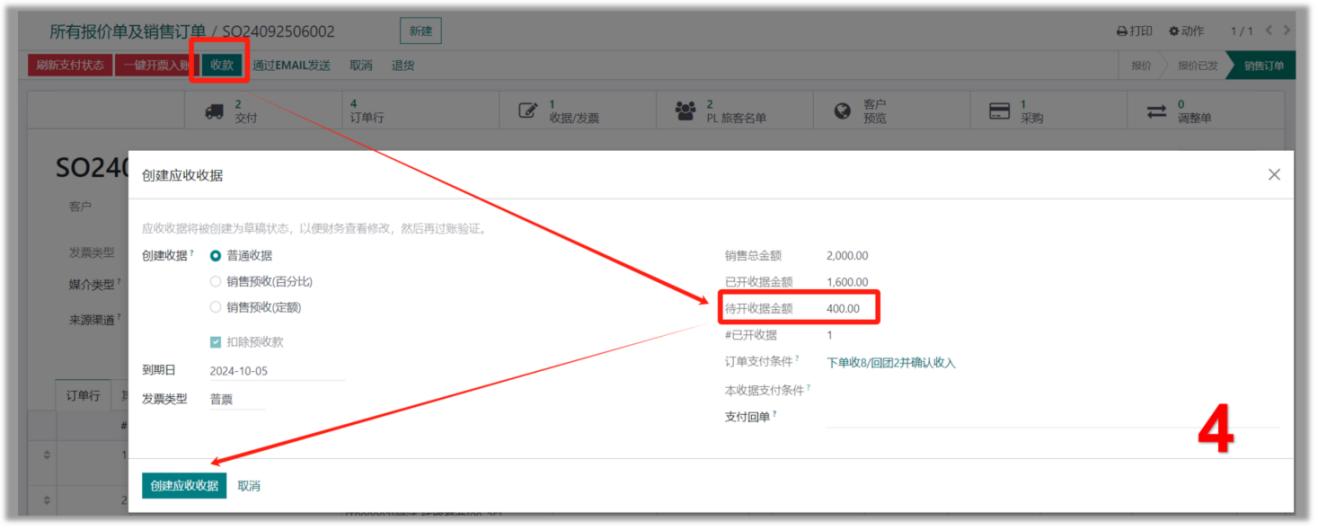
Click 'Collect Payment' again on the sales order, and the system will generate a receipt for the remaining 20% balance. After verification, generate the receipt and register the payment; this amount will then be considered as actually received.
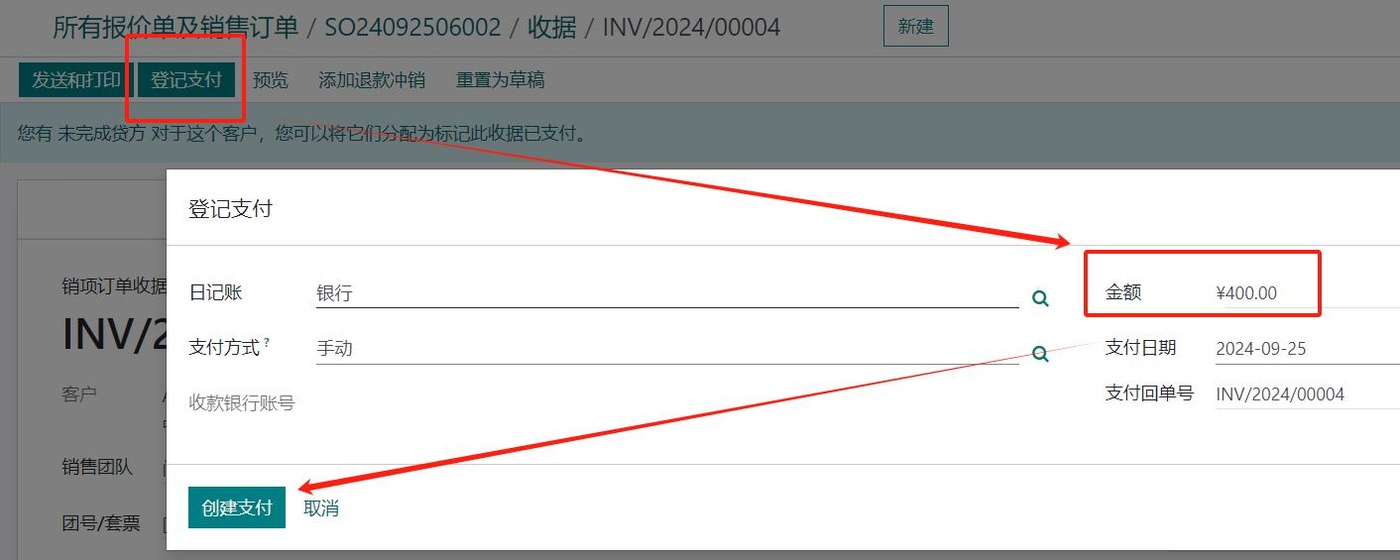
Note the accounting entries automatically generated by this receipt; when collecting the final payment after the tour, the entries for the advance receipt will be processed together. 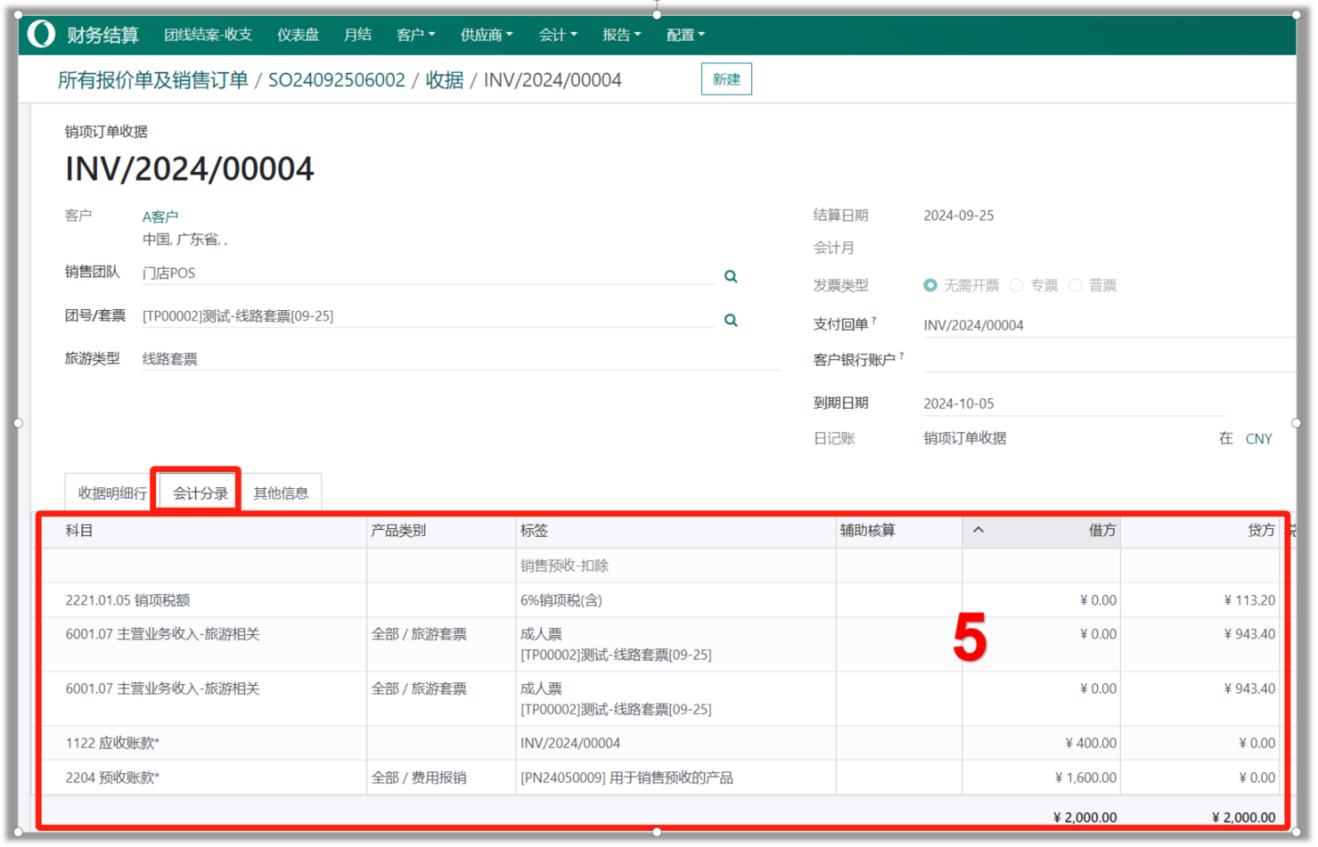
D. At this point, the [Tour Line Closure - Income and Expenditure] will show that the payment collection part is fully completed. You can also view the accounts receivable details.