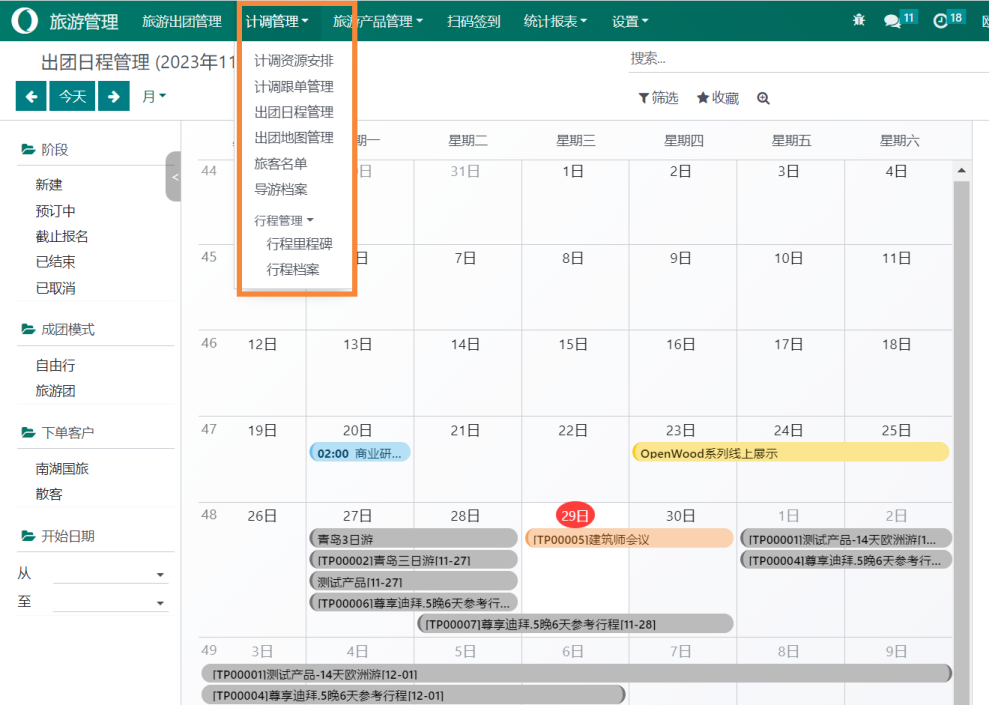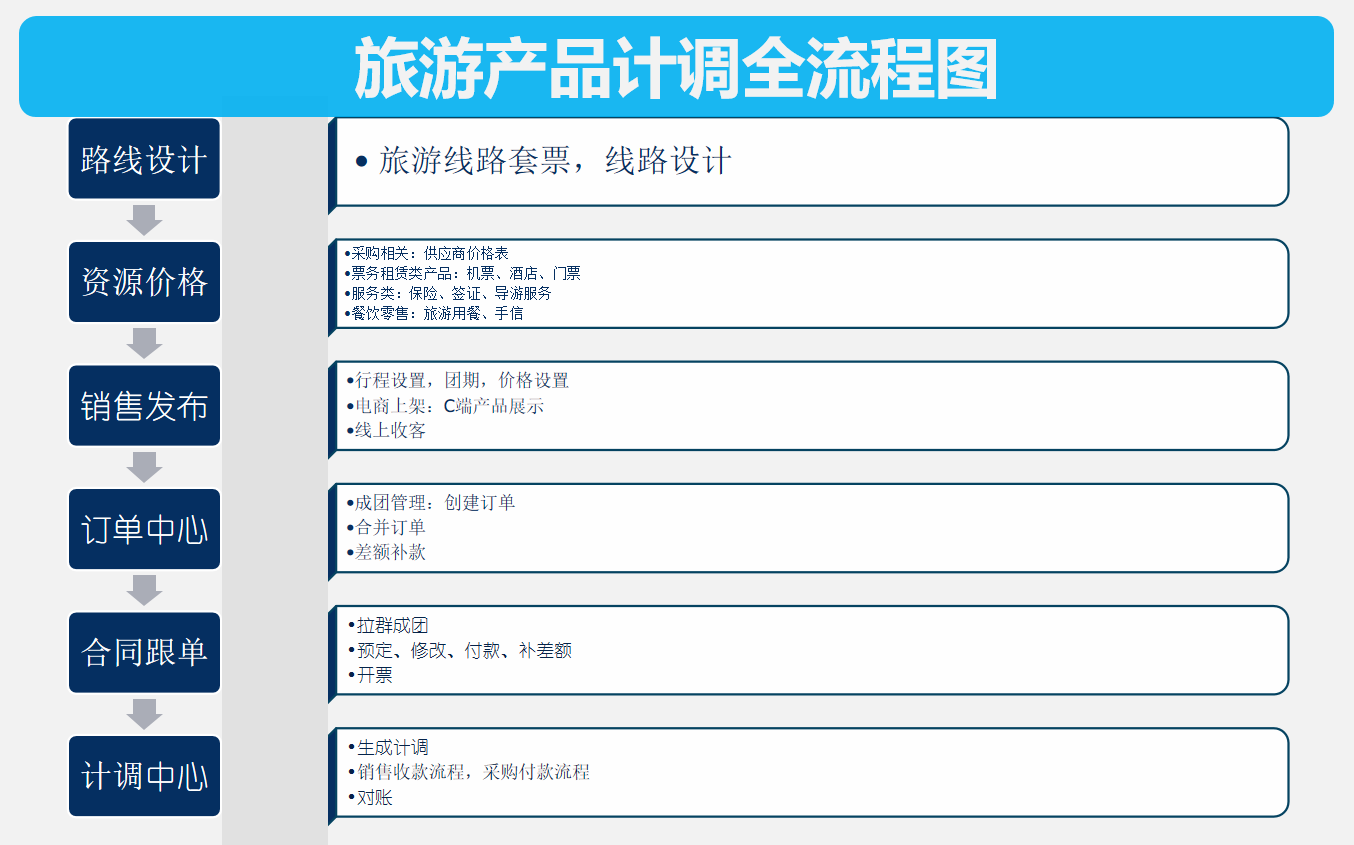
Fully Implement Travel Agency Tour Group Management
Odoo Tourism and Cultural Tourism Management Platform, an example application in Tsingtao Brewery Group. The smart cultural tourism solution is suitable for tourism parks, travel agencies, airline ticket agents, hotels and restaurants and other tourism service providers, comprehensively managing the supply chain related to tour groups and operations progress tracking.
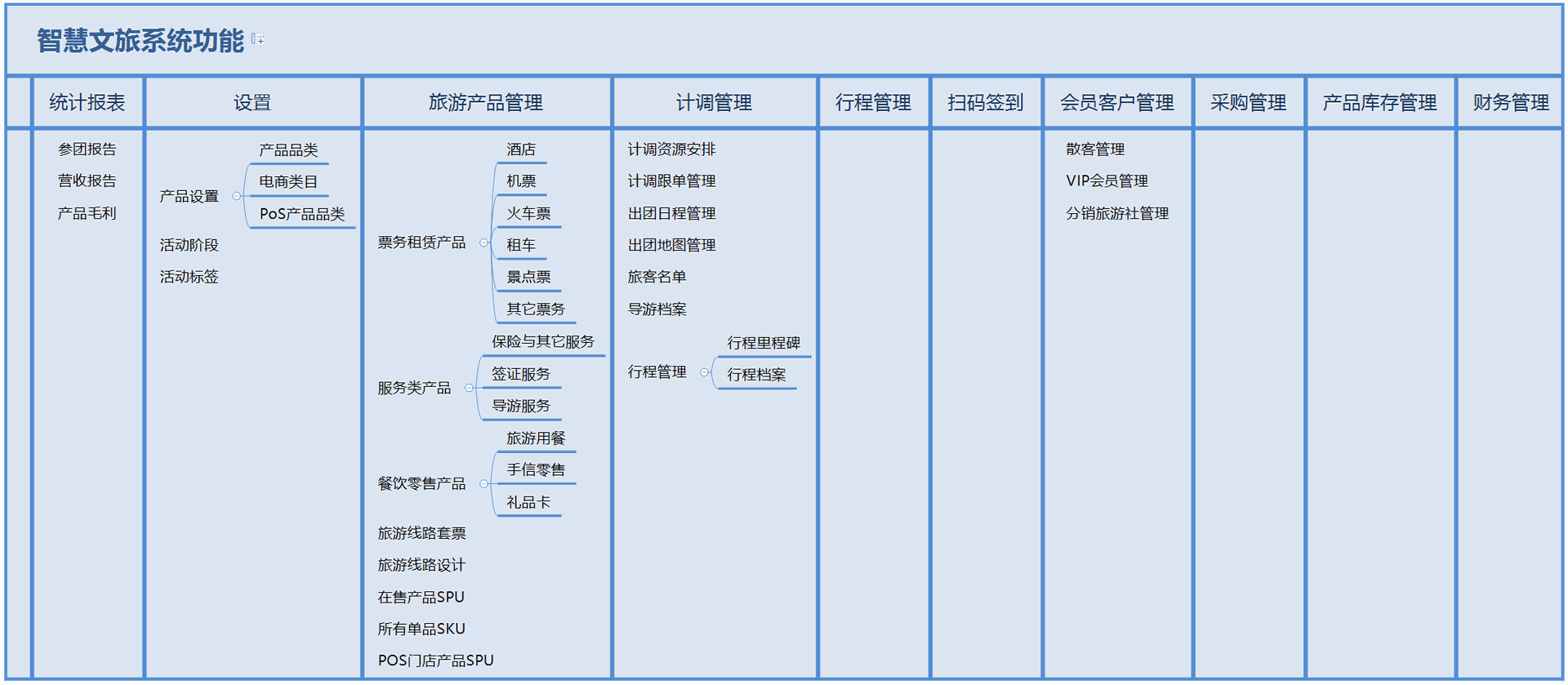
1. Basic Settings
1.1. Category Settings
Entry: Tourism Management--Settings--Product Categories
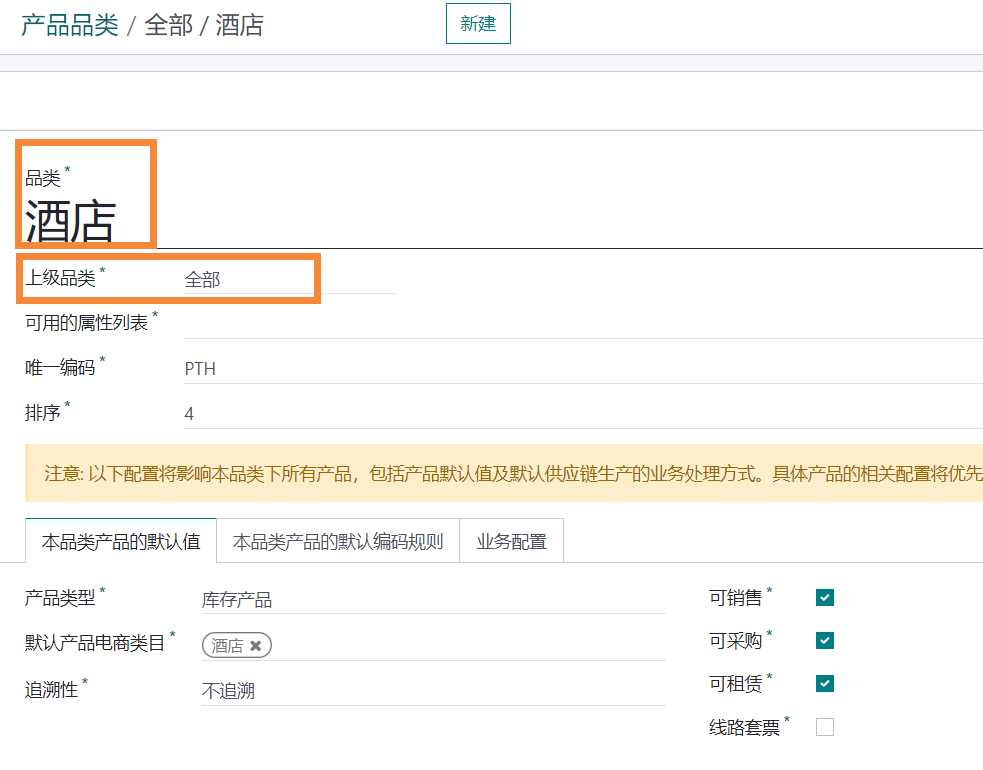
All are currently set up; you can add new ones or make changes as needed.
The items framed in the following figures are all required fields
1.2. Product Settings
Entry: Tourism Management--Tourism Product Management--Ticketing and Rental Products
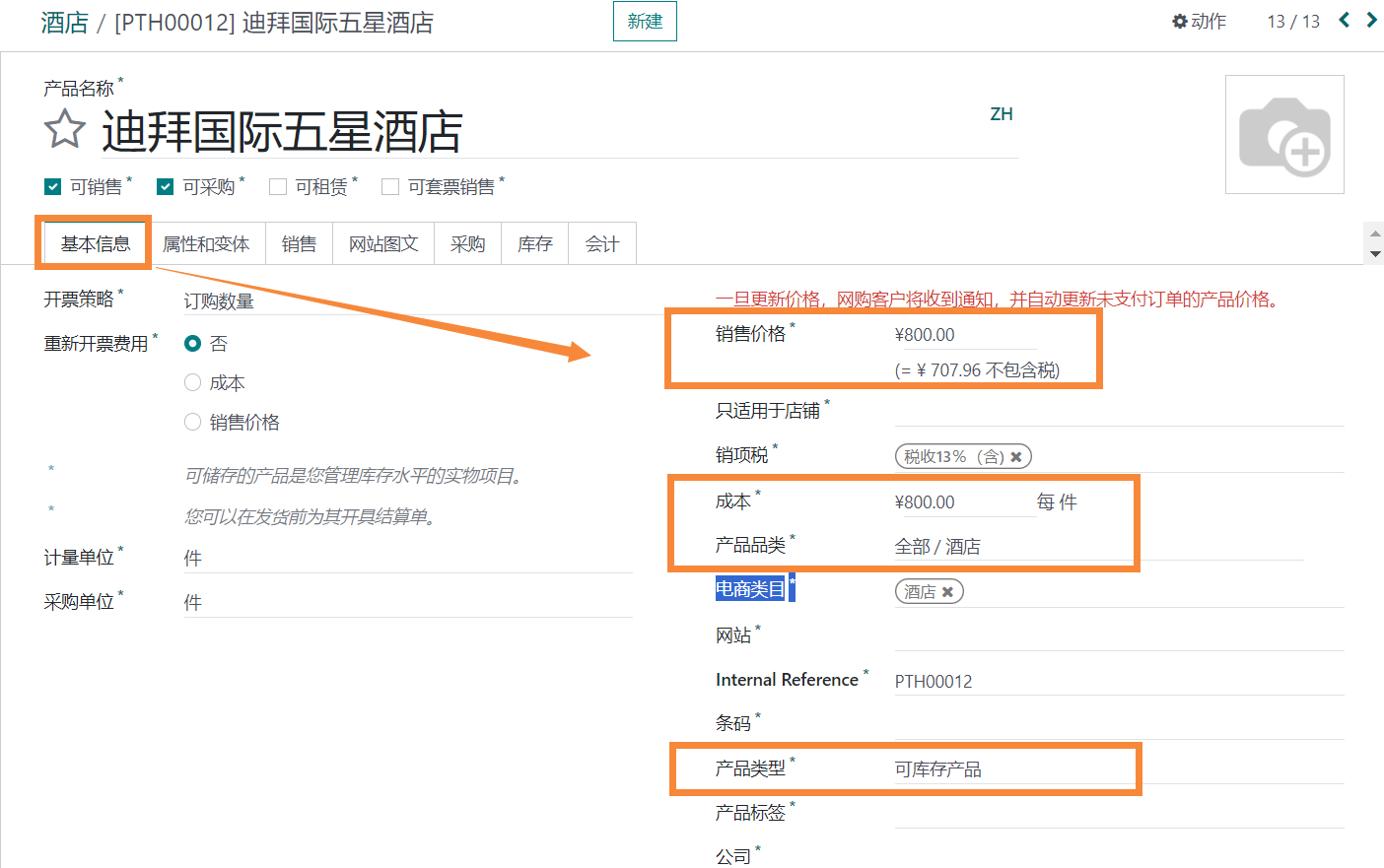
All products involved in tourism routes, such as air tickets, hotels, visas, attraction tickets, and meals, are part of the route composition. You must first create these products and select the [Product Category] and [Product Type].
The items framed in the following figures are all required fields
Basic Settings
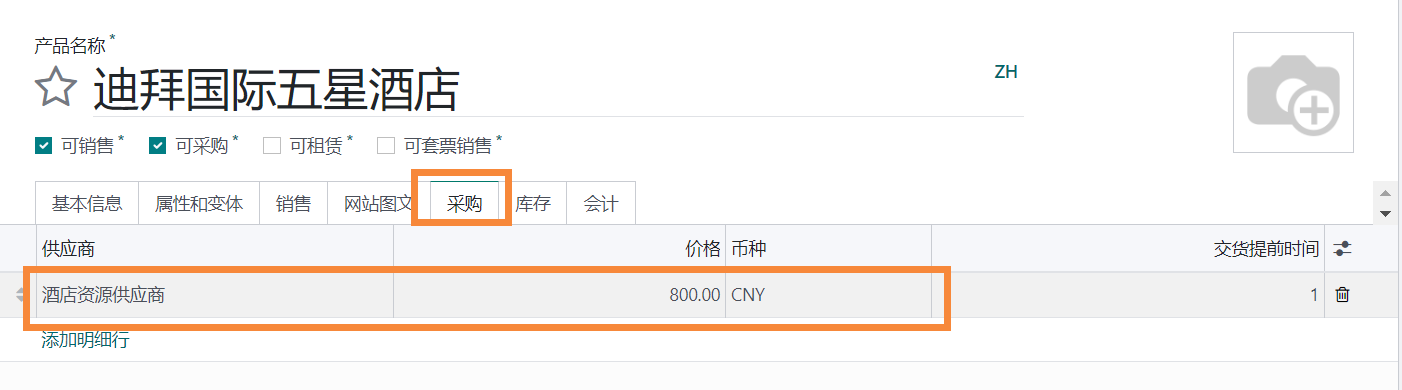
Purchase Price Settings
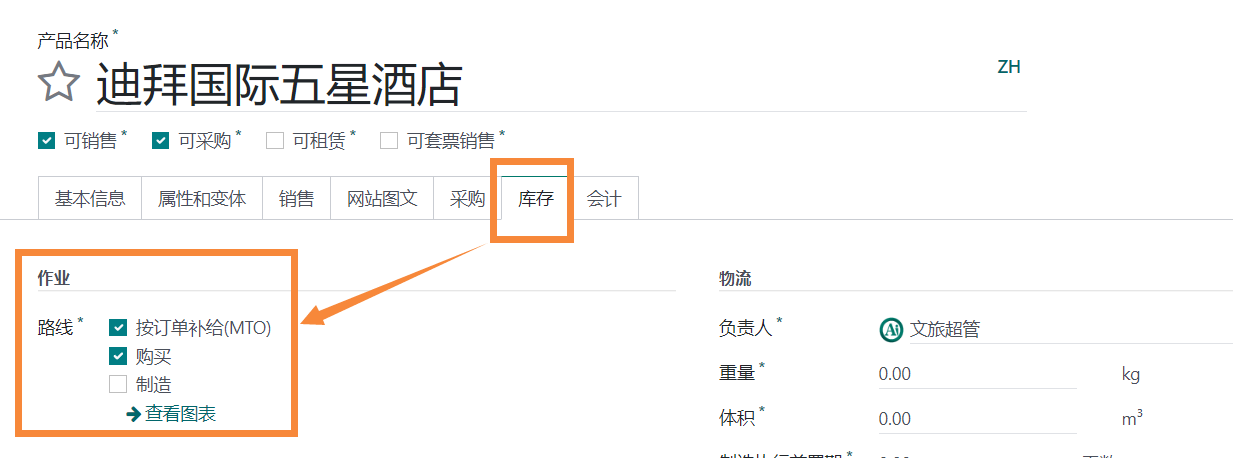
Replenishment Route
2. Tourism Route Design
Step 1: Entry: Tourism Management--Tourism Product Management--Tourism Route Packages
First create a new product, for example [Premium Dubai. 5 Nights 6 Days Reference Itinerary], select [All / Tourism Route Packages] for product category, and select [Replenish by Order] for inventory route.
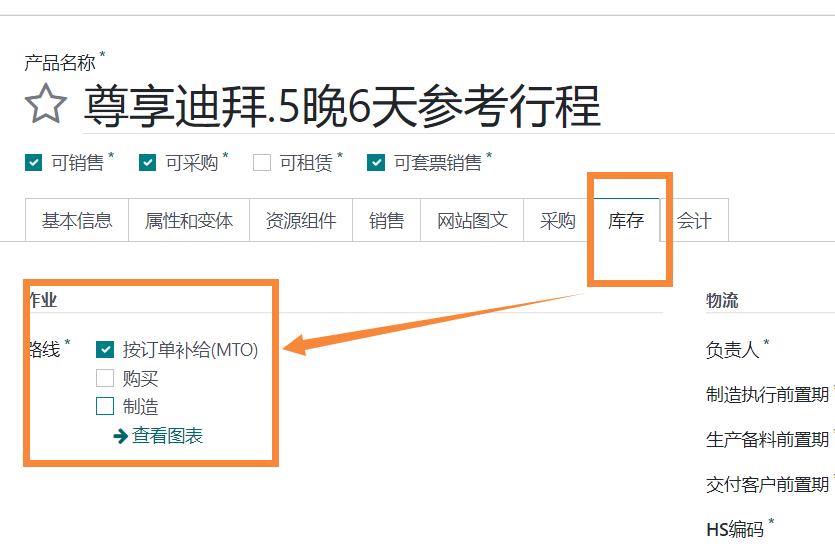
Step 2: Add components to the product, i.e., air tickets, hotels, visas, etc.
Entry: Tourism Management--Tourism Product Management--Tourism Route Design
Fill in as shown in the figure
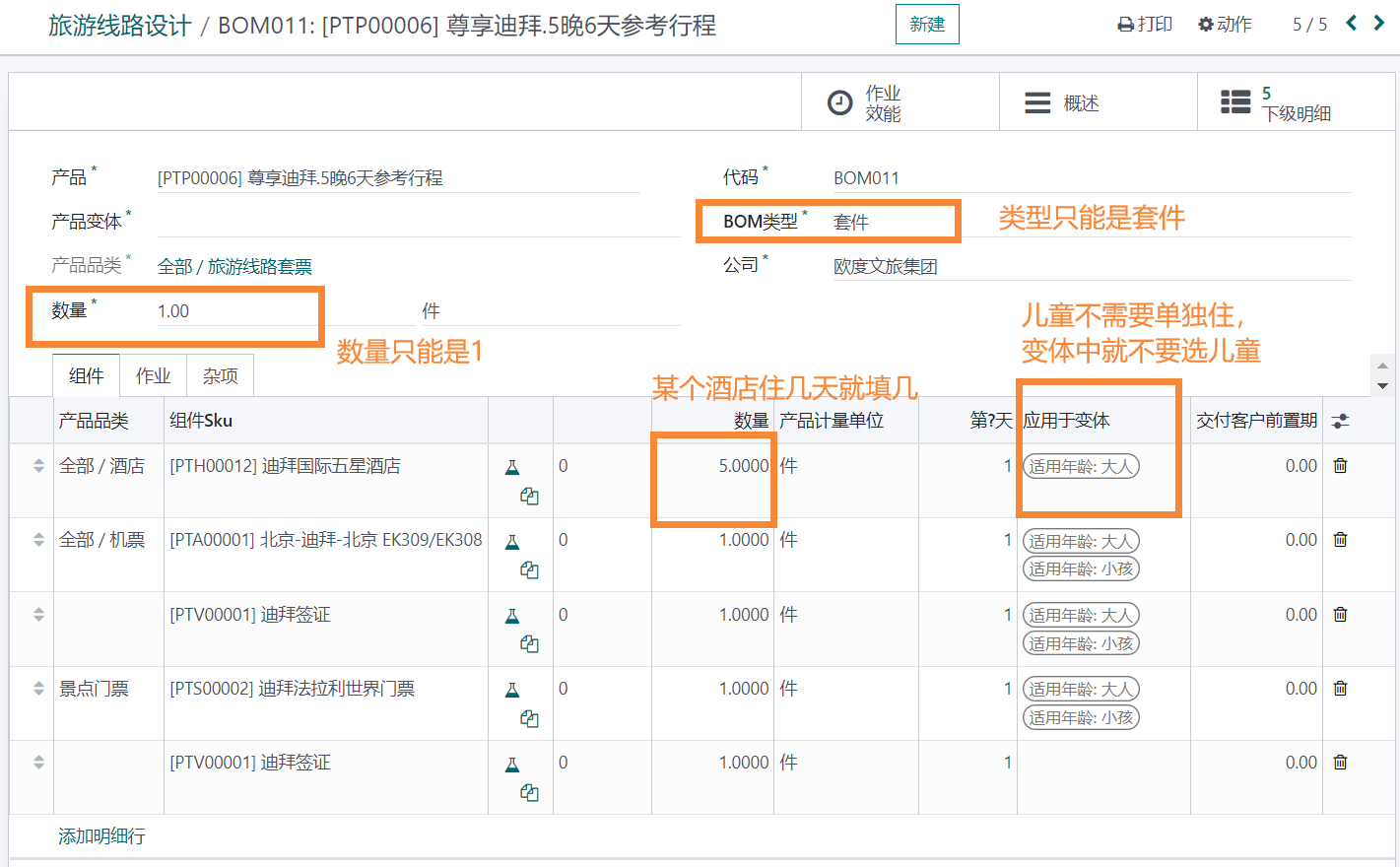
3. Resource Pricing
3.1. Basic Price Settings
SeePurchase Price Settings in [1.2]
3.2. Supplier Price List
4. Sales Publishing
4.1. Set Up Products
Path: Tourism Management -- Tour Departure Management
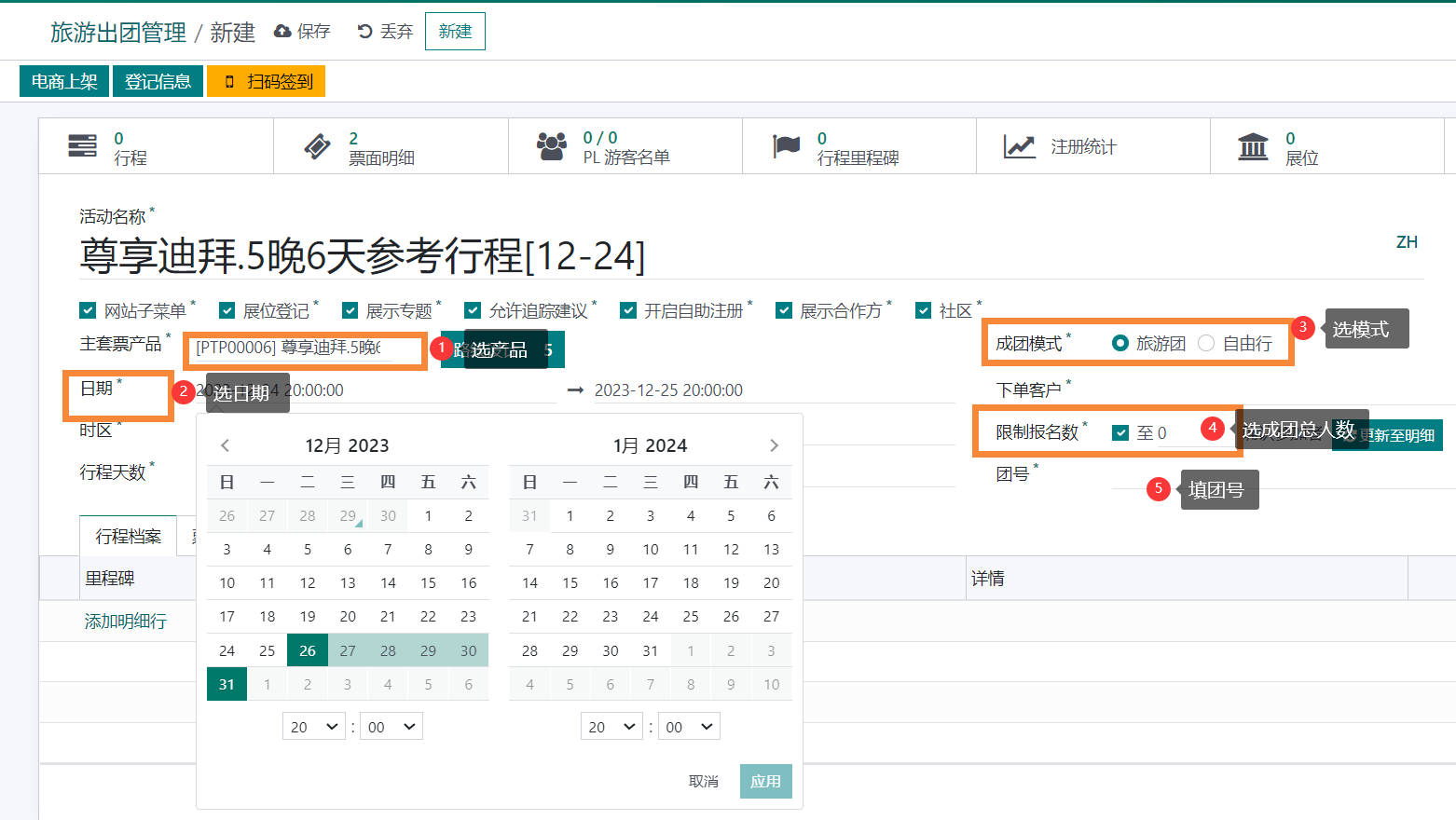

Different Prices for Adults and Children

4.2. Publish Products
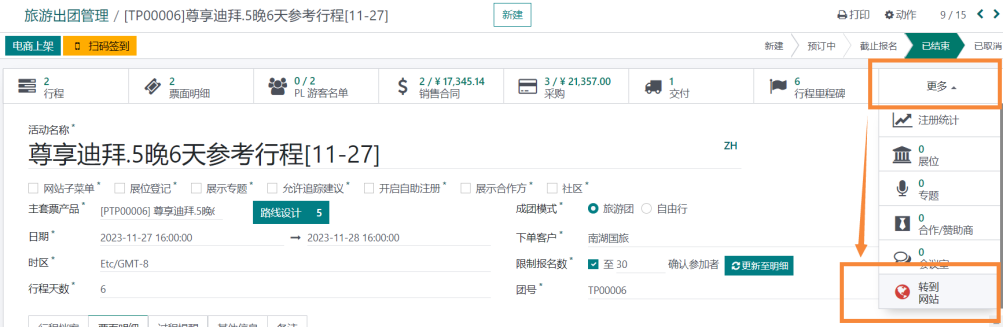
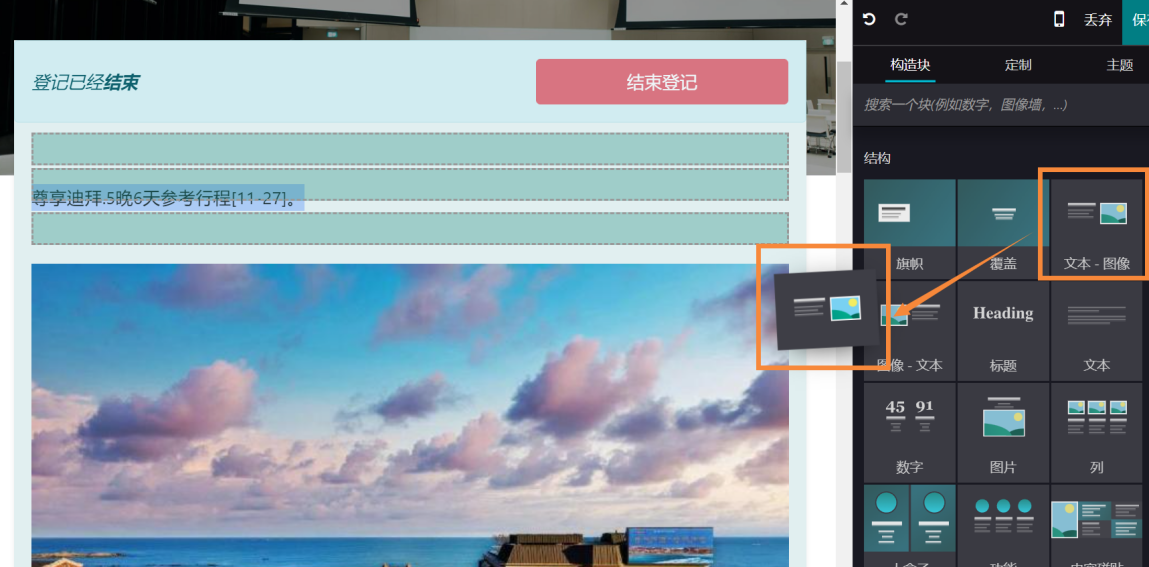
Publish products on the website and edit the displayed images and text 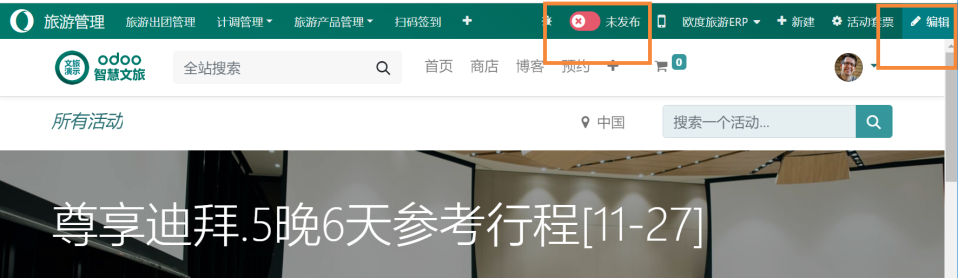
To edit images and text, simply drag the module onto the page
5. Order Center
Path: Tourism Management -- Tour Departure Management -- Select the tour to manage
In the registration information section, select [Existing Sales Order] (e.g., purchased through the website) or manually create a new one for the customer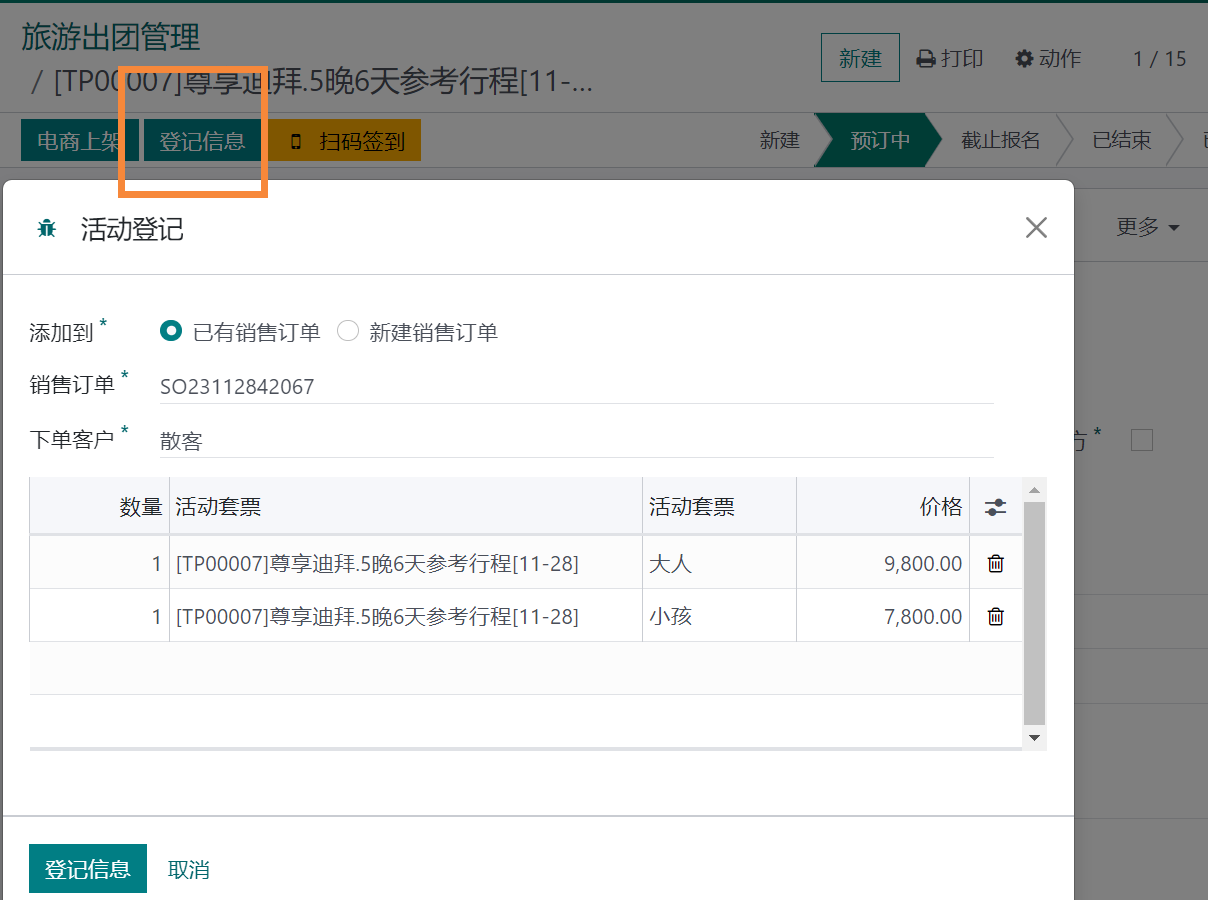
6. Contract Follow-up
Path: Tourism Management -- Tour Departure Management -- Select the tour to manage -- View a customer's sales contract
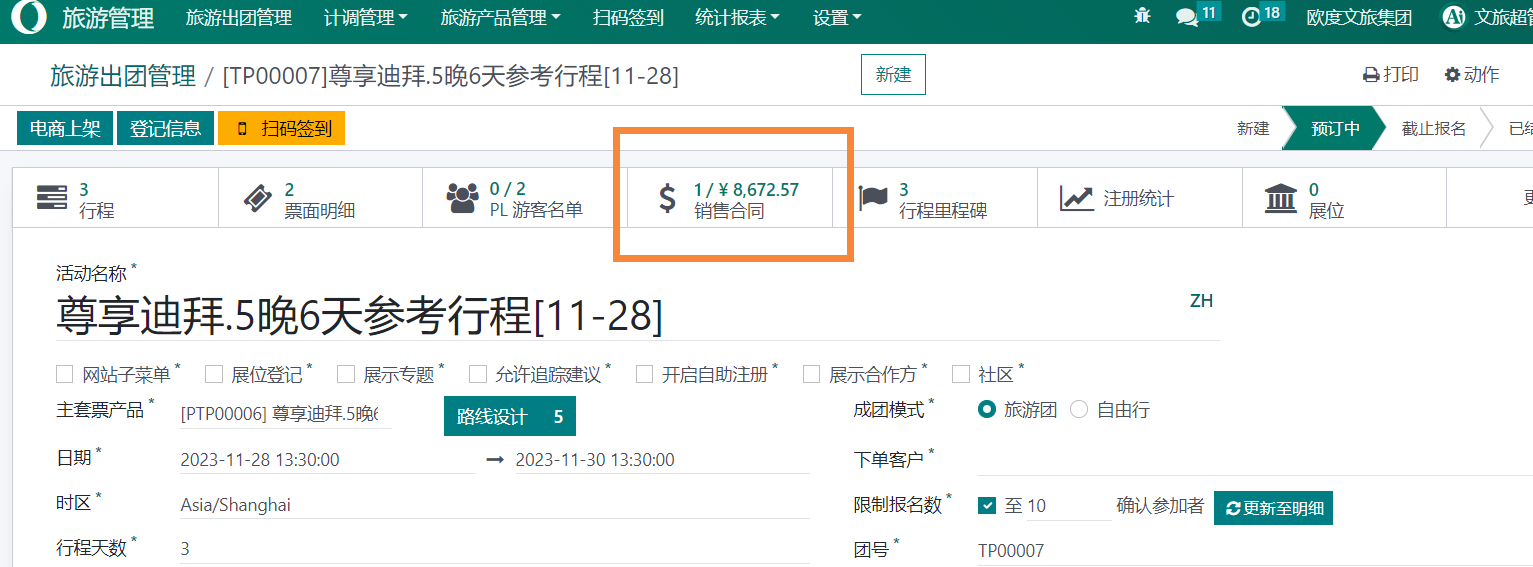
Click Activity to schedule follow-up on the customer's travel arrangements 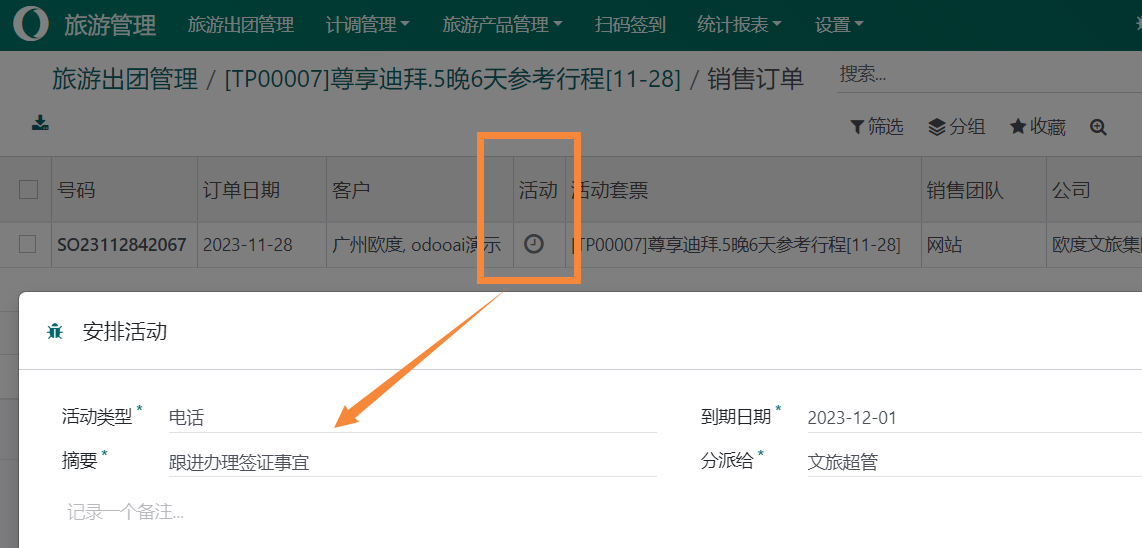
7. Operations Center
Path: Tourism Management -- Operations Management
All operations-related schedules are managed here and are automatically generated by the system based on the data in [Tour Departure Management].