Odoo 18 was officially released in October, and Odoo has also made an official release announcement. After experiencing the latest Odoo 18 Community and Enterprise editions, Guangzhou Odoo Smart has optimized the official release announcement. The following is a detailed explanation in Chinese. Recently, Odoo Smart is upgrading a large number of plugins. Users canApp Market40% off pre-order. In addition to numerous feature updates, performance upgrades, and interface optimizations, Odoo 18 also introduces comprehensive industry service packages, integrating specific business scenarios into a single service package that users can download and use directly. It can be said that the platform functions are more user-oriented.
At the same time, there are many other details, such as the official removal of theAlipay payment module, mainly because there are very few international Alipay users (or perhaps they did not obtain the interface). Odoo Smart has developed for domestic usersOdoo online payment modules for Chinese versions of Alipay/WeChat/UnionPay/Cloud QuickPass, etc., and is also using Odoo 18 to implement projects for business clients. Welcome to contact us to learn more.
Industry Application Modules
| 
| ||||||||||
General Optimization
|
|||||||||||
Company Switching ShortcutSwitch companies faster than ever with the newly improved company switcher using the keyboard shortcut (ALT + SHIFT + U). |
Contacts: Search by AddressSearch contacts using their address. |
||||||||||
Debug Menu: Model ObjectsAccess models from the debug menu. |
Error MessagesError messages are easier to read and allow users to share technical details. |
||||||||||
Editor: List Detection and Suggested Command ButtonsCreate numbered lists with keyboard shortcuts, such as "1." ; "1)" ; "A)" or bulleted lists with keyboard shortcuts (such as "*" and "-" ). In edit mode, suggested command buttons will appear in the powerbox toolbar. |
Progressive Web App and Mobile App InstallationDedicated progressive web apps are now available for Barcode, PoS, Attendance, Kiosk, Registration Desk, and Shop Floor. Install the Odoo
PWA directly on your mobile device via the user menu. |
||||||||||
Filter Records and Mobile Search PanelEasily filter records on your phone with the new search panel: view and manage filters directly in apps like HR or Expense, without intermediate screens. |
Gantt ViewThe Gantt view allows infinite horizontal scrolling, improving flexibility for rescheduling. |
||||||||||
Image ImportImport files and images via the importer. |
List Column WidthImproved column width calculation. |
||||||||||
Mobile: Editor ToolbarThe editor's toolbar has been improved for mobile versions. |
Sort by Occurrence CountNow, when grouping in list view, records can be sorted by occurrence count. |
||||||||||
Secret KeyA passkey is a new authentication method that bypasses traditional username and password combinations. Instead, it uses the WebAuthn protocol to verify user identity. This is a phishing-resistant and more secure authentication method. |
Readable URL
Odoo now generates readable URLs, such as /odoo/project/5/tasks​, which shows where they lead and makes them easier to edit manually. |
||||||||||
Search BarRestart the search by clicking the magnifying glass icon in the search bar. |
Getting Started GuideUse the new user interface to record and manage Odoo onboarding and tests. Users can also enable and disable onboarding from the user menu. |
||||||||||
|
|
|||||||||||
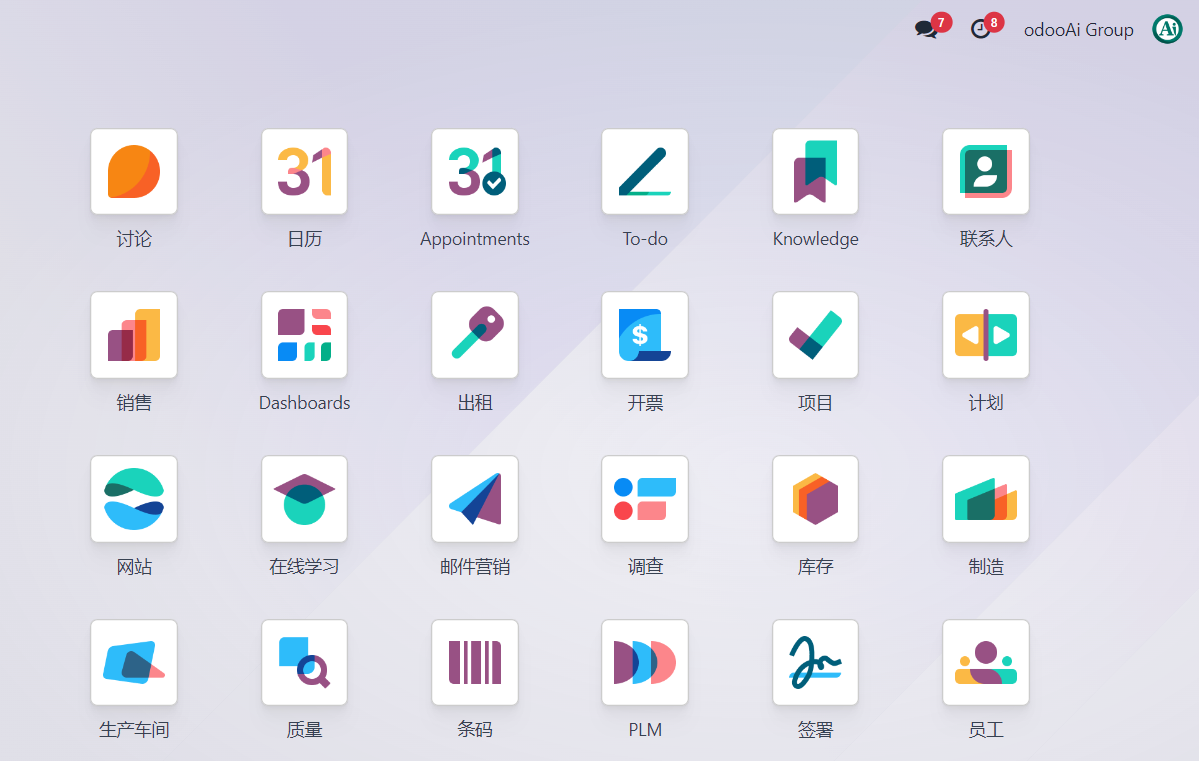
Accounting
|
|||||||||||
Invoice Anomaly AlertsAdded a statistics-based alert system that automatically identifies anomalous amounts and dates in invoices. |
Email Aliases Available for MISC JournalUse email aliases in miscellaneous journals to automatically create journal entries from email attachments. |
||||||||||
Analytic BudgetA new way to manage budgets. No more dates on budget items; no more budget planning. |
Year sequence and staggered fiscal yearsThe fiscal year sequence on journals can differ from calendar years to handle staggered fiscal years. |
||||||||||
Ascending/descending report datesWhen using date comparison, please toggle your date column (ascending/descending) order. |
Improved audit trailThe German GoBD-certified audit trail feature has been improved. |
||||||||||
Automatically post billsAutomatically post bills from selected vendors. |
Bank reconciliation: simplified batch payment matching and statement form view
Batch payments are represented by a collapsed line in the Bank reconciliation widget to simplify the matching process. The statement form view can be opened from the kanban view and includes a dialog for quick navigation to related transactions. |
||||||||||
Bank statements: import and OCR
Bank statements can be imported even if transactions are not sorted by date. Upload PDF or image files of bank statements and let OCR automatically extract transactions |
Bill payment wizard: QR code
The vendor bill payment wizard integrates a QR code for payment. |
||||||||||
Catalog view in invoices
The catalog view is now available for customer invoices and vendor bills. |
AcceptanceSpecify the acceptor when generating batch payments for ISO20022 payment files. |
||||||||||
Check printing layoutSelect the check layout in the bank journal settings. |
Combined Analytic Distribution Models
Sequences can now be used on analytic distribution models, allowing distribution based on multiple models as long as they are distributed across different plans. |
||||||||||
Configure Layout WizardImproved the configure layout wizard displayed when users print their first invoice. It uses actual invoice data, enhances the preview display, and makes it easier to add a QR code for SEPA payments. |
Credit Card Journal
Added a new credit card journal type for registering credit card payments, uploading statements, and processing reconciliation. |
||||||||||
Currency Exchange RatesExchange rates are stored on the invoice and displayed. |
Custom Invoice TemplatesInvoice templates can now be customized using Studio and are set to be compatible with the invoice sending and printing processes. |
||||||||||
Date PickerA new date picker on reports allows users to smoothly navigate from one period to another. |
Detect Duplicate Bills
Improved duplicate detection for vendor bills. Before creating a new move, the database is searched for potential duplicates among draft and posted entries (using the Bill reference). Smart links can directly navigate to potential duplicates. |
||||||||||
Financial BudgetDisplay the report's figures on the profit and loss report and compare them with a financial budget that is independent of the analytic budget. |
Updates to Follow-up Reports, Customer Statements, and Partner Ledgers
The follow-up actions and customer statement views and modules have been removed and merged. Follow-up reports can be configured to automatically add followers to the client's chatter when executed. By default, miscellaneous items affecting the client account are excluded from the report. The partner ledger includes additional options and is displayed similarly to the customer statement but hides unnecessary columns. It can also be sent directly to the customer. |
||||||||||
Import Matching Number
Add matching_number to the lines of the CSV import. Odoo will wait for all related account moves to be posted and attempt to regenerate the reconciliation when this happens. If it fails, the imported reconciliation will be discarded. |
Installments
Registering a payment from the invoice form view will consider the installment amounts defined in the payment terms. The customer portal clearly shows the amounts already paid. |
||||||||||
Inter-company TransactionsUse booleans instead of radio buttons to improve flexibility in managing inter-company transactions. |
Invoice Analysis Report
The Invoice Analysis Report provides margin and simple inventory valuation measures based on customer invoices and vendor bills without the need for the Inventory app. |
||||||||||
Journal Email AliasesIf an email is sent to an address set as a journal alias without a usable file, the system automatically replies to the sender informing them that no file was received. |
Journal ReportsSimplified the user interface of journal reports. Performance is prioritized over detailed transactions, but detailed transactions can still be exported. |
||||||||||
Tax Legal NotesSpecific legal notes can be added to taxes so that they appear on documents when the tax is used. Compared to legal notes based on fiscal positions, this covers more granular business cases. |
Loan Management
Automatically manage acquired loans based on amortization schedules you define or import. |
||||||||||
Lock dates wizardAllow locking by journal type; add hard lock dates and exception management mechanisms. |
Matching NumbersMatching numbers have been simplified and are displayed in color. Partial matching has been improved, specifying which entries are partially matched along with appropriate identifiers. |
||||||||||
Multi-Ledger
The usability of multi-ledger has been improved in multi-company setups for better grouping, default selection, and filtering. |
New Document Layout
Added three new document layouts for more customization. |
||||||||||
New product widgetProducts and descriptions are now merged into a single column in the invoice line version. |
OSS Periodicity
OSS reports now follow their own periodic schedule, separate from financial reports. OSS sales reports are submitted quarterly, while OSS reports are submitted monthly. |
||||||||||
Overdue Invoices and Online Payments
Customers see overdue amounts on their portal. Smart links are provided both on the portal and in follow-up reports for quick online payment of overdue amounts. |
Partner Payment Methods
Specify the preferred payment method (income and expense) for each partner. You can then filter and group invoices by each payment method to make batch payment creation easier. When creating a payment for a specific partner, that partner's preferred payment method will be selected by default. |
||||||||||
Payment TermsAdded a new payment term date computation type: "Days after end of month of cut-off date". |
Payments without Accounting Entries
Payments do not generate accounting entries unless an outstanding account is set on the associated payment method. |
||||||||||
PeppolSend invoices on the Peppol network while still being able to receive bills in any other system. |
Purchase Order/Bill MatchingAdvanced purchase order matching: A new screen allows manual matching of open purchase order lines and vendor bill lines. You can also create entirely new purchase orders directly within vendor bill lines, and add down payment lines to existing purchase orders. |
||||||||||
Preferred Invoice Method
Define the preferred invoice sending method and eInvoice format for contacts to simplify the batch sending process. Customers can then manage their preferences from the portal |
Send and Print Visibility
The visibility of the send and print functions has been improved. |
||||||||||
Reconciliation Model: Generate Invoices/Bills
A new reconciliation model type that allows you to create customer invoices or vendor bills directly from bank transactions. |
Reconciliation Wizard
When reconciling a single journal item through the reconciliation wizard, the amount is editable, allowing partial write-offs. |
||||||||||
Register Payments for Bills of Exchange
You can now register payments for invoices and bills through the Actions menu. |
Sales Tax Price Included/Excluded
Now, all standard sales taxes follow a new company setting that defines them as price-included or price-excluded, making onboarding and database setup easier. When needed, individual taxes can be forced to be price-included or price-excluded, overriding the default company setting. |
||||||||||
SEPA Direct Debit (SDD)
The SEPA Direct Debit (SDD) process and user experience have been improved. Mandates can be sent via the Send and Print action. The pre-notification period is selected based on the mandate and determines when the mandatory notification is sent to the debtor before collection. |
Sepa iso 20022
The SEPA module has been refactored to clearly distinguish between ISO20022 and SEPA payment methods. |
||||||||||
Inter-company Shared Accounts
The same account can now belong to multiple companies, and accounts from different companies can be merged. |
Horizontal Balance Sheet Split
The balance sheet can now be presented in two halves side by side to meet various regional display preferences. |
||||||||||
UBL Invoice Import
When importing UBL (XML) invoices, Odoo will populate the bank account found in the partner's XML if possible. |
Update Imported Invoice Lines
Add information (e.g., product and tax analysis) to invoice lines imported via e-invoicing or OCR without affecting the imported information and amounts. |
||||||||||
Warn for Potential Duplicate Invoices
When editing a customer invoice, a potential duplicate warning is displayed if, by comparing the customer, invoice date, and amount, it may be a duplicate of another invoice. amount. |
|||||||||||
|
|
|||||||||||
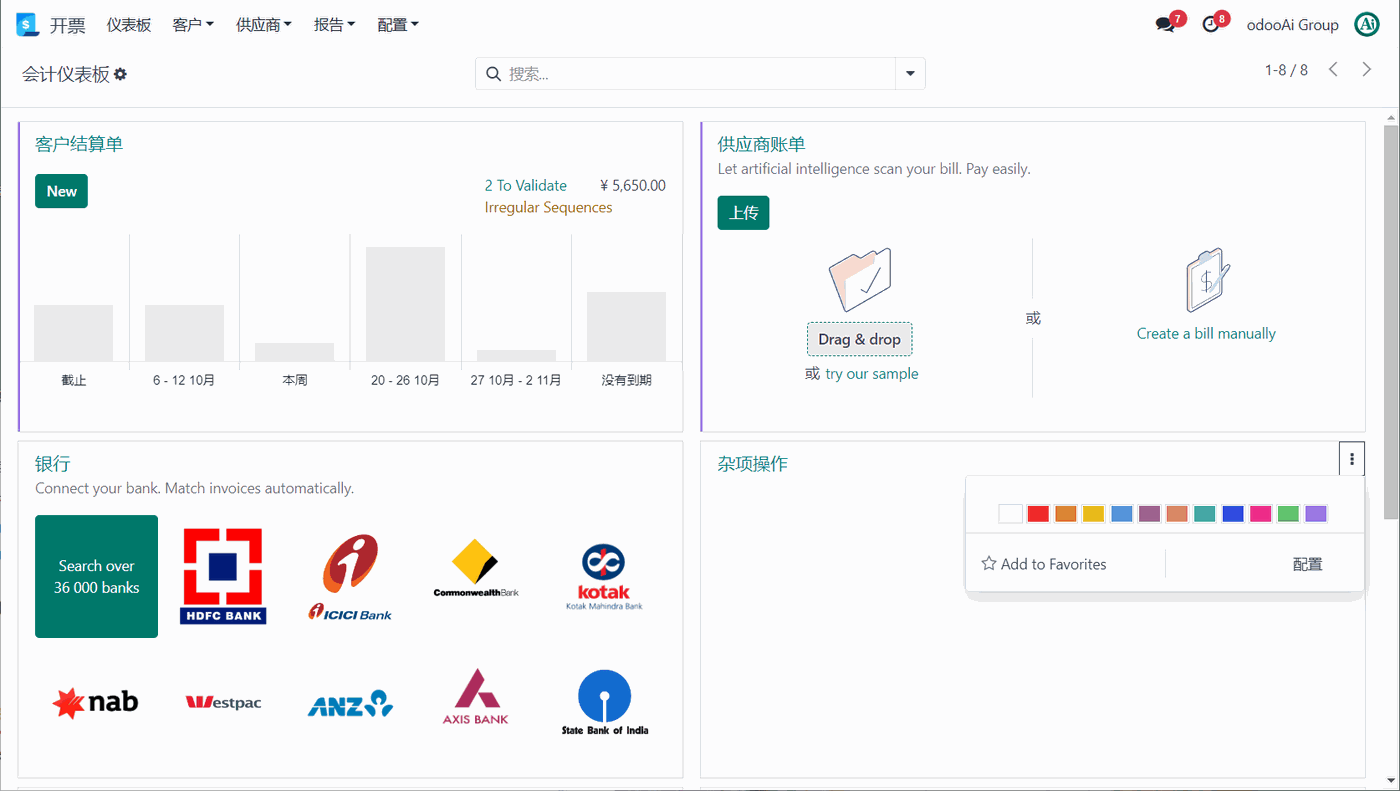
Sales
|
|||||||||||
Amazon ConnectorNow, when a product is replaced by Amazon, a free order is automatically created. |
Delete attribute valuesNow you can delete attribute values that are no longer used, even if they were used on some products (you must first remove these attribute values from those products). |
||||||||||
Combo ProductsCombo products are now available in the eCommerce and Sales apps. They allow combining several products into one product, and customers can choose multiple options. |
Commission PlansManage commission plans for sales teams. |
||||||||||
Custom areas in PDF quote builderThe PDF quote builder is now more flexible. Choose when to use it, which documents to use, and insert text specific to each quote in the PDF. |
Customer quote view notificationSalespeople can decide whether they want to be notified when a customer views a quote. |
||||||||||
Dynamic sales descriptions from quote templatesProvide product descriptions in quote templates so that they are used in quotes created from that template. |
EDI for ordersDrag and drop a customer's purchase order to create a new sales order. If the purchase order comes from Odoo or contains the correct XML information, the order will be pre-filled. |
||||||||||
GelatoConnect Odoo with the print-on-demand service company Gelato. |
Manage Parent CategoriesSubcategories are included in the global filters. |
||||||||||
Portal: Loyalty Cards and eWalletsCustomers who access the customer portal can look up and check the balance of their loyalty cards and eWallets. |
PDF Quotation Builder ImprovementsNow, any field of the model (even custom fields) can be used in the PDF quotation builder. |
||||||||||
Pricelist Modifications and Print FormatsThe pricelist view and usage have been simplified. Pricelists can now be generated in PDF, CSV, or XLSX format. |
Product Documents on Email TemplatesThe "Send Quotation" and "Order Confirmation" email templates have been adjusted to mention the product documents available to customers in the portal. |
||||||||||
Product Form View ImprovementsThe product form view and model have been redesigned. The storable and consumable product types have been replaced by "Goods", and the "Tracking" field determines whether and how the product is tracked. |
Product PricesWhen the quantity changes, modified product prices on sales orders are no longer recalculated. |
||||||||||
Product Updates for Attribute ChangesUpdate all products when adding attribute values or changing the extra cost of existing values. |
Product DescriptionWhen editing sales order lines, the product and description are combined in one column. |
||||||||||
Quotation Template SequenceReference templates sorted by importance. |
Remove deprecated modulesThe eBay connector has been removed. |
||||||||||
|
|
|||||||||||
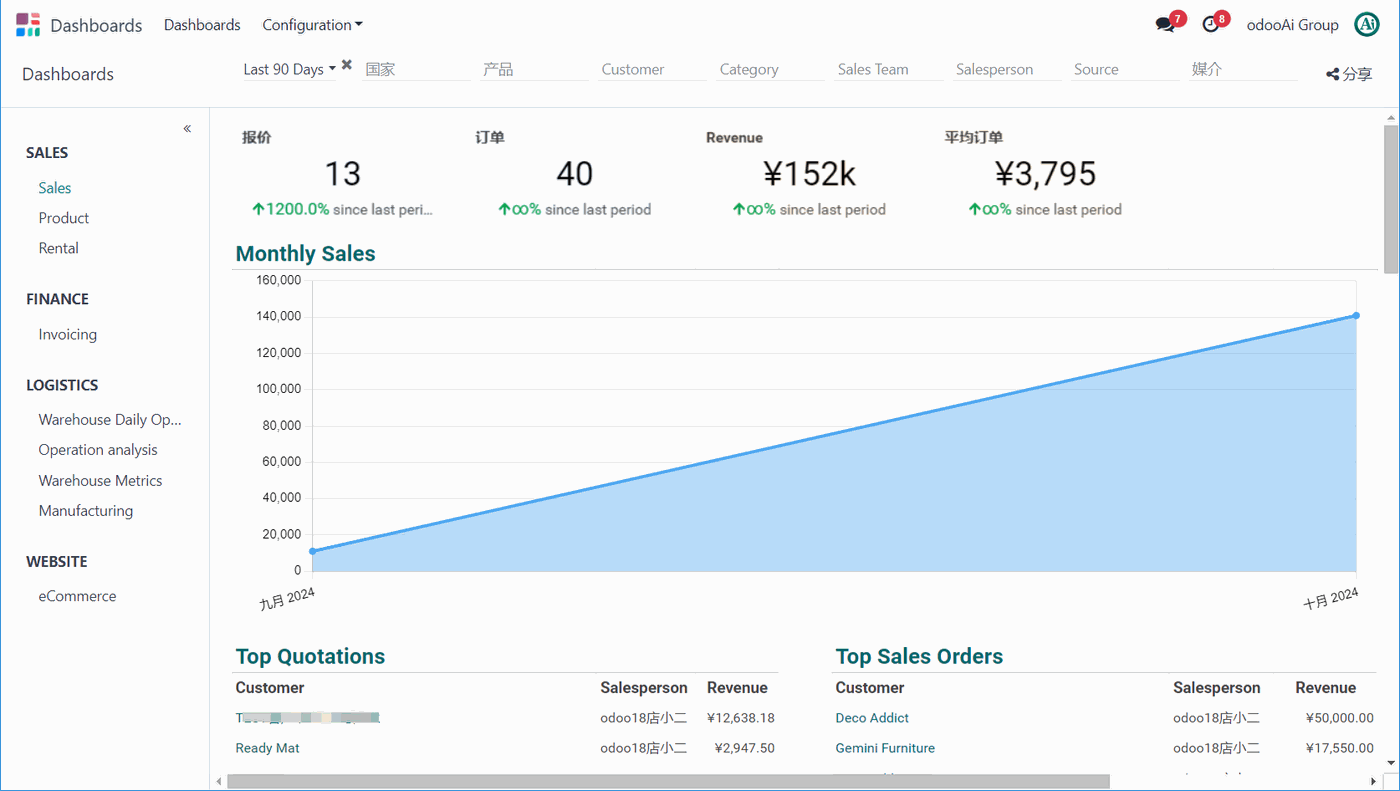
Purchase
|
|||||||||||
Amount in local currencyOn purchase orders, view the total amount in the company currency and compare alternatives using the company currency. |
New purchase agreement typeAdded a new purchase agreement type to easily create requests for quotation with a fixed quantity. |
||||||||||
Manage RFQs via email/portalCustomers can accept or reject requests for quotation via email or the customer portal. |
Tracked products: generate lot numbersGenerate lot numbers when receiving tracked products. |
||||||||||
|
|
|||||||||||
Inventory
|
|||||||||||
Batch and wave picking improvementsAutomate wave picking creation. When grouping transfers into waves/batches, common elements of all transfers (such as contact or location) are displayed in the wave/batch description. |
Create backorders in advanceSplit picks before confirmation, allowing delivery at two different locations or dates. |
||||||||||
Cross-company traceabilityLot and serial numbers can now be fully traced across multiple companies. Serial and lot numbers are retained during inter-company transfers. |
Dashboard UXImproved the inventory dashboard user experience. |
||||||||||
Dispatch Management SystemDeliver and manage shipments through your own fleet or third-party logistics organizations. |
Simplified Return ProcessWhen creating a return, create a new transfer to send back new products. |
||||||||||
Edit Package LocationChange the location of packages without creating any transfers, and move packages using the kanban view. |
Editing layer valuesEdit specific valuation layers for revaluation. |
||||||||||
Inventory Report User ExperienceImproved inventory report menu. |
Manufacturing Inventory and OrdersWhen a rule is set to "take from stock, if not available, trigger another rule", procurement is only triggered for the missing quantity in the new move. |
||||||||||
Manual Barcode EntryYou can now manually enter the barcode number. |
Next Transfer ButtonA smart button has been added to inventory transfers to display the next linked transfer. |
||||||||||
Pull and Push Rules and Flexible Routes
Now, push rules are triggered when a transfer is validated. Transfers are not pre-created, allowing greater flexibility. Transfers waiting for another transfer no longer clutter the space. All default multi-step routes have been redesigned to reflect this change. |
Inbound Putaway RulesImproved inbound rules to place incoming products where other quantities of the same product are or were located. |
||||||||||
Track at DeliveryTo facilitate the transfer of tracked products that were not tracked upon receipt, they are displayed as non-tracked products in transfers. |
User Permissions: Inventory AdjustmentUsers can now apply inventory adjustments. |
||||||||||
Valuation by Lot/Serial NumberEach lot or serial number of the same product now has a separate valuation. |
View Empty LocationsView which locations are empty from the location list view. |
||||||||||
|
|
|||||||||||
Manufacturing |
|||||||||||
Master Production Schedule Master Production Schedule
The design has been updated. The following features have been implemented: annual planning, automatic replenishment mechanism, maximum batch size for manufacturing replenishment, and import templates. When accessed from the bill of materials, MPS is available for all BoM levels for full visibility. |
Batch Production Serial NumbersSpecify component consumption in the modified batch production wizard. |
||||||||||
Work in ProgressGenerate work-in-progress journal entries for ongoing production to record material and labor consumption in the balance sheet. |
BoM OverviewAvailability now also takes into account the availability of work centers. |
||||||||||
|
|
|||||||||||
Shop Floor MES |
|||||||||||
Operation feeding management, full barcode scanning operation.Visualized SOW work instructions, improved user experience.Users can add operation processes and notes in any order. By default, the instruction steps are collapsed. |
|||||||||||
|
|
|||||||||||
Scan throughout
New design
The new design improves the user experience.
Create products using the barcode lookup database
Scanning a new product that belongs to the barcode lookup database will prompt the creation of a new product with editable information from the barcode lookup database.
Group batch production lines and disable adding products
Batch production lines for the same product. Disable adding unnecessary products in picking.
Hide quantities
It is possible to hide the assumed quantities in inventory adjustments.
Hide reserved lot and serial numbers
It is possible to hide reserved lots and serial numbers in transfers.
Multiple serial number scanning
Generate a QR code containing all serial numbers in the package and scan it on receipts to record lots and serial numbers.
RFID identification support
Use an RFID scanner for ultra-fast receiving and inventory adjustments of products with RFID tags.
Scan transfers
Filter batches by scanning transfers, products, or packages.
Improved serial numbers and lots
Lot or serial numbers can be scanned from the barcode main screen to display their detailed information.
Sign on Delivery
Companies that deliver themselves can now sign for these deliveries by scanning the barcode.
eCommerce |
|||||||||||
Attribute selection follows the userIf you apply filters on the eCommerce shop page, the correct variant will be selected when browsing product pages. |
Click & CollectThe new click and collect feature allows customers to check in-store stock and pick up their order at their chosen store. |
||||||||||
Delivery form moved to checkout processUsers can now choose their preferred delivery method during the delivery stage of checkout. |
Show product templatesIf needed, display product templates instead of variants in the "Products" building block. |
||||||||||
Configure productseCommerce products can now be fully configured from the backend. |
Mega menuBuild your mega menu based on eCommerce categories. |
||||||||||
New pickup point interfaceThe new pickup point interface is now available for both SendCloud and FedEx. |
Customizable category pagesCustomize product category pages using building blocks. |
||||||||||
Optimize product imagesWhen uploaded from the backend, product images are converted to WebP format on the website. |
Product ribbons for different modelsEasily create ribbons and assign them to product variants, not just product templates. |
||||||||||
Save items to wishlistCustomers can now move items directly from the cart to their wishlist. |
Shop display optionsDecide whether all users or only logged-in users can access the /shop page. If the latter is chosen, non-logged-in users will not be able to view the product catalog. |
||||||||||
Login/Signup button visibilityWhen placing an online order, non-logged-in customers must first enter their email address and can choose to log in directly. If enabled in the website settings, they can also subscribe to your newsletter at this step. |
|||||||||||
|
|
|||||||||||
Store POS
|
|||||||||||
AvaTaxAvaTax fully integrated into PoS |
Record cash differencesThe starting and ending counts of the cash register are now mandatory to record in the PoS session records. |
||||||||||
Create products in PoSProducts can now be created and edited directly from the Point of Sale application. |
Customer displayThe customer display can now be used on any remote device without an IoT box. |
||||||||||
Editable payment methodsPayment methods can now be edited before printing the receipt |
RedesignedThe Point of Sale frontend has been completely redesigned, with a focus on simplicity and user experience |
||||||||||
QR code paymentCustomers can now pay using their banking app |
Restaurant: predefined internal notesDefine frequently used internal notes (e.g., "no dressing" or "urgent") that can be added to orders with a single click |
||||||||||
Restaurant: table mergingQuickly merge tables to consolidate orders, for example for large groups |
|||||||||||
|
|
|||||||||||
Online payments |
|||||||||||
Alipay provider removedThe Alipay, PayU Latam, and PayUmoney payment providers have been removed. |
Show unavailable payment methodsIn debug mode, the payment form can now show unavailable payment methods to internal users, so they can better understand why a specific payment method is available or unavailable. |
||||||||||
RazorpayRazorpay now supports tokenization. Razorpay now supports EMI plans as a payment method. |
XenditXendit now supports tokenization. |
||||||||||
MollieNew "Twint" payment method |
WorldlineWorldline is a European online payment provider. It replaces the Ogone and SIPS payment providers. |
||||||||||
PayPalPayPal integrates a new payment flow that allows customers to pay without leaving Odoo. |
|||||||||||
Website portal |
|||||||||||
Blog posts: improved layoutAdded more layouts for blog posts. |
Custom Page TemplatesAdd any page to the "New Page" wizard so they can be used as templates. |
||||||||||
Default Color PaletteThe color palette has been updated to reflect current design standards, ensuring a more vibrant and up-to-date look. |
Document LinksCreate direct links to documents so you can use them anywhere on the website. |
||||||||||
Google Consent Mode v2 and CMPImplemented cookie management and the new Google Consent Mode V2 rules. |
Title LayoutCustomize the title layout for blog, event, and eLearning pages. |
||||||||||
Import Existing WebsiteConvert any existing website to Odoo in just a few clicks, even with an existing database. |
Loading DesignThe website loading design now features smooth transitions and a clean progress indicator. |
||||||||||
Soft Color PalettesNew soft color palettes are available in the theme section. |
Website Form Attribute FieldsUse attribute fields in website forms. |
||||||||||
Shape Animation SpeedCustomize the animation speed of background shapes. |
Building BlocksThe library has added over 60 new building blocks. The block selection feature is enhanced by displaying actual previews. Keyword selection is available to help users discover and choose the right block. Users can also replace a deleted block with another block. |
||||||||||
Theme Presets: Color GradientsIn the color presets, select a gradient background color. |
Theme DesignOur 27+ themes have been redesigned to use our new building blocks and new color palettes. |
||||||||||
Theme SelectionThe theme selection page has been improved. |
Video Lazy LoadingYouTube and Vimeo content now use lazy loading to improve the overall speed of the website. |
||||||||||
Website BuildingBuild your website when selecting from the entire theme library. |
|||||||||||
|
|
|||||||||||
Localization
|
|||||||||||
China 🇨🇳Accounting: Added chart of accounts for large Chinese enterprises. |
Argentina 🇦🇷Accounting: Allow multiple checks when registering payments. Improved VAT summary with more details about taxes. Withholding tax calculation has been automated. Improved withholding support for payment creation. |
||||||||||
Australia 🇦🇺Accounting: Australian taxes have been cleaned up to better fit the market. TPAR taxes are now archived by default. Importers can now easily manage deferred GST (DGST) entries and related monthly BAS settlements. Added support for tracking deferred GST. Added a new "W" payroll section in the BAS report. Added new flows to support other withholding amounts (W3). Payroll: Comprehensive overhaul of the payroll system: consolidated all rules into a single salary structure. Updated with the new 2024-2025 tax tables. Added necessary code to submit STP Phase 2 and SuperStream for formal compliance testing [compliance testing in progress]. Thoroughly revised other input types and super contributions. Added the possibility to import YTD balances for employees transitioning to Odoo Payroll. Completed the process for child support and Medicare levy changes. Batch payments directly from pay runs and easy reconciliation. Payroll is linked to expenses and accounting for Australian businesses. Termination payments: apply the entire Tax Table 7 (from ATO) to unused leave. Based on change notifications, withholding changes can now also apply to unused leave. Added support for ordinary time earnings. Manage super guarantee and super concessional contributions. Manage workplace giving and director fees. |
Brazil 🇧🇷Accounting: Added operation types selectable on invoices or sales orders to support more CFOP cases. Implement electronic invoicing and tax calculation for services using Avalara Brazil. Set a default CNAE code for the company, or select a specific code on the contact or invoice. Added the PIX payment method for collecting payments. Adjusted the eCommerce module to work with taxes and EDI invoices. Create vendor bills via NF-e XML import. |
||||||||||
Bulgaria 🇧🇬Accounting: Added the Bulgarian National Bank as an available currency exchange rate provider. |
Canada 🇨🇦Accounting: Generate batch payments to vendors (EFT) via CPA005 file |
||||||||||
Colombia 🇨🇴Accounting: Implemented DIAN electronic invoicing. Updated the eCommerce checkout flow to comply with DIAN requirements for electronic invoicing. The Bank of the Republic of Colombia was added as a currency exchange rate provider. |
Cyprus 🇨🇾Accounting: Added a basic localization package (chart of accounts, taxes, financial rules, balance sheet, profit and loss statement, and tax reports). |
||||||||||
DACHAccounting: DIN5008 reports for the DACH region are implemented in XML rather than Python, increasing flexibility during editing. |
Ecuador 🇪🇨Accounting: Streamlined purchase reimbursement process. Integrated EDI invoice management with e-commerce workflows. Portal contact information is now editable. Select the withholding base account to use. Support for global discounts and negative lines on e-invoices. |
||||||||||
Egypt 🇪🇬Payroll: Added EOS rules based on the latest update, with a tax rate of 27.5%, as well as the value of the minimum taxable amount. A new master payroll report was also added, allowing users to create the total payroll for each month. |
Estonia 🇪🇪Accounting: Updated Estonian VAT. |
||||||||||
Guatemala 🇬🇹Accounting: Added Banco de Guatemala as a currency exchange rate provider. |
Hungary 🇭🇺Accounting: Implement electronic invoicing (starting from version 17). |
||||||||||
India 🇮🇳Accounting: The ENet Payment CSV Generator module allows generating CSV files for vendor payments. Retrieve vendor bills, credit notes, and debit notes from the GST portal. Payroll: Rework report. Departments can now be found on payslips. Time Off: Set leave type as sandwich leave. |
Indonesia 🇮🇩Accounting:
Added Bank Indonesia as a currency exchange rate provider. Payment status via QRIS is now available on the portal. QRIS QR codes have been added to invoices on the portal. Improved e-Faktur scope and file management. Payroll: added localization. Point of Sale: retrieve payment status for bank QR
QRIS transactions. |
||||||||||
Jordan 🇯🇴Accounting: Added a basic localization package: chart of accounts, taxes, tax reports, and country/region list. Payroll: New localization features, including basic salary calculation, tax brackets, and tax deductions. |
Kenya 🇰🇪Accounting: Now compliant with the new Kenya ETIMS system, including the OSCU checklist. Payroll: Main report added. |
||||||||||
Korea 🇰🇷Accounting: Added a list of provinces and municipalities. |
Kuwait 🇰🇼Accounting: Added the chart of accounts. |
||||||||||
Luxembourg 🇱🇺Payroll: Repositioned to improve monthly calculations and satisfaction. |
Malaysia 🇲🇾Accounting: Implemented e-invoicing in collaboration with Peppol PINT Malaysia. Added account reports. Added Bank Negara Malaysia as a currency exchange rate provider. |
||||||||||
Mauritius 🇲🇺Accounting: Added a basic localization package: taxes, financial rules, and tax reports. |
Morocco 🇲🇦Accounting: Export tax reports in XML format. The ICE (Identifiant Commun de l'Entreprise) now appears on invoices to ensure compliance with Moroccan regulations. |
||||||||||
New Zealand 🇳🇿Accounting: You can now download EFT batch payment formats for the following banks to pay New Zealand vendors faster: Westpac, BNZ, 8ANZ, ASB. Added remittance advice reports. Configure a fiscal period start date different from January 1. |
Nigeria 🇳🇬Accounting: Added a basic localization package, including taxes, financial rules, tax reports, and withholding tax reports. |
||||||||||
Pakistan 🇵🇰Accounting: Improved existing withholding taxes and introduced new withholding taxes. In addition, two new tax reports are provided, and a state list has been added. Payroll: New localization features, including basic salary calculation, tax brackets, and tax deductions. |
Peru 🇵🇪Accounting: Added deduction amounts to the invoice PDF report. Integrated EDI management with point-of-sale order and e-commerce order workflows. Added PLE 12.1 and PLE 13.1 inventory reports for detailed inventory tracking. Added PLE 1.1 and 1.2 reports for tracking all cash transactions and receivable/payable account operations, including inflows, outflows, deposits, withdrawals, and transfers. |
||||||||||
Philippines 🇵🇭Accounting: Added the new 2550Q (2023 version) tax report and SLSP report. Adopted a new standard check printing layout (available from version 17.0). Added withholding tax functionality, with support for SAWT and QAP reports. |
Qatar 🇶🇦Accounting: Added the chart of accounts. |
||||||||||
Romania 🇷🇴Accounting: Implement the processes required to send E-factura to SPV and to obtain the access token from ANAF for using the web services. |
Rwanda 🇷🇼Accounting: Added a basic localization package: chart of accounts, tax features, financial rules, balance sheet, profit and loss report, and tax reports. |
||||||||||
Saudi Arabia 🇸🇦Payroll: Added a new gross payroll report that allows users to create monthly gross payroll totals. Improved end-of-service calculations and updated GOSI calculations. Generate SIF files as part of the Wage Protection System payroll process. |
Singapore 🇸🇬Synchronize journal entries from Employment Hero (formerly KeyPay) to Odoo. |
||||||||||
Spain 🇪🇸Accounting: Added the ability to fill in the invoicing period and change the payment method on Factura-e invoices. Send vendor bills to the Batuz tax authority. Added a new contact type for Factura-e administrative center support contacts. Added AEAT modelo 130. Updated Modelo 303 based on AEAT's Q3 2024 changes. The TicketBAI implementation has been updated and is triggered on sending and printing. Point of Sale: TicketBAI allows sending Factura Simplificadas directly from sales orders without creating separate account moves. |
SYSCOHADAAccounting: Today, the 17 SYSCOHADA member states each have their own localization modules. They all have their own tax and tax reporting configurations while sharing a common OHADA chart of accounts. The new NPFE-specific chart of accounts and industry reports have been implemented based on the SYCEBNL reference. Payroll: The new localization supports basic calculations, tax income brackets, national contribution tax, and social security. |
||||||||||
Tanzania 🇹🇿Accounting: Added a basic localization package: chart of accounts, taxes, financial rules, tax reports, balance sheet, and profit and loss report.
|
Thailand 🇹🇭Accounting:Thai banks have been added as currency rate providers. |
||||||||||
Turkey 🇹🇷Accounting: A default "Sales Returns" account is now defined in the sales journal and on the product form. New taxes and new tax reports have been introduced. Payroll: Added localization features, including employment and unemployment social insurance contribution/insurance calculations in salary rules; added income tax calculation and stamp tax deduction for more accurate tax results. |
Uganda 🇺🇬Accounting: Added basic localization package: chart of accounts, taxes, financial rules, and tax reports. |
||||||||||
United Arab EmiratesAccounting: Added corporate tax report. Configure the start date of the accounting period if it differs from January 1. Payroll: Added gross payroll report. It can calculate the gross payroll for each month. Generating the SIF file is part of the payroll process for the wage protection system. Updated salary rules, including provisions, social insurance, DEWS, days outside contract, payment of remaining leave balance, bonuses, arrears, and other allowances. In addition, updated the EOS calculation method to take into account the calculation of exempt zones. Updated the payslip print format and introduced the end-of-service print format. |
United KingdomAccounting: Multiple UK companies on the same database can now connect to HMRC simultaneously without manually deleting credentials. Configure the start date of the accounting period if it differs from January 1. |
||||||||||
United States 🇺🇸Accounting: Companies can print checks directly from Odoo on blank check paper without relying on third parties to pre-print their format. Taxes created with the Avatax module have shorter labels and use tax groups to improve display. Added a compatibility module between the Amazon module and Avalara tax calculation. Payroll: Display the cumulative time of the pay period on printed payslips. Now covers Alabama, Nevada, Washington, and Colorado, including workers' compensation in Washington. Generate CSV files outlining work hours and leave hours for import into ADP. |
Uruguay 🇺🇾Accounting: Updated the basic localization package configuration (added chart of accounts and LATAM module dependencies). Implemented DGI electronic invoicing through Uruware. |
||||||||||
Vietnam 🇻🇳Accounting: Tax reports updated. Implemented electronic invoicing integration with SInvoice. |
Zambia 🇿🇲Accounting: Added basic localization package: chart of accounts, taxes, financial rules, balance sheet, and profit and loss statement. |
||||||||||
|
|
|||||||||||
Document Management |
|||||||||||
Attachment smart buttonThe document smart button connects accounting records to related documents. |
Automatically delete filesIf "Centralized File Processing" is enabled, deleting a record sends its attachments to the trash in Document Management. |
||||||||||
Full-resolution imagesKeep full resolution when uploading files. |
Split PDF tool shortcutsUse hotkeys to perform actions in the Split PDF tool. |
||||||||||
Preset Split and SelectUse SHIFT + S in the split tool to split blank pages of the document and delete them. |
Workspace Sharing
Now you can share workspaces from the workspace navigation panel. |
||||||||||
Workspace, Permissions and Sharing Management
This app has been redesigned and new permissions, sharing, folders and action management have been added. |
XML file embedded in PDFPreview XML files that contain embedded PDFs. |
||||||||||
|
|
|||||||||||
Attendance
|
|||||||||||
Overtime Validation
Validate all or part of the extra work hours |
Automatic Check-out, Absence ManagementAdded automatic check-out and absence management settings |
||||||||||
Improved User ExperienceImproved several aspects of the user experience. |
|||||||||||
|
|
|||||||||||
Appointments
|
|||||||||||
Appointment Types: Chat and TemplatesThe appointment type form now has chat functionality. Load an appointment type template to get started quickly. |
Booking Status
Manage your booking statuses (requested, booked, no-show, etc.). |
||||||||||
Custom Confirmation MessageCustomize the appointment page and hide unnecessary details such as time zone or duration. |
Meeting Conflict Warning
Get a warning when attendees already have a meeting scheduled, even if the Employees on Appointments module is not installed. |
||||||||||
Duplicate Booking DetectionVisitors receive a warning when booking a potentially duplicate meeting. |
Dynamic Mini ProfileNow, specific appointment types are displayed in dedicated snippets. |
||||||||||
Instant Confirmation EmailAn appointment confirmation email is sent immediately after the appointment is confirmed. |
Pay by Number of Seats
Allow customers to pay based on the number of seats booked. |
||||||||||
Share Availability SlotsConfigure your custom availability link in a simplified form. |
|||||||||||
|
|
|||||||||||
Appraisal
|
|||||||||||
Multi-Company Employee ManagementNow you can manage employees and performance appraisals in a multi-company environment. |
360-Degree FeedbackResend 360-degree feedback requests for multiple employees at once. |
||||||||||
New Notification OptionsChoose to follow appraisals and receive notifications for 360 feedback answers. |
Tour screen updatesImproved demo data to eliminate code complexity and multi-app usage errors. |
||||||||||
Request hierarchyIf there are higher-level management actions, the creator of the appraisal is automatically added to the appraisal. |
|||||||||||
|
|
|||||||||||
Approve
|
|||||||||||
FiltersAdded new filters and "Group By" options. |
|||||||||||
|
|
|||||||||||
Calendar |
|||||||||||
Default appointment durationSave the default duration of appointments as the user-defined default duration, thereby defining the default appointment duration. |
|||||||||||
|
|
|||||||||||
CRM |
|||||||||||
Expected revenueLeads with expected revenue are updated upon quotation confirmation |
|||||||||||
|
|
|||||||||||
Dashboard |
|||||||||||
Manage dashboard sharing
Publish the dashboard to make it visible to others or keep it private. |
Company-specific dashboard
Define a company for your dashboard. |
||||||||||
New dashboard
Added the following dashboards: Purchase and Vendor Analysis, Operations Analysis, POS - Restaurant, Warehouse Daily Analysis, Warehouse Metrics, and Email Marketing. |
|||||||||||
|
|
|||||||||||
Discussion |
|||||||||||
@everyone mentionMention all channel members at once. |
Activities: List View and Mass Actions
Browse the day's activities through a comprehensive list view and manage them using the list view buttons |
||||||||||
Activity Plans: Scheduling
Define the timing for each activity in an activity plan. |
Portal UsersPortal users can now interact more easily: add reactions, copy message links, and edit or delete their messages directly in the portal chat. |
||||||||||
BreadcrumbsWith breadcrumb navigation, you can easily return to the previous view when opening "Discuss". |
Canned ResponsesYou now need to manually select the response to insert. Canned responses can be private or shared |
||||||||||
Chat WindowMinimized chats appear as bubbles in a more natural order. |
Configuration ImprovementsNotification management has been improved through configuration, and default settings can be adjusted via the general menu. |
||||||||||
Copy Message Link
Share message content from another thread via a link. |
Email: Dynamic Placeholders
Dynamic placeholders can be inserted into emails using a dedicated button. |
||||||||||
Large AttachmentsTo prevent email servers from rejecting emails, heavy attachments are now converted into links. |
Email EditingThe email composer has been improved |
||||||||||
Message SchedulingSchedule messages to be sent later |
Push-to-Talk on Mobile DevicesIn the call settings, select the "Voice Detection" or "Push-to-Talk" option. |
||||||||||
New Message SeparatorEasily identify new messages with a separator that appears above the last unread message. |
Preserve EditsStop losing message content when switching from the full editor to the small editor in chat due to network connection issues or accidentally clicking the close icon. |
||||||||||
Sub-threads
Sub-threads were introduced for secondary discussions within a channel. |
|||||||||||
eLearning |
|||||||||||
Additional Resources SequenceThe order of additional resources added to course content is now preserved on the frontend. |
|||||||||||
|
|
|||||||||||
Email Marketing |
|||||||||||
Optional ReportsUse the opt-out report to see why subscribers unsubscribed. |
Optional Contact Name SplitSplit email contacts into first and last names. |
||||||||||
Recipient clicksSee which recipients clicked links in the email. |
Tracking granularityTrack multiple links pointing to the same URL to see which one gets the most clicks. |
||||||||||
|
|
|||||||||||
Employees
|
|||||||||||
Activity planning and user experience improvementsEmployee activity planning now handles employees without an associated manager more effectively. The user experience has also been improved with a new Payroll tab, support for legal names, and more. |
Attendance managementAdvanced status control settings have been reworked, status reports have been removed, and all options are now available in the employee kanban view. |
||||||||||
Avatar card previewYou can now click on avatar cards in the Planning, Timesheets, and Human Resources apps to quickly see the roles and skills your resources have. |
Return from leave date smart buttonUse a dedicated smart button to see when an employee returns from leave. |
||||||||||
Batch signature requestsRequest signatures from selected employees in the list view |
Department manager visibilityManagers can view reports and information about their team without needing additional access rights in HR. |
||||||||||
Organization chart: new filtersNew filters have been added to the organization chart. |
Employee Bank Accounts
Manage employee bank accounts through a dedicated menu in the Employee app. |
||||||||||
Skill ColorsSkill categories can be assigned colors. |
|||||||||||
|
|
|||||||||||
Event Management
|
|||||||||||
Point of Sale EventsSell events from the Point of Sale. |
Popup Page Registration ButtonAttendees can now register from any page. |
||||||||||
Retroactive Lead CreationRetroactively create leads based on event attendees. |
VisibilityAllow everyone, only logged-in users, or anyone with the link to register for events. |
||||||||||
Expenses
|
|||||||||||
Add Vendors Paid by the CompanyEmployees can now specify vendors paid by the company to improve information completeness and simplify bank reconciliation. |
Create Draft Entries After ApprovalEntries are created as drafts after manager approval, rather than being created and posted simultaneously during the "Post" stage. This provides accountants with greater flexibility to manage everything in the Accounting app and simplifies status synchronization between Expenses and Accounting. |
||||||||||
Report Improvements on the Next PayslipInteroperability between the Expenses and Payroll apps has been improved. Posting a miscellaneous payroll entry will trigger the creation, posting, and reconciliation of the expense vendor bill. The vendor bill is immediately reconciled with its payable document in the miscellaneous entry. The bill is considered paid. Additionally, users can now delete expense reports from draft or canceled payslips. |
|||||||||||
|
|
|||||||||||
On-site Service
|
|||||||||||
Gantt ViewWhen filtering for a specific user, easily schedule unassigned tasks from the Gantt view. |
PickupView products to be picked via smart button for field service tasks. |
||||||||||
Plan by LocationGroup field service tasks by location to plan efficient travel between work sites. |
Simplified Mobile ViewWith a simplified mobile form view, field workers can easily navigate tasks. |
||||||||||
SkillsAssign tasks to the right people based on their skills. |
|||||||||||
|
|
|||||||||||
Fleet Management
|
|||||||||||
Contract Consistency
Improved various usability. |
Mass Mailing Driver
Use the mail wizard to send emails to selected drivers. |
||||||||||
|
|
|||||||||||
Service Desk
|
|||||||||||
Forum Feature ImprovementsCreate technical support tickets based on forum posts. |
|||||||||||
|
|
|||||||||||
PLM Product Design |
|||||||||||
User Experience ImprovementsSpecify whether an Engineering Change Order (ECO) updates the version of a product or bill of materials. A dedicated section for work order instructions has also been added. |
|||||||||||
Knowledge
|
|||||||||||
Article OrganizationBrowse articles using an expandable and collapsible tree structure. |
Calendar Start/End DisplayDefine the start/end times of the calendar in articles. |
||||||||||
Hierarchical NavigationUse the new top bar to find the article you are reading. |
Full-Text SearchSearch within knowledge articles through the new search interface. |
||||||||||
Shared ArticlesWhen a published article is shared, the "Public Articles" navigation panel will no longer be displayed. |
|||||||||||
|
|
|||||||||||
Live Chat |
|||||||||||
Discuss and Command Palette ShortcutsJoin or leave live chat channels directly from the Discuss app or the command palette. |
|||||||||||
|
|
|||||||||||
Maintenance |
|||||||||||
Attribute fields for maintenance tasks
Create attribute fields for maintenance tasks. |
|||||||||||
Marketing Automation |
|||||||||||
Campaign SummaryAdd an interactive summary that clearly explains what the campaign is about. |
Select ServerSelect the mail server used to send marketing automation campaign emails. |
||||||||||
E-commerce Flow TemplateAdded a marketing automation template for e-commerce flows. |
Message as an ActivitySchedule WhatsApp messages for your marketing automation campaigns. |
||||||||||
|
|
|||||||||||
Promotional Card |
|||||||||||
New Social AppPromote events through community marketing and track speakers, attendees, and sponsors. |
|||||||||||
|
|
|||||||||||
Quality Control
|
|||||||||||
Quality Checks with SpreadsheetsPerform quality checks using spreadsheets. |
On-Demand Control FrequencyAdded an on-demand control frequency type to quality control points. |
||||||||||
ReportingImproved reporting of pass/fail counts. |
|||||||||||
|
|
|||||||||||
Meeting Room |
|||||||||||
Full Screen ModeThe Meeting Room application now supports full-screen display. |
|||||||||||
Payroll
|
|||||||||||
Automatic localization installationIf a localization exists for your country/region, it will be installed automatically. |
Dashboard warningsDashboard warnings now include additional options. |
||||||||||
Flexible number of rolesIt is now possible to have more than two roles that must sign a contract. |
Generate payslipsThe generate payslips wizard has been reworked to provide better options. |
||||||||||
HeadcountView the contract-based headcount at any given time. |
Job offer smart buttonNavigate between signed offers and contracts via smart buttons. |
||||||||||
Payslip templatesDefine a payslip template structure with new styles for classic and light templates. |
Input-based rule conditions/calculationsDefine salary rules using the 'Other Input' condition/calculation type. |
||||||||||
Salary attachment typesSalary attachment types have been merged with other input types |
Payroll Configurator: Bicycle CategoryFleet: In the payroll configurator, bicycles are displayed by category. |
||||||||||
Search Salary Rules by CodeSearch salary rules by Python code, which searches in rule conditions and computation code. |
Title, Position, and DepartmentThe employee's title, position, and department are only updated at the start of a new contract. |
||||||||||
Unified Payment ReportThe generic payment wizard is available for all localizations. A CSV file can be generated for each case. |
Year-to-Date CalculationSet up year-to-date calculations on payslips based on the structure, and provide customizable year-end dates. |
||||||||||
|
|
|||||||||||
Production Scheduling
|
|||||||||||
Consider AvailabilityPrevent scheduling shifts on days when employees are unavailable by considering availability when generating recurring shifts. |
Flexible Work ScheduleConfigure a fully flexible work schedule for employees, with no fixed daily hours, weekly hours, or designated workdays. |
||||||||||
Gantt Chart Color-Coded Timesheet AnalysisQuickly identify under- or over-allocated hours in the Gantt view by grouping employees. |
Integrated Rental FunctionalityWhen confirming a sales order that includes rental products configured as scheduled services, shifts are automatically scheduled for the rental period. |
||||||||||
Move/Cancel Split in Gantt ViewCancel shifts in the Gantt view with a single action. |
Restore "Auto Rules"Undoing the "Auto Plan" action immediately deletes all automatically scheduled open shifts and sales orders. |
||||||||||
Shift SchedulingShift plans can be canceled from the Gantt view using a dedicated button. |
|||||||||||
Project
|
|||||||||||
Gantt Progress Column Shows Allocated TimeEmployee workload is now displayed in the Gantt view progress bar based on task time allocation. |
Project Analytic PlansGet clear financial reports by allocating project costs and revenues to different analytic plans. Use analytic items to track landed costs and track the cost/revenue of stock picking. Re-invoice delivered products and configure products to automatically create tasks in the project specified in your quotation. |
||||||||||
Burndown ChartPerform a burndown chart analysis for your project |
Consider DeadlinesAutomatically consider deadlines when scheduling tasks in batches from the Gantt view. |
||||||||||
Show Deadlines in Gantt ViewView the project's start and end dates at a glance from the Gantt view of project tasks. |
Kanban View: Create SubtasksCreate subtasks from a task's kanban card |
||||||||||
Optimize Task TimeThe time allocated to your tasks is now based on their planned dates. |
Shared ProjectsPortal users can now be granted edit access to all project tasks, or only to the project tasks they follow. With full edit permissions, they can choose which communications to follow. When a project is shared in edit mode, they can also @mention other followers in tasks. |
||||||||||
Top bar to browse related project recordsUse embedded actions in the control panel to go directly from the task kanban view to related records such as timesheets and invoices. Add custom actions and choose to share them or keep them private. |
Track Task RevisionsMonitor changes to task descriptions and restore previous versions. |
||||||||||
|
|
|||||||||||
Recruitment
|
|||||||||||
Access rightsRecruitment access rights no longer affect employee access rights. |
Duplicate Application ManagementDisplay duplicate application information on the website. Recruiters can reject all duplicates at once. |
||||||||||
Email ParsingThe email parsing menu defines new parsing rules to extract applicant names from application emails from common job boards. |
Job Form: Conditional QuestionsFields in job forms can now be displayed only for specific job descriptions. |
||||||||||
Job SectionThe job pages of your website are now included in the menu. |
Mass Email TemplatesUse email templates when sending emails to multiple applicants at once. |
||||||||||
Job Board IntegrationPost job openings directly from Odoo on job boards such as Monster. |
New Candidate ModelA new Candidate model has been introduced to help process multiple applications simultaneously. |
||||||||||
Referral CampaignLaunch a job referral campaign from the Recruitment app and send it to a group of employees. |
Refuse OfferIn the salary configurator, use the feedback button to discuss with the recruiter. In Recruitment, refuse a job offer and provide a reason. |
||||||||||
Job Position SkillsMatch job position skills with applicants in the talent pool to find suitable candidates. |
|||||||||||
|
|
|||||||||||
Internal Referral
|
|||||||||||
Rejected Referrer FilterAdded a filter to view rejected referred individuals. |
Send via SMSSend the job position referral link via SMS. |
||||||||||
Send via WhatsAppSend the job position referral link via WhatsApp. |
|||||||||||
|
|
|||||||||||
Repair
|
|||||||||||
ImprovementsQuality checks are now also available for repair orders. Specify different locations for the final product and components. |
|||||||||||
|
|
|||||||||||
Electronic Signature
|
|||||||||||
Default Logo TemplateSelect a default signature template based on the activity type. |
Document Signing RequirementsRequest signatures for any document in Odoo and receive notifications when signed. |
||||||||||
Optional RemindersControl signature reminders and disable them with a single click. |
Radio ButtonsRadio buttons can now be added to documents from the Fields list. |
||||||||||
|
|
|||||||||||
Social Marketing
|
|||||||||||
Social MarketingCustomize Posts by Network Customize your content by splitting posts across networks to better fit each audience. |
Image-Only PostsPublish posts containing only images on social media. |
||||||||||
Instagram Multi-Image PostsPublish multiple images in a single Instagram post. |
New LinkedIn APIThe new LinkedIn API allows editing comments, liking and deleting posts, and inserting images as comments. |
||||||||||
|
|
|||||||||||
Applications
|
|||||||||||
Pivot: Measures
Edit and add measures in pivot tables. Choose how measure values are displayed in pivot tables. Measures can also be renamed in pivot tables. Pivots can use the same measure multiple times with different aggregators. |
Pivot: DimensionsEdit row and column dimensions when using pivot tables |
||||||||||
Pivot Table Dynamic AnalysisDynamic Pivot Analysis
Pivot tables are now inserted into spreadsheets as dynamic pivots, with an option to switch from dynamic to static pivot. You can also define the number of columns to display in the dynamic pivot. |
Pivot Measures and GroupsYou can now customize measures and groups on pivot tables. |
||||||||||
Pivot CreationCreate pivot tables from scratch in spreadsheets. |
Copy/Paste pivot.table CellsWhen copying and pasting cells or cell ranges from a dynamic pivot, a static pivot formula is now pasted for each copied cell. |
||||||||||
Pivot DatesReference dates in pivot formulas regardless of date format. The expected date format in the formula will be automatically inferred. |
Pivot: Calculated FieldsCreate calculated fields. Add additional dynamic measures by adding calculations (e.g., calculations between data center fields, calculations between values elsewhere in the spreadsheet, or a mix of both). Functions can also be used in these additional measures. |
||||||||||
Pivot: Added Date GranularityAdded week, hour, minute, and second as date granularity options. |
Array Formula TablesDynamic tables adapt to formula output, enabling handling of complex datasets. |
||||||||||
New FunctionsAdded SEQUENCE, INDIRECT, OFFSET, CONVERT, and CELL functions. |
Pivot FunctionThe Pivot function has been renamed to Pivot. |
||||||||||
Formula VectorizationYou can now use cell ranges in formulas to request a parameter. The return value will be an array of cells. |
Paste Values, Preserve FormattingWhen pasting values, number formatting is now preserved. When pasting values, number formatting is now preserved. |
||||||||||
Plain Text FormatAdded plain text format. |
Delete Source Spreadsheet When Adding to DashboardThe original spreadsheet of the dashboard is now sent to the trash in Documents. |
||||||||||
Insert Selected List ItemsInsert records selected from a list into the spreadsheet. |
Unused Data SourcesUnused data sources are indicated in the Data menu. |
||||||||||
Find and Replace FunctionThe Find and Replace function has improved search precision (all spreadsheets, current spreadsheet, or specific range). |
Data TableData tables allow quick sorting, styling, and filtering of data, as well as adding new records. |
||||||||||
Cell Comments and TagsInsert comments on cells and tag someone. |
Table auto-fillAdding a formula in a new column automatically fills the entire column. |
||||||||||
VLOOKUPSupports partial matching in VLOOKUP formulas. |
Import/Export groupsGroups are now included when importing or exporting data. |
||||||||||
Auto-expandMulti-cell formulas now adjust the range of results |
Enhanced gaugesImproved the visual effects of gauge charts. |
||||||||||
Checkboxes and drop-downsInsert checkboxes and drop-down lists. |
Version historyRestore previous versions from the version history panel |
||||||||||
Custom chartsThe chart editor has added design features. |
New chart typesAdded new chart types (area, combo, horizontal line, doughnut, population pyramid, waterfall). |
||||||||||
Pie chartPie charts do not include negative numbers. |
Chart Data ValuesChoose to hide or show data values on the chart. |
||||||||||
Scorecard Design and ReadabilityIf the baseline description is too long, its font will shrink to fit on one line. |
Custom Format DetectionWhen a specific format (date, currency, etc.) is detected, it will be displayed on the top bar. |
||||||||||
Date Format: QuarterUse the "More Date Formats" menu to format dates as quarters. Quarter recognition in pivot tables has also been improved, and any date can be used in pivot formulas. |
Highlight and HoverWhen editing or hovering over a pivot table/list data source, the related cells will be highlighted. |
||||||||||
Accounting FormatThe Accounting format has been added. |
Conditional Formatting: Data Bars and FormulasData bar conditional rule formatting has been added. Use formulas as conditions for cell formatting. |
||||||||||
Copy Data to Another SpreadsheetYou can copy and paste values from one spreadsheet to another (excluding pivot and list formulas). |
Custom Table StylesCreate custom table styles. |
||||||||||
Global Filters: Domain EditionDefine a domain to restrict the list of values. |
List SortingModify list sorting from the side panel. |
||||||||||
Sheet tab colorsDifferent colors can be assigned to sheet tabs. |
Spreadsheet Quote CalculatorLink a spreadsheet template to a quote template and access the calculator from the sales order. Calculated values in the spreadsheet can override the initial values in the sales order. |
||||||||||
View Chart RecordsWhen right-clicking on a data series, the "View Records" option is available. "Link to Odoo Menu" has also been removed. |
Table ResizingUse the buttons to resize the table. |
||||||||||
|
|
|||||||||||
Studio |
|||||||||||
|
|
|||||||||||
Columns in TablesUse Studio's report editor to add columns to tables. |
Data ExportExport data and demo data with Studio. |
||||||||||
Edit ButtonsUse Studio to change the labels of buttons in form views and highlight them as primary or secondary buttons. |
|||||||||||
|
|
|||||||||||
Subscriptions |
|||||||||||
Adjust Subscription Invoice CycleConfigure a recurrence plan to align all subscription invoices on the first day of each billing cycle. |
Automatically process future paymentsWhen customers pay subscription-related invoices using a saveable payment method, the checkbox provides the option to automatically pay future payments. |
||||||||||
Invoice on delivered quantitiesSupports invoicing subscription products using a delivered quantity-based invoicing policy at the end of the period. |
Pay with non-tokenizable methodsSubscriptions can now be paid using payment methods and providers that do not support tokenization. |
||||||||||
Price updates and email sendingNotify customers of price updates or changes to subscription terms, and batch edit subscription item prices. |
E-commerce recurring plansCustomers can select a recurring plan on the e-commerce product page. |
||||||||||
Subscription cancellation timingDefine whether the subscription should be closed immediately or at the end of the current period when the customer cancels their subscription from the portal. |
|||||||||||
|
|
|||||||||||
Surveys |
|||||||||||
Live voting QR codeDisplay a QR code that can be used to join live voting. |
Rewards for quick answersImproved the "Reward for quick answers" option. |
||||||||||
Access restrictionsRestrict access to sensitive surveys and specify multiple people to manage the survey via the "Restricted to" field. |
Scale question typeAdded a new question type: Rating scale. |
||||||||||
|
|
|||||||||||
Time Off
|
|||||||||||
Accrual Expiration DateAdd a deadline for carryover leave. |
Calendar: Working HoursDisplay employee availability based on their working hours. |
||||||||||
Report TimeThe report is now displayed in days and hours. |
Approve Time OffApprove leave requests directly from the overview page. |
||||||||||
Remove Draft Status for Time OffTime off requests with draft status have been removed. |
Remove Multi-Employee Time OffThe way to create and manage multi-employee leave and allocations has changed. |
||||||||||
Time Off PolicyPublic holidays can now be included/excluded in specific leave types. |
Time Off Type Visibility on Employee DashboardChoose whether the leave type should appear on the employee dashboard. |
||||||||||
Warning MessagesImproved the warning used a few days before the allocation ends. |
Annual Cumulative CapAdd an annual maximum cap to milestones of accrual-based plans. |
||||||||||
|
|
|||||||||||
Timesheets
|
|||||||||||
Grid View: Missing Hours on SiteUse the Grid view to quickly identify unassigned hours in employee timesheets. |
Grid View WeekendsThe grid view can be configured to show or hide weekends. |
||||||||||
|
|
|||||||||||
Automated Notifications
Send WhatsApp messages via server or automated actions.
Centralized Chat History
All WhatsApp conversations with a contact can be accessed from the contact's form.