Highly anticipated, Odoo 20 is about to be officially released. The new version brings a powerful native AI foundation. Odoo Smart has implemented practical applications for Chinese enterprises.
This series of solutions: AI mandatory security, AI internal knowledge base, AI proactive marketing, AI document recognition, AI trade/supply chain, AI SEO / Google, AI portal shopping guide, AI large-screen workbench, AI reimbursement, etc.
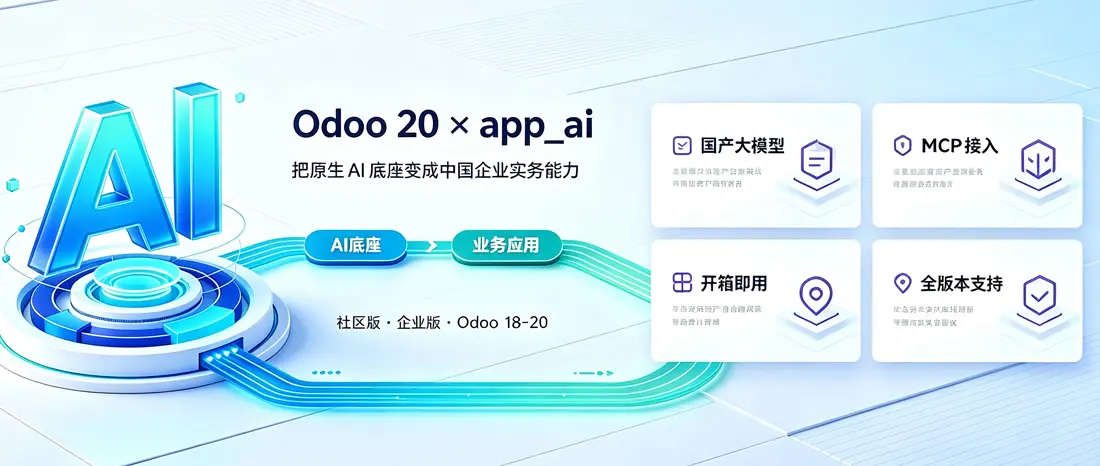
1. One-sentence overview
Odoo 20 native AI is only available in the Enterprise edition, and its native AI technology is leading; Odoo Smart's app_ai series brings this AI capability to the Chinese Community edition, relying on odooAi's full-stack capabilities and historical customer experience to achieve "full-domain security, practical orientation, out-of-the-box usability, and implementability".
AI Mandatory Security
The permissions granted to AI by users must not exceed their own permissions. Administrators can further refine the AI's available scope and output policies to prevent the leakage of confidential enterprise information from the source. A one-click permission setting is specially added, allowing salespeople to quickly authorize AI to only process their own business data.
Support for All Domestic Large Models
Alibaba Tongyi / DeepSeek / Baidu ERNIE / Kimi / Doubao / Zhipu / OpenAI / Azure / Gemini, etc., can be configured and switched with a single ai.robot record.
Integration with Mainstream Domestic Agents
Built-in MCP Server (/mcp endpoint + Bearer / API Key authentication), which can be directly called by Coze, Dify, ERNIE Agent, DingTalk / WeCom bots.
Ready-to-Use Packages for Enterprise Practices
Not a development framework, but out-of-the-box business functions; build an enterprise workbench in three steps.
Full Version Support
Supports Community edition, Enterprise edition, and all versions of Odoo 18~20.
- Users only need to use the AI Pass to log in to odooAi.cn the main site, select your industry and OdooAi template, and then start the enterprise AiERP.

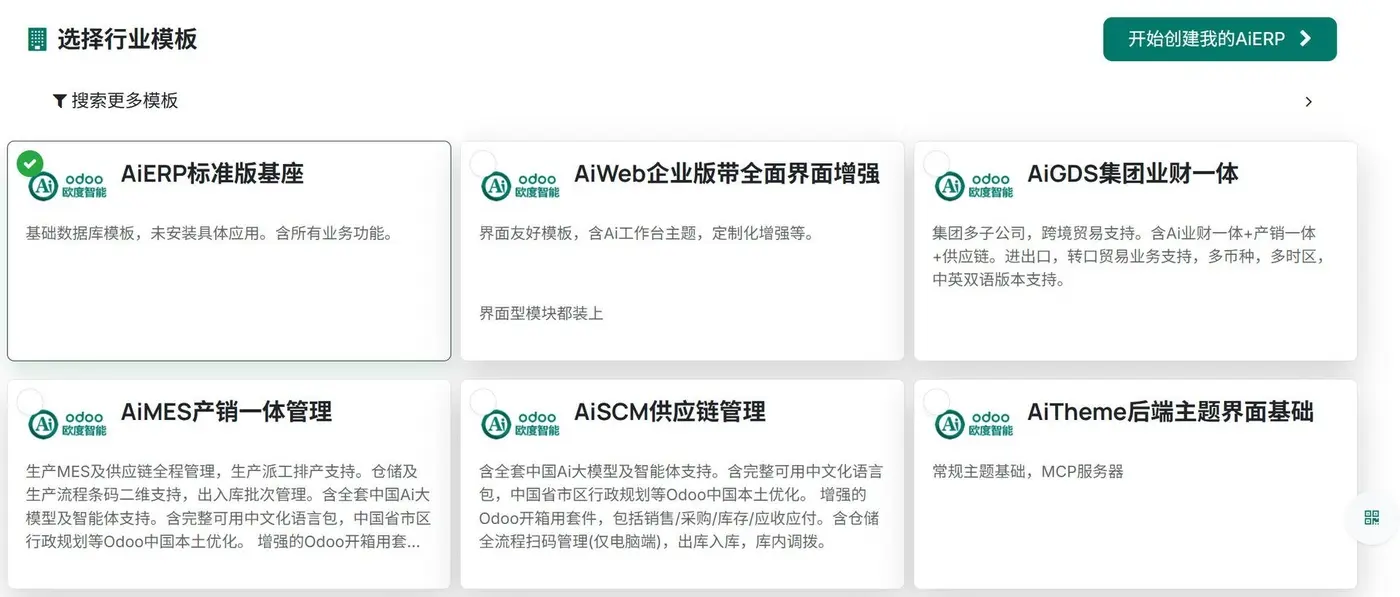
Enterprises can also deploy privately. Odoo AiERP is an open-source, lock-free application. Users only need three simple steps to enable comprehensive AI functions. At the same time, they can load nearlyfrom the odooapp China App Store and the odoo.com official global store. 100,000 industry business applications.
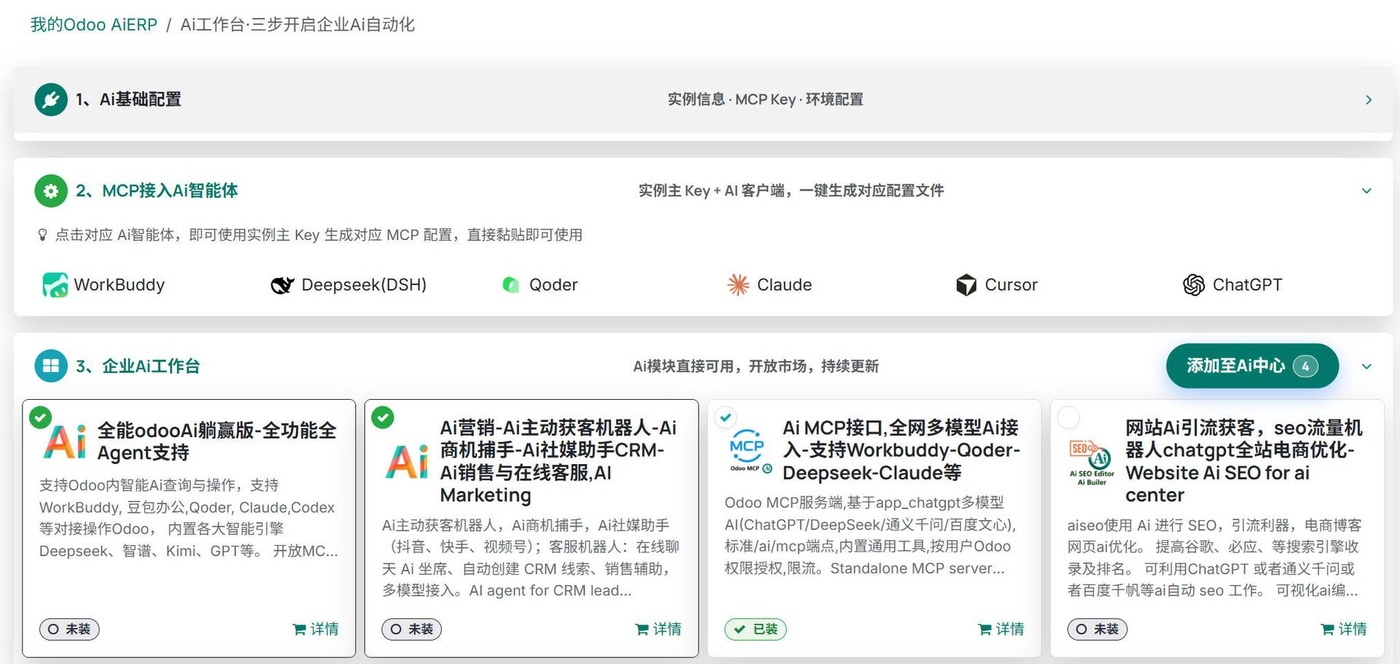
2. Enterprise Practice Feature Comparison (Additional Extensions on Native Odoo)
| Practice Scenario | Corresponding Module | Description |
|---|---|---|
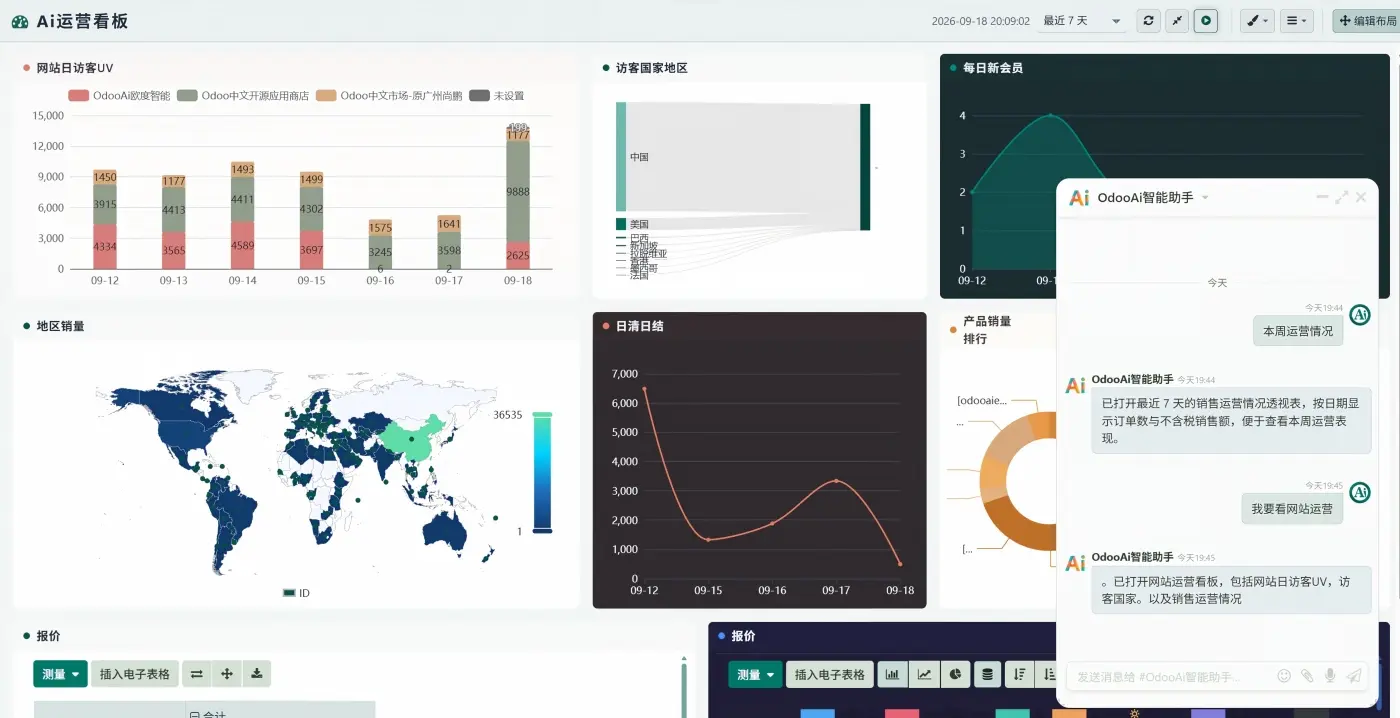
| AI Dashboard | app_ai_board | Data cockpit + AI interpretation, enabling management to understand data at a glance |
| AI Proactive Marketing | app_ai_mkt | Customer and opportunity mining, customer segmentation, marketing copy generation, batch outreach |
| AI Shopping Guide | app_ai_website_sale | Intelligent shopping guide assistant for e-commerce sites, improving conversion, automated customer service based on enterprise knowledge base, automatic solution recommendations. |
| AI Internal Knowledge Base | app_ai_odoo(RAG / Embedding) | Knowledge retrieval Q&A based on ai.robot.embedding, directly jumping to Odoo operation interfaces, full voice control of your ERP |
| AI Expense Reimbursement | OCR receipt recognition pipeline | Take a photo / upload an invoice for automatic recognition and form filling |
| AI Procurement / Supply Chain | app_ai_scm | Intelligent supply chain suggestions, AI smart quoting, automatic orders (PDF recognition, conversation recognition, parsing into orders) |
| Ai SEO / Google | app_ai_seo、app_ai_google | Automatic website content generation. Integrated with domestic Bing, Baidu search engines / overseas Google, automatic indexing and publishing. Automatic website search optimization, AI-optimized GEO, quickly improving rankings |
| AI Document Recognition | app_ai_ocr | General OCR capability, feeding into various business modules |
Odoo 20's native ai series only provides a "foundation" such as general Agent conversations, AI fields, and AI server actions; the above business scenarios all require custom development. We have packaged them all into ready-to-install and enable modules.
Customer and supplier self-service portal that leverages the enterprise knowledge base to provide consultation support based on authorized information.
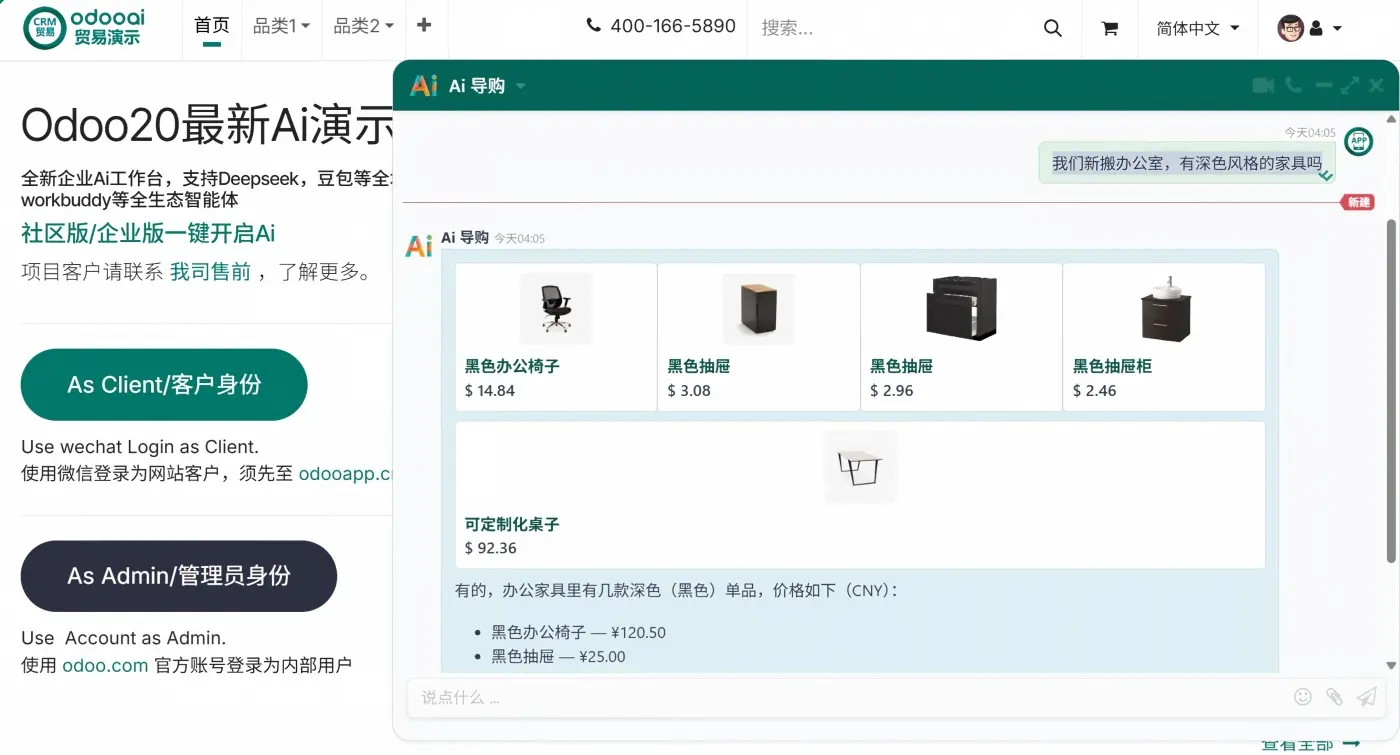
Internal AI workspace that aggregates leadership dashboards and employee to-dos via natural language, deeply integrated with native Odoo views.
3. Core Technical Highlights
3.1 Full Support for Domestic LLMs (vs. Native Support Only for OpenAI/Azure)
The native ai.agent hardcodes calls to OpenAI/Azure APIs, making it essentially unusable in the Chinese environment.
We have consolidated the LLM call chain into AiRobotLLMService / ai.robot.get_ai(), supporting multiple vendors and instances with the ability to switch at any time.
Embeddings are handled by a separate object ai.robot.embedding; domestic models such as Alibaba Bailian Qwen have been tested and are usable. Enterprises can build their own knowledge bases.
3.2 Bidirectional MCP Capabilities
Provides an external MCP Server (ai.robot.mcp.request.dispatcher) supporting initialize / tools/list / tools/call; domestic agent platforms can connect directly to Odoo as MCP Clients. Work Buddy, Qoder, Deepseek, Claude, and ChatGPT have been tested and all functions run smoothly.
Internally, adding use_in_ai=True / use_in_mcp to ir.actions.server exposes a single server action to both AI Agents and external agents, eliminating the need to maintain separate tool definitions.
3.3 Garbled Text Fix (LLM Returning Garbled Chinese)
The native code does not normalize encoding for LLM streaming/non-streaming responses, causing garbled Chinese content from domestic vendors. Fixes: uniformly decode responses as UTF-8, handle missing/incorrect charset in response headers, and address Chinese multi-byte characters being truncated at SSE chunk boundaries. Streaming output is reassembled with line buffering to ensure Chinese multi-byte characters are not split at chunk boundaries.
3.4 Interface Unified with Native Odoo and Freely Configurable
Frontend components (ai.robot.composer chat panel, AI field widget, prompt button) are implemented according to Odoo 18 native design specifications, ensuring visual and interactive consistency with the system without appearing out of place.
Theme, brand colors, and dark mode follow system settings; panel behavior, default Agent, and prompt buttons can be freely configured per user/company.
3.5 Compatibility Adaptation for Odoo 18 and 19 (Native Based on Odoo 20)
@api.ormcache('self.env.uid', ...) → @ormcache(key=lambda self: ...)
Nested schemas are downgraded to JSON strings + json.loads() (a limitation of Odoo 18 tool-calling).
ai.tool standalone model → ir.actions.server extension, reducing the number of models and reusing the permission system.
Models are uniformly prefixed with the ai.robot. namespace to avoid conflicts with future official Odoo module upgrades.
Conclusion
Odoo 20's native AI foundation is a powerful technical cornerstone; the odooAi Chinese Enterprise Series translates this technical capability into business functions that domestic foreign trade, manufacturing, and commercial enterprises can understand, use, and implement in a compliant manner. No need to develop AI applications from scratch, no need to be limited by overseas large models—one Odoo system covers business operations, cross-border customs declaration, financial and tax internal control, and marketing growth.
👉 Book an Odoo20 + app_ai series preview demo, plan version upgrades in advance, and deploy an AI-driven business-finance integrated ERP.