

Dispatch, routing, check-in, photo capture, service reports, and completion confirmation are integrated. Engineers receive and submit jobs on their mobile devices, and service records are linked to customers, spare parts, and service contracts.
Related solutions:Open Source ERP + Open Source MES Integration · Free Trial
Focus on what you do best
When you're in the field, delivering outstanding service is what matters most.
Your tools must be highly intuitive and as agile as you are.
your appointments

tasks to employees

your routes

your working hours

products

custom worksheets

services with invoicing

quotations

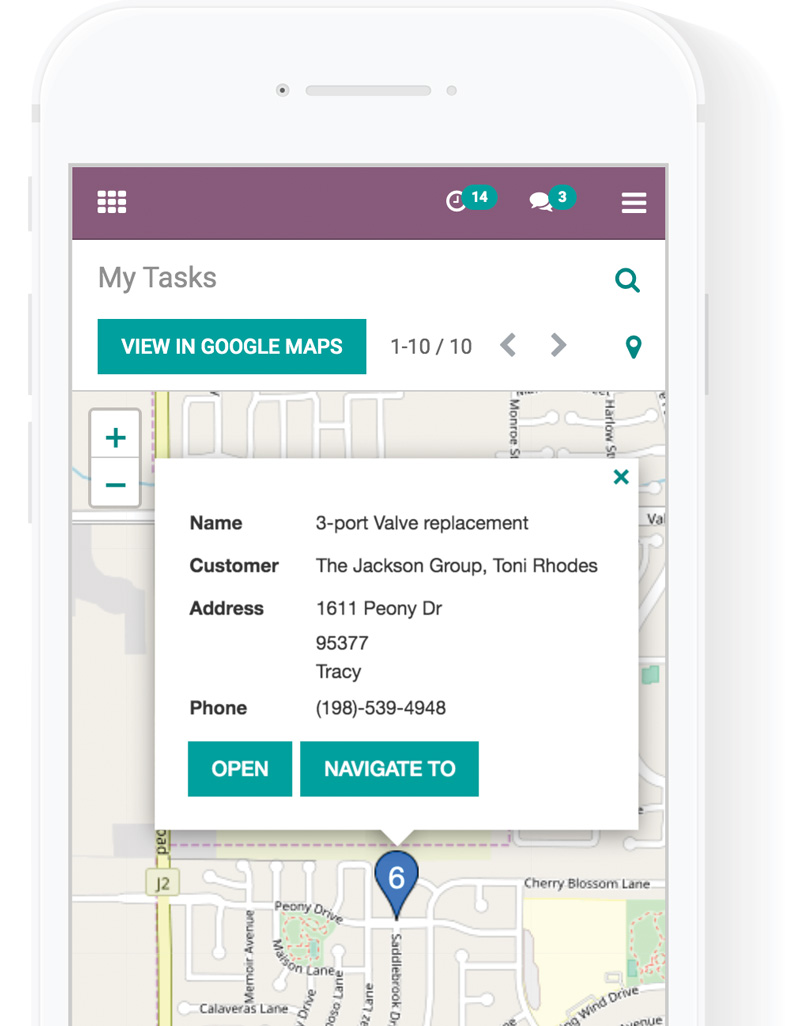
Manage your workday from anywhere,
on any device.
Odoo runs on any device with internet access and is designed with mobile devices in mind. You don't need to install any software or worry about device compatibility. Just open your web browser and start working!
Track your working hours
Odoo Field Service comes with an integrated one-click time tracker.
Of course, you can also record time manually.

Then, your timesheet is automatically converted into billable items.

Selling products
is a piece of cake
Providing services often means selling products such as spare parts. With the intuitive design of the Odoo Field Service app, selling products is just one click away!


Quickly issue invoices
The time tracker calculates your working hours, you can add sellable products with one click, customer details are automatically filled when you create a task, and you just need to click "Create Invoice".

Electronically
sign your reports
Reports are very important: they combine your working hours, sold products, and worksheets. Ask the customer to sign on your Field Service app. No printing, sending, or scanning needed. Everything is done electronically, instantly!
Efficient planning
multi-project management
As a manager, the scheduling tool is your right-hand assistant! Simply drag and drop in the Gantt view to assign and schedule tasks, or reorganize assigned work.
Create as many projects as needed, and keep all tasks organized even with multiple teams or locations.

Works perfectly with Odoo apps
Projects

Organize all tasks across multiple projects using custom worksheet templates.
Sales

Quickly create quotations and easily add products to tasks.
invoicing

Track all interactions with your opportunities and customers and extend your sales cycle.
Timesheets

Validate and analyze timesheet reports.
choose Odoo to grow their business
Field Service and Open Source ERP: What Can Be Solved
From the perspective of open source ERP, the value of field service lies not only in individual features, but in integrating business data, processes, and reports into a unified whole.
- Integrated dispatch, routing, check-in, photo capture, service reports, and completion confirmation
- Engineers receive orders and submit feedback via mobile
- Service records linked to customers, spare parts, and service contracts
Frequently Asked Questions About Field Service
What types of businesses is field service suitable for?
Suitable for businesses that need integrated dispatch, routing, check-in, photo capture, service reports, and completion confirmation, especially teams looking to incorporate field service into an open source ERP system and integrate it with sales, purchasing, inventory, and financial data.
Can field service be integrated with other modules of open source ERP?
It can share a single set of data with modules such as sales, purchase, inventory, production, finance, and customer service, reducing duplicate entry; the specific integration scope is configured according to business scenarios during the implementation phase.
How to get started with field service?
Free trial is supported. OdooAi provides requirement analysis, implementation and go-live, training, and secondary development, covering integrated industry and trade and cross-border compliance scenarios.
Related solutions:Open Source ERP + Open Source MES Integration · Free Trial