Simple and easy to use
Quotations have never been easier
Easily create beautiful quotations
with electronic signature and online payment
Use it now - free
From quotation to Odoo eSignature, everything is done online
Apply template
Send quotation
Close deal
Get paid faster
Covers the entire process from inquiry, quotation, samples, contracts, export documents to foreign exchange collection, supports multi-currency, multi-language documents and risk alerts, helping integrated industry and trade enterprises achieve cross-border compliance.
Related solutions:Open Source ERP + Open Source MES Integration · Free Trial
Speed up sales with electronic signatures
Allow customers to easily view and sign your online quotations from anywhere.
Fast and efficient communication
Get custom alerts for relevant activities, communicate quotations directly via email, and automatically save complete negotiation records.
Maximize profits through upselling
Increase sales by automatically proposing extra options and accessories, applying closing triggers, discounts, etc.
Clear and concise quotations help you increase sales
Professionally showcase quality products and services.
Send clear and complete quotations to potential customers. Simply drag and drop building blocks to easily add product descriptions, beautiful images, and other information.
"We fell in love with the Odoo Sales app because it can create professional quotations in minutes. In addition to saving time, customers are particularly satisfied with our timely response and fast service."
Ruben Real, Sales Manager for EMEA
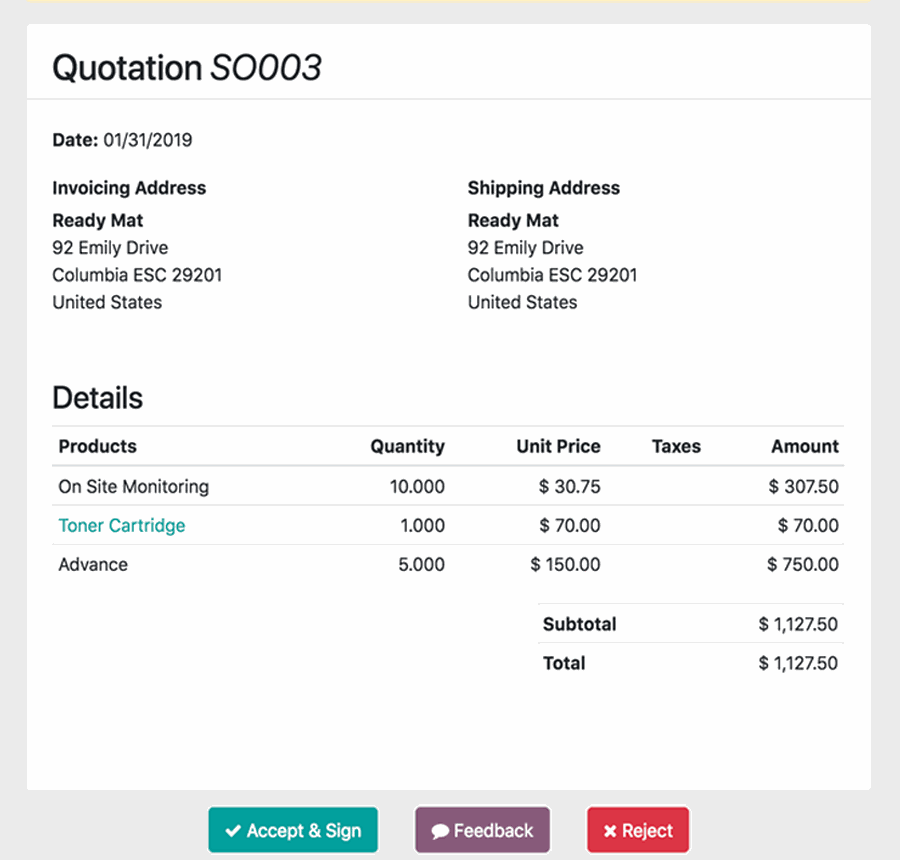
Beautiful prices, generous returns
Devise, implement, and adjust pricing strategies to maximize profits.
Set pricing rules to calculate appropriate prices based on customer conditions.
Incentivize customers to buy more with discounts and coupons.
Order and contract management
Automate operations and focus on improving customer relationships and revenue
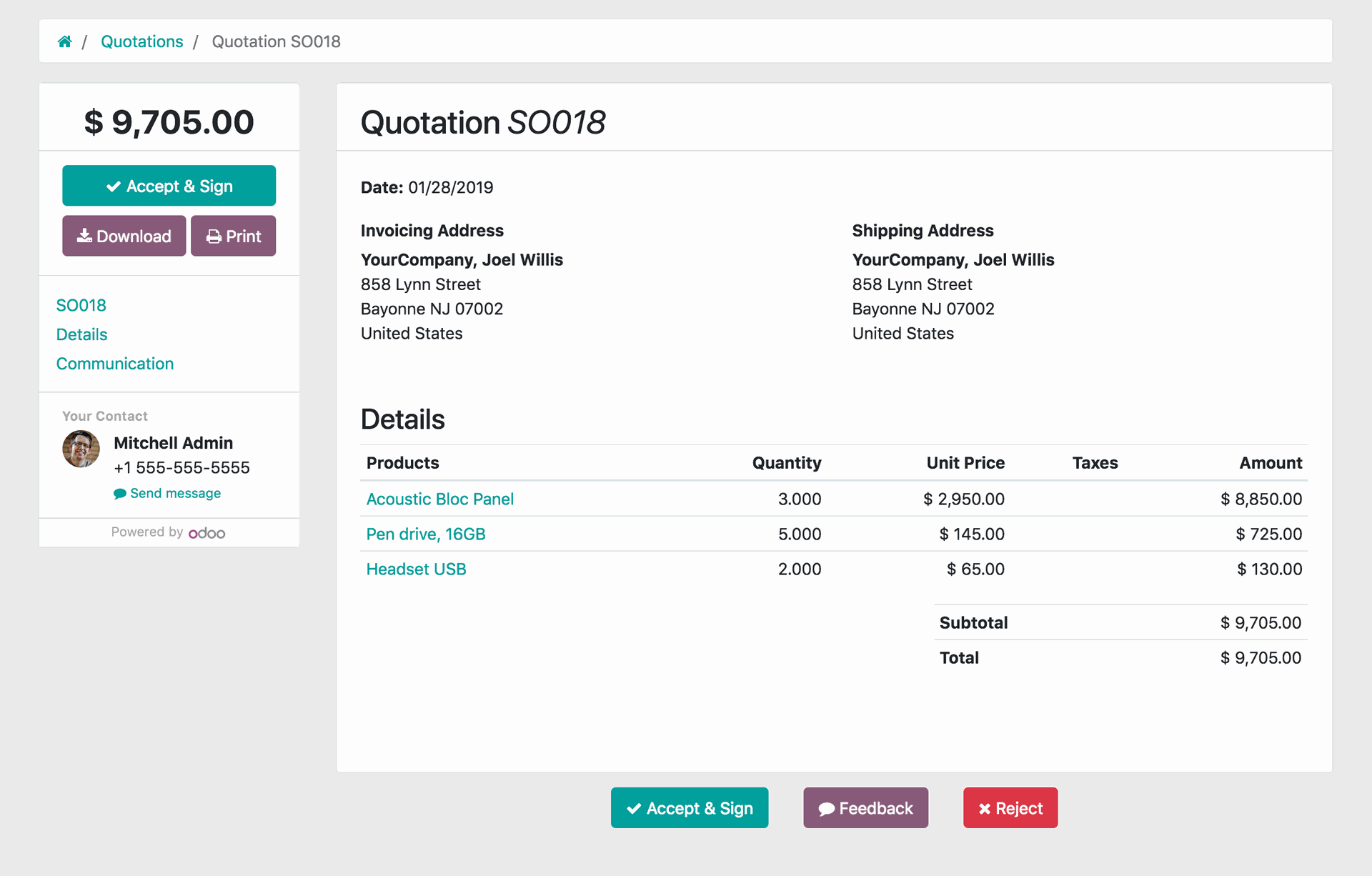
From quotation to sales order
Convert quotations to sales orders with one click, or let customers easily sign electronically.
Contract management
Invoice customers based on time and materials, easily record contracts, track invoice processing progress, maintain potential customers who will renew or accept upsells, and manage subscription items using Odoo's recurring contracts feature.
Convenient customer self-service
Through the customer portal, your customers can view quotations, sales orders, and delivery orders. And with Odoo eSignature, they can easily sign non-disclosure agreements, contracts, or any PDF document, saving time and effort.
Works perfectly with Odoo apps
Customer Relationship Management

Track all interactions with your opportunities and customers and extend your sales cycle.
eSignature

Send, sign, and approve documents online. Upload your PDF and drag and drop to easily place fields.
Website design

With just a few clicks, create beautiful online quotations by dragging and dropping fully customizable pre-built building blocks.
Accounting

Automatically create invoices from sales orders, delivery orders, or contracts. View all your customer account information from one place.
The highly customizable Odoo system is perfect for companies like JL Assistance that operate unique businesses. After minor adjustments and improvements, the company successfully adapted Odoo to the unique needs of translation work, improving the entire business process.

Thanks to the smooth integration of Odoo Sales, Inventory, and Purchasing, this national leader in the food service industry has streamlined its business processes.

Before switching to Odoo, Elger had been using Excel. When receiving sales orders, they added them to Excel sheets and sent them to other departments. Now with Odoo, the company saves nearly 70% of time. When the sales team confirms an order, all processes can be automated, and the inventory and accounting teams receive the relevant order logs instantly.
CPQ, Pricelists, and Collections: Key Control Points from Quote to Cash
Odoo 20 Sales adds a sales dashboard, quotation templates, quotation sections, pure description lines, editable margins, variant prices, one-time discount codes, loyalty points expiration, manager commissions, commissions based on collections, fixed down payments, recurring pricing, pricing by packaging, fixed-price pricelists, pricelist reports, order product images, and line numbers.
Quotations for integrated industry and trade are not just about filling in unit prices: product configuration, pricelists, discounts, rebates, commissions, down payments, credit limits, delivery rates, gross margins, and collections must be considered together; cross-border transactions also require multi-currency, multi-language, export documents, and electronic signatures.
- CPQ: Product Configuration, Variants, Options, Quotation Templates, Sections
- Pricing and Discounts: Pricelists, Recurring Pricing, Packaging Prices, One-time Discounts
- Commissions and Collections: Manager Commissions, Commissions Based on Collections, Down Payments
- Risk Control: Credit Limits, Gross Margins, Delivery Rates, Order Line Numbers
- Closing: Online Payment, Electronic Signature, Portal Confirmation
Can quotation templates be reused?
Yes, any quotation or order can be saved as a template, with support for sections and hidden prices.
How are commissions calculated?
They can be calculated based on performance or actual collections; manager commissions can aggregate team performance.
Further reading:Odoo 20 New Features Overview: 58 Modules, 673 Capabilities
Foreign Trade Sales and Cross-border Compliance: What Can It Solve?
From a cross-border compliance perspective, the value of foreign trade sales lies not only in individual features, but in integrating business data, processes, and reports into a unified whole.
- Covers the entire process from inquiries, quotations, samples, contracts, export documents to foreign exchange collection
- Supports multi-currency, multi-language documents, and risk alerts
- Helps integrated industrial and trading enterprises achieve cross-border compliance
Frequently Asked Questions About Foreign Trade Sales
What types of enterprises is Foreign Trade Sales suitable for?
Suitable for enterprises that need to "cover the entire process from inquiries, quotations, samples, contracts, export documents to foreign exchange collection", especially teams that want to incorporate foreign trade sales into a cross-border compliance system and integrate with sales, purchasing, inventory, and financial data.
Can Foreign Trade Sales integrate with other modules of the open-source ERP?
It can share a single set of data with modules such as sales, purchase, inventory, production, finance, and customer service, reducing duplicate entry; the specific integration scope is configured according to business scenarios during the implementation phase.
How to get started with Foreign Trade Sales?
Free trial is supported. OdooAi provides requirement analysis, implementation and go-live, training, and secondary development, covering integrated industry and trade and cross-border compliance scenarios.
Related solutions:Open Source ERP + Open Source MES Integration · Free Trial