LIFO removal
The Last In, First Out (LIFO) removal strategy picks the newest products on-hand, based on the date they entered a warehouse’s stock.
Every time an order is placed for products using the LIFO strategy, a transfer is created for the lot/serial number that has most recently entered the stock (the last lot/serial number that entered the warehouse’s inventory).
Warning
In many countries, the LIFO removal strategy is banned, since it can potentially result in old, expired, or obsolete products being delivered to customers.
Enabling the LIFO removal strategy
Lots and serial numbers differentiate identical products and track information like arrival or expiration dates. To enable this feature, navigate to . Under the Traceability section, check the box beside Lots & Serial Numbers to enable the feature.
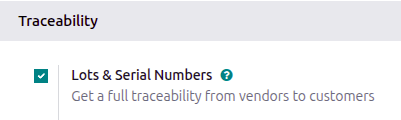
Enable tracking by lots or serial numbers
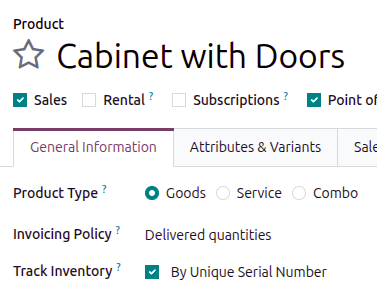
Next, ensure the intended product is tracked by lots or serial numbers by navigating to the product form in the , then selecting the desired product. On the product form, open the General Information tab, select the checkbox next to the Track Inventory field, then choose either By Unique Serial Number or By Lots.
Assigning lots and serial numbers
After enabling the features, assign lot or serial numbers to products using an inventory adjustment or during reception.
Setting removal strategies
After lots or serial numbers have been assigned, set the removal strategy on the product category or storage location.
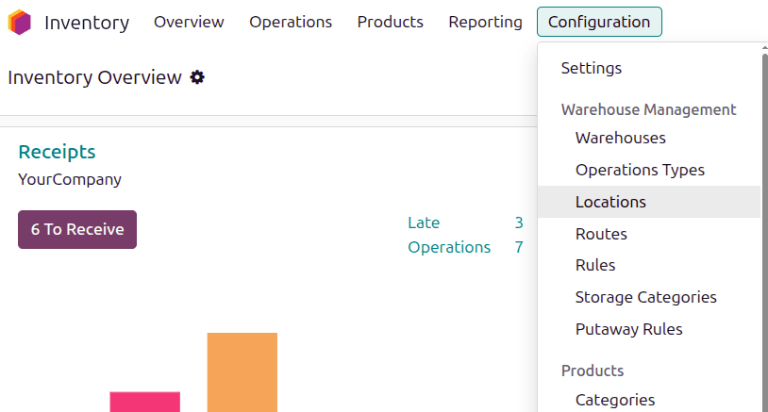
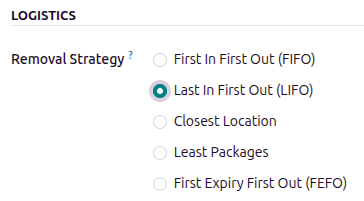
On the storage location
Open . Select the desired location. On the location form, under the Logistics heading, select Last In First Out (LIFO) from the list of removal strategies.
On the product category
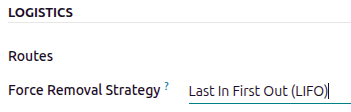
Configure removal strategies on product categories by going to and selecting the intended product category. In the Logistics section, specify Last In First Out (LIFO) in the Force Removal Strategy field.
Important
When there are different removal strategies applied on both the location and product category for a product, the value set on the Force Removal Strategy field set on a product category form is applied as top priority.
Workflow
Consider the following example, with the product, Cinder Block, which is tracked By
Lots in the General Information tab of the product form. The Force Removal
Strategy for the cinder block’s product category is set to Last In, First Out (LIFO).
The following table lists the cinder blocks in stock and their respective lot numbers.
LOT1 |
LOT2 |
LOT3 |
|
|---|---|---|---|
On-hand stock |
10 |
10 |
10 |
June 1 |
June 3 |
June 6 |
To see the removal strategy in action, create a delivery order for seven cinder blocks by navigating to the Sales app and creating a new quotation.
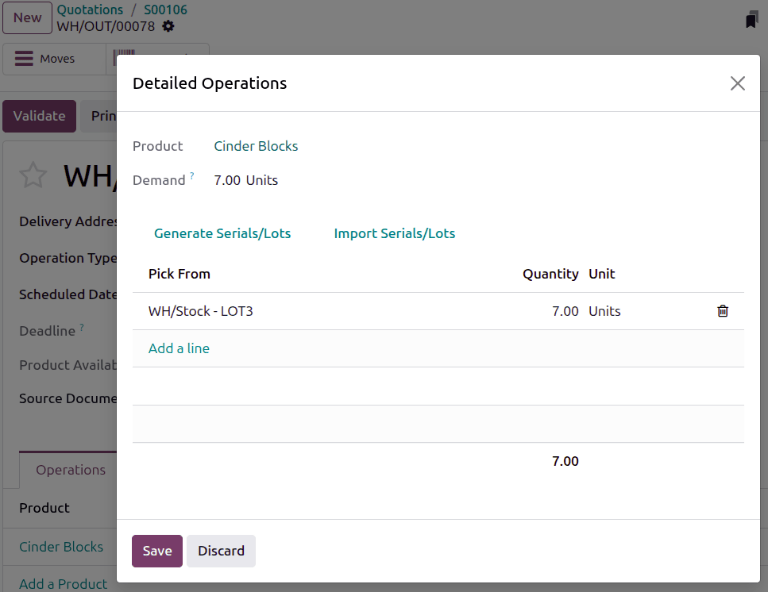
Click Confirm on the sales order form to create a delivery order. Doing so reserves the newest lot numbers using the LIFO removal strategy.
To view the detailed pickings, click the Details link at the far-right of the cinder block’s product line in the Operations tab of the delivery order.
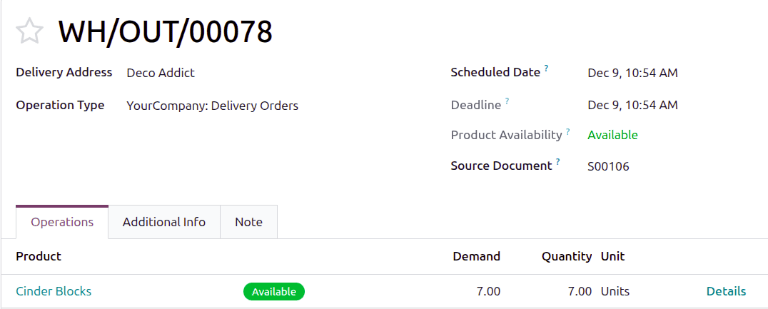
Clicking the Details link opens the Detailed Operations pop-up window.
In the Detailed Operations pop-up window, the Pick From field shows where
the quantities to fulfill the Demand are picked. Since the order demanded seven cinder
blocks, the newest cinder blocks from LOT3 are selected using the LIFO removal strategy.