Maybe it's time to
say goodbye to invoice-template.xlsx


Odoo Cashier Management is the simple invoicing tool you've always dreamed of! Create professional invoices, customize them to your liking, and get paid faster than ever.
Use it now - free
Customer reconciliation, aging analysis, collection reminders, credit limits and payment plans in one, supporting multi-currency settlement and bad debt management, with real-time linkage of transaction data to sales and purchasing.
Related solutions:Open Source ERP + Open Source MES Integration · Free Trial
With just one click,
invoices are sent instantly
All the essentials of an invoice are ready for you: customer details, products and prices, tax rates, etc. With just one click, you can issue an invoice.
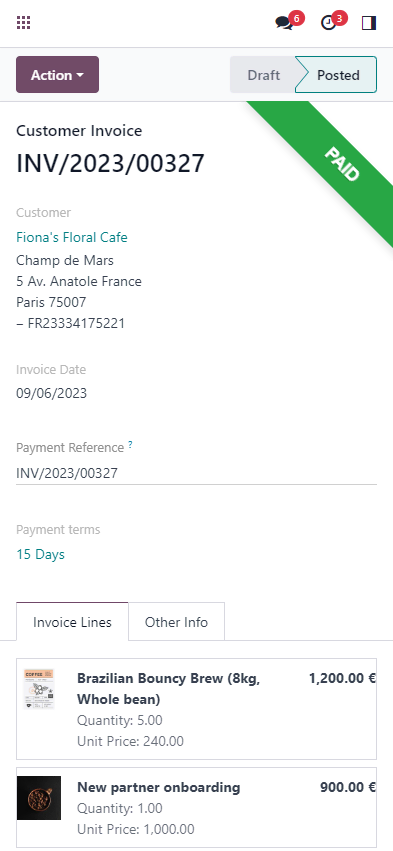

Your invoices
are under control
Use the mobile app to invoice customers, update payment status, and even create batch payments for vendor bills! Get work done anytime, anywhere.
 Get it on Google Play
 Download on the App Store
Complete collection
 Fast as lightning
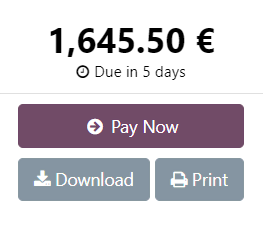
Online payment: redirect customers to a flawless customer portal and let them pay using any online payment method they prefer.



 Stop chasing payments
Start earning with ease

Track open receivables with clear statuses and due dates.
Set reminders for items that need follow-up.
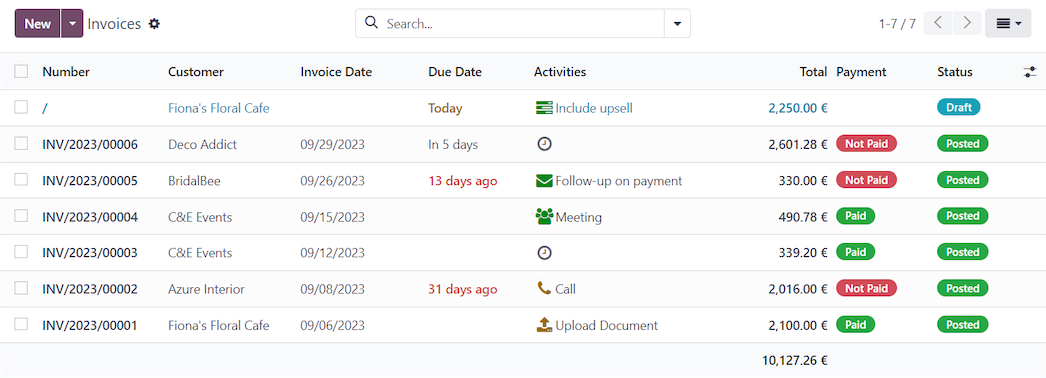
All features perfectly presented
Handle recurring invoices
Set invoice frequency for recurring services and product subscriptions.
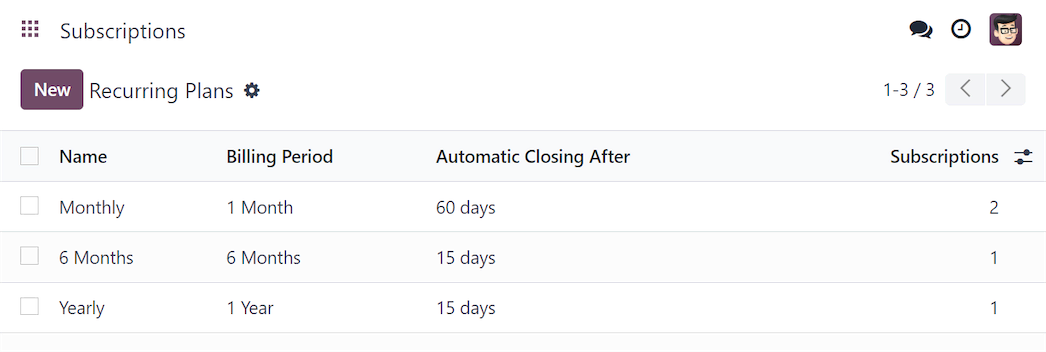
Multiple currencies
Invoice and receive payments in different currencies with automatic exchange rate updates.
Mail letters
Automate invoicing and payment follow-ups via mail.
Issue refunds
Create credit notes and manage reimbursements
Sales reports
Access key information directly through dynamic and customizable dashboards.
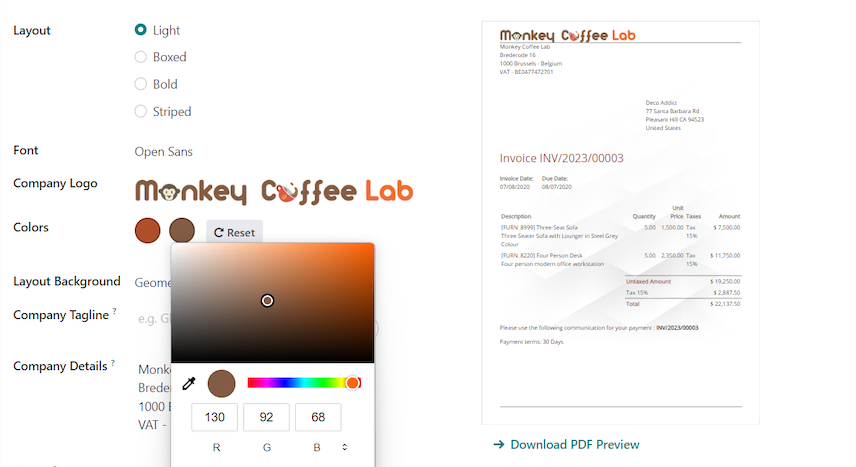
Your invoices, your style
Customize invoice styles to match your brand.

Requirements met one by one
Scales as You Grow

Sales
Create invoices from sales orders
Subscriptions
Manage recurring invoices
Projects
Set invoicing policy
E-commerce
Access invoices online
POS
Print invoices in-store
Aging, Collections, and Three-Way Matching: How to Keep Receivables and Payables Under Control
The Odoo 20 invoicing module turns receivables and payables into a closed loop: bill line prediction, two-level duplicate detection warnings, invoice entry splitting, batch reset to draft, batch download of invoice PDF/XML, exchange gain/loss consolidation, invoice email attachments, batch sending, and automatic dunning.
Cross-border scenarios also require attention to aging, credit limits, prepayments, payment tolerances, and PO matching: vendor bills automatically match purchase orders, with warnings for price or quantity discrepancies; the payment wizard identifies pending payments to avoid duplicate payments; during reconciliation, a single bank transaction can be split across multiple accounts.
- Aging and Collections: 30/60/90-day aging, automatic reminders, bad debt provision
- Credit Limits: Customer credit check, over-limit blocking, prepayment offset
- Three-Way Matching: PO, receipt, and bill price and quantity verification
- Multi-Currency Receipts and Payments: Exchange gains/losses, partial payments, payment tolerances
- Invoice Delivery: Batch PDF/XML download, email attachments, portal download
Can dunning be automated?
Yes, manual dunning is supported in list and form views, and automatic dunning can be enabled in accounting settings.
How to prevent duplicate payments?
The payment wizard identifies pending payments and deducts them from the amount payable, with open payments sorted by date.
Further reading:Odoo 20 New Features Overview: 58 Modules, 673 Capabilities
Receivables and Payables with Open Source ERP: What Can Be Solved
From an open source ERP perspective, the value of receivables and payables lies not only in individual features but in integrating business data, processes, and reports into a unified whole.
- Customer reconciliation, aging analysis, collection reminders, credit limits, and payment plans integrated
- Supports multi-currency settlement and bad debt management
- Real-time linkage of transaction data with sales and purchasing
Frequently Asked Questions about Accounts Receivable and Payable
What types of enterprises are suitable for Accounts Receivable and Payable?
Suitable for enterprises that need an integrated solution for customer reconciliation, aging analysis, collection reminders, credit limits, and payment plans, especially teams looking to incorporate Accounts Receivable and Payable into an open-source ERP system and integrate with sales, purchasing, inventory, and financial data.
Can Accounts Receivable and Payable be integrated with other modules of the open-source ERP?
It can share a single set of data with modules such as sales, purchase, inventory, production, finance, and customer service, reducing duplicate entry; the specific integration scope is configured according to business scenarios during the implementation phase.
How to get started with Accounts Receivable and Payable?
Free trial is supported. OdooAi provides requirement analysis, implementation and go-live, training, and secondary development, covering integrated industry and trade and cross-border compliance scenarios.
Related solutions:Open Source ERP + Open Source MES Integration · Free Trial

I am delighted to have found in Odoo a solution, but also a flexibility, professionalism, and values that make Odoo an important partner for our growth in Belgium and around the world.


CEO of Eggo