Campaign metrics
In Odoo Marketing Automation, users can track real-time engagement metrics for their campaigns (e.g., counts of mailings, clicks, participants). This documentation covers different ways to track these metrics.
Note
It is not possible to track email campaigns with 100% accuracy. Due to security restrictions, some email service providers do not allow senders to know when recipients have received, opened, or answered an email.
Campaign overview
For a broad overview of engagement across campaigns, open the Marketing Automation app. By default, the Kanban dashboard displays three stages to track the campaign status: New, Running, and Stopped. Each campaign Kanban card displays the following information:
Running: Count of participants currently in the workflow.
Completed: Count of participants at the end of the workflow.
Total: Total count of Running and Completed participants.
To view engagement for a specific campaign, click on the desired campaign card. Depending on the modules installed, the following clickable smart buttons may appear:
Mailings: Count of emails sent. Click to open the list of emails.
SMS: Count of SMS messages sent. Click to open the list of messages.
WhatsApp: Count of WhatsApp templates used by the campaign. Click to open the list of templates.
Clicks: Count of clicks on the campaign’s tracked links. Click to open a reporting page of link statistics.
Tests: Count of test participants. Click to open the list of participants.
Participants: Total count of Running and Completed participants. Click to open the list of participants.
Activity metrics
In the workflow builder, communication-related activity nodes (e.g., email, WhatsApp) display the following metrics:
Sent: Count of communications sent.
Opened: Count of recipients who opened the communication.
Clicks: Count of recipients who clicked a tracked link in the communication.
Replied: Count of recipients who responded to the communication.
Note
SMS activity nodes display the Sent and Clicks metrics only.
Link statistics
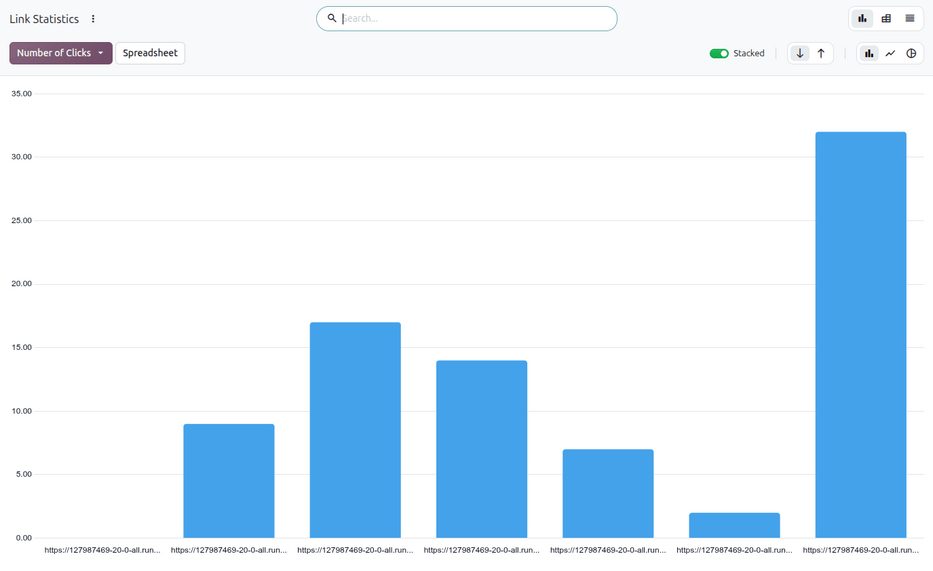
Odoo tracks all URLs used in marketing campaigns. These metrics are accessed by navigating to . By default, this opens a Link Statistics report displaying a Stacked (Bar Chart) of Number of Clicks by individual URL.
Traces
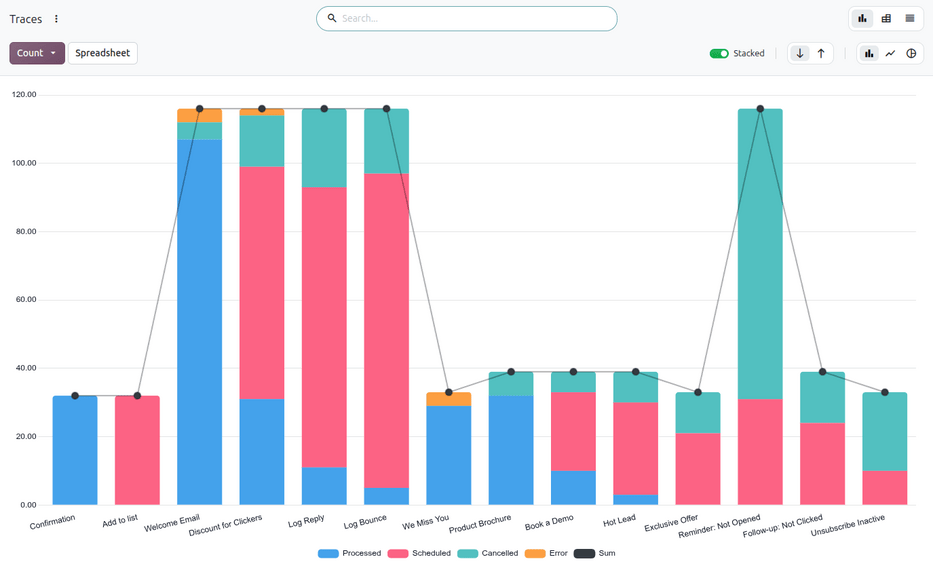
Odoo records each participant’s history at each step (activity) of a campaign workflow. These traces are accessed by navigating to . By default, this opens a Traces report displaying a Stacked (Bar Chart) of the total Count of participants for each scheduled action.
Participants
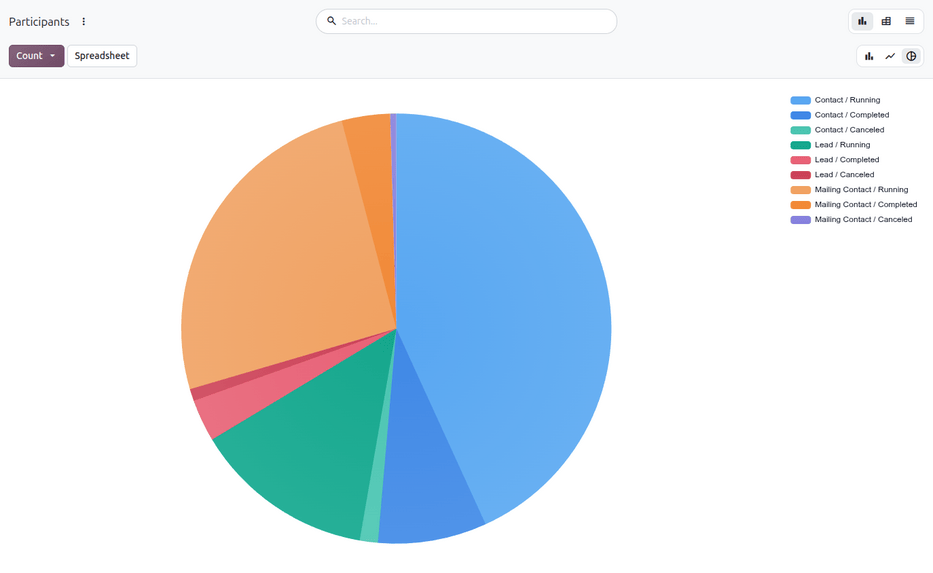
Odoo tracks all participants across marketing campaigns. These metrics can be accessed by navigating to . By default, this opens a Participants report displaying a (Pie Chart) distribution of records and their status.