Outlook 插件
Outlook 允许第三方应用程序连接,以便通过电子邮件执行数据库操作。Odoo 有一个 Outlook 插件,可通过电子邮件面板创建商机。
配置
Outlook:文档:邮件插件<../mail_plugins> 需要在Odoo和Outlook上配置。
启用邮件插件
First, enable the Mail Plugin module in the database. Go to , enable Mail Plugin, and Save the configuration.
安装Outlook插件
下载()以下 XML 文件以便稍后上传: https://download.odoocdn.com/plugins/outlook/manifest.xml 。
Next, open the Outlook mailbox, and select any email. After completing this, click on the Apps button in the upper right-side, then click Get add-ins.
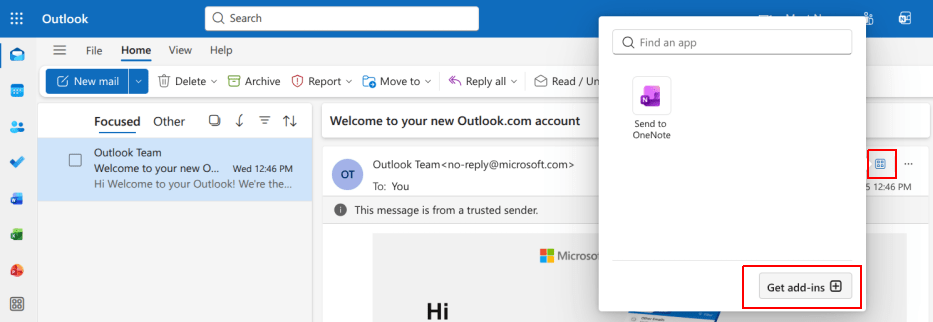
完成此步骤后,选择左侧的 我的插件 选项卡。
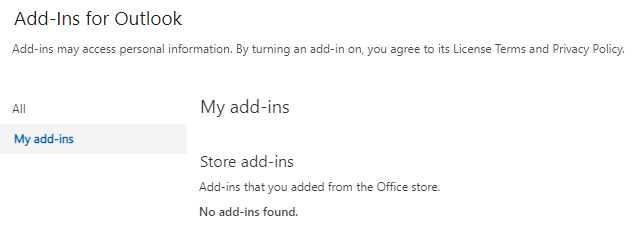
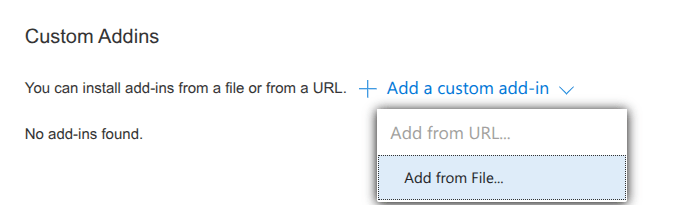
Under Custom Addins towards the bottom, click on + Add a custom add-in, then select Add from file…
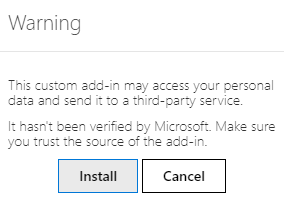
下一步,附上上文下载的`manifest.xml`文件,然后点击 确认 。接下来,阅读警告并点击 安装 。
连接数据库
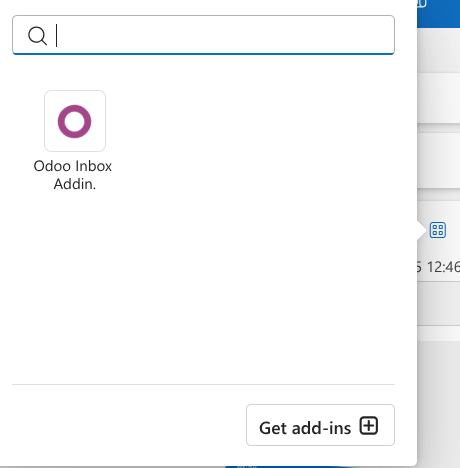
Now, Outlook will be connected to the Odoo database. First, open any email in the Outlook mailbox, click on the Apps button in the upper right-side, and select Odoo Inbox Addin.
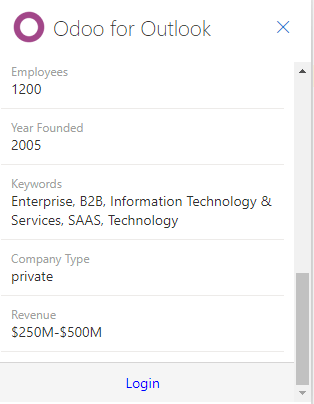
右侧面板现在可以显示**公司洞察** 。在底部,点击 登录 。
Tip
If, after a short while, the panel is still empty, it is possible that the browser cookie settings prevented it from loading. Note that these settings also change if the browser is in Incognito mode.
要解决这个问题,请将浏览器配置为始终允许在 Odoo 的插件页面上使用 cookies。
对于 Google Chrome 浏览器,请按照以下指南更改浏览器 cookie 设置: https://support.google.com/chrome/answer/95647 ,并将 download.odoo.com 添加到 Sites that can always use cookies 的列表中。
完成后,需要再次打开 Outlook 面板。
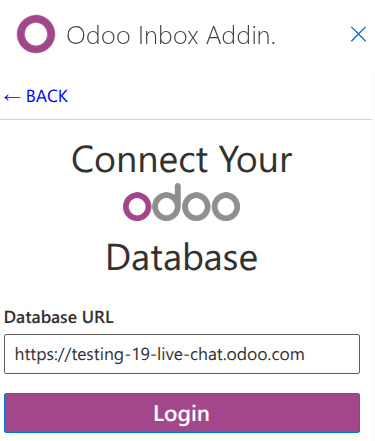
现在,输入 Odoo 数据库 URL 并点击 登录 。
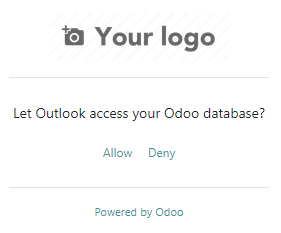
然后,点击 允许 打开弹出窗口。
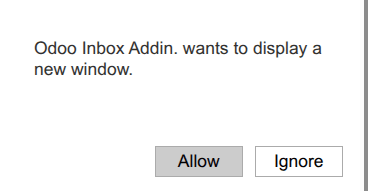
如果用户尚未登录数据库,请输入凭据。点击 允许 让 Outlook 插件连接到数据库。
使用收件箱插件
To use the plugin, open any email in the Outlook mailbox, click on the Apps button in the upper right-side, and select Odoo Inbox Addin to open the panel.
Note
The options available in the panel will vary based on the applications installed in the database.
创建联系人
要从电子邮件创建 Odoo 中的联系人记录,请单击 :guilabel:(圆形加号)` 。
Note
联系人记录 必须 先创建,然后才能创建线索/机会。
创建机会
要从电子邮件创建机会,请单击 :guilabel:(加号)图标,并点击 机会 。 Doing so opens a new opportunity record in Odoo in a new tab. The subject of the email is used as the opportunity title, and the content of the email is added to the Notes tab of the opportunity.
创建任务
要从电子邮件创建任务,请点击 任务 旁边的 (加号) 图标。然后,在生成的字段中输入项目标题,并从生成的列表中选择适当的项目。这将在新标签页中打开 Odoo 中的一个新任务记录。电子邮件的主题将用作任务标题,而电子邮件的内容将添加到 描述 标签页中。
创建工单
要从电子邮件创建任务,请点击 工单 旁边的 (加号) 图标。这样会在新标签页中打开 Odoo 中的一个新工单记录。电子邮件的主题将用作工单标题,而电子邮件的内容将添加到工单的 描述 标签页中。
