EDI 采购销售协同订单导入
电子数据交换 (EDI) 使使用不同软件系统的公司能够以标准化、结构化的格式交换信息。
在 Odoo 中, 采购订单 (PO) 可以导出为 XML 文件,并作为 销售订单 (SO) 导入到另一个 Odoo 数据库中,从而无需手动输入产品、数量、价格和其他关键信息。
此文档中的工作流描述了买家和卖家之间如何直接在 Odoo 数据库中交换数据。作为替代,卖家可以通过电子邮件接收报价单(RFQ)的 PDF 版本,并 直接将其上传到销售仪表板 。 此方法更简单 ,但不使用基于 XML 的交换方式所描述的。
角色和配置
为了简化 EDI 工作流程,涉及两家公司:买方(下订单的公司)和卖方(履行订单的公司)。每家公司都有特定的角色和配置。
Buyer database
The buyer database is responsible for creating and confirming purchase orders. Prerequisites include:
(required) installing the Purchase app
(optional) adding vendors (the sellers in this workflow) as portal users.
Seller database
The seller database is responsible for receiving and processing sales orders. The only prerequisite is installing the Sales app.
工作流
Buyer’s process
To begin, the buyer (in their database) navigates to the app to create a RFQ.
Set the Vendor to the portal user representing the seller, and Confirm the RFQ. Doing so converts it into a purchase order.
Example
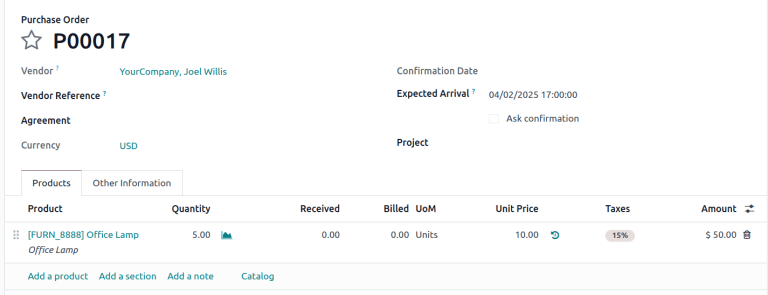
PO from the buyer’s database. The Vendor is the seller’s portal user account, Joel.
Seller’s process
Once the PO is confirmed, it appears on the seller’s portal dashboard. The seller downloads the XML file and uploads it to their database.
Download file
As the seller, log in to the buyer’s database as the portal user. On the dashboard, scroll down and click the Our Orders button. Doing so reveals a list of purchase orders the buyer’s database has addressed to the portal user.
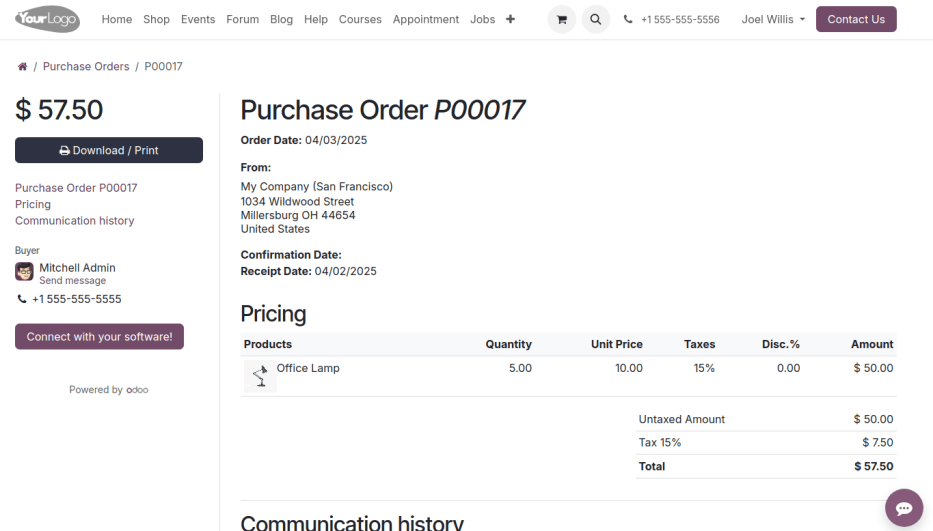
Select the desired purchase order, and the click Connect with your software! button.
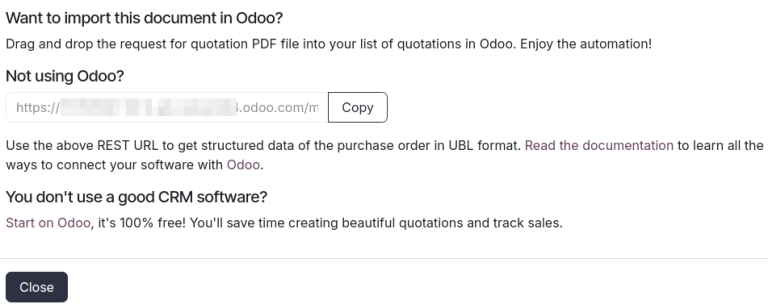
In the pop-up window, copy the provided URL, and paste it into a new browser tab to download the XML file.
Example
Joel’s portal view of the PO. The first image displays the Connect with your software! button, and the second image displays a pop-up window with the Copy button.
Example
XML file for PO00017
Upload file
Next, the seller logs in to their own Odoo database and opens app. Click Upload and select the downloaded XML file. Alternatively, users can drag and drop the file into the Quotations dashboard.
Doing so automatically generates a sales order with the customer populated as the buyer and all product lines, quantities, and prices pre-filled. This process ensures efficient and accurate data exchange between the two databases.
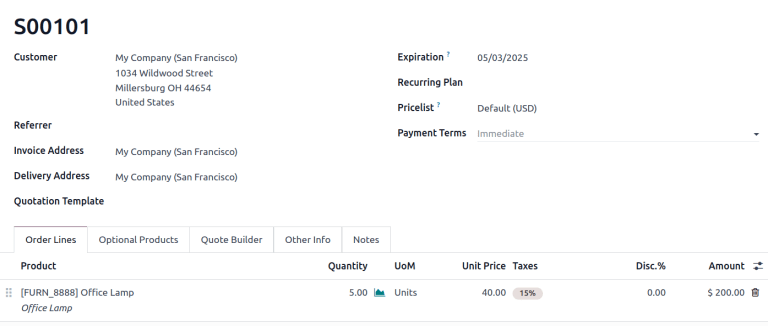
Uploaded SO in the seller’s database.
更多内容
