市场营销
通过邮件或 WhatsApp 发送促销要约给客户,以直接与客户进行互动。
存储联系人详细信息
此功能需要客户联系信息,即电子邮件地址或手机号码。
Email地址 :自动收集并保存在 POS 订单中,当通过邮件发送收据时。
手机号码 :当通过 WhatsApp 或短信发送收据时,保存手机号码。
转到 ,向下滚动到 票据和收据 部分;
激活 WhatsApp 启用 或 SMS 启用 选项。
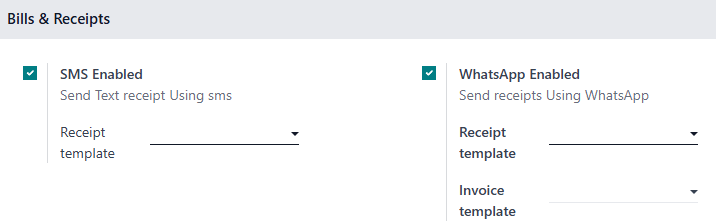
如果客户缺少联系人信息,则POS 订单中将自动保存。
Tip
从 POS 订单表单中,在 Extra Info 标签页下的 Contact Info
电子邮件营销
To send marketing emails to your customers from POS orders,
Go to ;
Select the orders;
Click Actions, then Send Email from the dropdown menu.
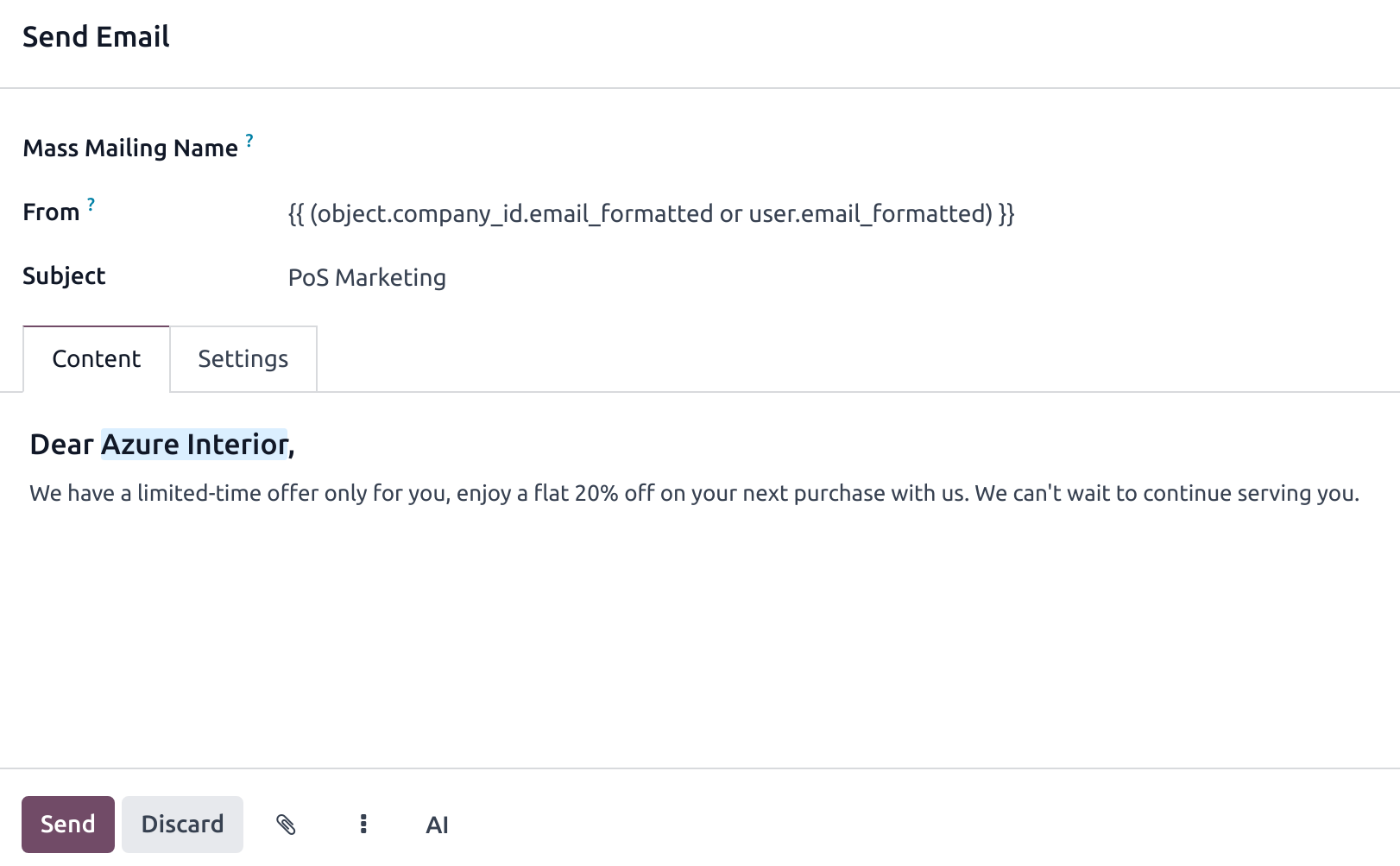
Doing so opens an email composing form. Fill it in and hit Send.
Tip
Save some time by saving your content as a template. Click the vertical ellipsis button and select your template under the Insert Template section.
You can also save your content as template for later use. Click the vertical ellipsis button and select Save as Template.
Note
Fill in the Mass Mailing Name field to create a mass mailing and track its results in the Email Marketing app.
If an email address is not related to an existing customer, a new customer is automatically created when sending marketing emails.
Whatsapp marketing
配置
You first need to enable the related server action to send WhatsApp marketing messages from your POS using the phone numbers collected from POS orders. To do so,
Go to the WhatsApp application;
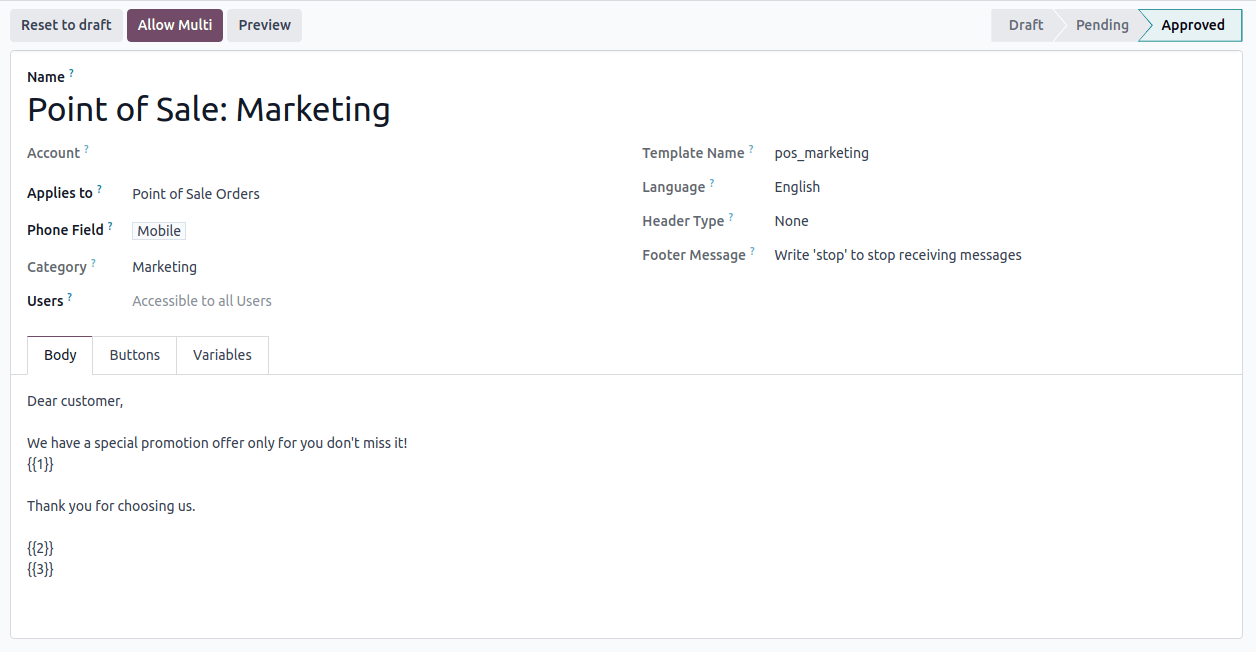
Create a new WhatsApp template;
Configure the fields:
Applies to field set to Point of Sale Orders;
Category field to Marketing;
Phone Field to either Mobile or Customer > Phone.
Click Submit for Approval;
Once approved, click the Allow Multi button to create a server action in the POS orders list view.
Warning
If you modify the template’s content, you must request for approval again, as its status returns to the Draft state.
Send WhatsApp marketing messages
Go to ;
Select the orders;
Click Actions, then WhatsApp Message from the dropdown menu.
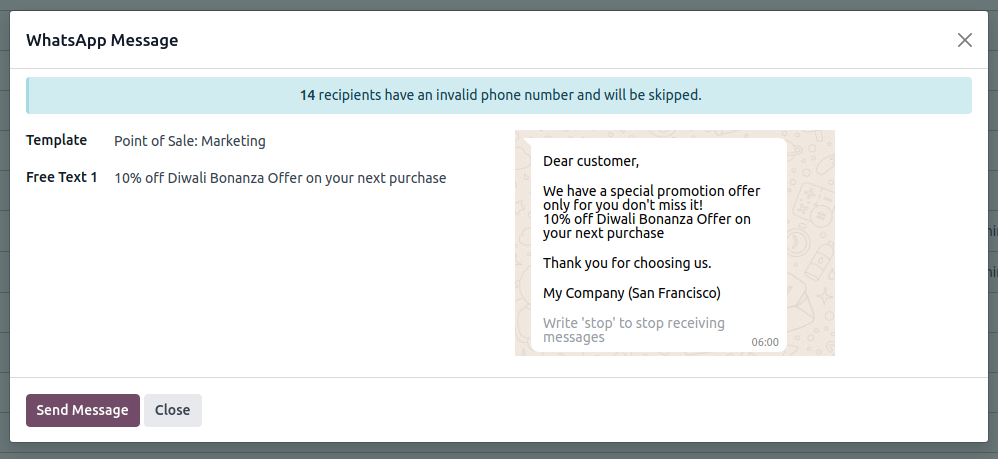
Doing so opens a WhatsApp message composing form. Select the desired marketing template in the Template field and hit Send Message.
Note
To use WhatsApp marketing in the Point of Sale, approved marketing templates must have the Allow Multi option enabled and Point of Sale Orders selected in the Applies to field.
If the server action is displayed without a properly configured template, an error message appears. Click Configure Templates and complete the WhatsApp setup steps.
更多内容
