毛利
销售毛利是销售产品或服务后,所有相关的成本已经Been帐户的利润。
在Odoo 销售 应用程序中,可以显示报价单和销售订单的销售毛利。销售人员可以使用此功能进行更好的管理和监控利润。
配置
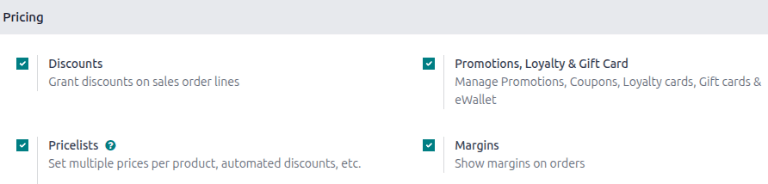
要激活 毛利 功能,请转到 。并在 定价 部分,勾选 毛利 复选框。然后点击 保存 。
配置价格和成本
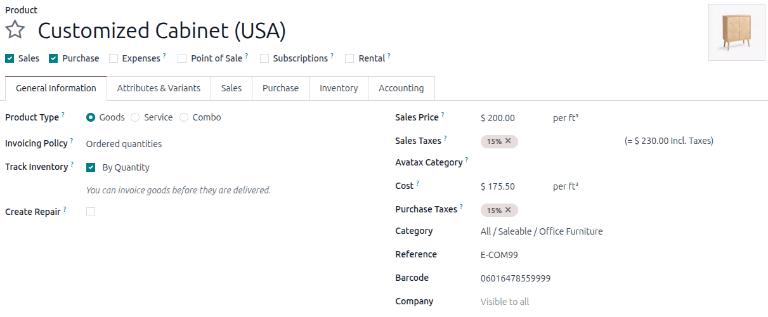
要自动计算每个报价单或销售订单行的销售毛利,请转到 。为每个产品填写 销售价格 和 成本 字段。
Odoo 通过以下方式计算毛利:
毛利百分比是计算方式:
计算销售订单的毛利
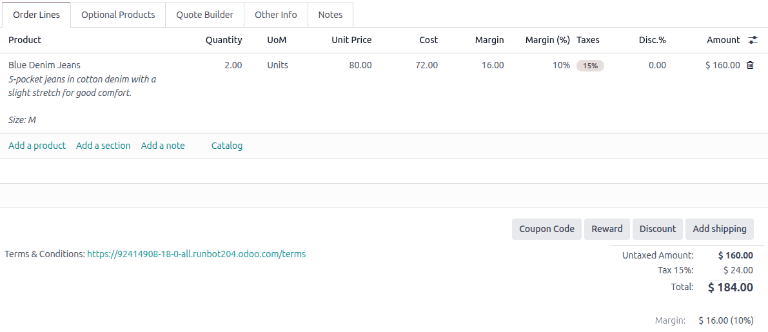
转到 并点击 新建 按钮开始新的报价单。填写报价单所需的信息。添加产品到报价单时,会在文档的底部 新增一个字段 毛利 。此字段显示订单的总毛利,以及百分比。
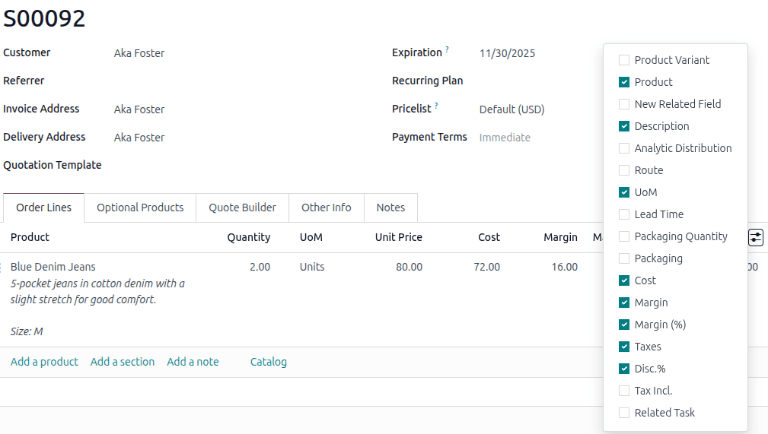
To display a product’s margin and the margin percentage per line item, click the (settings adjust) icon in the Order Lines tab.
Then, tick the checkboxes for Margin and Margin(%). The Margin column shows the profit to earn from the sale after accounting for all associated costs. It displays in the configured currency value. The Margin(%) shows the margin value as a percentage. The margin for one unit is multiplied by the quantity to determine the margin for the entire line.
The Margin and Margin(%) columns are not displayed by default, but once enabled, the columns appear on all new and existing quotations and SOs.
Note
The Margin and Margin (%) columns are not editable since they are automatic calculations. To change the calculation, refer to Configure price and cost section for more information.
Margin calculation with a pricelist
To calculate the margin with an applied pricelist, begin with configuring a pricelist for the product. Follow these steps:
Go to and click the New button.
Enter the name of the pricelist and click Add a line to create a new pricelist rule.
Configure the pricelist and click Save & Close button.
Go to and create a quotation.
In the Pricelist field, select the newly made pricelist.
Click on Update Prices to refresh the product price and margin.
Example
To apply a seasonal 5% discount on blue denim jeans that requires a minumim of two pairs of jeans in an order and is valid only from October to the end of December, the pricelist rule should look like this:
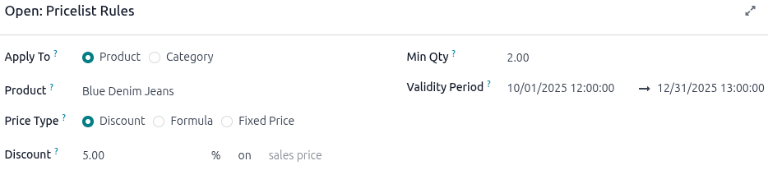
After saving the pricelist, go to the desired SO and select the newly created pricelist, and adjust the quantity according to the pricelist’s rule.
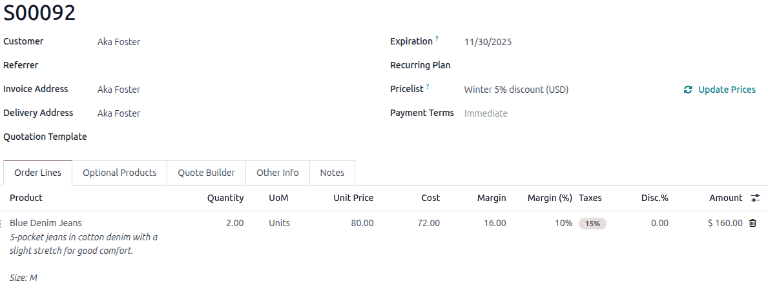
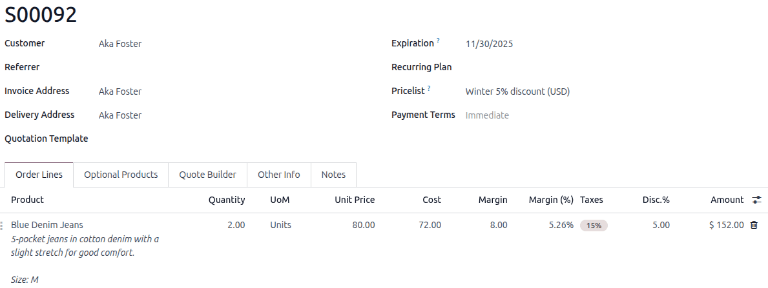
After the changes are made, click Update Prices to update the Margin, Margin (%), and Amount. The margin is recalculated based on the pricelist-adjusted product’s sales price and cost.
Tip
Another way to visualize the impact of margins on sales orders is to go to , select the (area chart) icon or (pivot) icon, click Measures drop-down button and change it to Margin to see margin contributions across the customer base.
