管理押金
在某些租赁场景中,需要固定的押金是常见的。
配置
首先,为每个需要押金的租约产品创建一个 押金服务产品 。
转到 并创建一个 新 产品。
在产品表单中,为产品命名,以指示它是押金。
Example
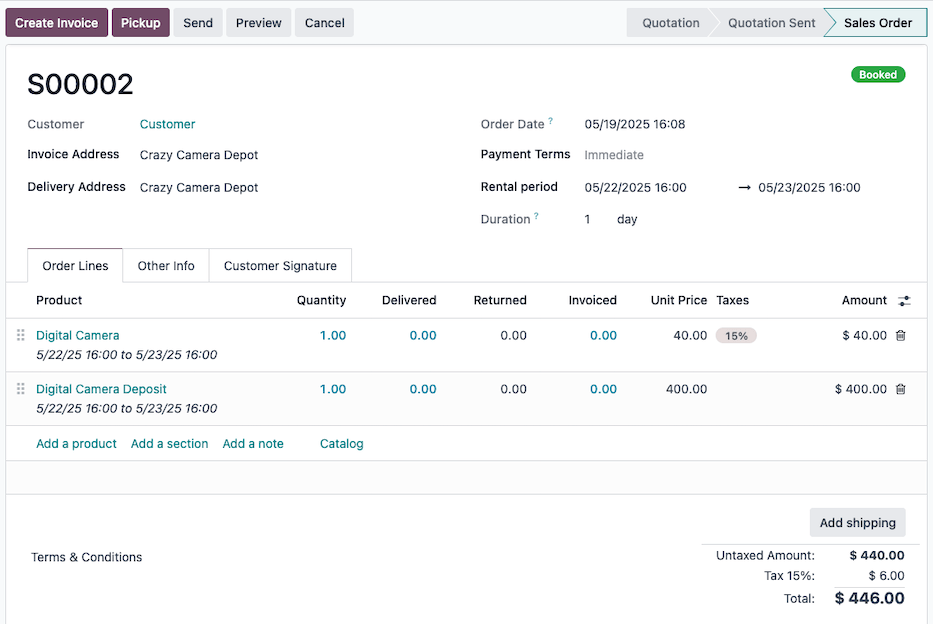
如果此押金服务产品用于 数字相机 租约产品,则名称可能设置为 数字相机押金。
接下来,将 产品类型 设置为 服务 , 发票策略 设置为 发货数量 ,然后为押金服务产品分配一个 销售价格 ,并选择是否包含 销售税 。
最后, (保存) 押金服务产品。
从可选产品收取押金
On the rental product’s form, go to the Sales tab and add the deposit service product to the Optional Products.
Be sure to configure the rental product’s prices on the Rental prices tab.
With the above configuration, a rental order can be created.
重要
After selecting the rental product in the Order Lines tab, be sure to Add the deposit service product in the Configure your product pop-up.
The Configure your product pop-up only appears if the optional product is set on the rental product.
小技巧
If eCommerce is installed, add an Ecommerce Description stating the deposit is required in the rental product’s Sales tab.
When a customer adds the rental product to their cart, a Configure your product pop-up displays the deposit service product under Available options.
Once the customer clicks Add the rental product and the deposit service product are added to their cart.
Refund deposits upon return
Once a customer returns the rented product, reimburse their deposit with a
credit note from the invoice, and
change the delivered quantity to 0 on the linked sales order.