关闭自动订阅
Odoo 自动订阅 提供了灵活性,允许业务方决定客户是否可以自行管理订阅,或者完全禁止该行为。
配置
开始,导航至 。然后,创建一个新的计划,点击 新建 ,或者选择一个现有的计划进行修改。
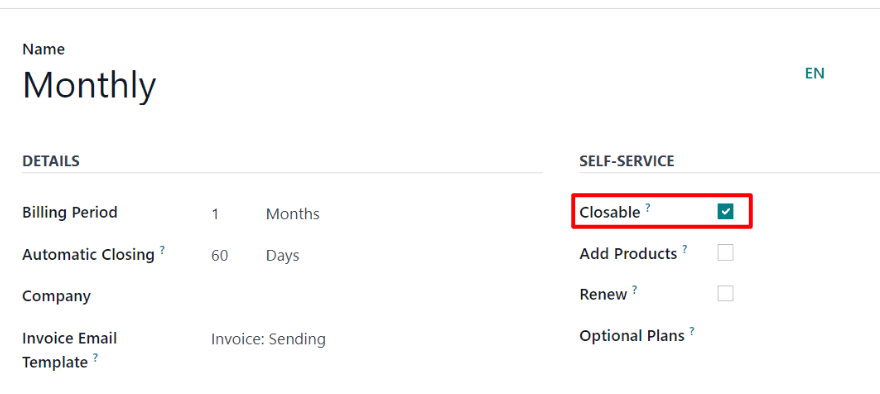
启用 可关闭 选项,在 自助服务 部分,允许客户使用客户门户自行关闭订阅。
关闭订阅
管理员视图
确认订阅产品的销售报价单后,该单变为销售单,订阅状态变为 进行中 。
在订单确认后,订阅状态变为 进行中 ,此时,关闭订阅功能变为可用,通过销售单顶部的 关闭 按钮,在 进行中 行的附近,提供关闭订阅功能。订单完成后,该功能也变为可用。
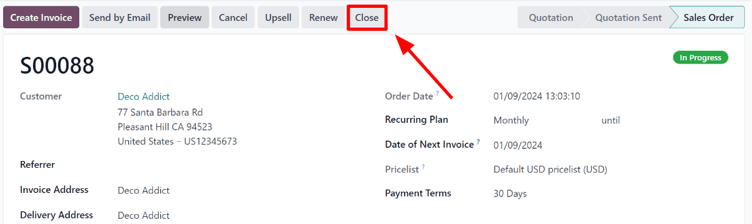
点击 关闭 按钮,会弹出 关闭原因 窗口,允许管理员输入关闭订阅的原因,或者从选项的 drop-down 菜单中选择。
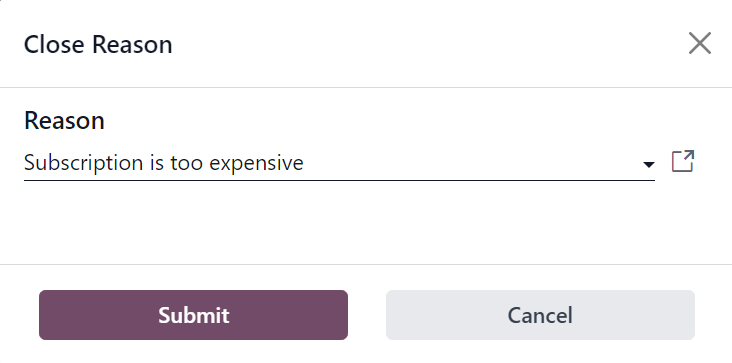
填写完 原因 后,点击 提交 按钮,完成关闭订阅。
点击 提交 按钮,更新销售单的状态为 流失 ,并显示指定的 关闭原因 。
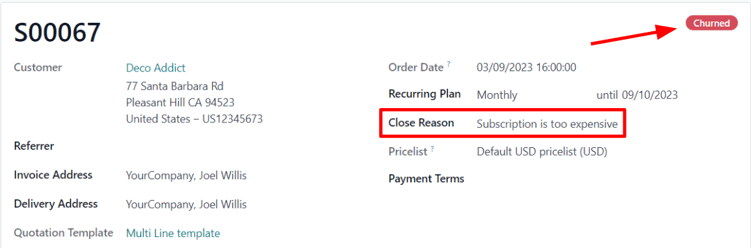
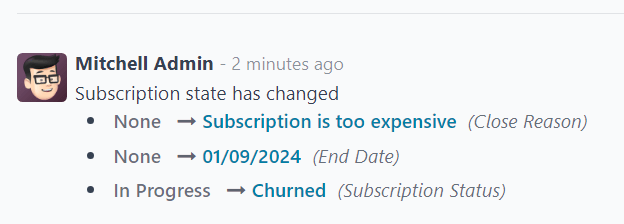
同样的关闭原因也可以在销售单的 Chatter 中查看。
客户视图
Note
As an administrator, the ability to visualize what customers see when managing their subscriptions is accessible via the Preview button, located at the top of the subscription sales order.
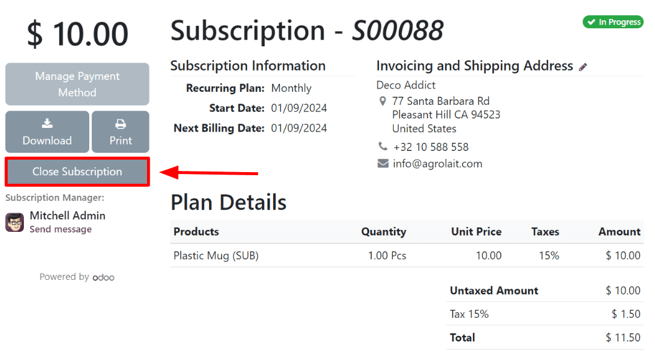
From the customer’s point of view, in the customer portal, the Close Subscription button is located on the left side of the sales order.
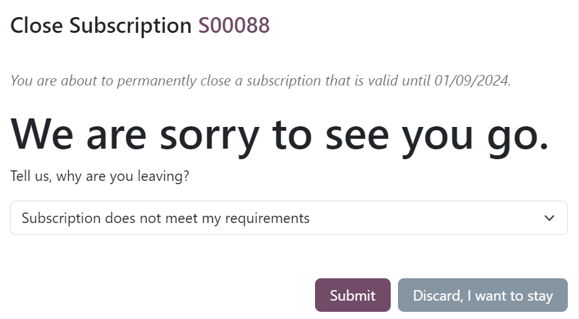
When the customer clicks the Close Subscription button, a Close Subscription pop-up window appears, in which the customer has to choose from a select list of reasons why they are choosing to close the subscription.
Note
Customers can only chose a pre-configured reason why the subscription is being closed. They can not enter a custom reason from the customer portal. These selections can be adjusted by navigating to .
Once the customer has chosen a close reason, they would click the Submit button on the pop-up window.
Upon closure, the subscription order in the customer portal is tagged as Closed.
In addition, the specified Close Reason appears on the subscription order in the Subscriptions app in the backend (Administrator’s view).
更多内容
