报表
Odoo 在线客服 包含多份报告,可用于监控操作员绩效并识别客户对话中的趋势。
在线客服 应用中包含以下报告:
Note
在线客服评分报告 也可以通过 报告 菜单访问。有关此报告以及实时聊天评分流程的更多信息,请参阅 实时聊天评分 。
要访问所有可用报告下拉菜单,请导航至 。
会话历史
会话历史报告显示关于实时聊天会话的概述,包括会话日期、参与者名称和国家、会话持续时间、消息数和评分。它还提供对实时聊天会话的完整记录的访问权限。
要访问此报告,请前往 。每个在线客服会话由一个看板卡片代表。
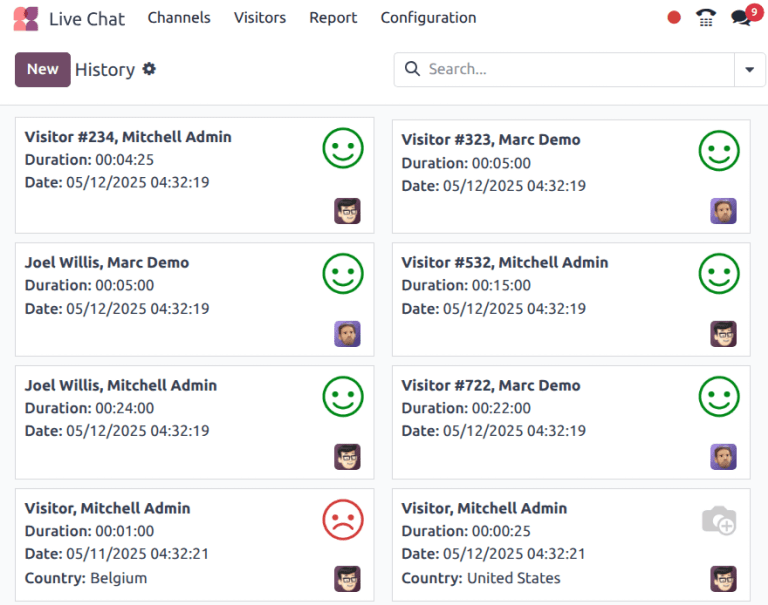
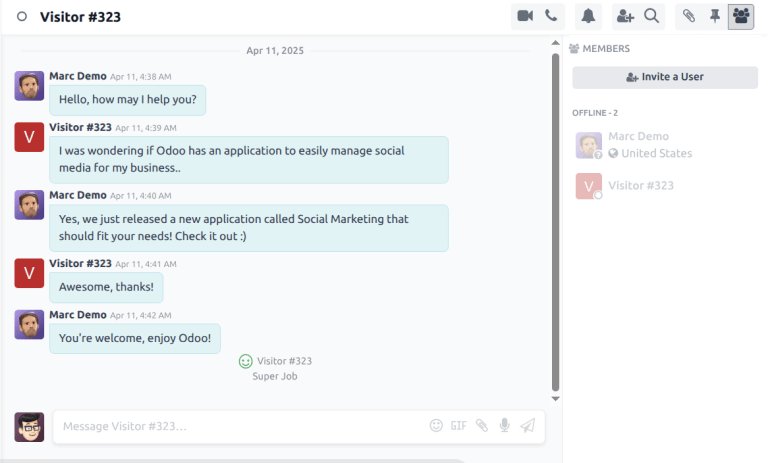
要查看特定会话的记录,请点击其看板卡片。这将打开该对话的*讨论*主题。
在*讨论*主题中,对话视图会显示对话的完整记录。如果访客留下了评分,它会显示在记录的末尾。
导出会话历史
此报告中的信息可以导出,也可以插入到电子表格中。
在 会话历史 报告中,点击 (列表) 图标切换到列表视图。接着,点击 历史 页面标题右侧的 (齿轮) 图标以显示下拉菜单。
从下拉菜单中单击 全部导出 将所有会话导出到电子表格,或点击 在电子表格中插入列表 将信息插入新的或现有的电子表格。
若仅需导出选定的会话,请首先通过点击每个单独会话左侧的复选框,从列表中勾选需要导出的会话。选中会话后,点击页面顶部的 操作 图标,然后点击 导出 或 插入列表到电子表格 。
对话统计
会话统计 报告提供实时聊天会话的统计概览。该报告的默认视图显示按创建日期分组的会话。
要访问此报告,请导航至 。
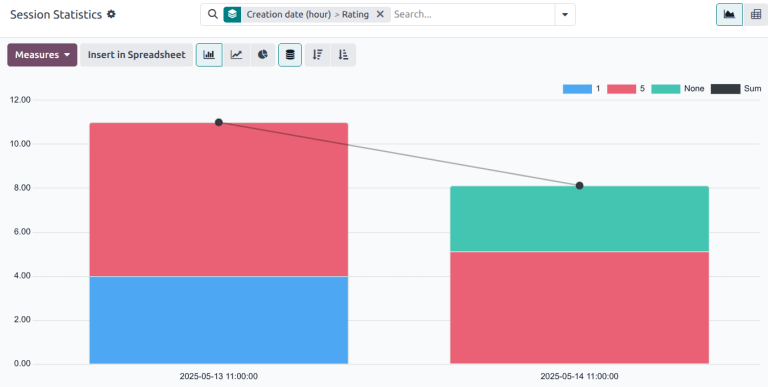
会话统计 报告的堆叠条形图视图,结果按创建日期(小时)分组,然后按评级分组。
要查看不同的衡量标准,请点击报告左上角的 衡量标准 下拉菜单。本报告可用的衡量标准包括:
# of speakers: number of participants in the conversation.
Days of activity: number of days since the operator’s first session.
Duration of Session (min): the duration of a conversation, in minutes.
Is visitor anonymous: denotes whether the conversation participant is anonymous.
Messages per session: the total number of messages sent in a conversation. This measure is included in the default view.
Rating: the rating received by an operator at the end of a session, if one was provided.
Session not rated: denotes if a session did not receive a rating at the end of the conversation.
Time to answer (sec): the average time, in seconds, before an operator responds to a chat request.
Visitor is Happy: denotes whether a positive rating was provided. If the visitor gave either a negative or neutral rating, they are considered unhappy.
Count: the total number of sessions.
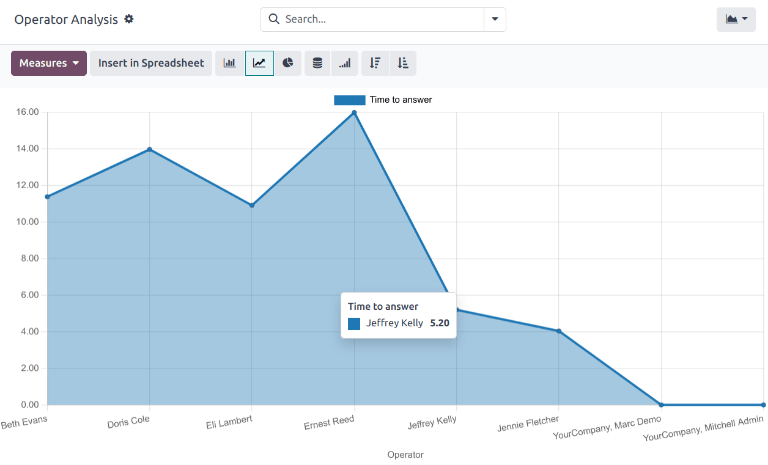
操作者分析
The Operator Analysis report is used to monitor the performance of individual live chat operators.
To access the report, navigate to .
The default view for this report is a bar chart, which only displays conversations from the current month, as indicated by the This Month default search filter. Conversations are grouped by operator.
要查看不同的衡量标准,请点击报告左上角的 衡量标准 下拉菜单。本报告可用的衡量标准包括:
# of Sessions: the number of sessions an operator participated in. This measure is included by default.
Average duration: the average duration of a conversation, in seconds.
Average rating: the average rating received by the operator.
Time to answer: the average amount of time before the operator responds to a chat request, in seconds.
Count: the total number of sessions.