链接追踪器
链接追踪器允许您创建可追踪的链接以测量营销活动的有效性。他们允许您确定哪个渠道带来您最多访问的用户,并做出明智的决策。
配置
链接追踪器模块 默认未安装。您需要通过转到 启用 电子邮件营销 选项。或者,您可以参考 安装 来安装 链接追踪器 或营销应用程序之一。
创建可追踪的 URL
要创建和管理可追踪的链接,请转到 。填写以下信息,并点击 获取追踪链接 来生成追踪 URL。
URL: The URL which is the target of the campaign. It is automatically populated with the URL from where you access the menu.
Campaign: The specific campaign the link should be associated with. This parameter is used to distinguish the different campaigns.
Medium: The medium describes the category or method through which the visitor arrives at your site, such as organic search, paid search, social media ad, email, etc.
Source: The source identifies the precise platform or website that referred the visitor, such as a search engine, a newsletter, or a website.
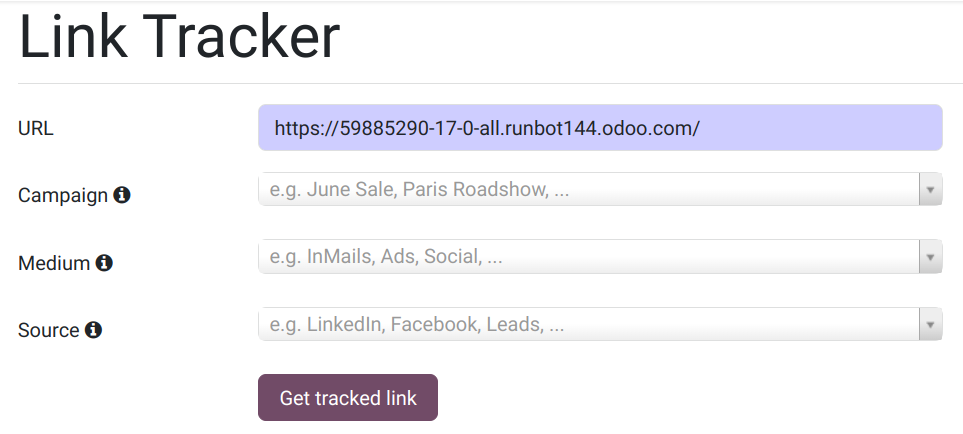
The Campaign, Medium, and Source are called UTM parameters. They are incorporated in the tracked URL.
Tip
You can customize the visibility of building blocks using the UTM parameters, amongst other conditions.
Tracked links overview
To get an overview of your tracked links, go to and scroll down to Your tracked links section.
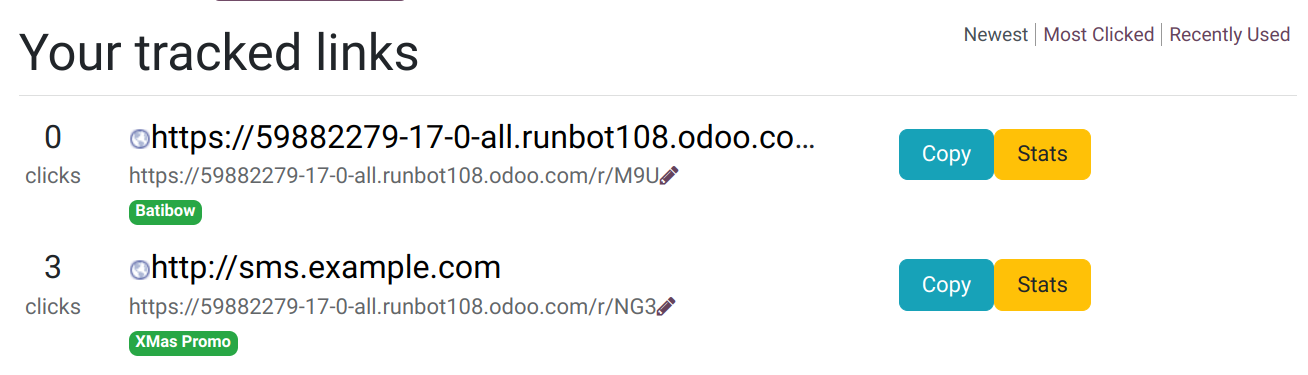
统计
To measure the performance of tracked links, click the Stats button.
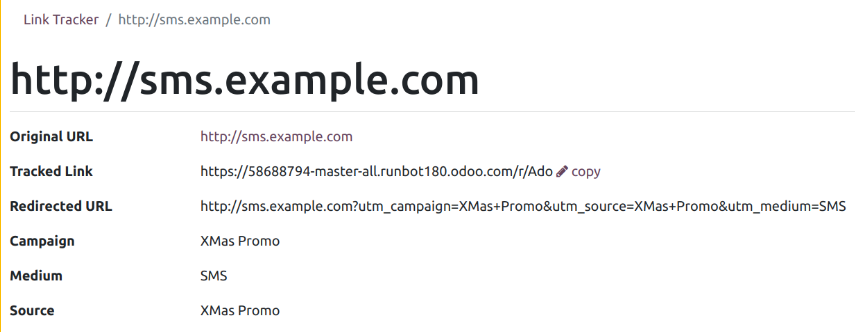
Scroll down to the Statistics section to get an overview of the number of clicks of your tracked links. You can display information for a specific period by clicking the All Time, Last Month, or Last Week options.
